
How to use Note blocks for puzzles in Minecraft
In your Minecraft adventures, you might have come across that mysterious wooden block with a red dot that makes a sound when tapped or powered. That is a note block, and it has more musical and mechanical depth than you might think. Today we’ll walk through how to tune them, power them, and make them useful in real builds.
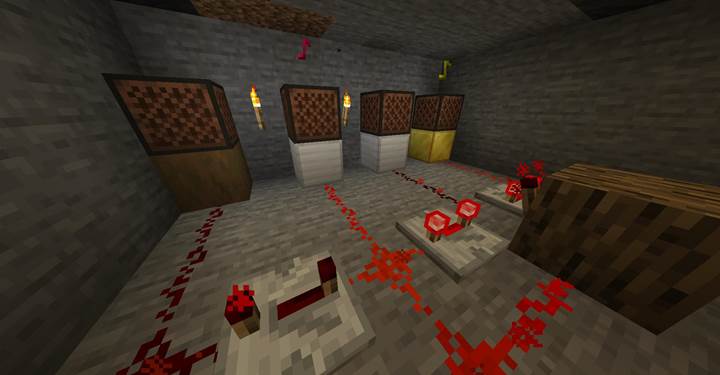
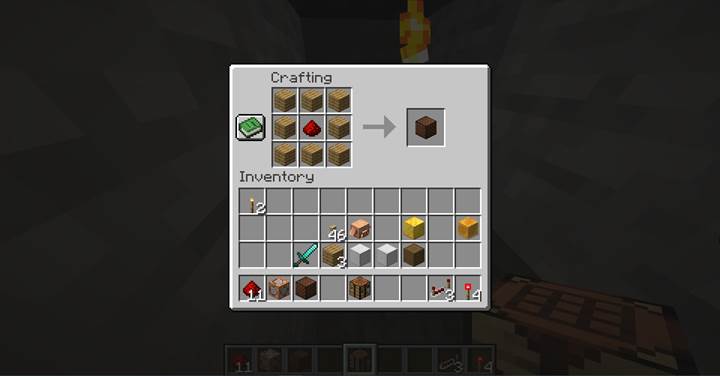
Craft a note block
You can craft a note block with any planks and one redstone dust. They also generate naturally in ancient cities, but most players just craft them. Note blocks must have air above them to make a sound. If anything is placed directly on top - even a button - they’ll stay silent. Break them quickly with an axe to collect or adjust.
Tune and play notes
A note block makes a sound when powered by redstone or hit. Right-clicking it changes the pitch, moving up by one semitone every time. There are 25 pitches in total, cycling from F to the next F. After hitting the max note, the next click resets the pitch. Left-clicking in survival mode plays the current sound. The sound depends on the block directly underneath the note block.
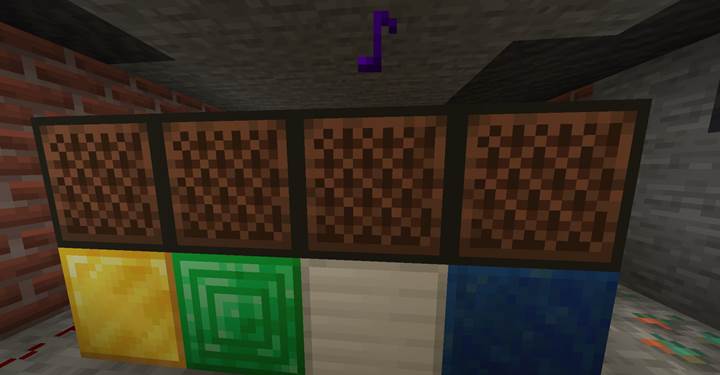
The instrument depends entirely on the block below. For example, wood plays a bass, stone gives you a bass drum, and wool turns the note into a guitar sound. Using a pumpkin? You’ll get a didgeridoo. There are over a dozen different instruments, including bells, flutes, chimes, banjos, and even mob head sounds like skeletons or zombies. This lets you layer different textures into your music.
Power with redstone
Note blocks are triggered when powered by any redstone component: levers, buttons, plates, repeaters, and even observers. They can be part of a redstone clock to create loops or sequences. For example, alternating note blocks on a redstone loop can play a repeating melody. Just remember: if the block above is not air, nothing will sound.
Puzzle room with note block tuning
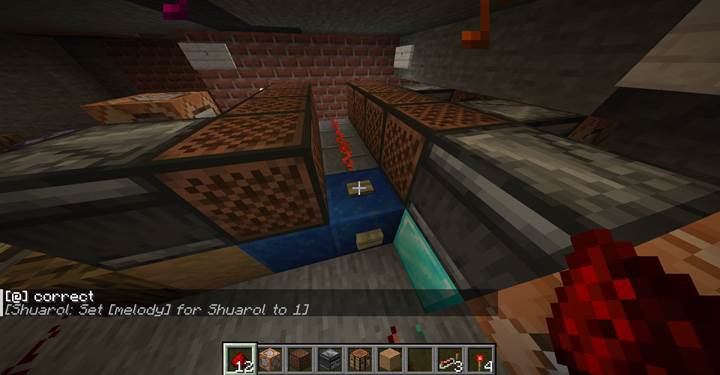
Imagine walking into a quiet central chamber surrounded by four sealed doors. Each leads to a separate sound chamber, where something is repeating every few seconds. You hear it - a soft ring, a sharp pling, maybe a deep drum beat. This is no ordinary room. This is a sound-based puzzle, and your task is to reproduce each tone exactly using four note blocks in the center of the room.
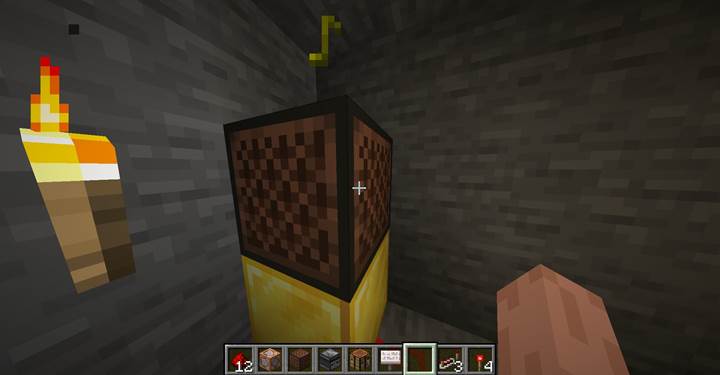
Each of the four side chambers contains a note block already configured with a specific instrument and pitch. These blocks are powered by a repeating redstone clock - a simple loop made of redstone dust, repeaters set to 3 ticks, and a redstone torch. The result is a rhythmic, looping tone that plays every second or so, giving the player time to walk in, listen carefully, and memorize the sound. These rooms are not accessible at the same time. Maybe you can only visit one at a time, or maybe the sound plays faintly through walls. However you design it, the player must compare and recall.
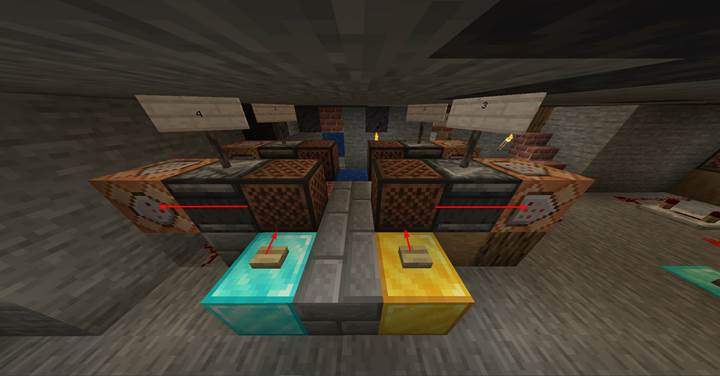
Back in the center chamber, there are four empty note blocks placed over different materials: wool, wood, gold, etc. The player’s job is to set the correct instrument (by choosing the right block underneath) and tune the note (by right-clicking until the pitch matches). Each note block is wired to an observer that detects when it is triggered - either manually or via redstone - and sends a signal into a command block.
The command block for each observer checks both instrument and pitch:
/execute if block -104 65 163 minecraft:note_block[note=6,instrument=guitar] run say Block 1 correct
You can also use this to trigger something more exciting:
/execute if block -104 65 163 minecraft:note_block[note=6,instrument=guitar] run setblock -100 65 160 minecraft:redstone_block
Each correct tuning activates a redstone mechanism - like lighting up an indicator or unlocking part of a door mechanism. When all four note blocks are correctly configured, a final command block detects that all match:
/execute if block A note_block[note=3,instrument=bell] if block B note_block[note=7,instrument=pling] if block C note_block[note=2,instrument=basedrum] if block D note_block[note=12,instrument=guitar] run setblock X Y Z minecraft:oak_door[facing=north,open=true]
The final door swings open with a satisfying click.
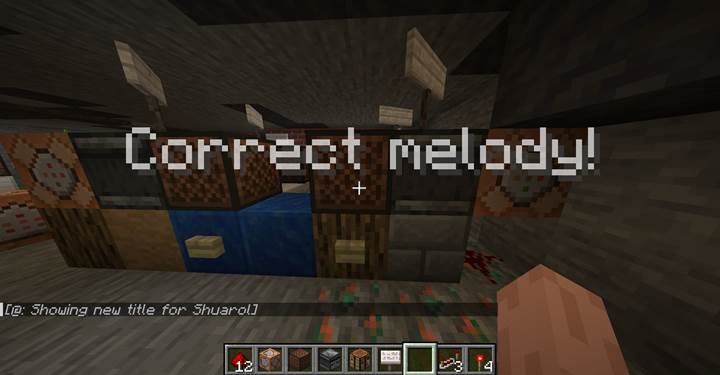
This puzzle uses pure Minecraft mechanics, combining sound recognition, memory, and logic. You can add clues in the world: signs with color-coded hints, books describing “ringing tones from metal” or “deep beats under stone.” Maybe even ghostly whispers from nearby rooms. And best of all - you give players a reason to interact with note blocks not just as instruments, but as keys to progression.
Want to make it even more dramatic? Use particle effects, light changes, or a music sequence that plays when the door opens. This kind of system fits perfectly in adventure maps, escape rooms, or challenge towers.
Note blocks are more than musical toys. With redstone and a little creativity, they become puzzle pieces, mob guides, alarm systems, and even memory storage.