
How to use fireworks with Elytra in Minecraft?
Introduction
Since Elytra, the in-game glider that allows players to soar like a bird, was introduced, taking to the sky in Minecraft has never been more thrilling. But when combined with fireworks, Elytra offers an unmatched acceleration and agility increase, elevating the experience to a whole new level. We go deep into the technique of using pyrotechnics with Elytra in this extensive guide, so you may fly across the skies of Minecraft with ease and accuracy. You'll be prepared to improve your airborne adventures and up the ante on gaming by the end of this session.
Understanding Elytra
Elytra are rare wings found in the End City, and they allow players to glide through the Minecraft world. Before you can start using fireworks for propulsion, it’s essential to know how to equip and use Elytra.
- Obtain Elytra: First, travel to the End City and locate the floating ship. Inside, you’ll find an item frame holding the Elytra.

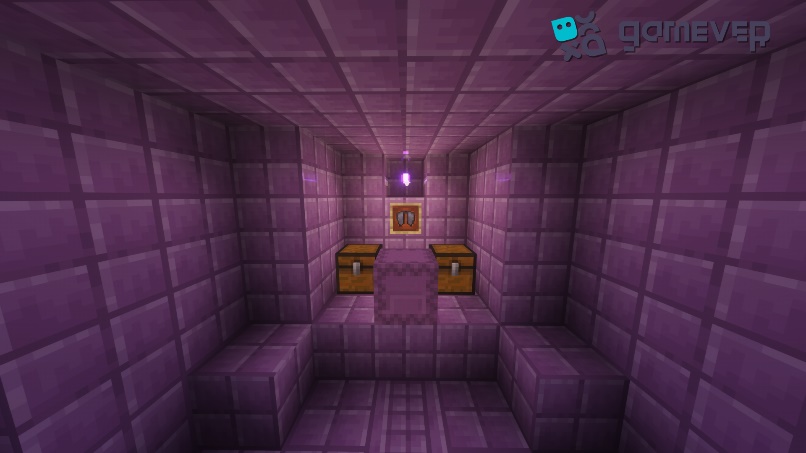
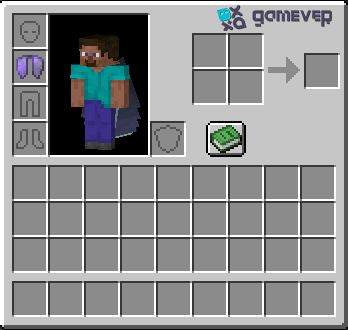
- Equip Elytra: Place the Elytra in your chestplate armor slot.
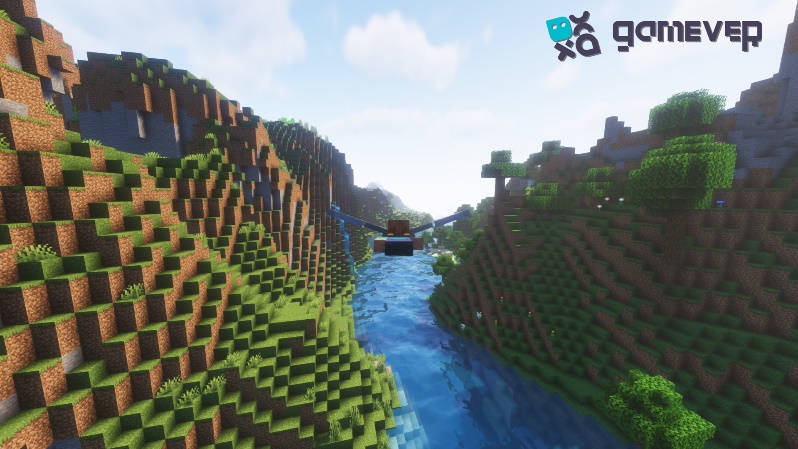
- Glide with Elytra: Jump from a height, and press the jump key again to start gliding.
Crafting fireworks for Elytra
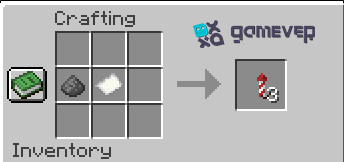
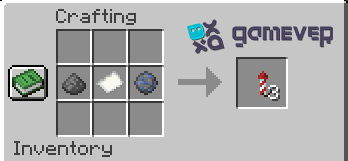
Using fireworks with Elytra requires a specific type of fireworks rocket. Here’s how to craft them:
- Gather Materials: Collect paper and gunpowder. Optionally, add dye for colored explosions.
- Craft Firework Stars (Optional): Combine dye, gunpowder, and additional modifiers for special effects.
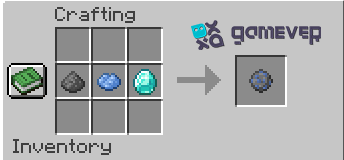
- Craft Firework Rockets: Combine paper, gunpowder, and optional firework stars on the crafting table.
Using fireworks with Elytra
Once you have your firework rockets crafted, it’s time to take to the skies.
- Start Gliding with Elytra: Gain altitude and start gliding.
- Select Firework Rockets: Place them in your hotbar and select them.
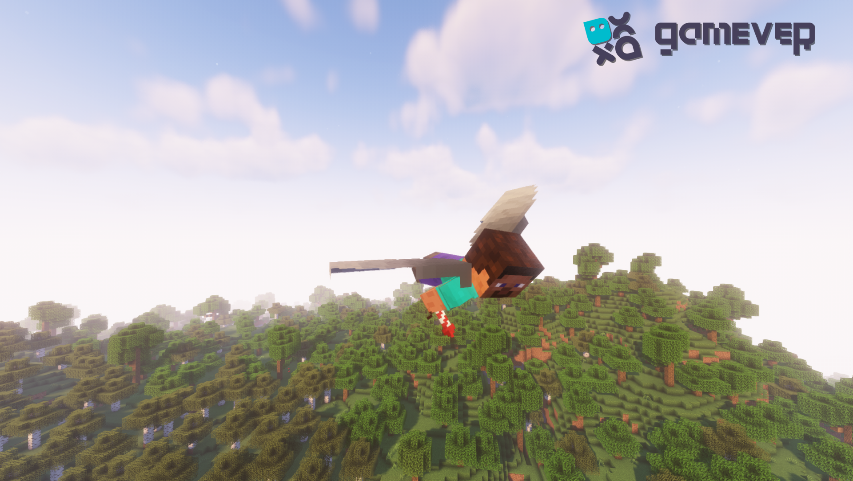
- Use Firework Rockets: Right-click (Java Edition) or use the action button (Bedrock Edition) to activate the firework rocket. You’ll gain a significant speed boost and altitude.
Mastering Aerial Maneuvers
Using fireworks with Elytra opens a world of possibilities for aerial maneuvers.
- Sharp Turns: Use your mouse or controller to guide your direction.
- Dive and Climb: Point your camera up or down to adjust your altitude.
- Precision Landing: Reduce your speed and glide toward your landing spot, deploying the firework rocket if necessary for extra control.
Safety and Durability
Using fireworks with Elytra is thrilling, but it’s important to be mindful of safety and the durability of your Elytra.
- Monitor Durability: Elytra has limited durability, so keep an eye on its condition and repair it using phantom membranes when necessary.
- Avoid Obstacles: Be cautious of your surroundings to avoid colliding with obstacles.
Enhancing Your Experience with Enchantments
Enchantments can significantly improve your Elytra experience.
- Unbreaking III: Increases the durability of your Elytra.
- Mending automatically uses experience orbs to repair your Elytra.
Exploring and Mapping from the Skies
Using Elytra and fireworks is not just about the thrill; it’s also a practical way to explore and map your Minecraft world.
- Cover large distances. Quickly: Reach unexplored territories with ease.
- Create Comprehensive Maps: Get a bird’s-eye view of the landscape for detailed mapping.
Joining Gamever Servers for Aerial Adventures
To truly maximize your Elytra and fireworks experience, consider joining Gamever servers. Gamever offers high-performance Minecraft server rentals, allowing you and your friends to soar through the skies in a lag-free environment.
Benefits of Gamever Servers
- Stable Performance: Enjoy smooth, uninterrupted flights.
- Private and Secure: Share your aerial adventures in a safe, secure environment.
- Community and Support: Join a community of enthusiastic Minecraft players and receive support whenever needed.
Conclusion
Gaining proficiency with Elytra's pyrotechnics in Minecraft opens up a universe of options and turns gameplay into an amazing journey. The sky is literally the limit when it comes to exploring large regions and performing sophisticated aerial maneuvers. As you and your pals soar through the skies, don't forget to take Gamever into account for your server requirements. It guarantees a high-performance, flawless multiplayer experience. Cheers to taking to the sky and enjoying the excitement of Minecraft!