
How to Use Cheat Commands in Core Keeper 1.0
Getting Started with ChatCommands Mod
Core Keeper doesn’t have a built-in command console like some other games. But don’t fret! You can still use ChatCommands with the help of mods like the ChatCommands mod. This mod adds a whole suite of commands right into your game, making it a breeze to use cheats.
Installing the ChatCommands Mod
To get started, you’ll need to install the ChatCommands mod. Launch Core Keeper and open Mods section.

Find the next Mods and press Subscribe to start downloading them: CoreLib, CoreLib.Commands, CoreLib.Localization, CoreLib.RewiredExtension and, finally, CheatCommands Mod. Then install them along with the mod. You will need to relaunch the game to activate them.

Using Cheat Commands
Once Core Keeper is restarted, launch the game session. Let’s get to the fun part—using the commands! Press Enter and type the command. Here’s a rundown of the most exciting commands you can use:
- /give {itemName} [count] [variation]: Instantly add any item to your inventory. For example, `/give iron_sword 1` will give you an iron sword.
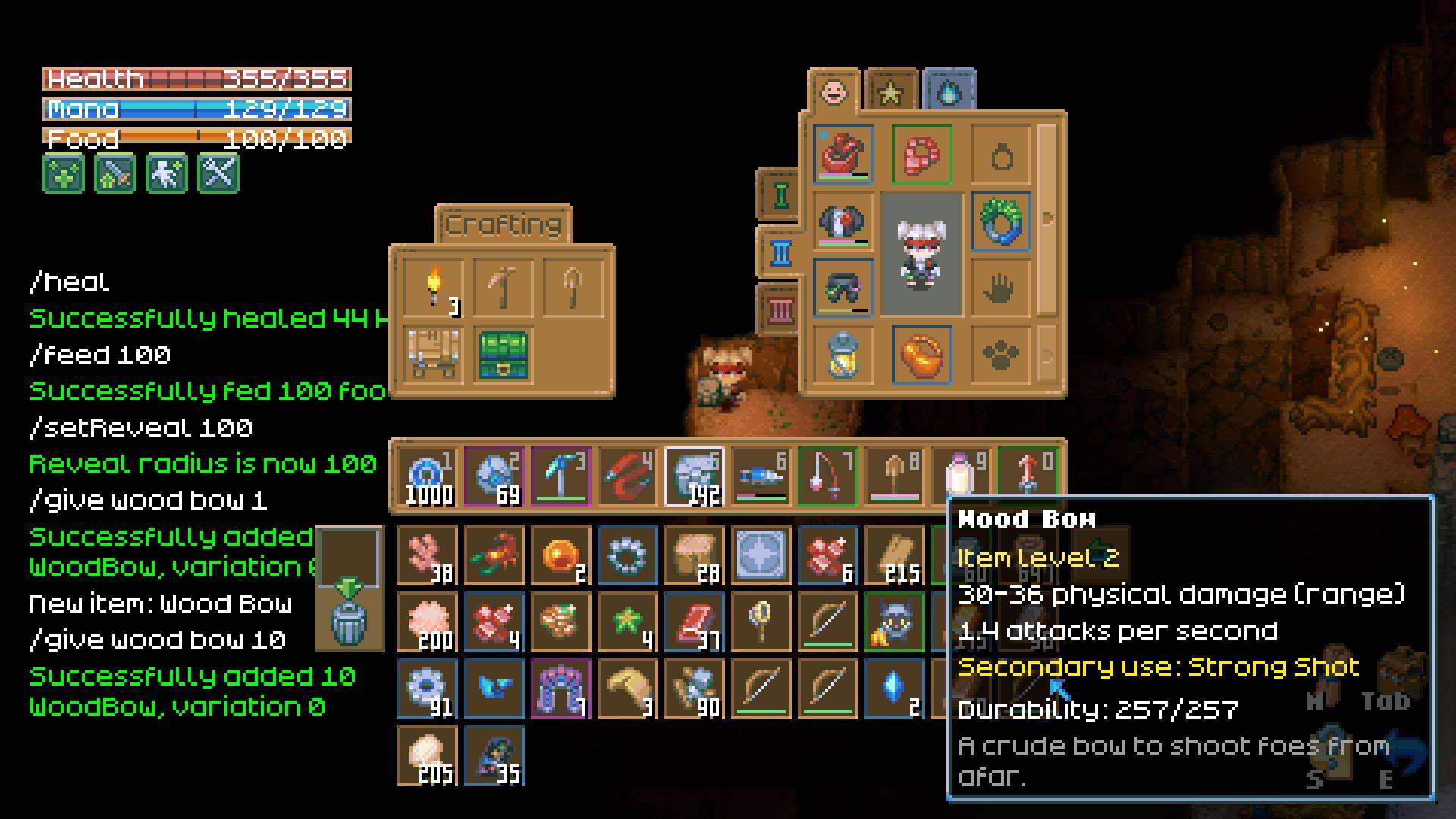
- /spawn {entityName} {x} {y} [variation]: Spawn any creature or entity at specific coordinates. Use this to bring your favorite monsters or NPCs right into your world.
- /placeTile {tileset} {tile type} {x} {y}: Place a specific tile at your location. Want to create a new room? This is your go-to command.
- /removeTile {tile type} {x} {y}: Remove tiles from your world with ease. Perfect for cleaning up or redesigning your space.
- /clearInv: Clear out your entire inventory. Sometimes, a fresh start is all you need!
- /heal [amount]: Fully heal your character. If you’re feeling a bit worn out, this command is a lifesaver.
- /feed [amount]: Fully restore your hunger bar. Keep your character well-fed and ready for adventure.

- /maxSkills: Max out all your skills instantly. Become a master of everything in no time!
- /invincible: Toggle invincibility to become completely untouchable. Perfect for those moments when you just want to breeze through challenges.
- /noclip: Move freely through the world without physical limitations. Explore every nook and cranny without obstacles.
Advanced Commands
Feeling adventurous? Try these advanced commands to really push the boundaries:
- /repeat {times} {command name} [command parameters]: Repeat any command multiple times. Ideal for large-scale changes or testing.
- /setReveal {radius}: Expand your map reveal radius and see through walls. Get a comprehensive view of your surroundings!

- /hide <target> [state]: Hide elements like the UI, inventory, or player visuals. Customize your screen exactly how you want it.
Tips and Tricks
- Check Coordinates: When using commands that require positions (like spawning or placing tiles), remember that coordinates are global. Use relative positioning with the `~` symbol if needed.
- Experiment Safely: Always make sure to save your game before using cheat commands. This way, you can experiment without the risk of messing up your progress.
- Stay Updated: The modding scene is always evolving. Keep an eye out for updates and new features that might enhance your cheat command experience.
Using ChatCommands in Core Keeper 1.0 opens up a world of possibilities. From summoning items and creatures to fully customizing your gameplay, these commands let you shape your adventure exactly how you want it. With the ChatCommands mod, you’re equipped to push the boundaries of Core Keeper and have a blast doing it. Dive in, experiment, and enjoy the enhanced freedom in your game!