
How to Use Blocker in Rust
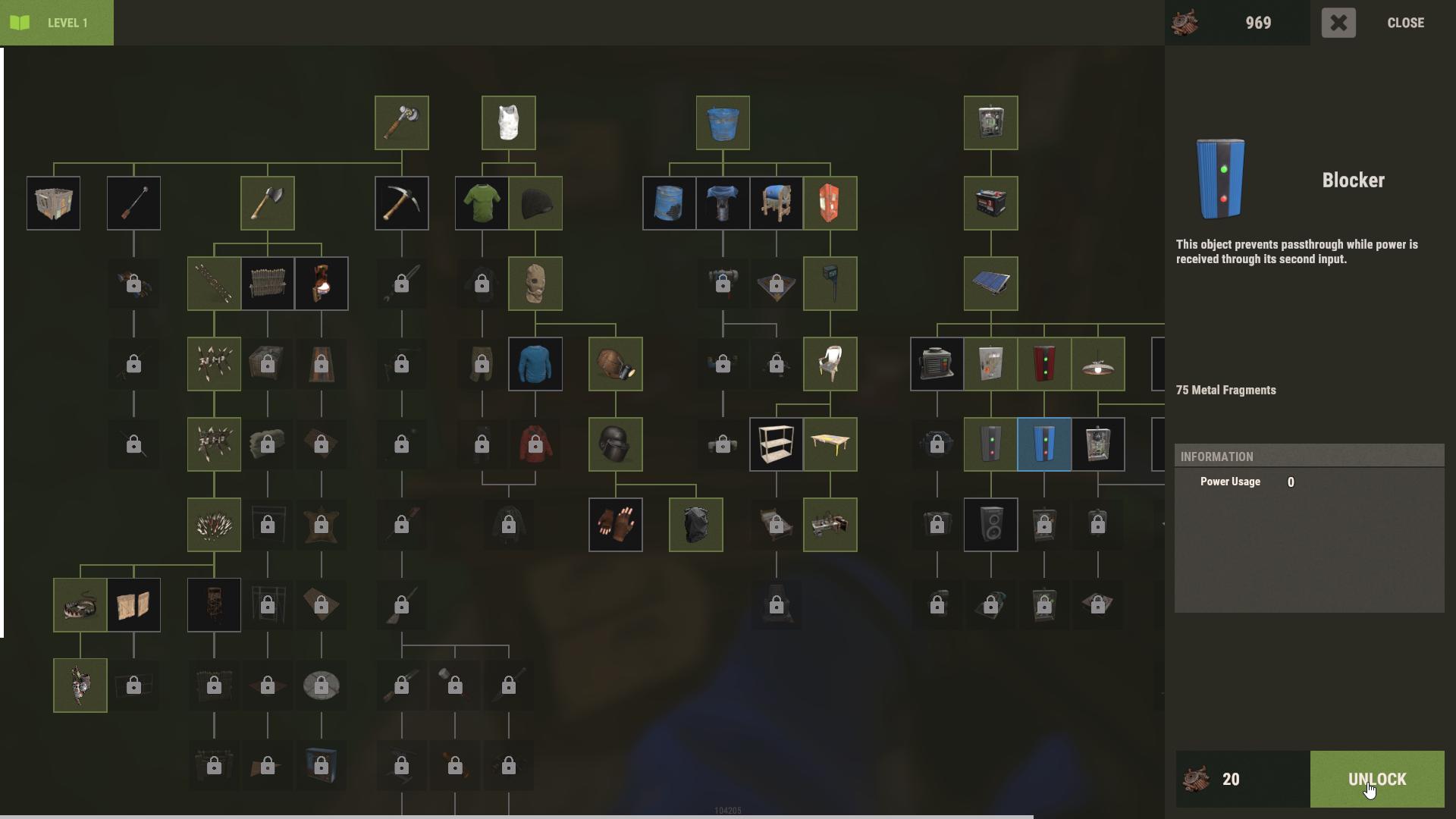
Open Workbench Level 1 and unlock Blocker for with 20 Scraps. Then, crafting a Blocker is straightforward. Gather 5 High Quality Metal and 1 Gear to make it at your workbench. You might also find it in crates or sunken chests while exploring.
Understanding the Blocker’s Functionality
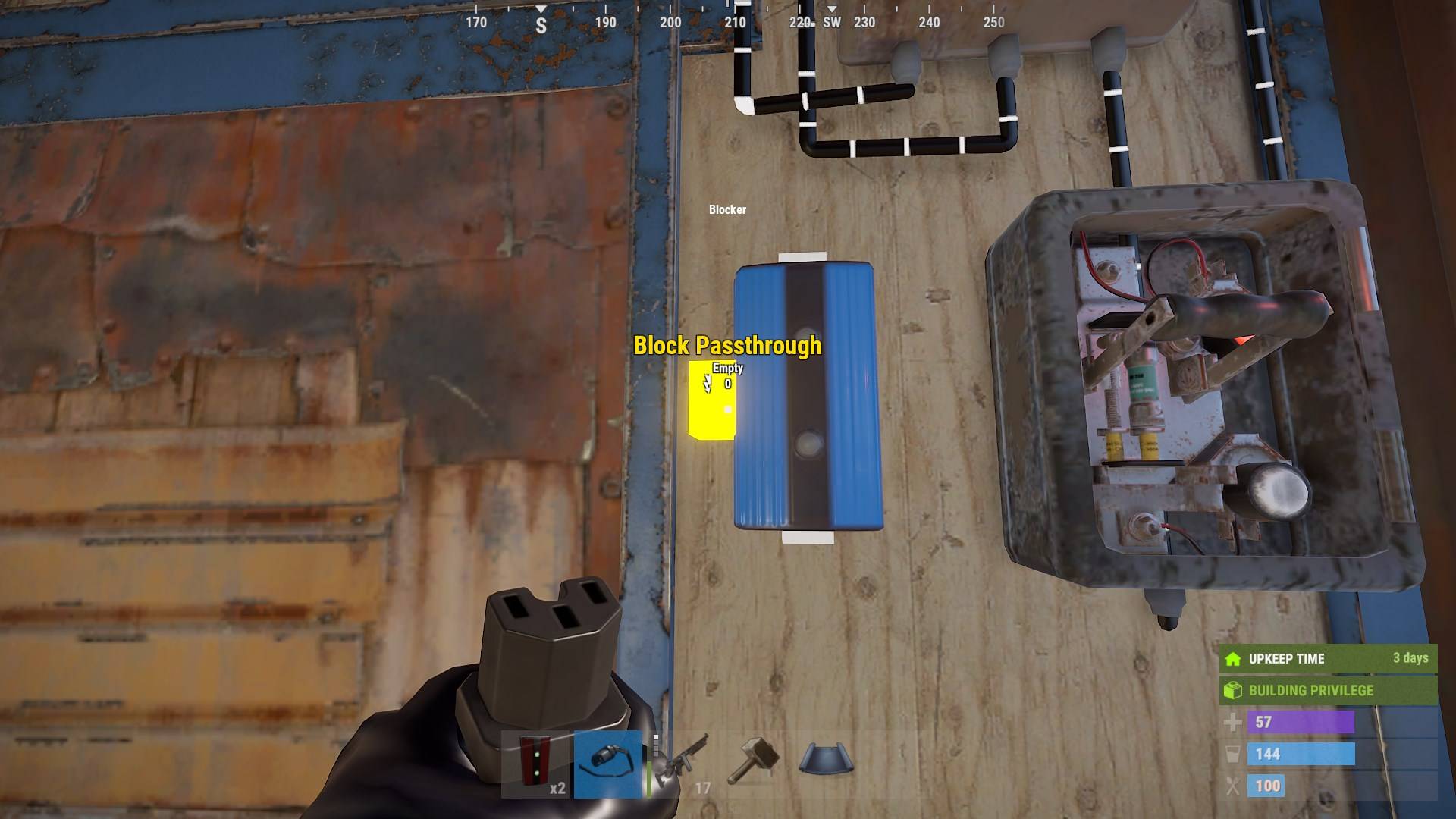
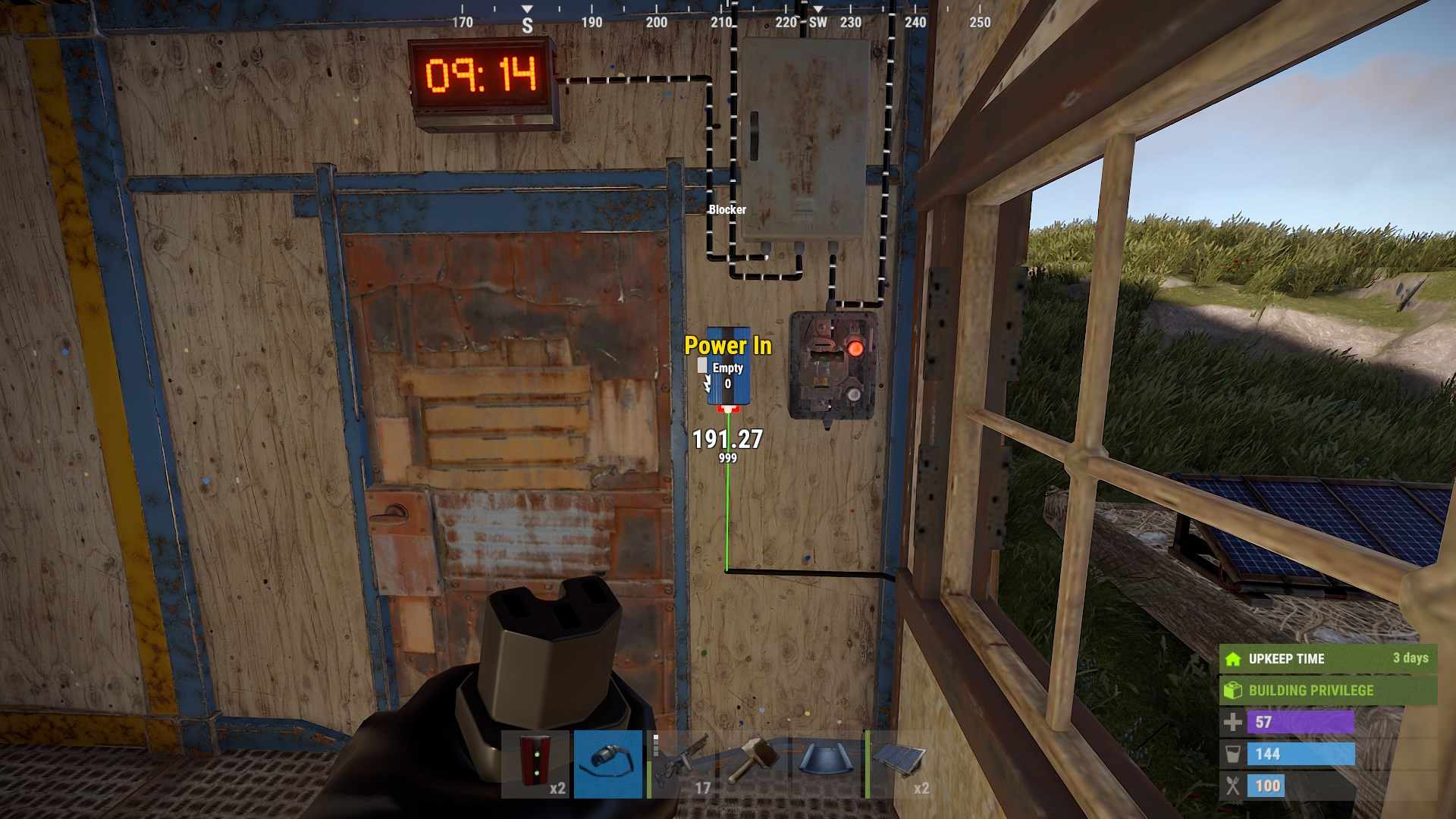
The Blocker has three main ports: Power In, Power Out, and Block Pass-Through. Here’s how each one works:
- Power In: Connect this port to your power source.
- Power Out: This port distributes power to other devices.
- Block Pass-Through: When you power this port, it cuts off power flow through the Power Out port.
Setting Up Your Blocker
Start by connecting the Power In from a solar panel or wind turbine to the Blocker. Next, wire the Power Out to whatever you want to power, such as a light. Now, apply power to the Block Pass-Through. This will block power from flowing through the Power Out, turning off the connected devices.
This setup is handy for various scenarios. For instance, if you want to control access to certain areas or devices based on sensor input, wire the sensor's output to the Block Pass-Through. When the sensor is triggered, it will cut off power to the connected devices.
Key Features and Benefits
- Efficient Power Management: The Blocker doesn’t consume power from the battery while blocking. This feature is especially useful for managing batteries in automated systems, keeping them charged and ready.
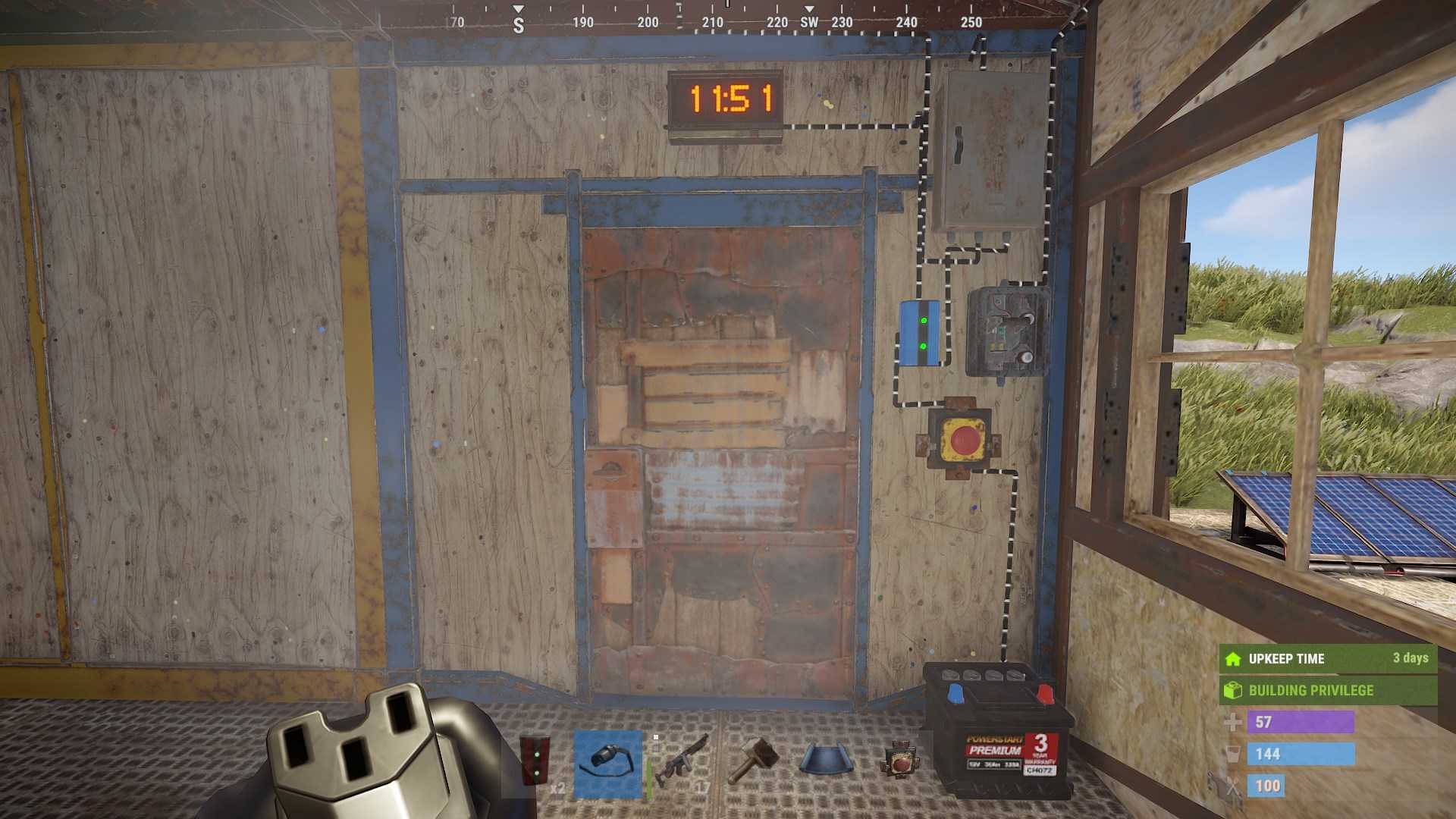
- Secure Your Setup: Use the Blocker to restrict power flow and protect sensitive components from unauthorized access. This adds an extra layer of security to your base.
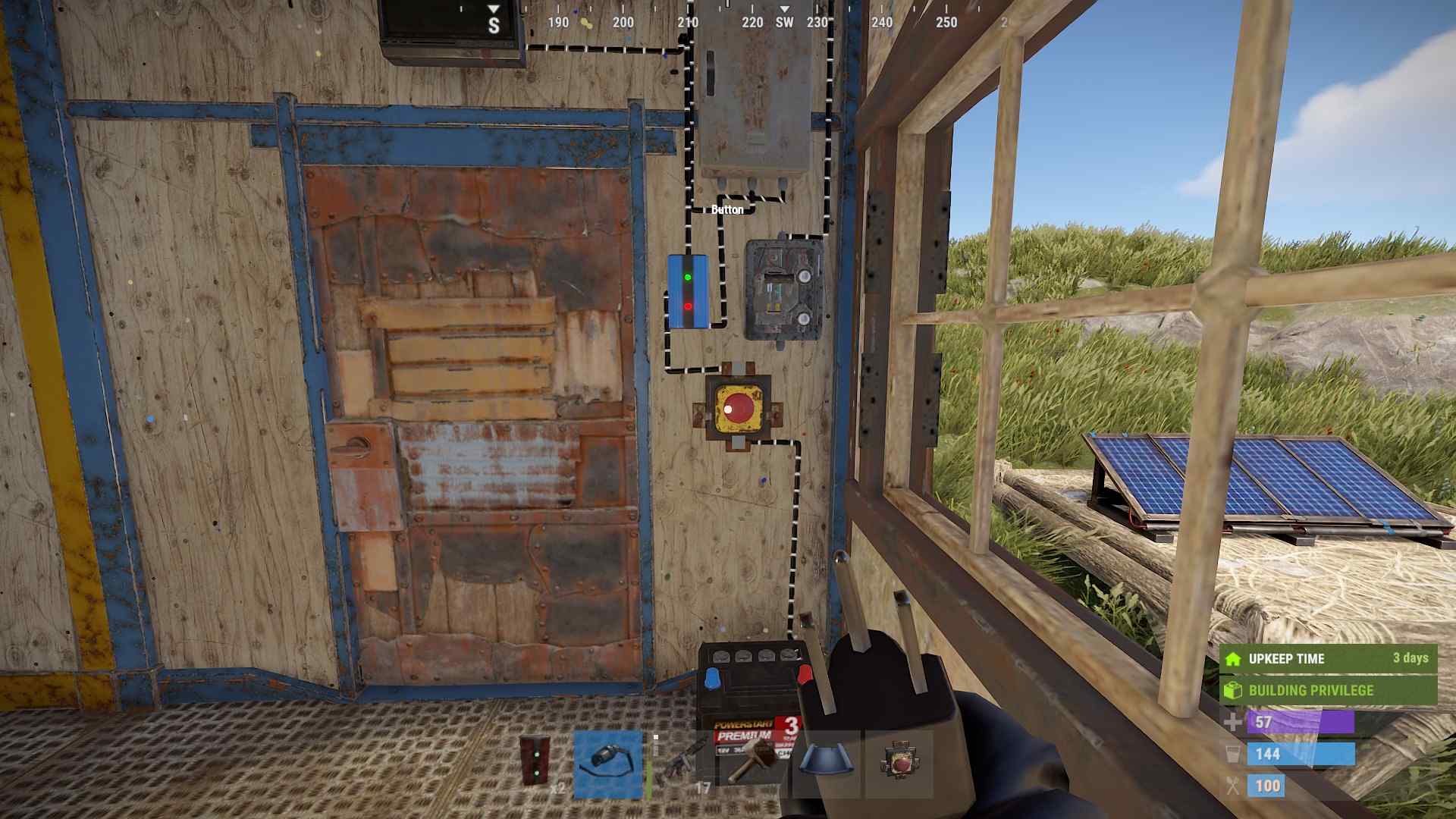
- Versatile Applications: Whether you’re controlling lights, turrets, or automated doors, the Blocker can handle various tasks efficiently.
Using the Blocker with Batteries
One of the standout features of the Blocker is its ability to not affect the battery’s charge timer when in blocking mode. This is handy for setups that rely on batteries for backup power. It helps maintain the battery's charge without manual management.
When placing your Blocker, keep in mind that it has low health. For better protection, install it on an interior wall. Avoid connecting the Block Pass-Through to the Power Out port directly, as this can short-circuit the system and disrupt your setup.
The Blocker is a valuable addition to your Rust base, offering precise control over your electrical systems. By incorporating the Blocker into your setup, you can enhance security, manage power efficiently, and create more complex automated systems. Embrace the power of the Blocker to keep your base running smoothly and securely.