
How to unbind a key in Rust
Enhancing Gameplay Through Key Customization: In the realm of Rust, where triumph hangs by a thread, unraveling the secrets of key customization can offer a transformative edge. By delving into the art of unbinding keys, players can fine-tune their controls, unlock hidden potential, and embark on a thrilling journey towards ultimate victory.
Unbinding
Unleashing the true power of unbinding keys in Rust involves traversing two distinct paths: the mystical realms of in-game settings and the enigmatic console. These divergent avenues present unique opportunities, and the choice of which path to traverse lies in the hands of the intrepid adventurer.
In-Game Settings
Venture into the depths of Rust's in-game settings menu.
Unearth the sacred "Controls" section.
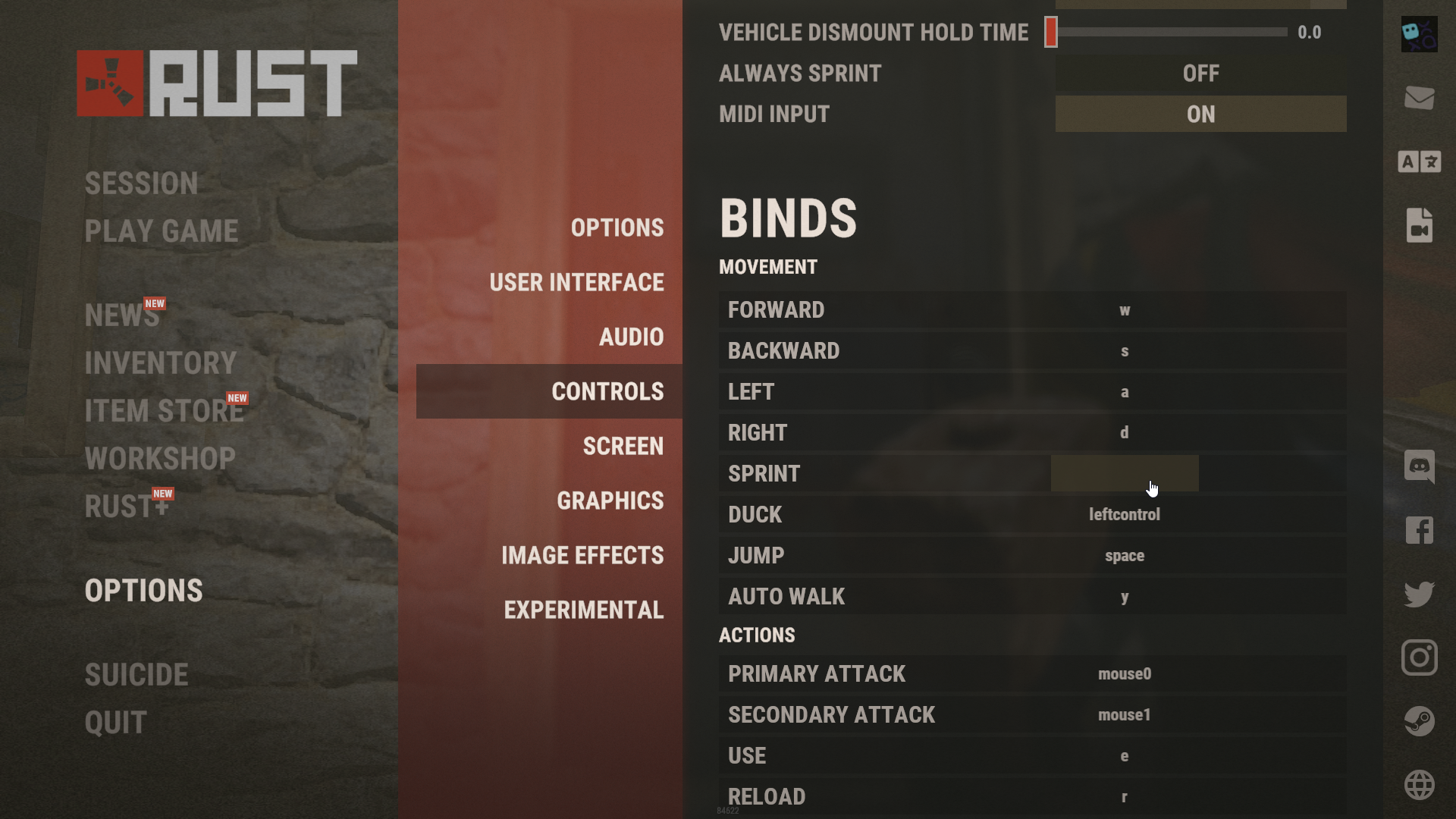
Identify the function shackled to the undesired key.
Bestow a new key upon the function to unbind its original companion.

Console
Inhabit Rust's ethereal realm, ensuring the game's presence.
Utter the sacred incantation, pressing the "F1" key to summon the console.
Engrave the ancient words, "bind [key] ''" (Just two quotation marks), replacing [key] with the desired target key, and command the unbinding ritual to commence.

Conclusion
By mastering the art of key unbinding and delving into the labyrinthine depths of Rust's customization, players can transcend the limitations of conventional gameplay. Unleash the boundless potential that lies within, sculpting a world tailored to individual preferences and forging a path towards gaming triumph. Embark now, brave wanderer, and etch your legacy upon the ever-shifting landscapes of Rust.