
How to teleport in Minecraft?
Players can instantly travel from one location to another utilizing teleportation in the game Minecraft, which promotes innovation and exploration. Acquiring the ability to teleport can open up a whole new world of gameplay possibilities in Minecraft, whether you're trapped, lost, or just want to go to your favorite place quickly. In this guide, we'll examine the simple, detailed procedure of teleportation in Minecraft.
Which game mode is required?
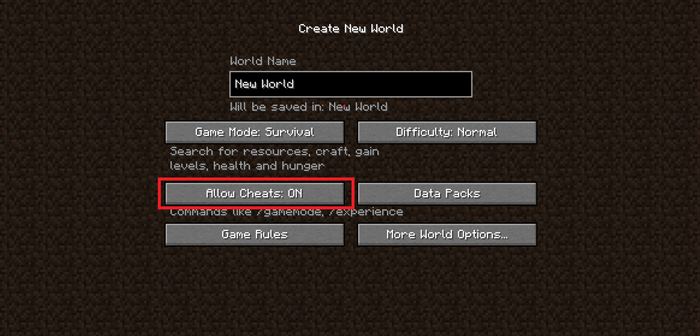
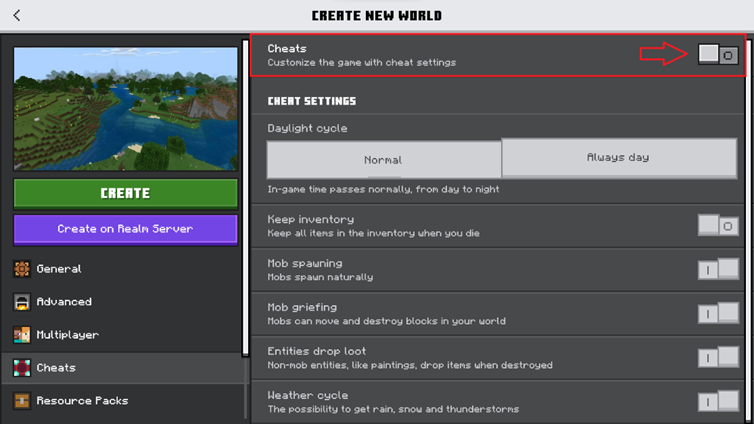
First, check to see if your game is in Creative Mode or if cheats are enabled in Survival Mode. The teleportation command is restricted to certain situations because it is regarded as a cheat.
How may a command be entered?
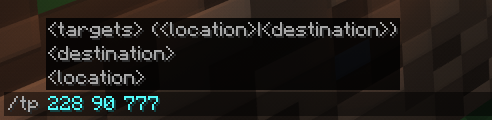
"/tp [YourUsername] [DestinationUsername]" is the standard command. Substitute your Minecraft username for "[YourUsername]" and the username of the player you want to teleport to for "[DestinationUsername]". Use "/tp [x] [y] [z]", altering the coordinates as necessary, to teleport to a given set of coordinates.
How can I find the coordinates?
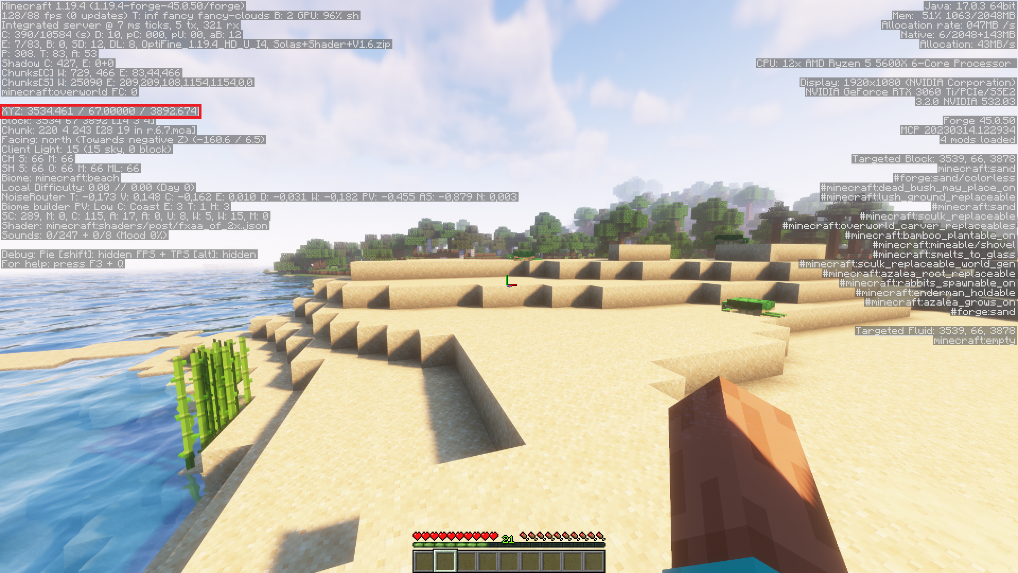
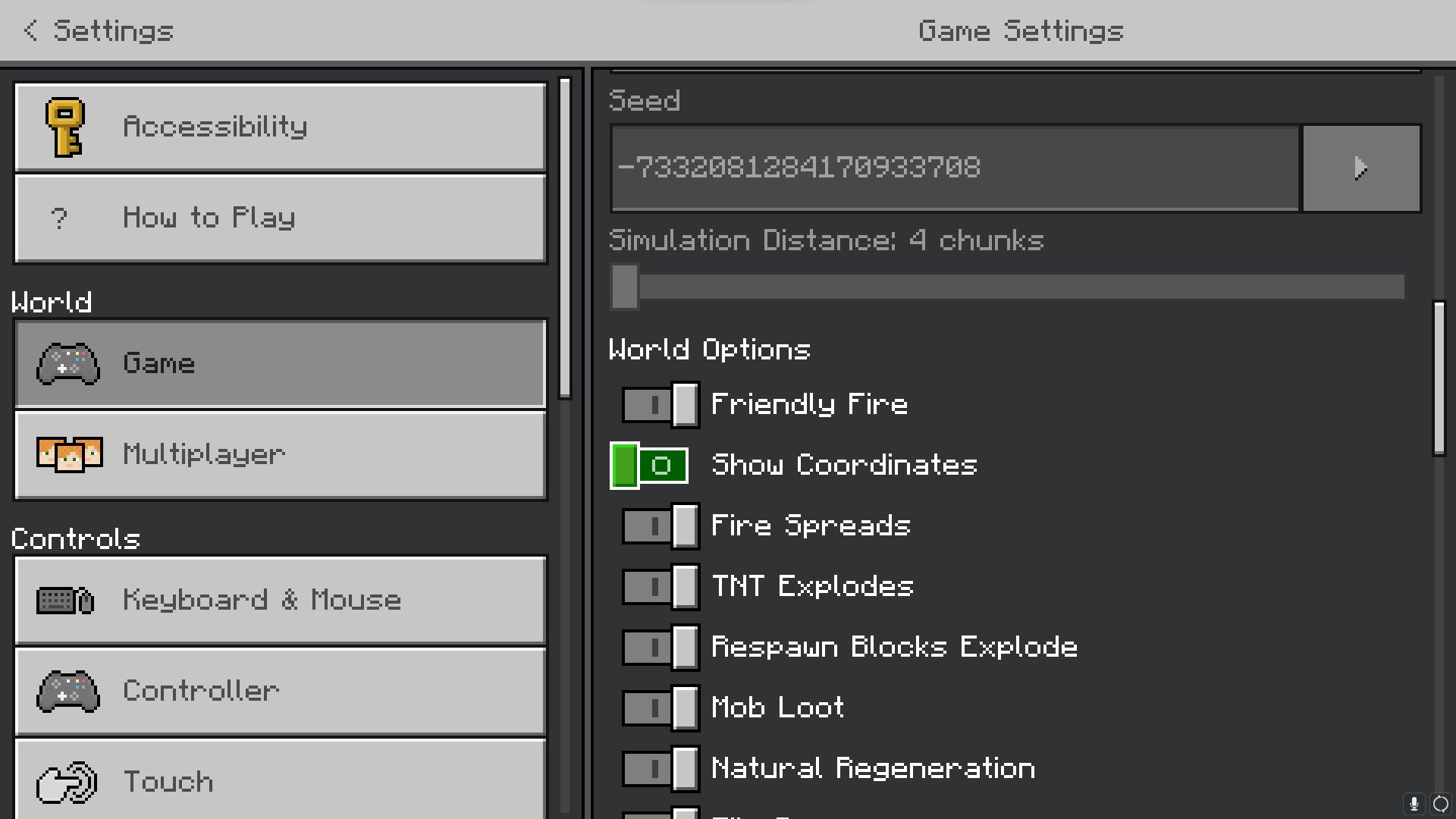
The letters X, Y, and Z in the virtual world of Minecraft stand for horizontal location, height, and depth, respectively. You can view your current coordinates by hitting F3 (for Java Edition) or turning them on in the game settings (for Bedrock Edition).
Conclusion
The game-changing ability of teleportation in Minecraft can significantly improve the effectiveness and fun of your games. You can teleport anywhere in your Minecraft world by following these simple instructions. Make judicious use of this power to uncover fresh levels of excitement in your Minecraft explorations. Like with any other technology, your creativity is the only restriction on what you can do in Minecraft. Cheers to teleporting!