
How to Switch Your Valheim Server to a Beta Branch (and Roll Back)
Iron Gate ships Valheim updates through Steam branches: the normal live build, and a public-test beta for upcoming content. Running the beta lets you try new features early; knowing how to switch branches also lets you roll back if an update breaks your mods. On gamever it's a single dropdown. This guide covers switching and rolling back safely.
The branch setting
Open Settings → Server settings and find Install Beta Branch:
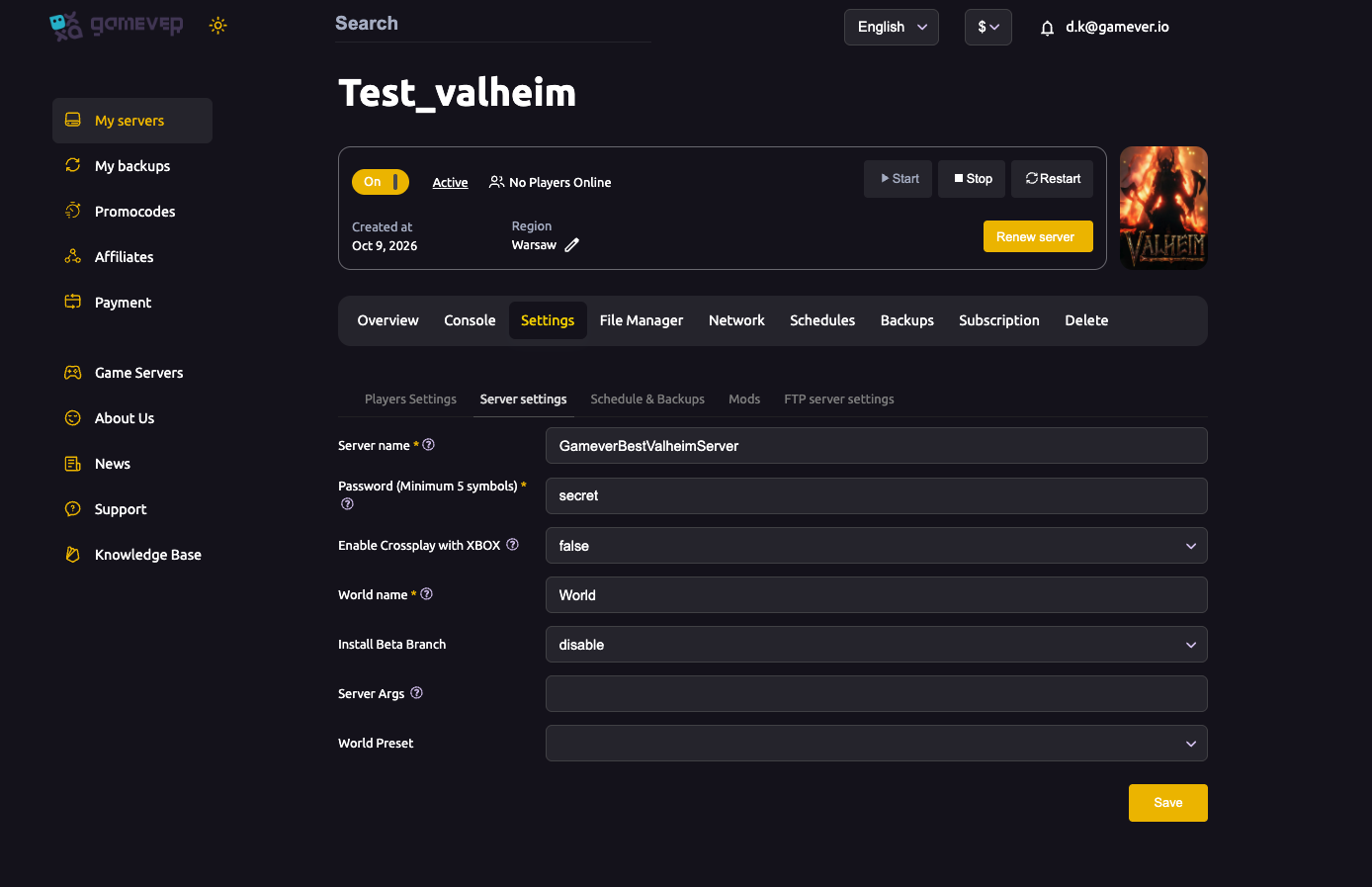
- disable (default) — the normal live build, matching most players.
- a beta branch (e.g.
public-test) — the beta build with upcoming changes.
Pick the branch, Save, then Restart — the server downloads that build.
The golden rule: clients must match
A Valheim server and its players must be on the same build, or they can't connect. So if you put the server on public-test, every player must also opt their game into the same beta in Steam:
- In Steam, right-click Valheim → Properties → Betas.
- Select public-test (or the matching branch) from the dropdown.
- Let Steam update, then join.
If someone can't connect after you switch, it's almost always a branch mismatch — line everyone up on the same branch.
Back up first
Beta builds can change world/save data in ways that don't cleanly load back on the live branch. Always take a backup before switching (see backup & restore) so you can restore if a rollback doesn't carry your world cleanly.
Rolling back
To return to the stable build (e.g. a beta broke your mods):
- Set Install Beta Branch back to disable.
- Save and Restart — the server reinstalls the live build.
- Have players switch their Steam Betas back to None.
- If the world misbehaves, restore the backup you took before going to beta.
Mods often lag behind a new Valheim build, so pinning the stable branch (and not updating) is a common way to keep a modded server working until mods catch up.
Additional Tips
- Server + all clients on the same branch — or no one connects.
- Back up before switching — betas can alter save data.
- Players set Steam → Betas to match the server's branch.
- Roll back = disable + restart — then clients switch to None.
- Betas are less stable — expect bugs; keep a stable backup handy.
Conclusion
Switching your Valheim server to a beta is one dropdown — Install Beta Branch on Server settings — but the real work is keeping everyone in sync: server and all players must run the same branch, and a backup first protects you if a rollback doesn't carry the world cleanly. Set it to disable to return to stable, and your crew is back on the live build.
Rent your Valheim server at gamever.io — switch branches from the panel, with backups a click away for safe rollbacks. Free trial, promo code WELCOME.