
How to Set Up Scheduled Restarts and Saves on Your Rust Server

A Rust server that runs for days without a restart slowly accumulates lag, and a server that saves rarely risks losing progress on a crash. gamever handles both: a save interval setting and a Schedules tab for automatic restarts. This guide shows how to set them up.
Set your save interval
The server auto-saves the world on a timer. Set it under Settings → Scheduler Settings → Save interval (in seconds):
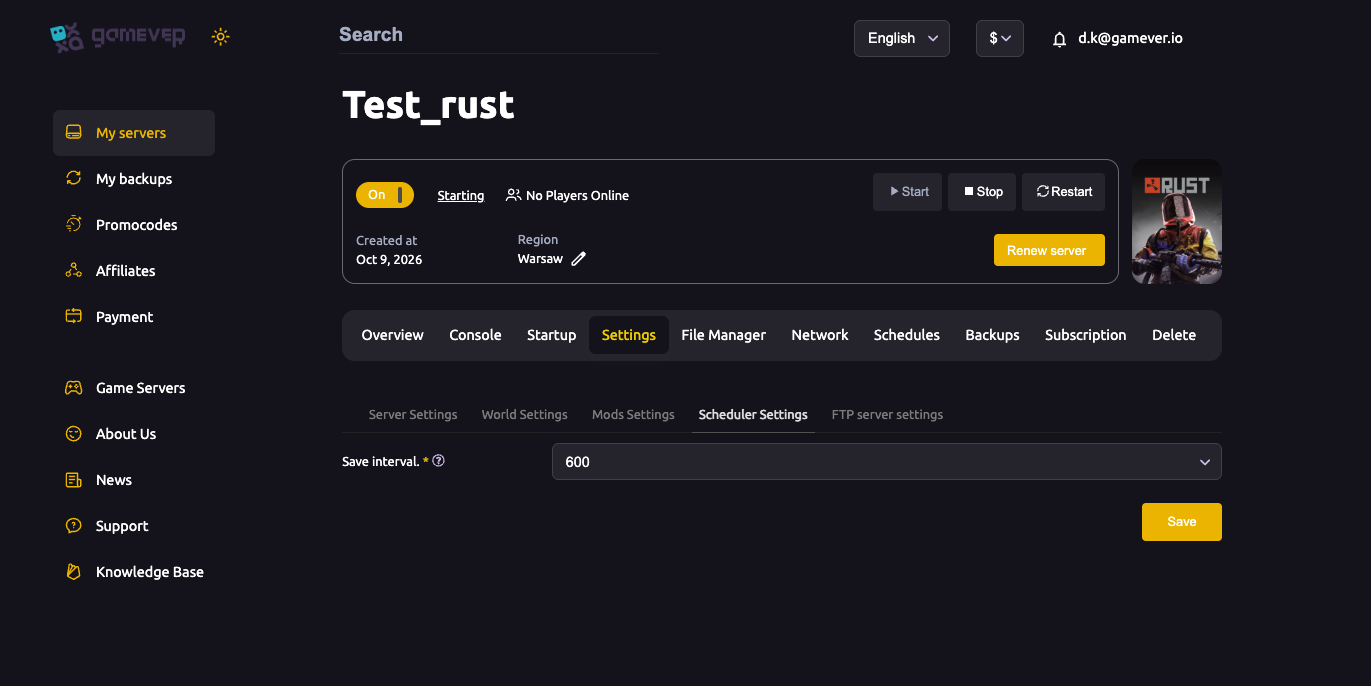
- 600 seconds (10 minutes) is a good default — frequent enough to protect progress, not so frequent it causes save-lag spikes.
- Lower it (e.g. 300) on a busy server if you want tighter protection; raise it on a huge map if saves cause hitches.
You can also force a save any time from the Console with server.save.
Schedule automatic restarts
Regular restarts clear memory, apply updates and keep performance healthy. Use the Schedules tab:
- Open the Schedules tab and click Create Schedule.
- Set the cron timing (minute / hour / day) — for example a daily restart at a low-traffic hour.
- Save and make sure the schedule's status is On.
A daily restart is a good baseline; high-population servers sometimes restart every 6–12 hours. Because your server updates on boot, a scheduled restart also keeps it current with Rust patches.
Warn players before a restart. Use a plugin that broadcasts a countdown, or send a
saymessage, so no one is caught mid-raid. The server auto-saves on a clean restart, but a heads-up avoids frustration.
A good baseline
- Save interval: 600s (tighten on busy servers).
- Restart: once daily at a quiet hour (more often for high-pop).
- Wipe day: restart onto the new build (see force-wipe schedule).
Additional Tips
- Don't set the save interval too low on a big map — saving too often causes periodic lag.
server.savebefore manual maintenance so nothing is lost.- Keep the restart at a low-traffic time to minimise disruption.
- Announce restarts with a countdown plugin or
say. - Check the schedule status is On — a created-but-off schedule does nothing.
Conclusion
Keeping a Rust server healthy comes down to two settings on gamever: a sensible Save interval (600s) under Scheduler Settings, and a daily restart on the Schedules tab. Together they protect progress and keep performance smooth — set them once and forget them.
Rent your Rust server at gamever.io — built-in save scheduling, cron restarts and auto-updates on boot. Free trial, promo code WELCOME.