
How to Set Up RCON on Your Rust Server (WebRCON)

RCON lets you run server commands from outside the game — from a desktop admin tool, a Discord bot, or a monitoring service like BattleMetrics. Rust uses WebRCON (a websocket protocol), and on gamever it's enabled out of the box. This guide shows where to find your connection details and how to connect a client.
What you need
Two things, both in the panel:
- Your RCON address — open the Network tab and copy the Server RCON address (
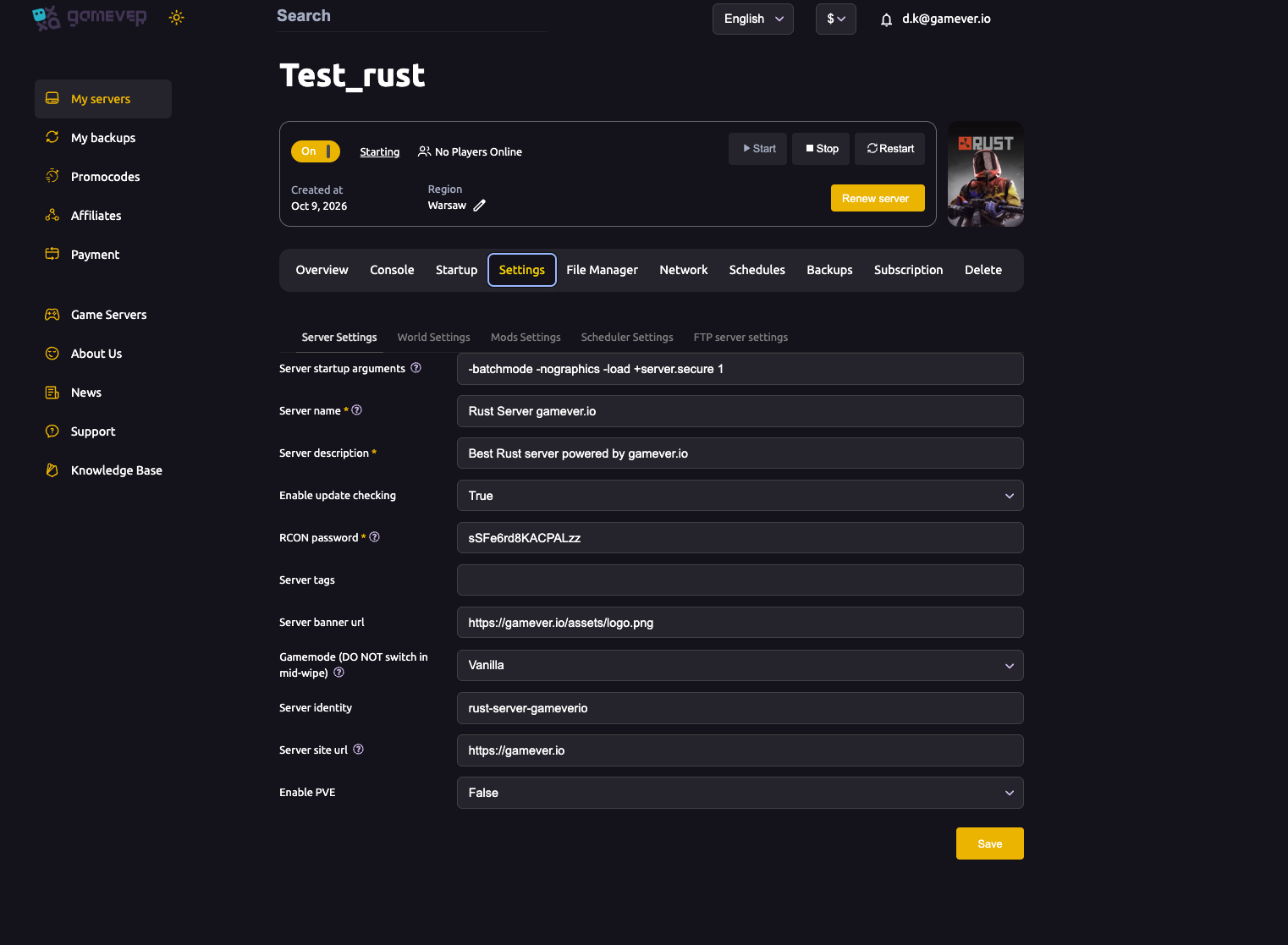
IP:port, e.g.62.112.222.154:27371). gamever assigns this port — use it exactly, not a generic default. - Your RCON password — Settings → Server Settings → RCON password. One is set for you; change it to something private.
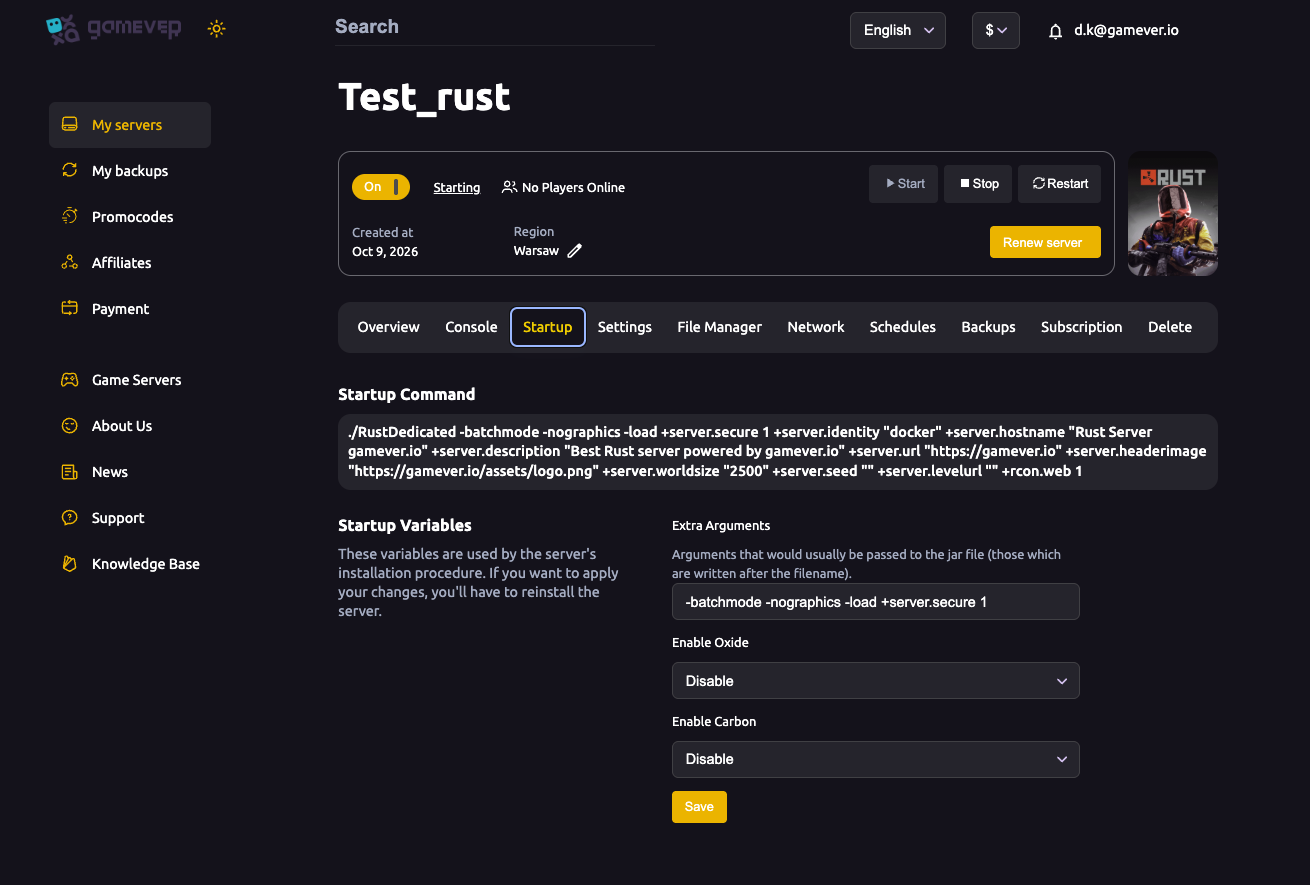
WebRCON itself is already enabled: your Startup Command includes +rcon.web 1, which turns on the websocket console. You don't need to add anything.
Connect a client
Point any Rust WebRCON client at your Server RCON address and authenticate with your RCON password. Popular options:
| Client | Good for |
|---|---|
| RustAdmin (desktop) | Full admin GUI — players, bans, chat, scheduled commands. |
| BattleMetrics | Live player list, ban sync, scheduled messages/commands. |
| Rustmin / web RCON | A quick browser console, nothing to install. |
| Discord RCON bots | Running commands from Discord. |
Most tools ask for the host/IP, the port, and the password — all three come straight off the Network and Server Settings pages. (A raw WebRCON URL looks like ws://IP:port/PASSWORD.)
Useful RCON commands
Once connected you type the bare command:
| Command | What it does |
|---|---|
serverinfo | Players, FPS, entities, uptime. |
say <msg> | Broadcasts a chat message to everyone. |
server.save | Forces a save to disk now. |
playerlist | Lists connected players with their SteamIDs. |
kick "<name/id>" "<reason>" | Disconnects a player. |
ban "<name/id>" "<reason>" | Bans a player. |
oxide.reload <plugin> | Reloads a plugin (if running Oxide). |
Do you even need RCON?
For everyday admin you can just use the panel's built-in Console tab, which is already connected to your server — type commands straight in. RCON earns its place when you want external tools: a desktop admin app, Discord integration, or BattleMetrics automation.
Additional Tips
- Keep the RCON password private — anyone with it and your RCON address controls the server. Change the default.
- Use the exact Server RCON address from the Network tab — don't assume a standard port.
- WebRCON is already on (
+rcon.web 1) — no startup edit needed. - Test with
serverinfo— a harmless command that confirms your connection and password. - Changed the RCON password? Reconnect your tools and Save + restart so the server picks it up.
Conclusion
Rust RCON on gamever is ready the moment your server boots: WebRCON is enabled, your RCON address is on the Network tab, and your password is in Server Settings. Point RustAdmin, BattleMetrics or a Discord bot at those two values and you can run your server from anywhere.
Rent your Rust server at gamever.io — WebRCON on by default, a built-in console, and one-click Oxide/Carbon. Free trial, promo code WELCOME.