
How to Set Up RCON on Your ARK Server

RCON (Remote Console) is a protocol that lets you send admin commands to your ARK server from an outside program — without launching the game at all. It's how Discord bots, monitoring tools like BattleMetrics, and desktop managers broadcast messages, save the world, kick players and restart the server on a schedule. This guide shows how to turn RCON on, find your connection details in the gamever panel, and connect a client. It works the same on ARK: Survival Evolved and ARK: Survival Ascended.
What you need
RCON needs exactly two things, and both live in your gamever control panel:
- Your RCON address — open the Network tab. Your server lists four addresses; the one you want is RCON address (for example
62.112.222.106:29971). gamever assigns this port for you — it's not the generic 27020 you'll see in old guides, so always copy the exact address shown here. (The same tab also lists your FTP, Server and Steam addresses.) - The admin password — this doubles as your RCON password. Set it under Settings → Server Settings → Admin password (
ServerAdminPassword). RCON will not accept a connection until this is set.
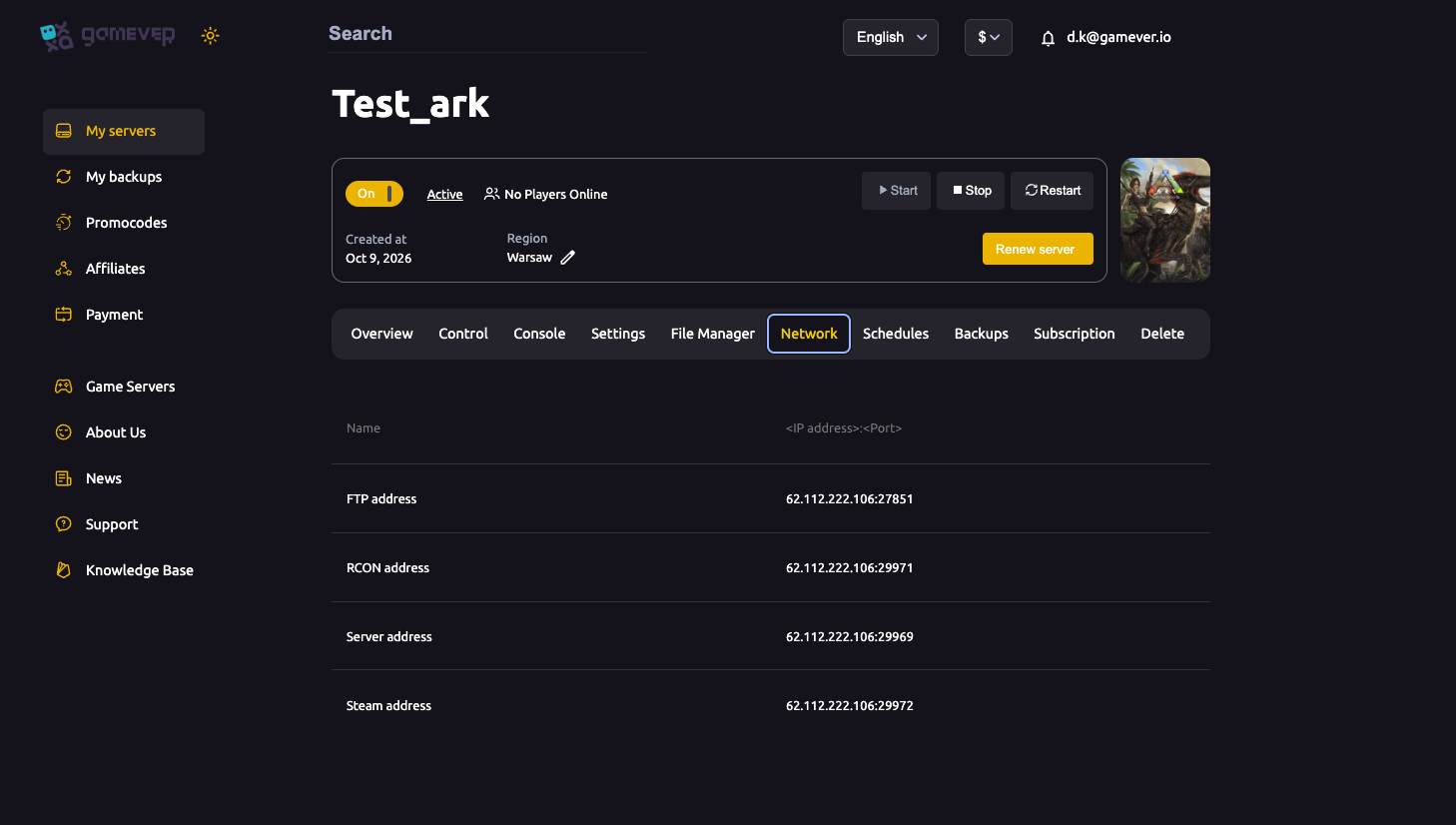
Step 1 — RCON is already on
On a gamever server, RCON is enabled out of the box — it ships that way in our ARK server image, so there's nothing to switch on and no RCONEnabled line to add. The panel also assigns and opens your RCON port for you (it's the one shown as RCON address on the Network tab), so don't change the RCON port — a custom port won't match the panel's mapping and the connection will fail.
The one thing you must do yourself is set an admin password, under Settings → Server Settings → Admin password (ServerAdminPassword) — that's your RCON password, and RCON refuses connections until it's set. Type one in and click Save; the panel applies it on the next restart.
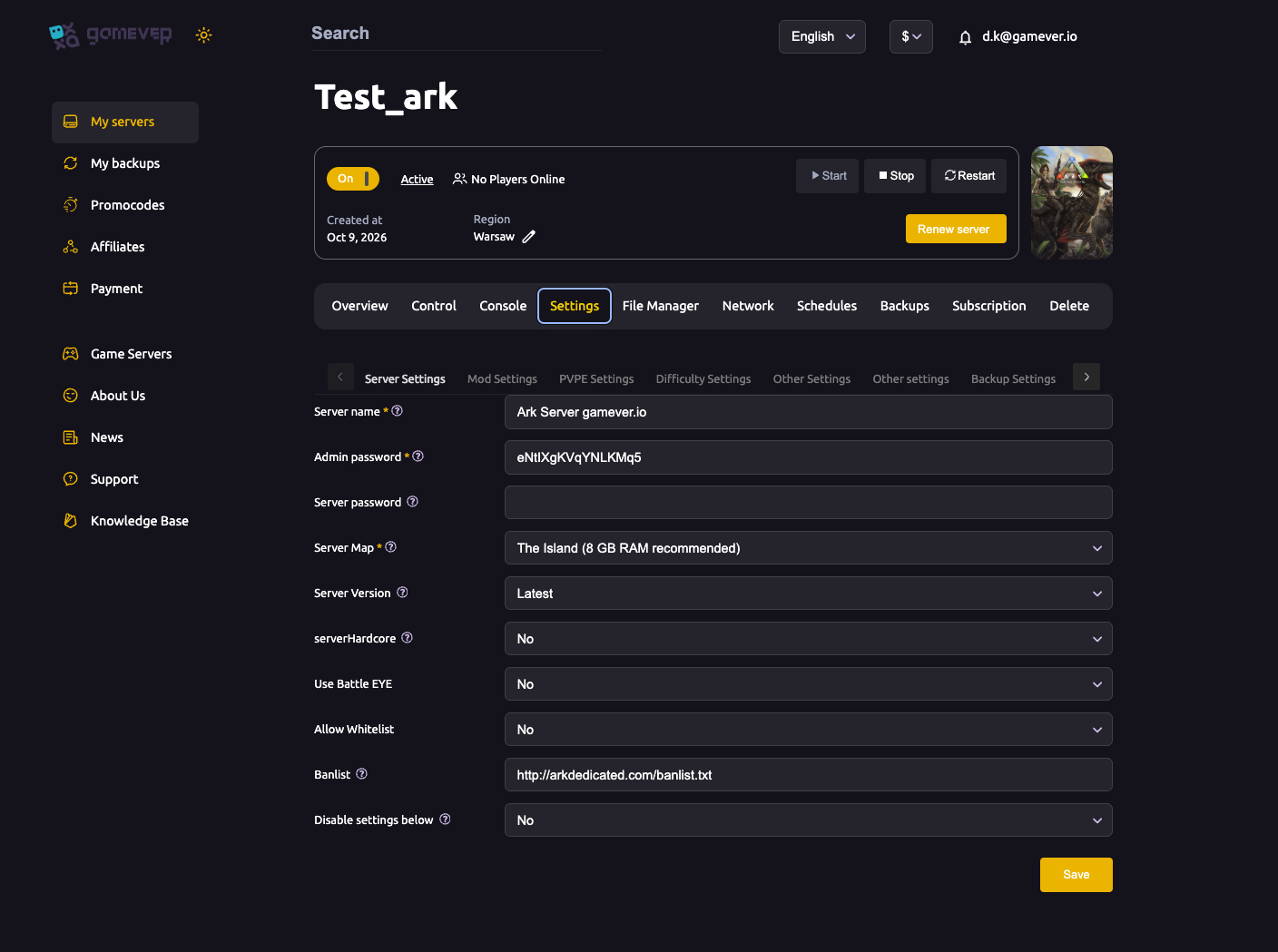
Step 2 — Connect an RCON client
Point any RCON client at your RCON address (the IP:port from the Network tab, e.g. 62.112.222.106:29971) and authenticate with your admin password. Popular options:
| Client | Good for |
|---|---|
| ARK RCON web tools / RCON.io | A quick browser console, nothing to install. |
| BattleMetrics | Live player list, scheduled commands, ban management. |
| Discord RCON bots | Letting trusted admins run commands from Discord. |
| mcrcon (command line) | Scripts and automation. |
Once connected, you send the bare command — RCON is already authenticated as the server, so you drop the cheat / admincheat prefix entirely (just like the gamever web console).
Useful RCON commands
| Command | What it does |
|---|---|
SaveWorld | Forces an immediate save to disk. |
Broadcast <msg> | Big on-screen message to every player. |
ServerChat <msg> | Normal chat message to everyone. |
ListPlayers | Lists online players with their IDs — grab IDs here before kicking. |
KickPlayer <ID> | Disconnects a player. |
BanPlayer <ID> / UnbanPlayer <ID> | Adds/removes a player from the ban list. |
DoExit | Shuts the server down cleanly (saves first if configured). |
For the full command set, see our admin commands guide.
Do you even need RCON?
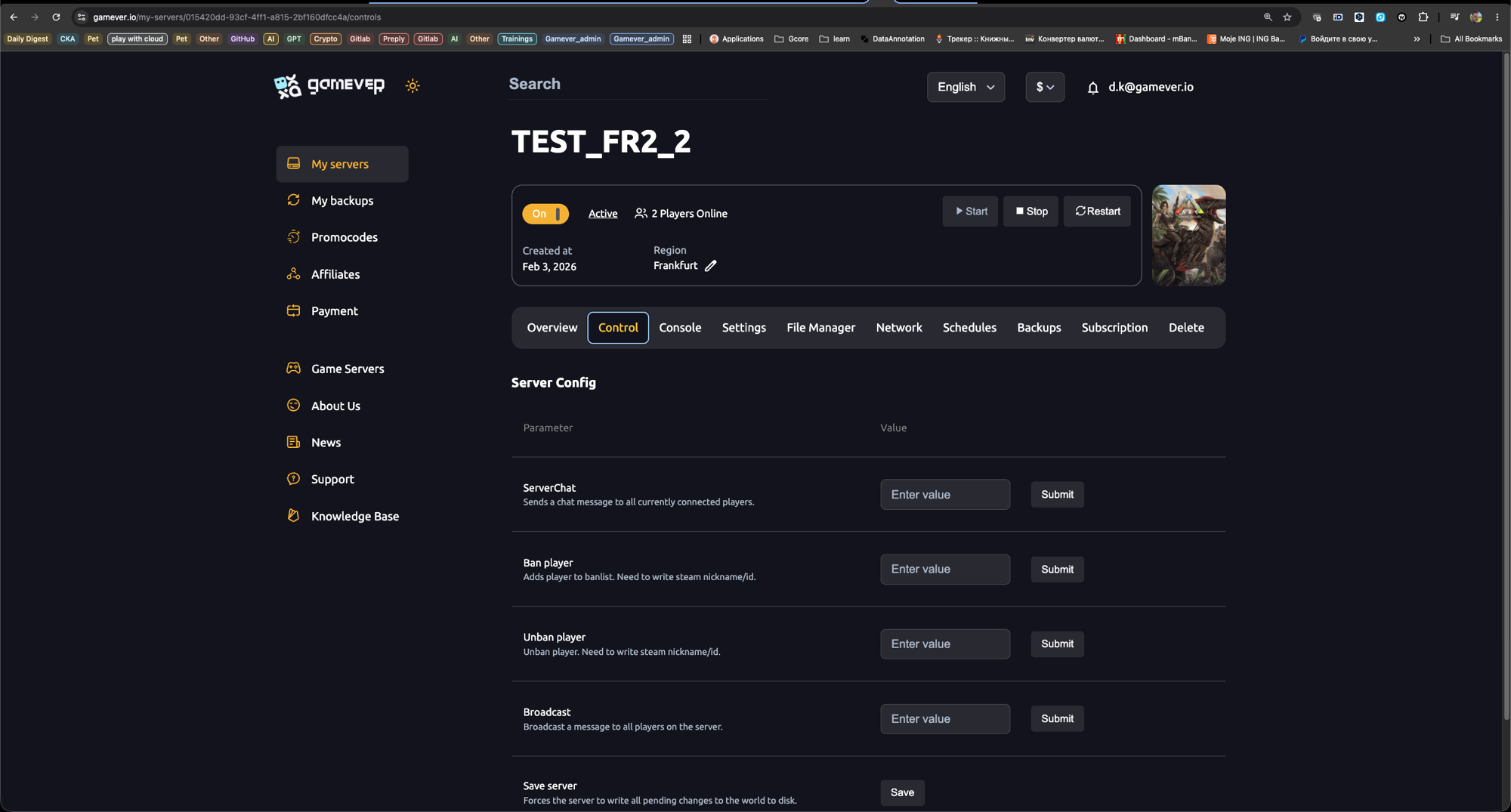
For everyday admin work you often don't — the gamever panel already gives you a built-in, pre-authenticated Console tab and one-click Control buttons (ServerChat, Broadcast, Ban, Save) with no setup. RCON earns its place when you want external automation: a Discord bot, a BattleMetrics schedule, or your own scripts talking to the server.
Additional Tips
- Keep your admin password private. Anyone with it and your RCON address has full server control — treat it like a root password.
- Use the exact RCON address from the Network tab. It's open by default; if a client can't connect, re-copy the address (people often assume 27020 — on gamever it's whatever the Network tab shows) and check the server is running.
- Test with
ListPlayers— it's a harmless command that confirms your connection and auth are working. - Schedule restarts and saves through RCON or, more simply, the panel's Schedules tab — see backups & schedules.
- Changed the admin password? Reconnect your RCON clients with the new one.
Conclusion
RCON turns your ARK server into something you can manage from anywhere — a Discord command, a scheduled broadcast, an automated nightly save. Set the admin password, enable RCON, grab your IP and port from the panel, and point any RCON client at it.
Rent your ARK server at gamever.io and get a built-in web console, one-click admin controls and open RCON out of the box — no port-forwarding, no fuss. Free trial, promo code WELCOME.