
How to set up a dedicated server in Enshrouded?
Register an account.
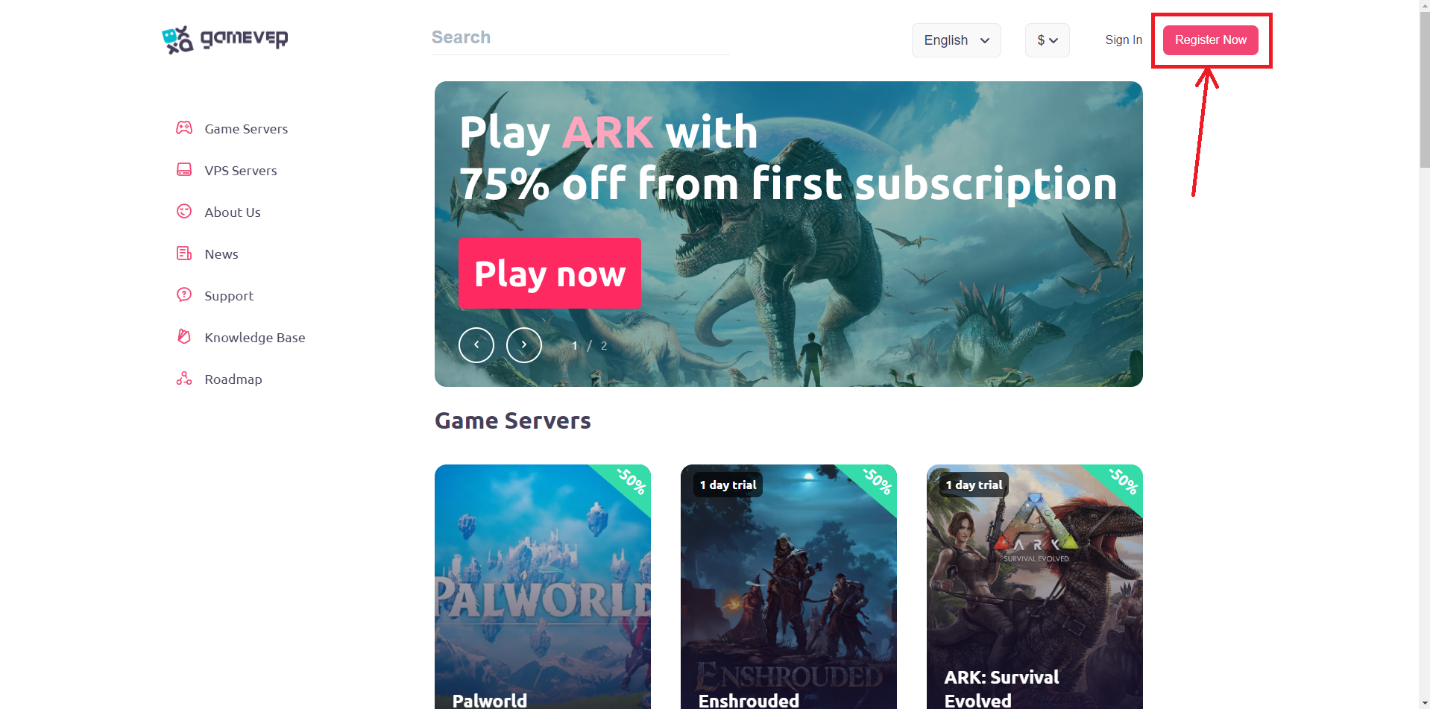
Go to https://gamever.io/ and create an account:
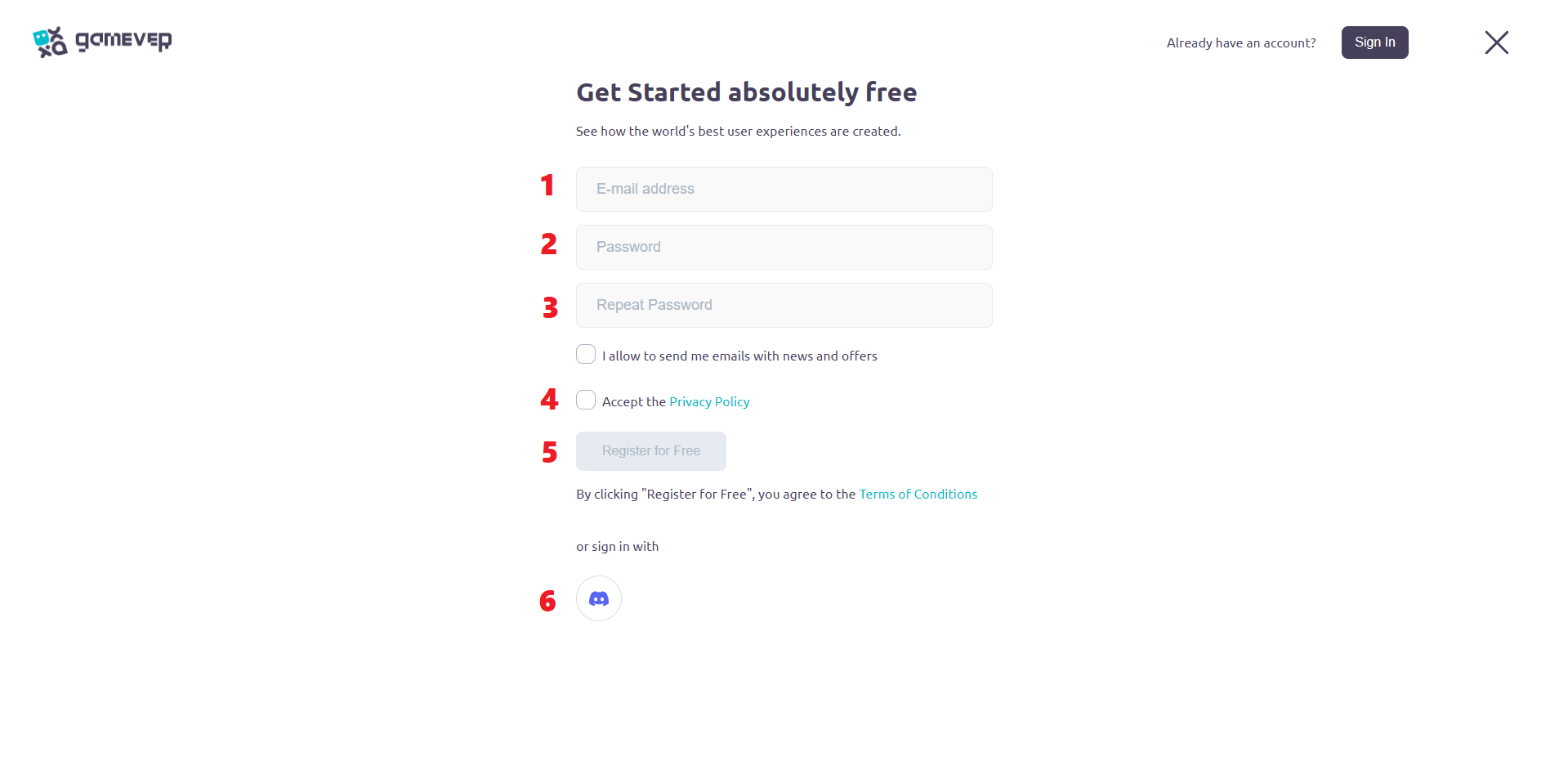
Fill in the required fields to create an account or use your Discord Account for Logging In:
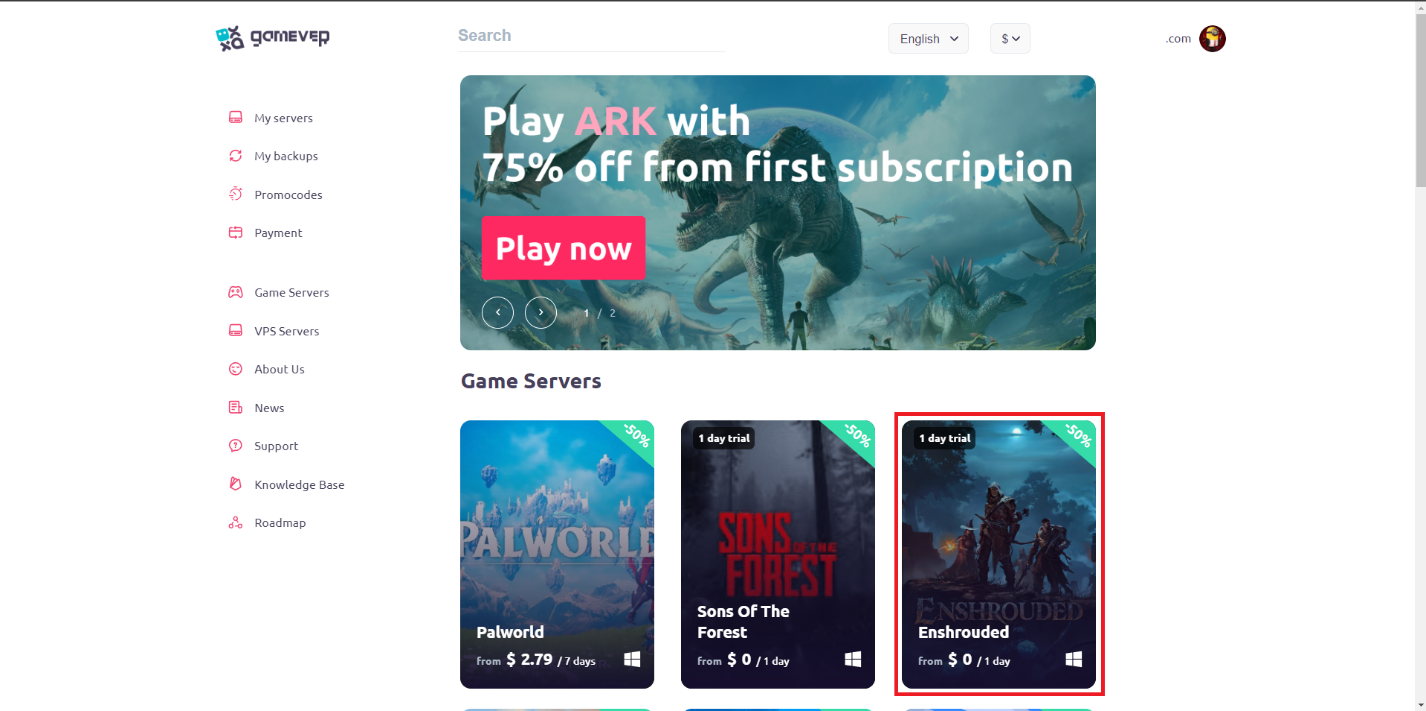
Select “Enshrouded” game.
Select server configuration via clicking on “View all options”:

Here you can choose server configuration: Players slots and RAM capacity. RAM capacity depends on players slots. Also, on this page you can select subscription plan, enter your server name, server password and etc.
Select your server.
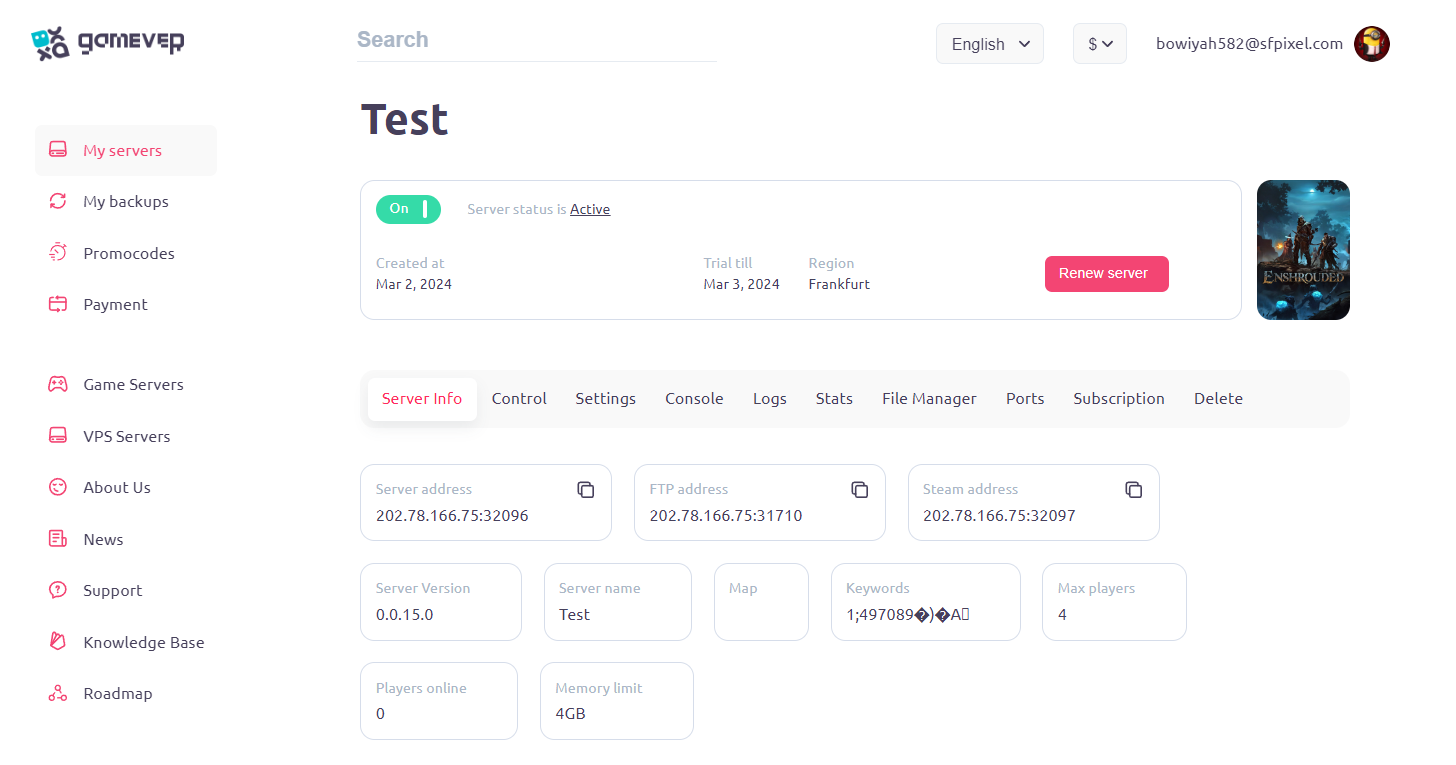
Wait until your server starts and click on it in personal cabinet:
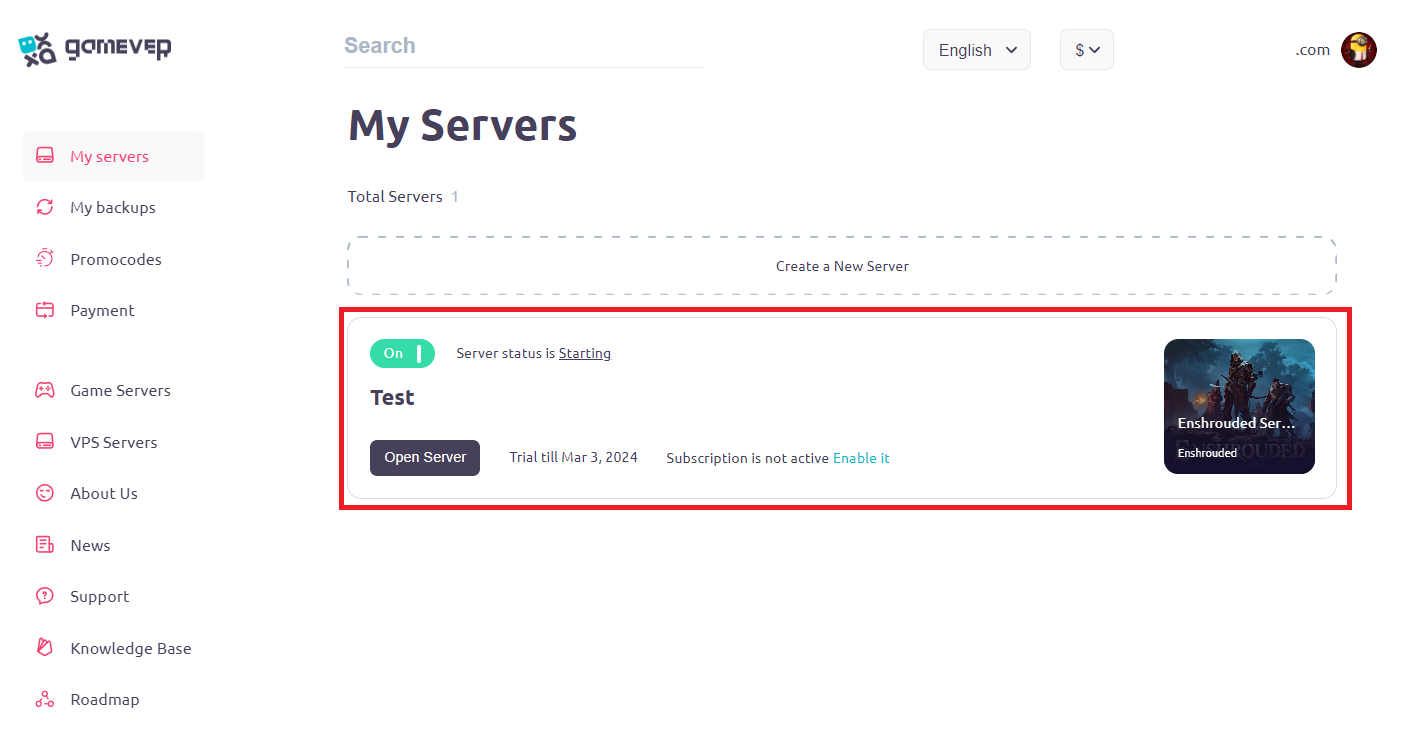
Now you’ll see something like this:
Add dedicated server to “Favorites” in Steam
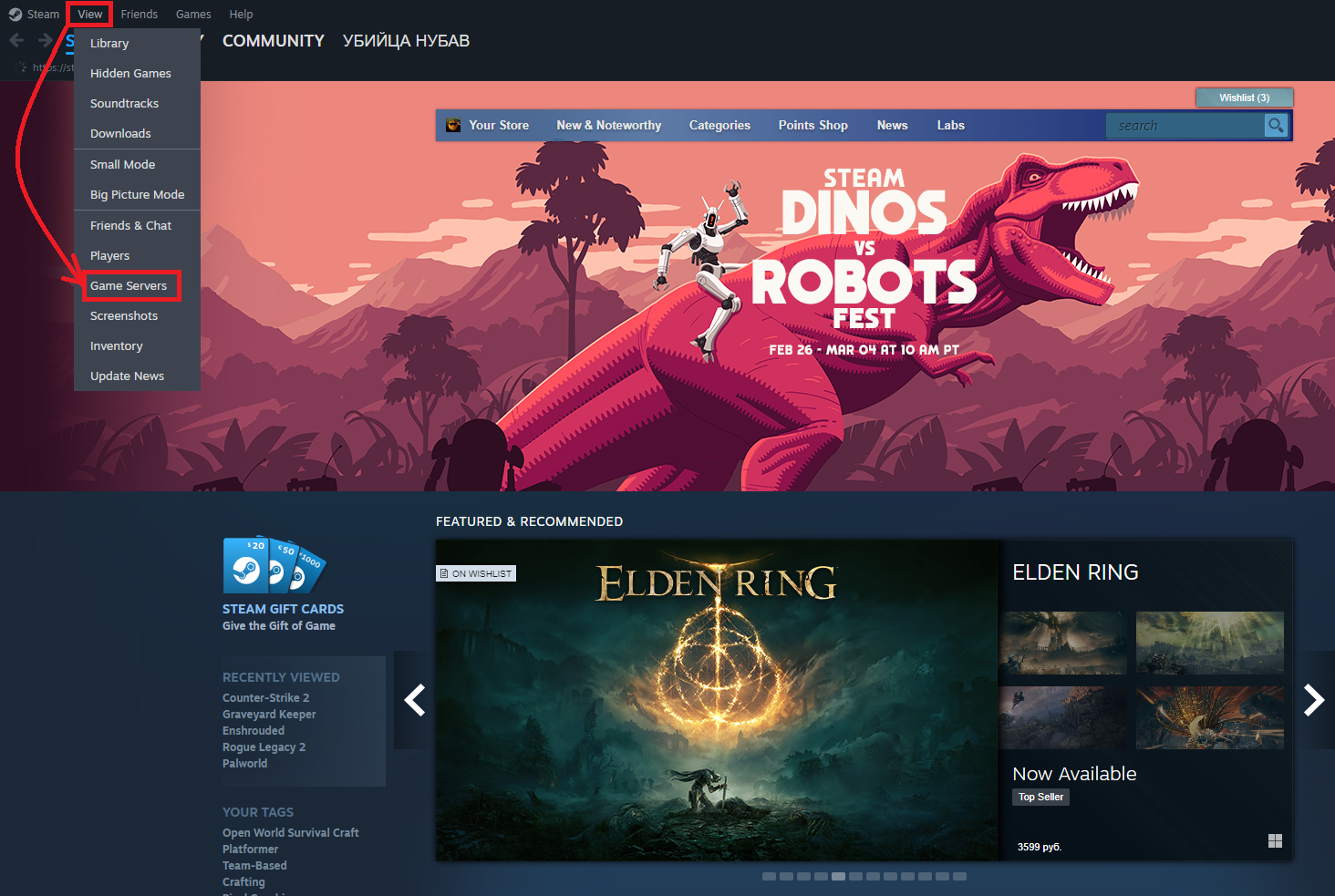
Go to Steam, Views tab and select “Game Servers”:
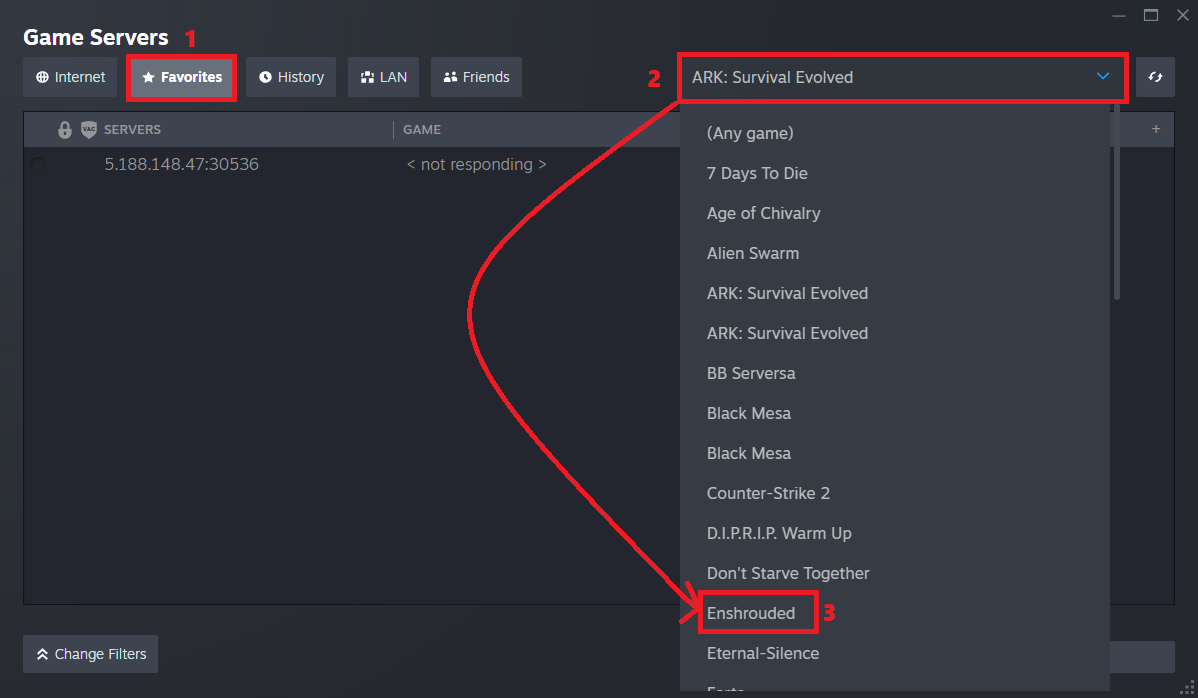
Go to “Favorites” tab, select “Enshrouded” from dropdown menu:
Click on “+” button:
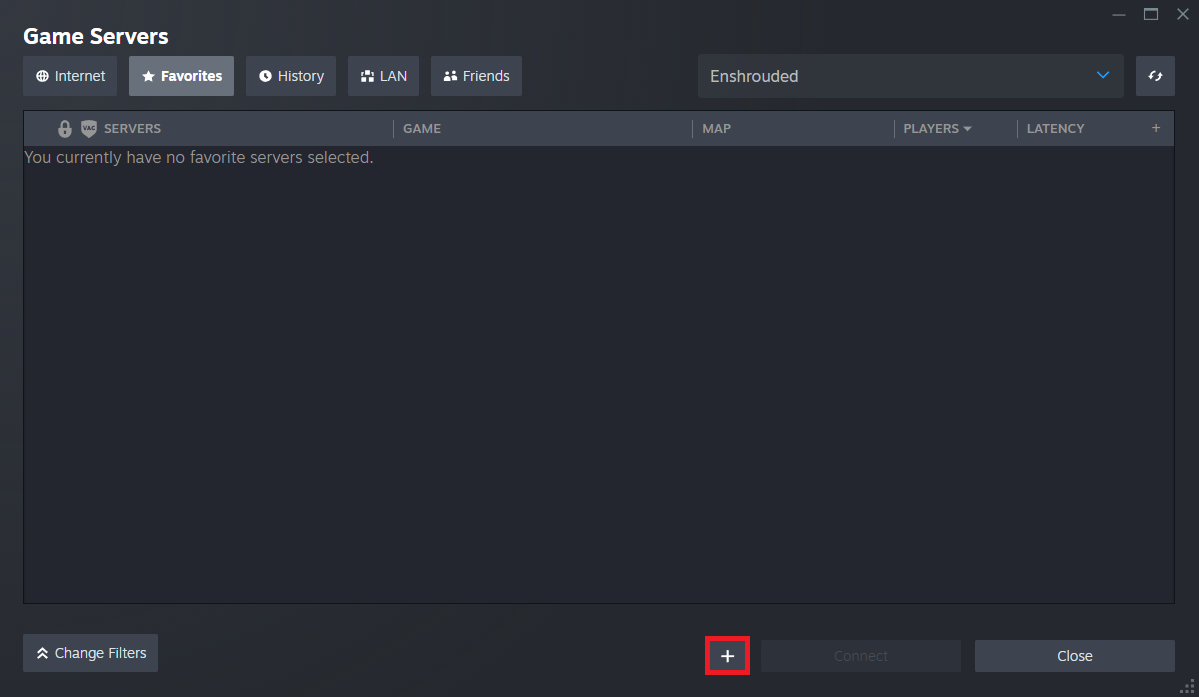
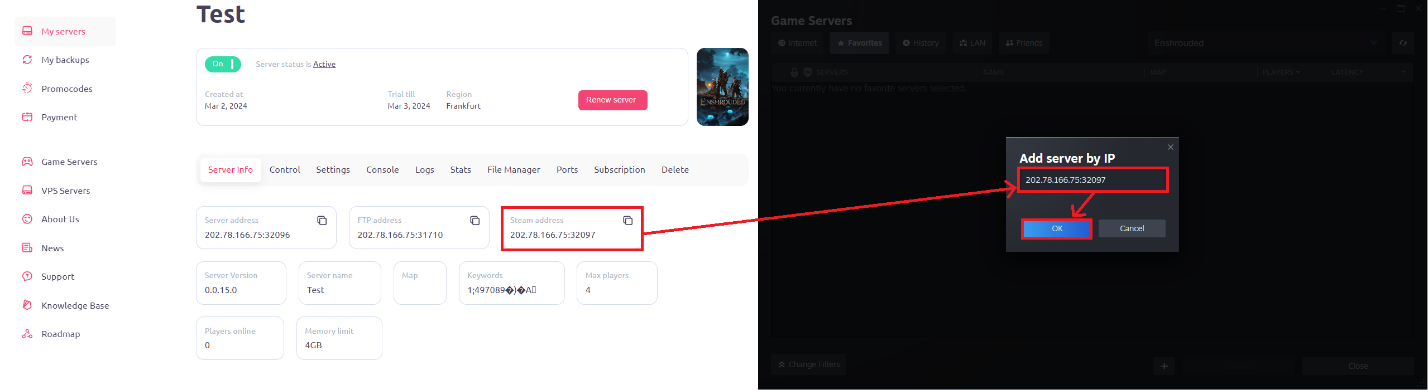
Take “Steam address” IP from your Server Info in gamever.io and paste it in required field:
Conclusion
Congratulations! After these steps your “Enshrouded” server will be active on dedicated server. Now you can give the IP of your server to your friends and start a joint journey into the wonderful and exciting world of “Enshrouded”.