
How to Set Max Players and Size Your Minecraft Server
How many players can your Minecraft server hold? Two things decide it: the max-players setting (the cap you choose) and the RAM your plan provides (what actually keeps those players smooth). This guide covers both — setting the limit and sizing the server so the limit is real.
Setting the player cap
The player cap is the max-players value in server.properties:
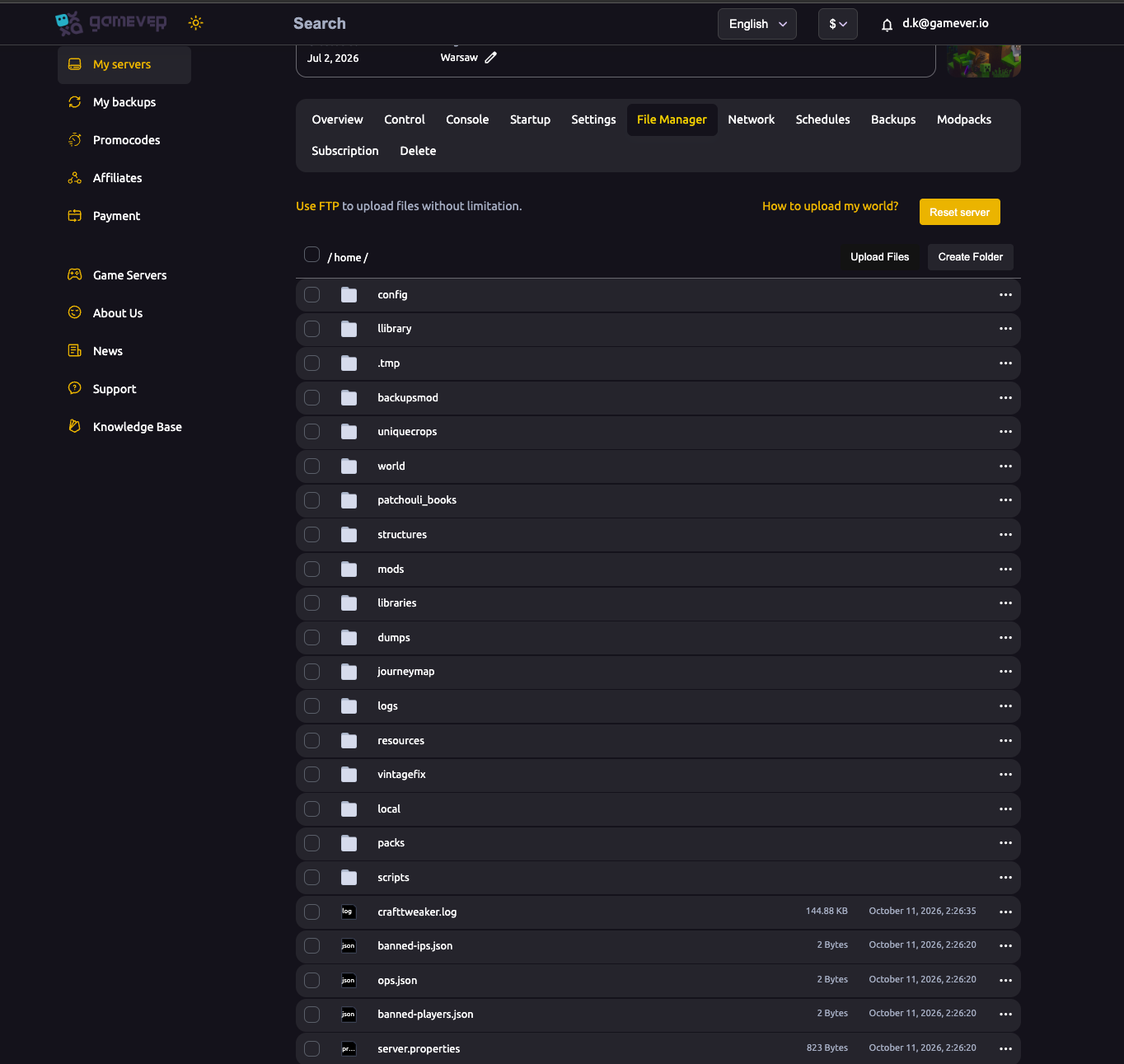
- Open the File Manager and find
server.propertiesin the server root (/home/). - Edit the line
max-players=to the number you want (e.g.max-players=20). - Save and Restart the server.
That's the hard cap on concurrent players. Set it to match how big your community actually is — a cap higher than your RAM can handle just lets the server fill up and lag.
Sizing the server (RAM is the real limit)
The max-players number is only as good as the hardware behind it. In Minecraft, RAM is usually the bottleneck, and it scales with players, view distance and especially mods:
| Server style | Rough RAM guidance |
|---|---|
| Vanilla / Paper, small group | Modest plans handle a handful of players comfortably. |
| Vanilla / Paper, 10–20 players | More RAM, and watch View Distance. |
| Forge modpack | RAM-heavy — a big pack can sit near 98% on a 2 GB plan even before a crowd logs in. Size up generously. |
Check Overview → Usage with your group online: if RAM stays pinned near the top, either lower the player cap and view distance, or use Upgrade server for more memory.
Upgrade server
The Upgrade server button on the Overview tab raises your plan's CPU and RAM without rebuilding — the fastest way to support more players or a heavier modpack. Pair a bigger cap with an upgrade so the two match.
Modpacks change the maths
A modpack loads hundreds of mods before a single player joins, so its baseline RAM use is high. For modded servers, plan RAM around the pack plus players, keep Aikar's Flags on, and set MaxRAMPercentage — see startup & Java and install a modpack.
Additional Tips
- Set
max-playersinserver.properties, then restart. - Match the cap to your RAM — a cap bigger than your hardware just lags.
- Watch Overview → Usage with the group on; pinned RAM means size up.
- Modpacks need far more RAM than vanilla for the same player count.
- Use Upgrade server to grow CPU/RAM without rebuilding.
Conclusion
Max players is two settings working together: the max-players cap in server.properties and the RAM on your plan that makes that cap real. Set the number to your community's size, watch the Usage meters, and remember that modpacks multiply the RAM you need. When you outgrow the plan, Upgrade server raises both in a click.
Rent your Minecraft Java server at gamever.io — right-sized plans, live usage meters and one-click upgrades so your player cap always has the RAM to back it. Free trial, promo code WELCOME.