
How to Set Creative Mode in Core Keeper 1.0
Hey there, fellow adventurers! Ready to dive into the creative abyss of Core Keeper 1.0? Creative Mode is the playground where your imagination can run wild, letting you build, explore, and experiment without any of the usual constraints. Whether you're itching to design intricate structures or simply want to mess around with the game's mechanics, this guide will show you exactly how to set up and make the most of Creative Mode. Let’s get started!
Creating Your Creative Mode World
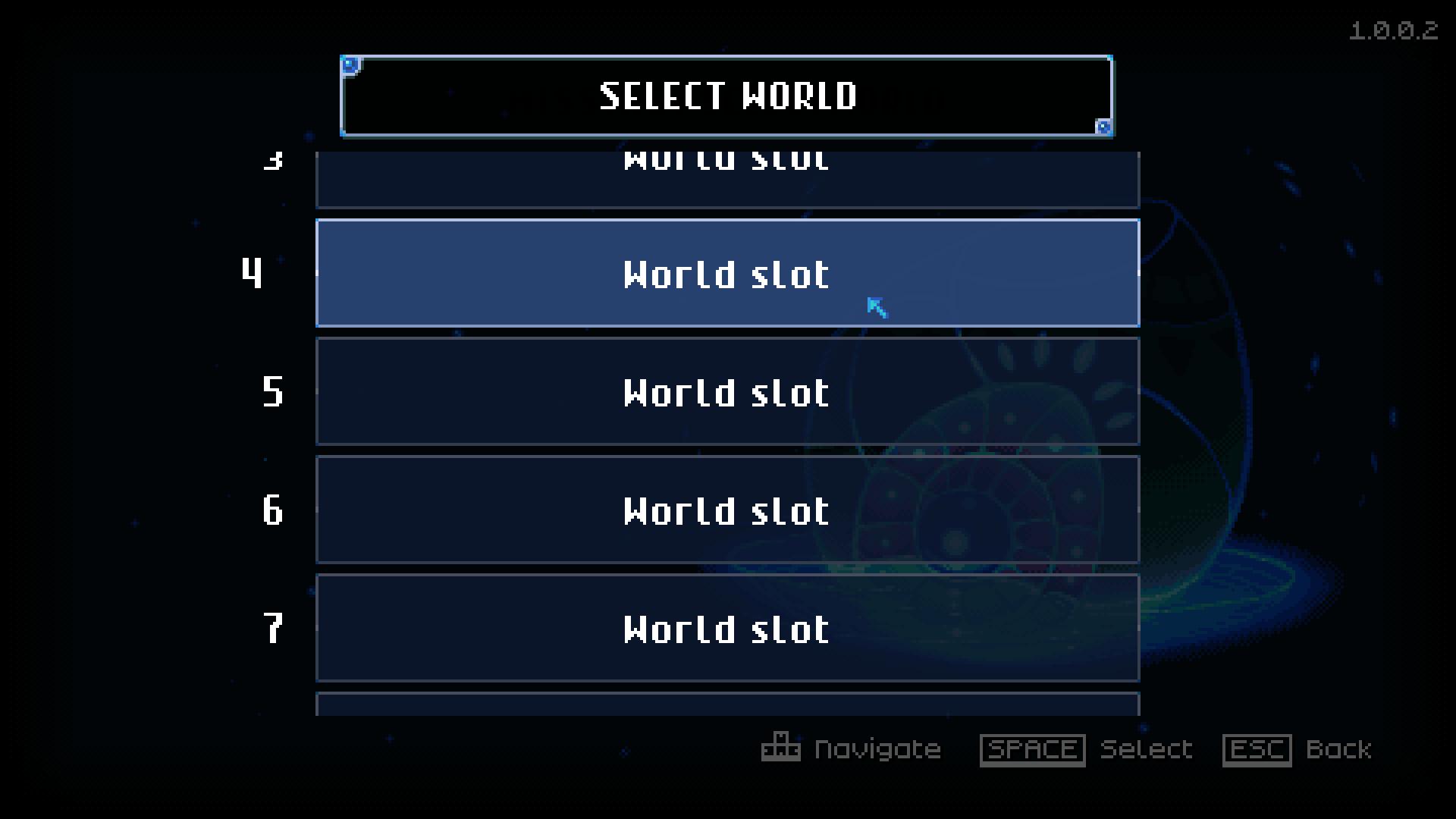
You’ll need to set up a new world specifically for Creative Mode. Launch Core Keeper and hit the "Start Game" button. Click on the free slot to create a New World. Change Game Mode to Creative.
You'll see options for Standard, Hard, and now, Creative Mode. Select Creative Mode and give your world a name. Don’t forget to choose a cool icon to represent your world!
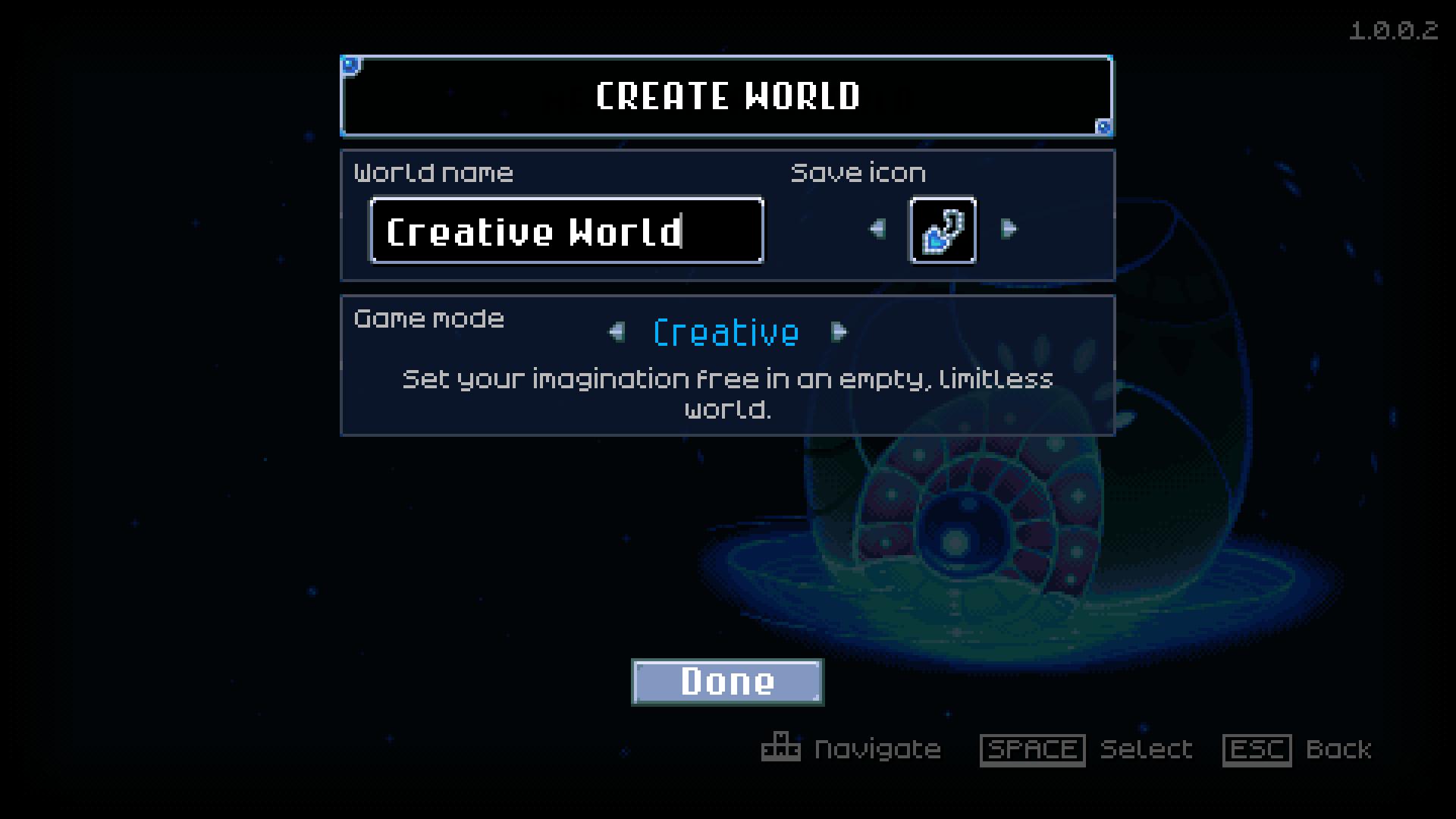
Once you've named your world and picked an icon, click "Done." You’ll then be prompted to create a new character. Remember, you can’t use a Survival Mode character in Creative Mode or vice versa. Choose to create a fresh character, and you can select between Hardcore or Standard. For most folks, Standard will do just fine. Hit "Randomize" to get a random name, then "Done" to finish character creation.
Exploring the Creative Mode World
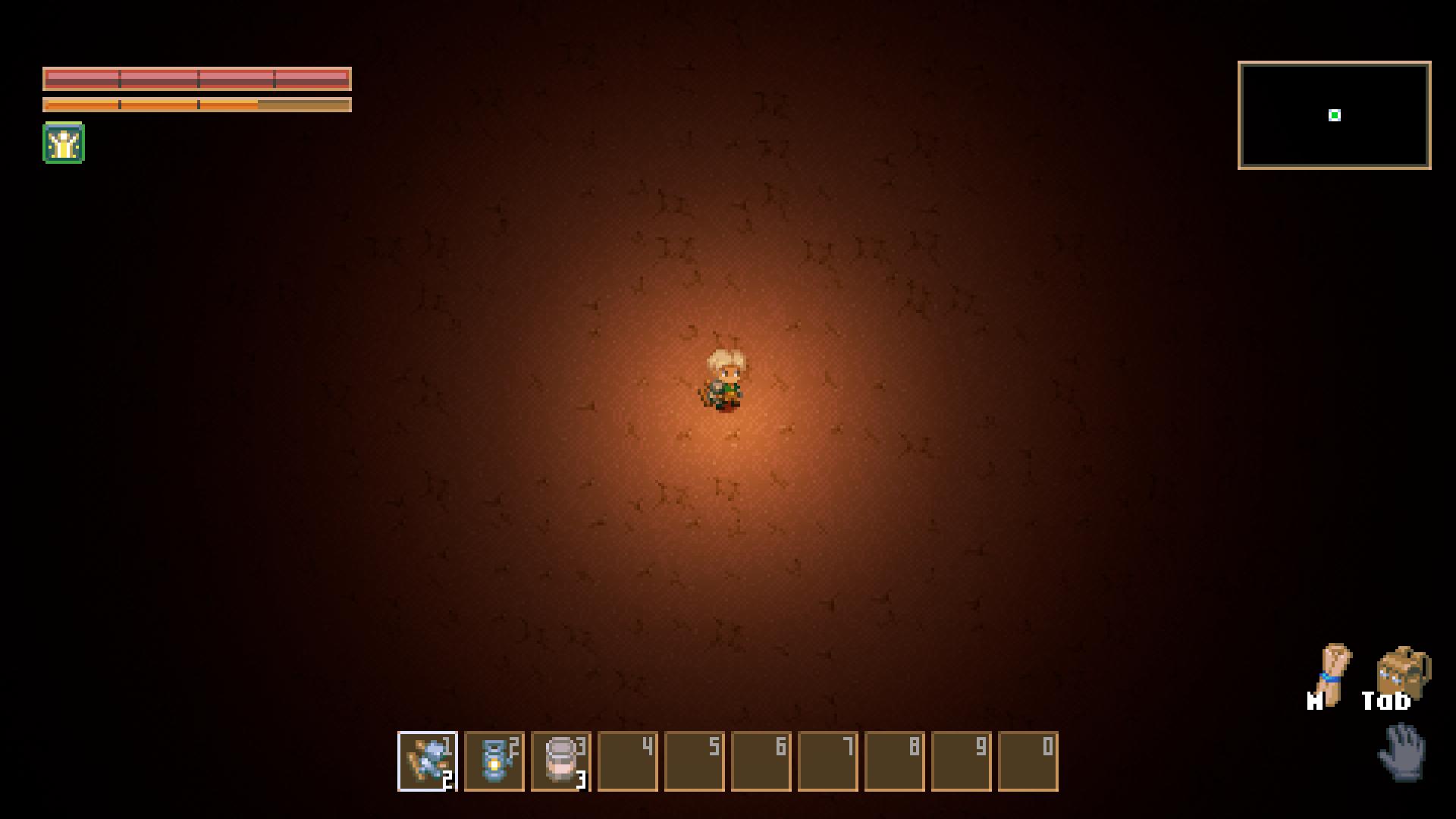
Welcome to your brand-new Creative Mode world! When you first enter, you’ll find yourself in a vast, empty space. This blank canvas is your playground, free from the usual dangers and restrictions. Here’s a breakdown of what you’ll see and what you can do:
- Empty World: Your new world starts as a dirt-filled rectangle. The Core, which is central to Survival Mode, is not present and cannot be placed. It’s just you and your imagination in this barren landscape.
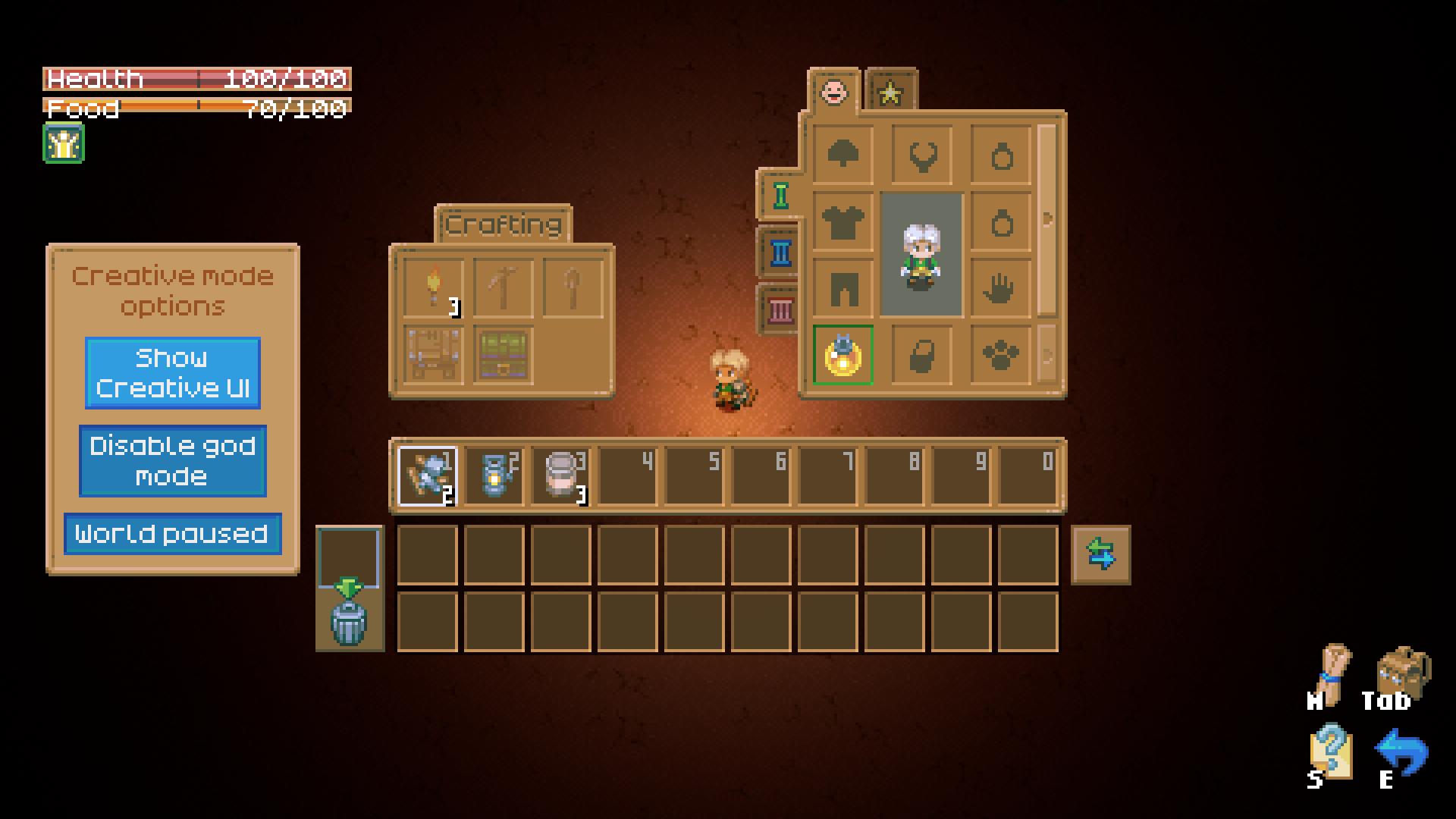
- Creative Menu: Open your inventory by pressing Tab to access the Creative Mode menu. This is where you’ll find all the tools and items you need to build and modify your world.
Using Creative Mode Features
Creative Mode gives you the freedom to manipulate your world in ways that standard gameplay doesn’t allow. Here’s a rundown of the key features:
- God Mode: This is where things get really fun. Enable God Mode to become invincible. You can pass through walls, destroy objects with a single hit, and place items without consuming resources. Enemies won’t attack you, and you can even move through environmental obstacles.
- Pause World: Use this feature to freeze the world in place. Creatures stop moving, objects remain static, and no new events occur. This is perfect for setting up scenes or capturing screenshots without interruptions.
- Creative UI: The Creative Mode UI is a treasure trove of items. You’ll find everything from building materials to creatures and special objects. Unfortunately, there isn’t a search function yet, but you can still browse through categories like Building, Environment, Technology, and more.
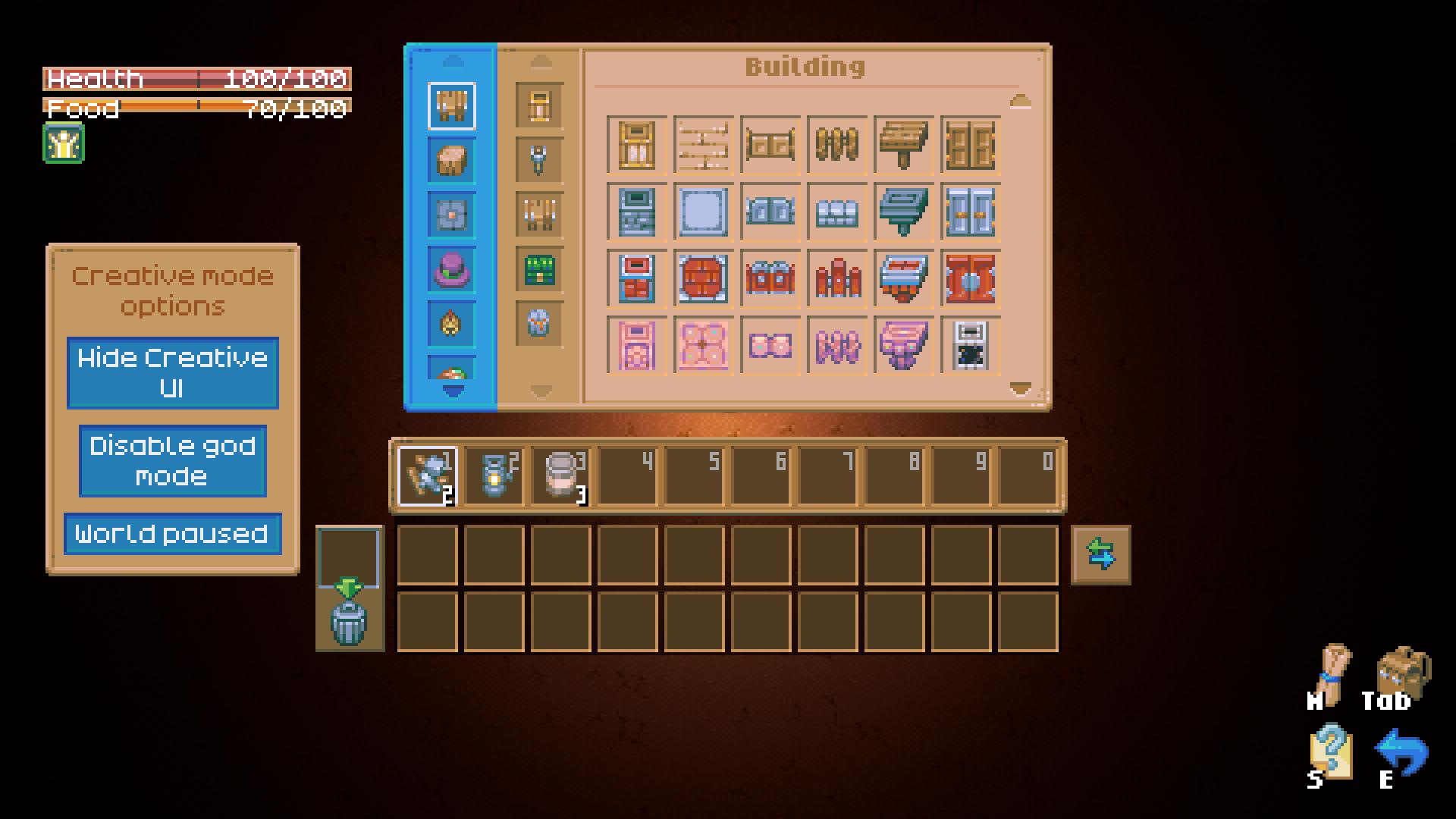
- Placing Objects: You can place objects and items indefinitely. The UI shows only one of each item in your inventory, but you can keep placing items without running out. If you’re building something massive or intricate, this is incredibly handy.
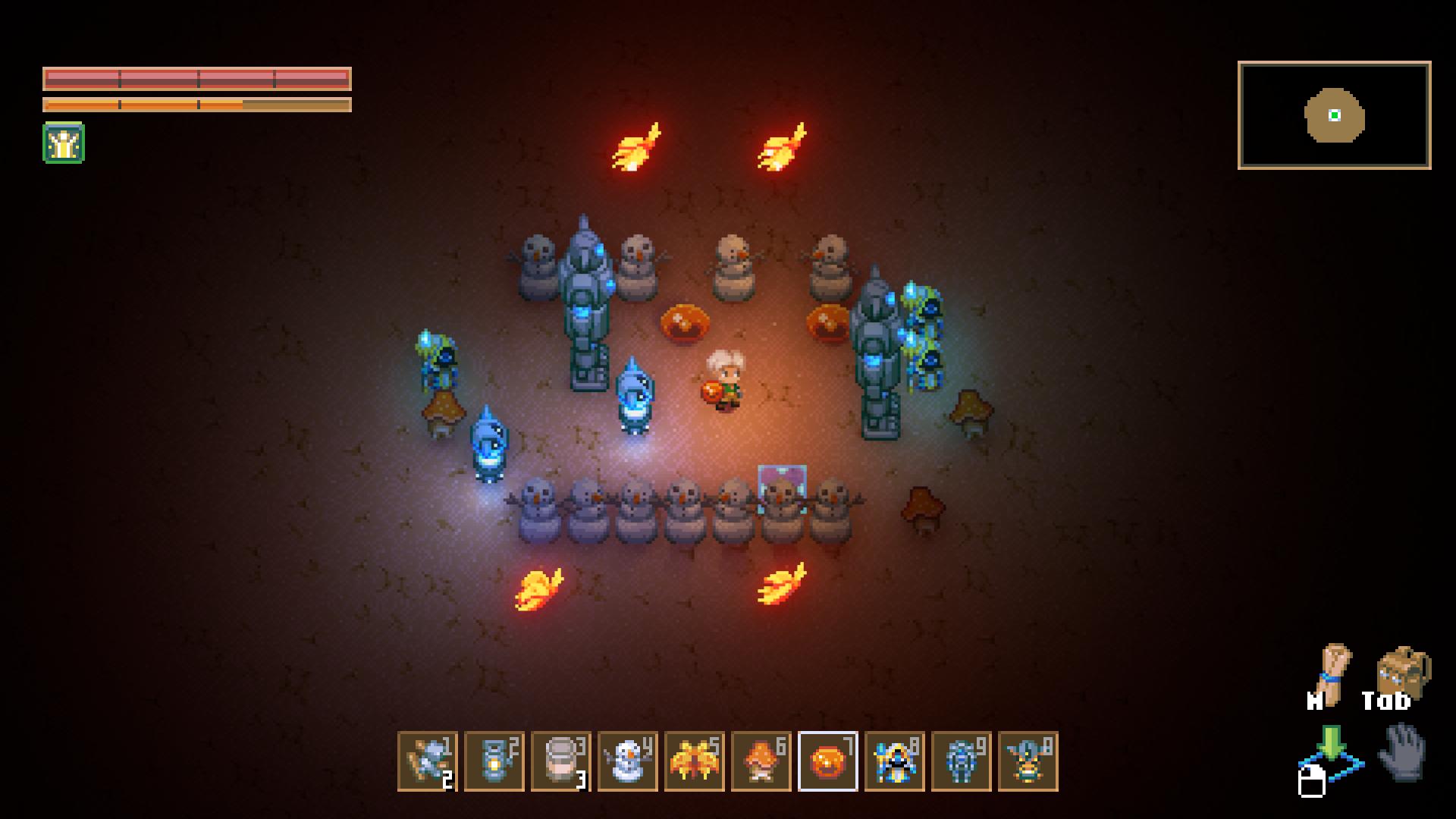
What You Can’t Do in Creative Mode
While Creative Mode is packed with freedom, there are a few limitations:
- No Bosses: Currently, you can’t spawn bosses in Creative Mode. This might change in the future, but for now, you’ll need to tackle bosses in Survival Mode.
- Limited Resources: Certain items and features, like specific types of buckets or the Core itself, are not functional yet. The devs are aware of these issues and may address them in future updates.
Tips for Using Creative Mode
- Experiment and Explore: Use Creative Mode to test out different building designs and scenarios. It’s a great way to experiment with layouts and enemy interactions without the usual survival pressures.
- Build and Share: Create custom worlds, intricate pixel art, or elaborate structures. Share your creations with friends or the Core Keeper community for some extra fun.
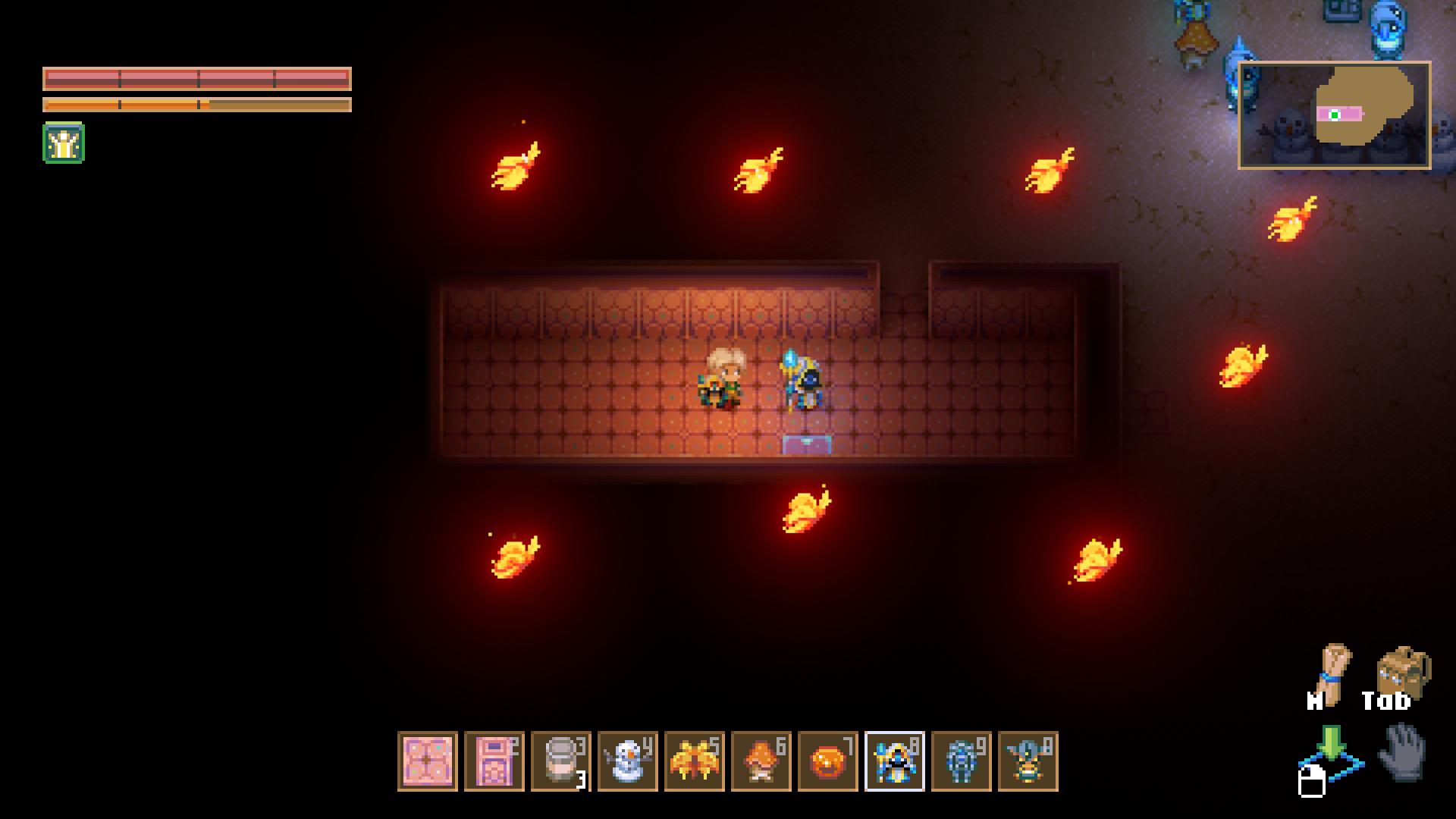
- Capture the Moment: With the ability to pause the world, you can set up the perfect scene for screenshots or videos. This is a great way to show off your creations or document your gameplay.
Creative Mode in Core Keeper 1.0 is a fantastic addition for anyone looking to explore the game’s potential beyond the usual survival constraints. Whether you’re building elaborate designs, experimenting with game mechanics, or just having fun with friends, Creative Mode offers endless possibilities. Dive in, let your creativity shine, and see what amazing things you can create in this sandbox paradise. Happy building!