
How to Scale Text in Soulmask with Tasty HUD Mod
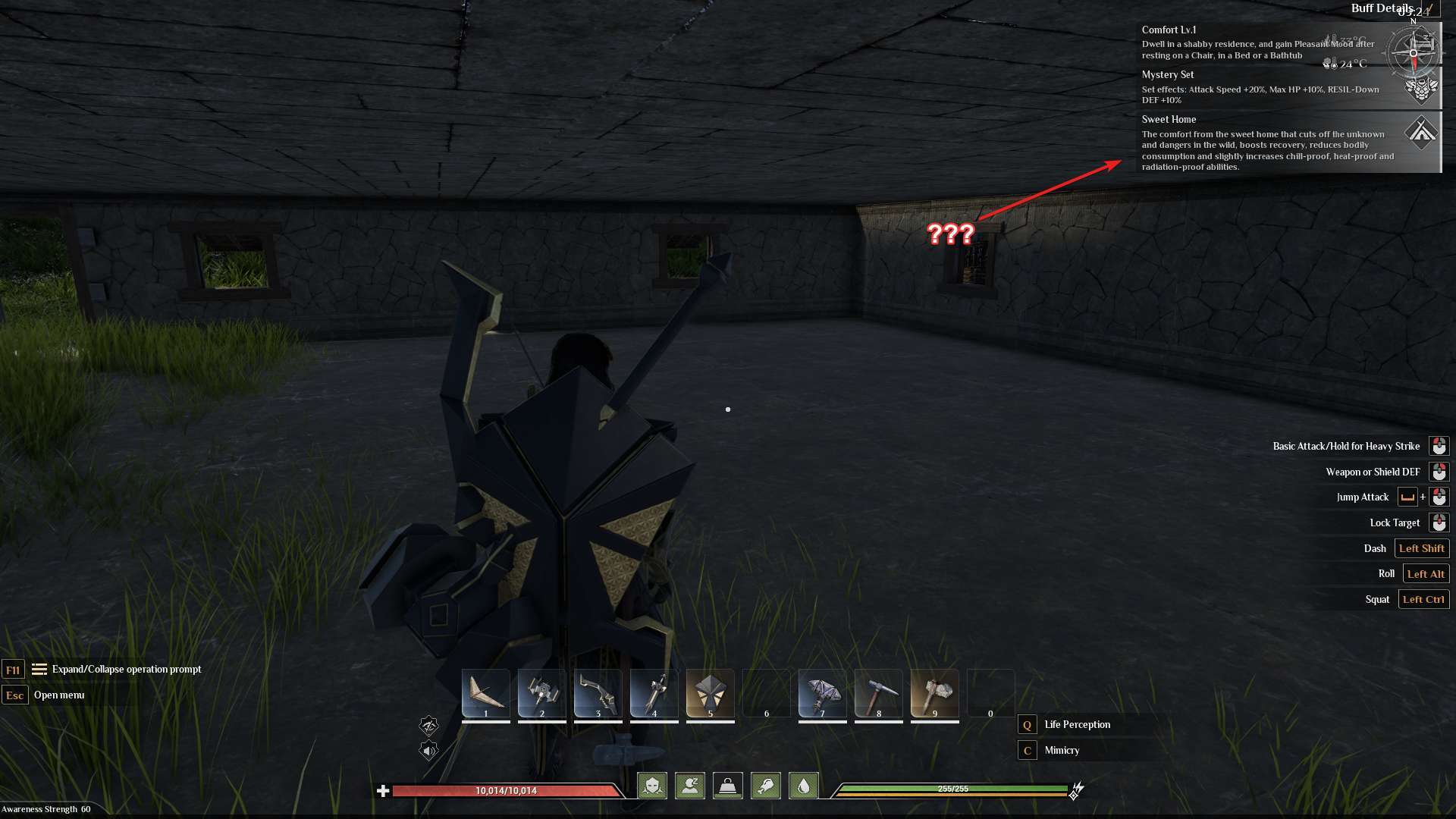
For many players, small text size in Soulmask has been a significant hurdle. From players with high-resolution monitors to those gaming on larger screens, reading small fonts becomes challenging. Fortunately, the modding community offers solutions that allow users to modify text size and overall UI settings for a better experience.
Overview of the Issue
Soulmask does not currently offer built-in options to scale text. Players often struggle with unreadable text, especially on large TVs or laptops with high resolutions. Attempts like lowering the screen resolution sometimes help but often reduce overall clarity. Many users have requested an official text scaling feature, but until it's available, mods like Tasty Framework and Tasty HUD, created by Noms, offer practical workarounds.
What You’ll Need
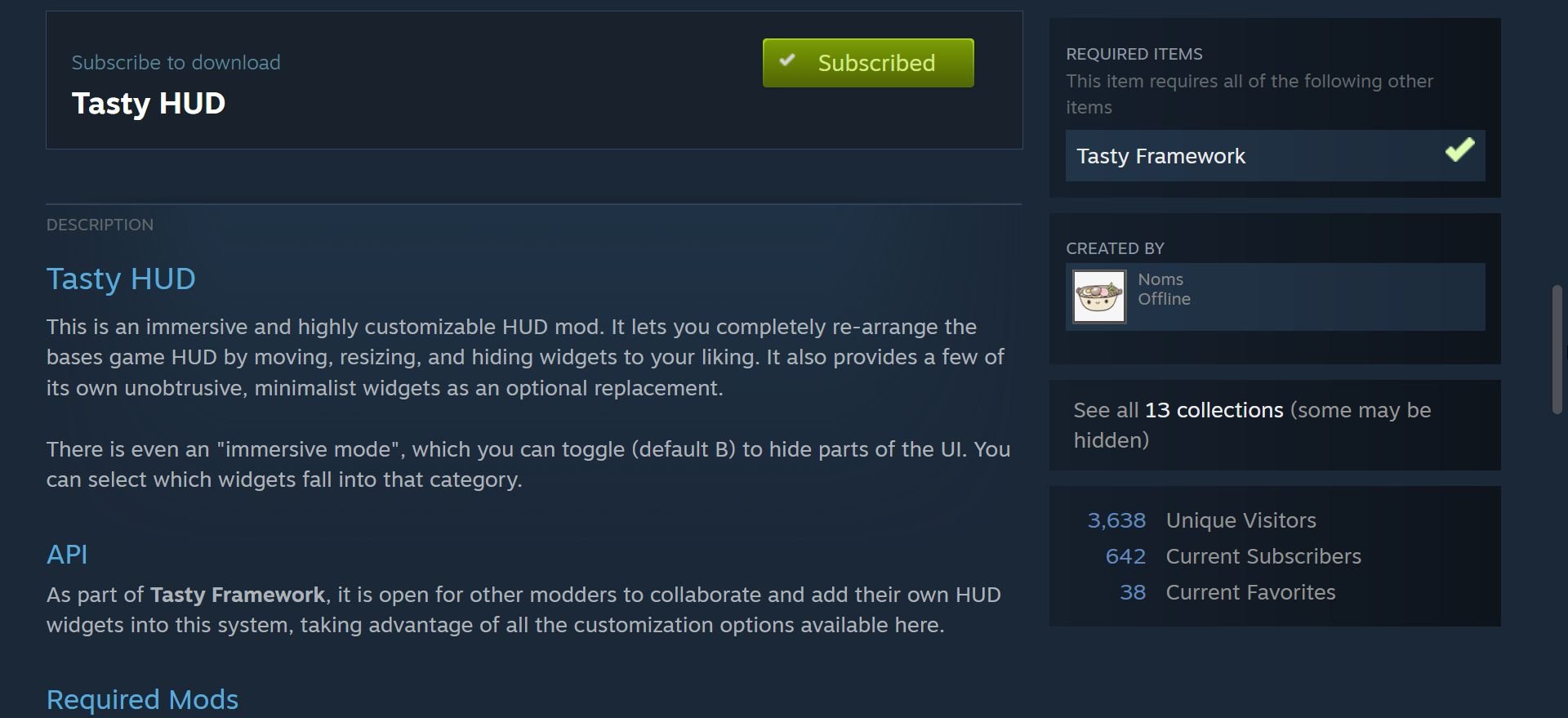
To scale text in Soulmask, you need to install mods designed for UI customization:
1. Tasty Framework: A foundational mod that supports other customization features:
https://steamcommunity.com/sharedfiles/filedetails/?id=3330908154
2. Tasty HUD: A tool that allows players to adjust UI elements, including text size
https://steamcommunity.com/sharedfiles/filedetails/?id=3371143686
Visit the modding platform or community forum where Tasty Framework and Tasty HUD are available. Download and enable Tasty Framework first; this mod is required for all related tools to work. Ensure these mods are correctly installed and active in your game setup.
Scaling Text with Tasty HUD
Once the mods are set up, you can customize the text size:
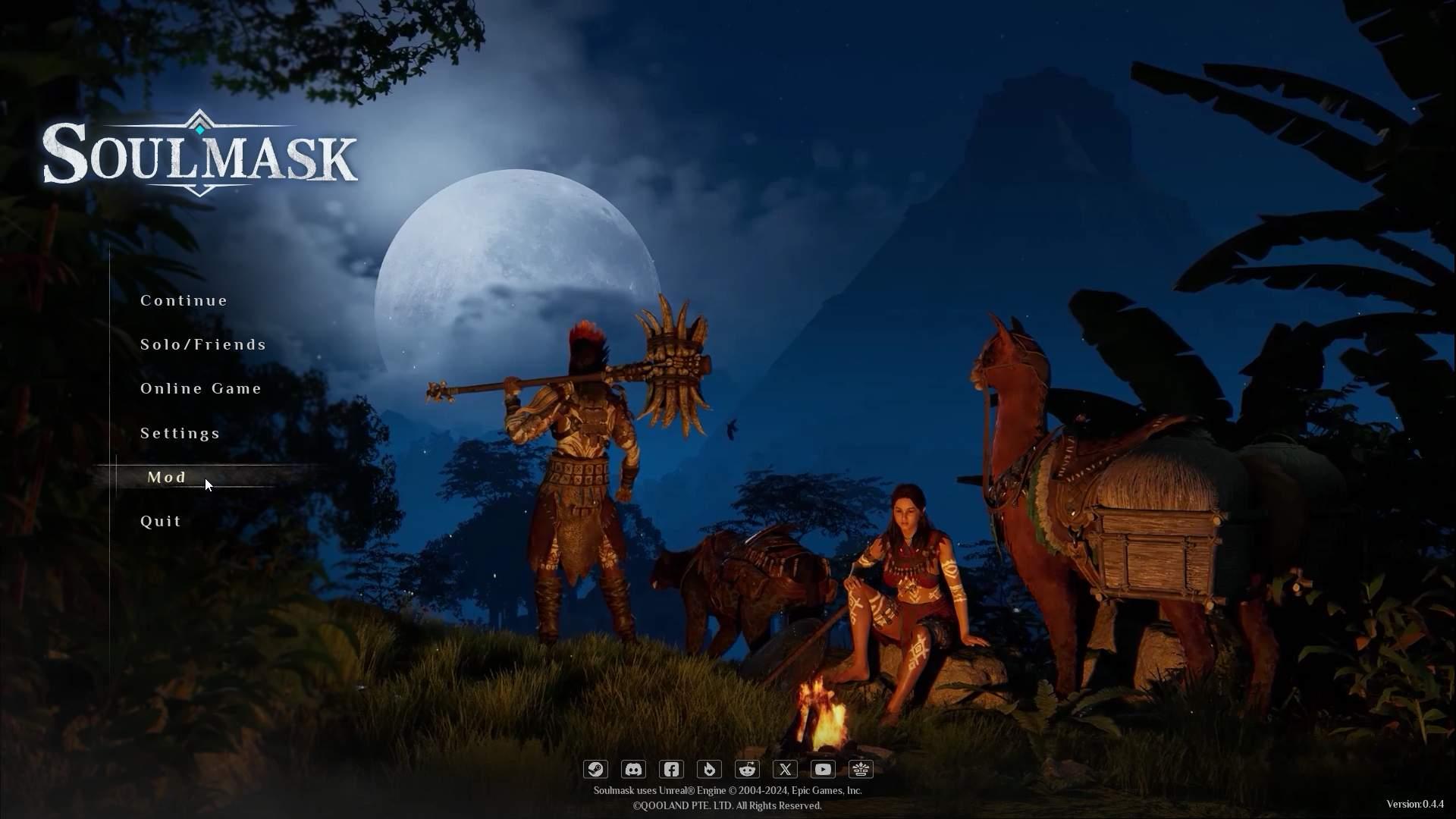
1. Open Soulmask and press Mod in Main menu.
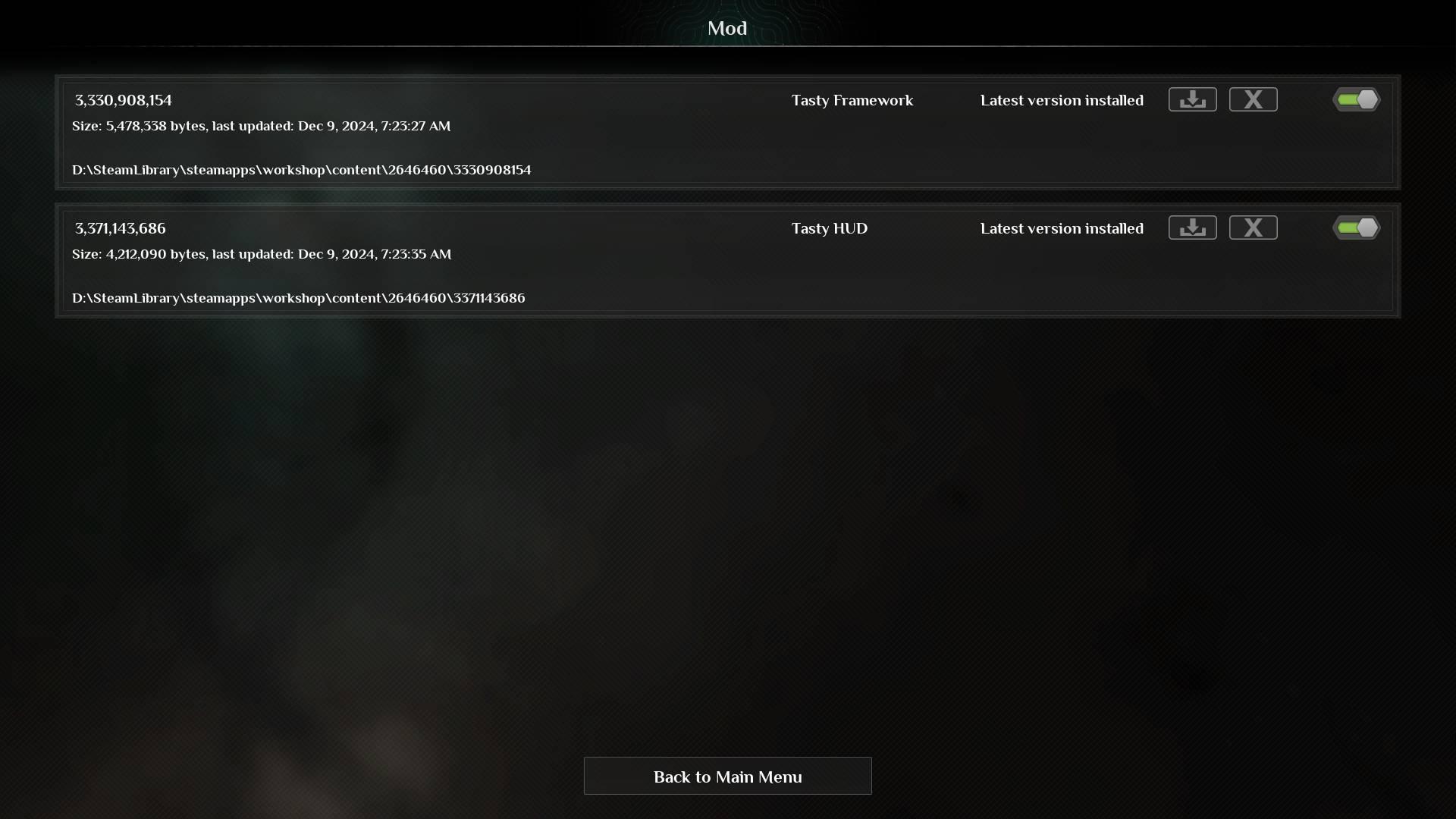
2. Enable the mods by clicking on toggles.
3. Start the game session.
4. Navigate to the HUD customization menu found in the ESC menu.
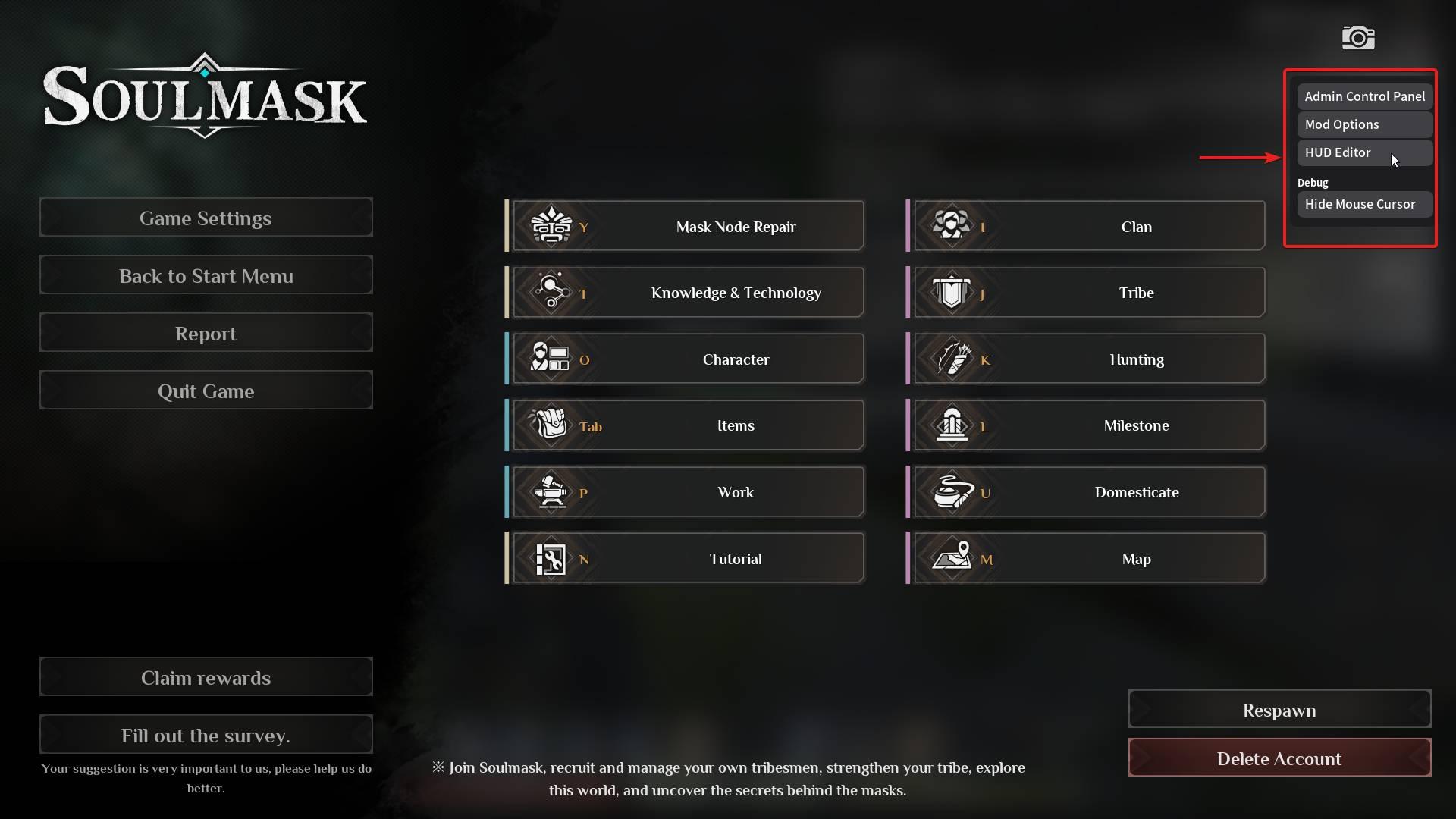
5. Select the panel you want to resize or move. Use the scaling slider to adjust the size of text and UI elements.
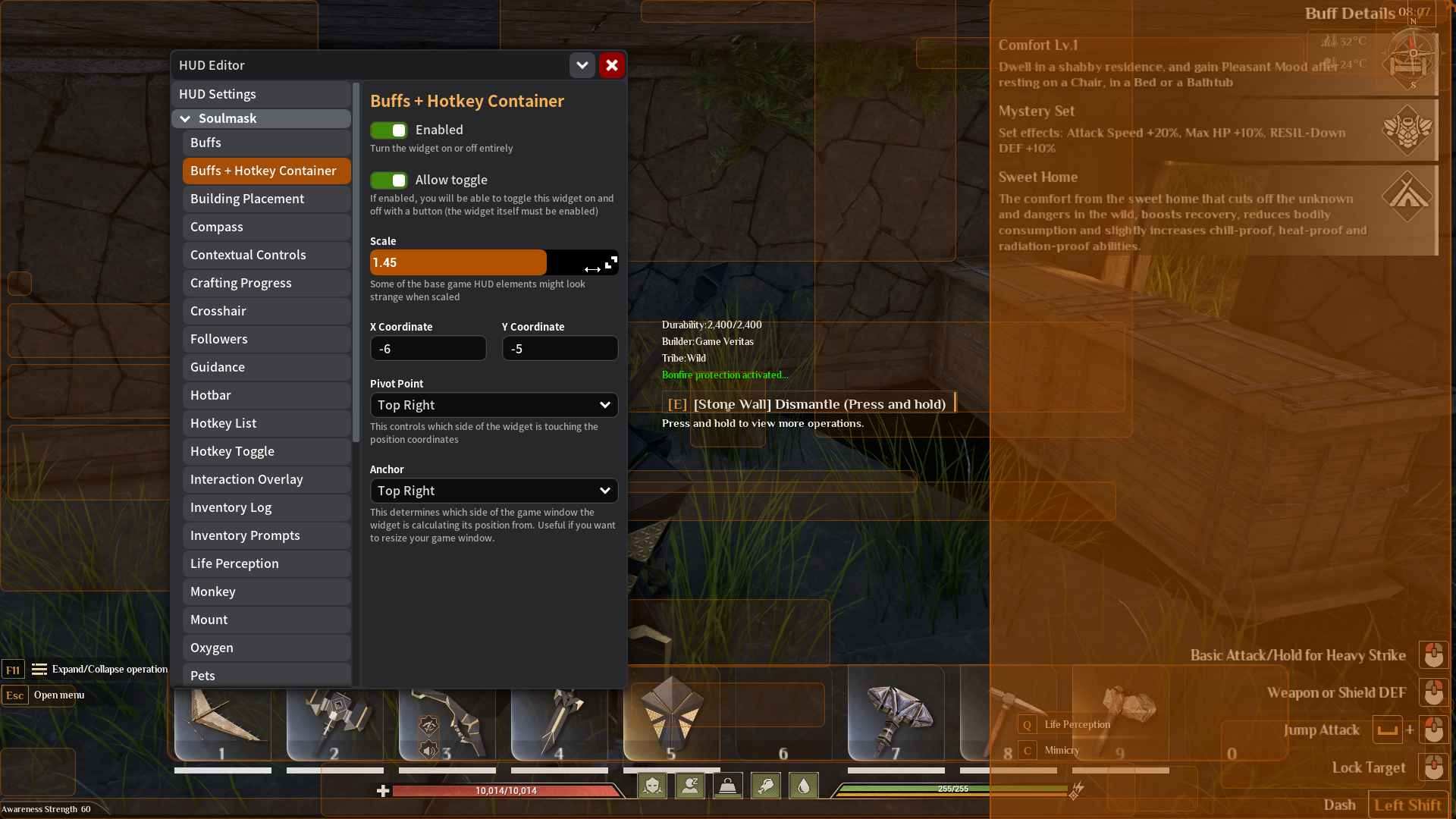
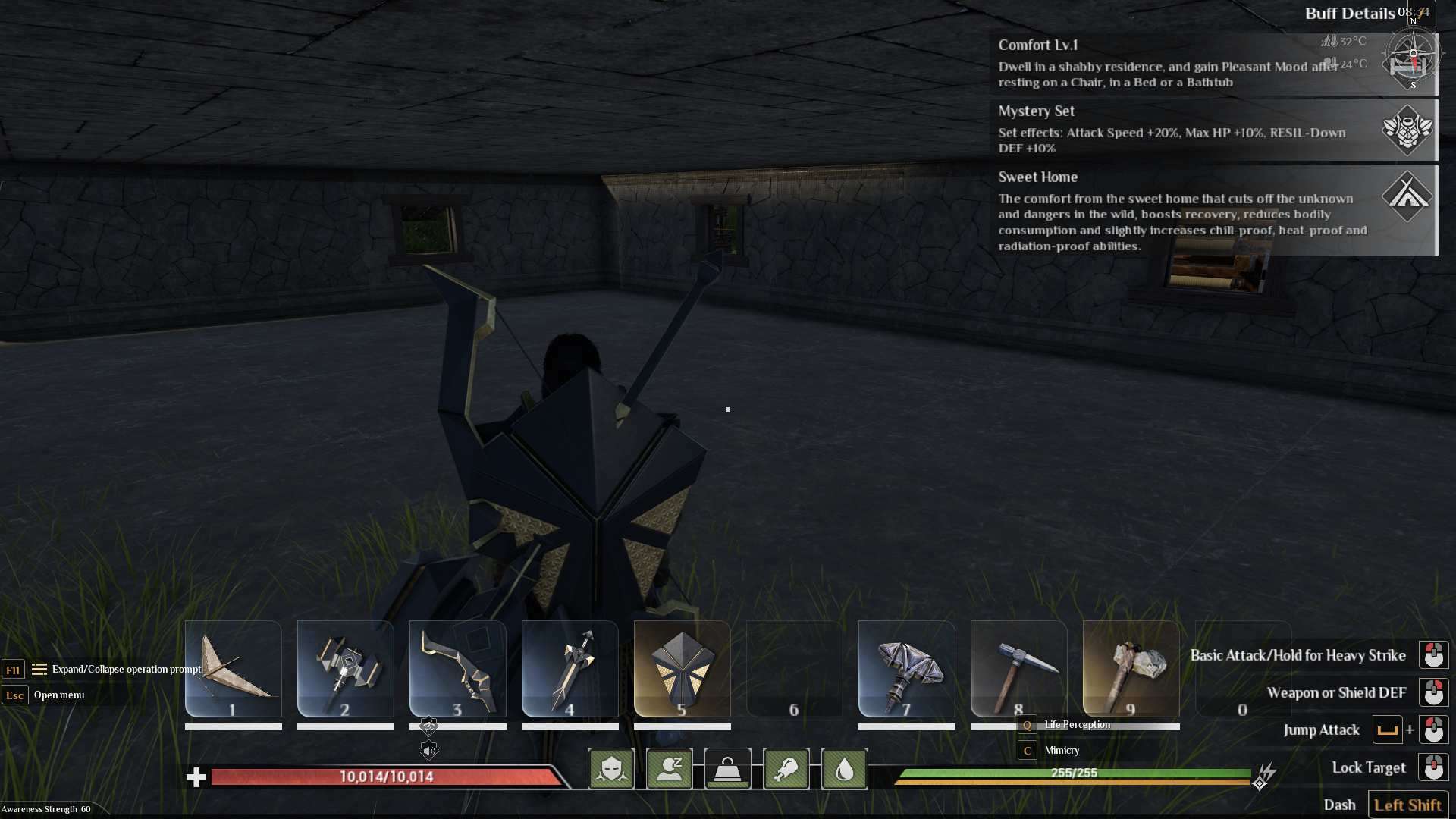
6. Test the changes by moving through menus or interacting with game objects to ensure the text is now readable.
7. If needed, reposition UI elements using the drag-and-drop feature in Tasty HUD to align them with your preferences.
Additional Adjustments
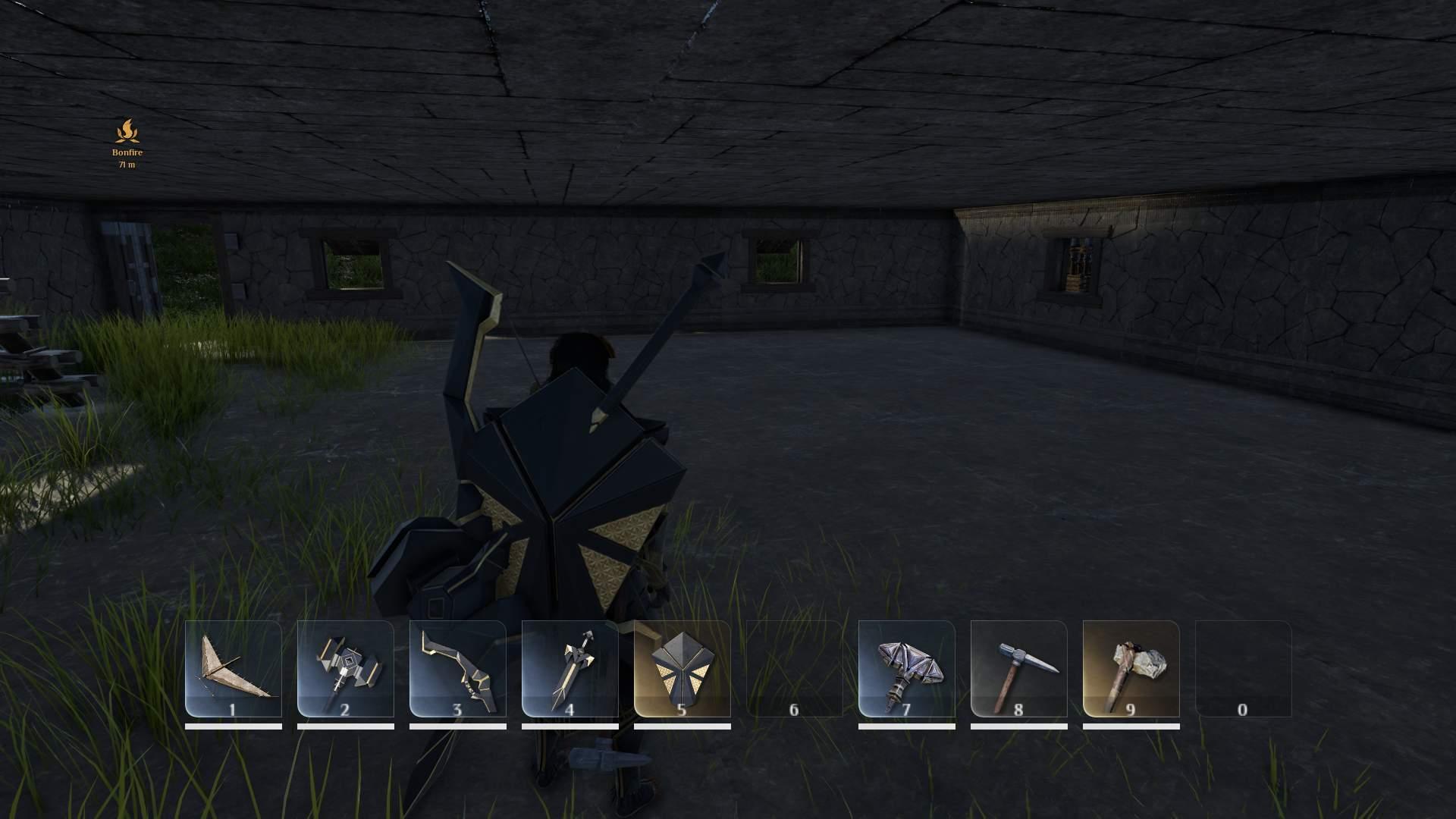
- Enable immersive mode (default toggle key: B) to simplify the interface while keeping vital information visible.
- Combine Tasty HUD with related mods like Tasty Chat for further text adjustments, particularly in chat windows.
- Experiment with resolution settings in combination with text scaling for optimal results.
Troubleshooting Common Problems
1. Text scaling doesn’t apply: Double-check that Tasty Framework and Tasty HUD are installed and active in the mod list.
2. Missing HUD menu: Ensure all dependencies are loaded and installed correctly.
3. Alignment issues: Reset the HUD layout in Tasty HUD and reapply the scaling settings.
Why Modding Works Well for Text Scaling
Mods offer an opportunity to customize your gaming experience when native options are unavailable. While the developers may introduce scaling features in the future, tools like Tasty Framework and Tasty HUD provide flexibility and control over UI customization right now.
Adjusting text size in Soulmask can significantly improve your gameplay experience. By utilizing mods like Tasty Framework and Tasty HUD, you can customize the UI to better suit your needs. These tools provide a temporary yet effective solution for players struggling with small text until official updates address this issue.