
How to save the game and locate your save file in Enshrouded?
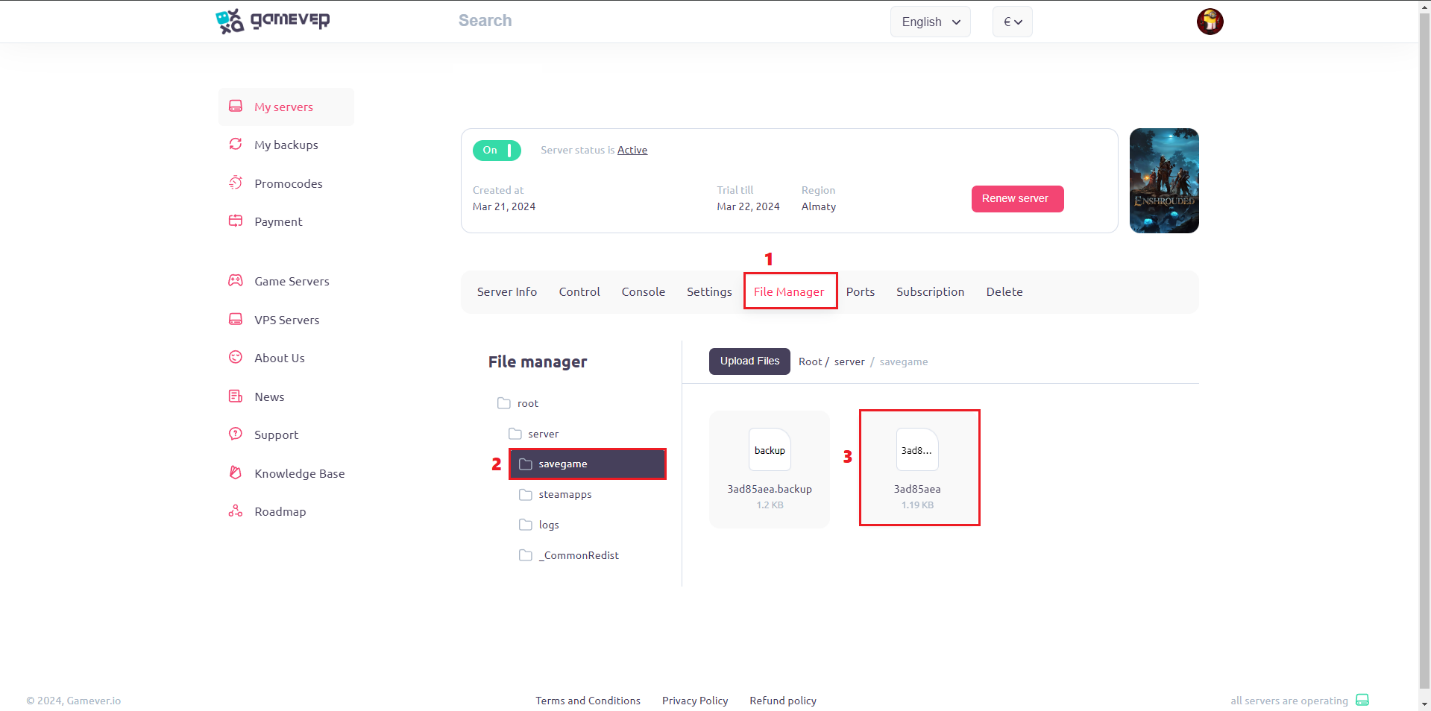
Go to your server “File Manager” tab:
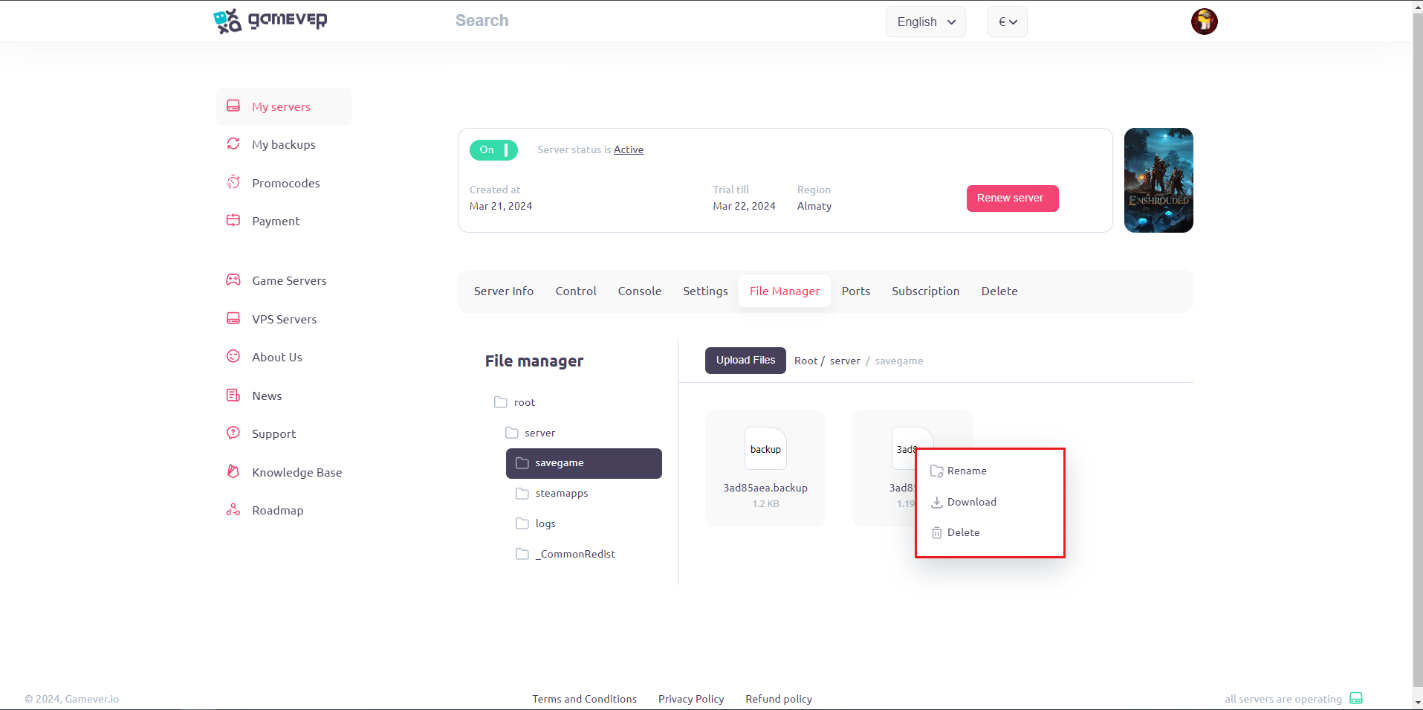
RMB on your save and choose what you need:
How to save your game:
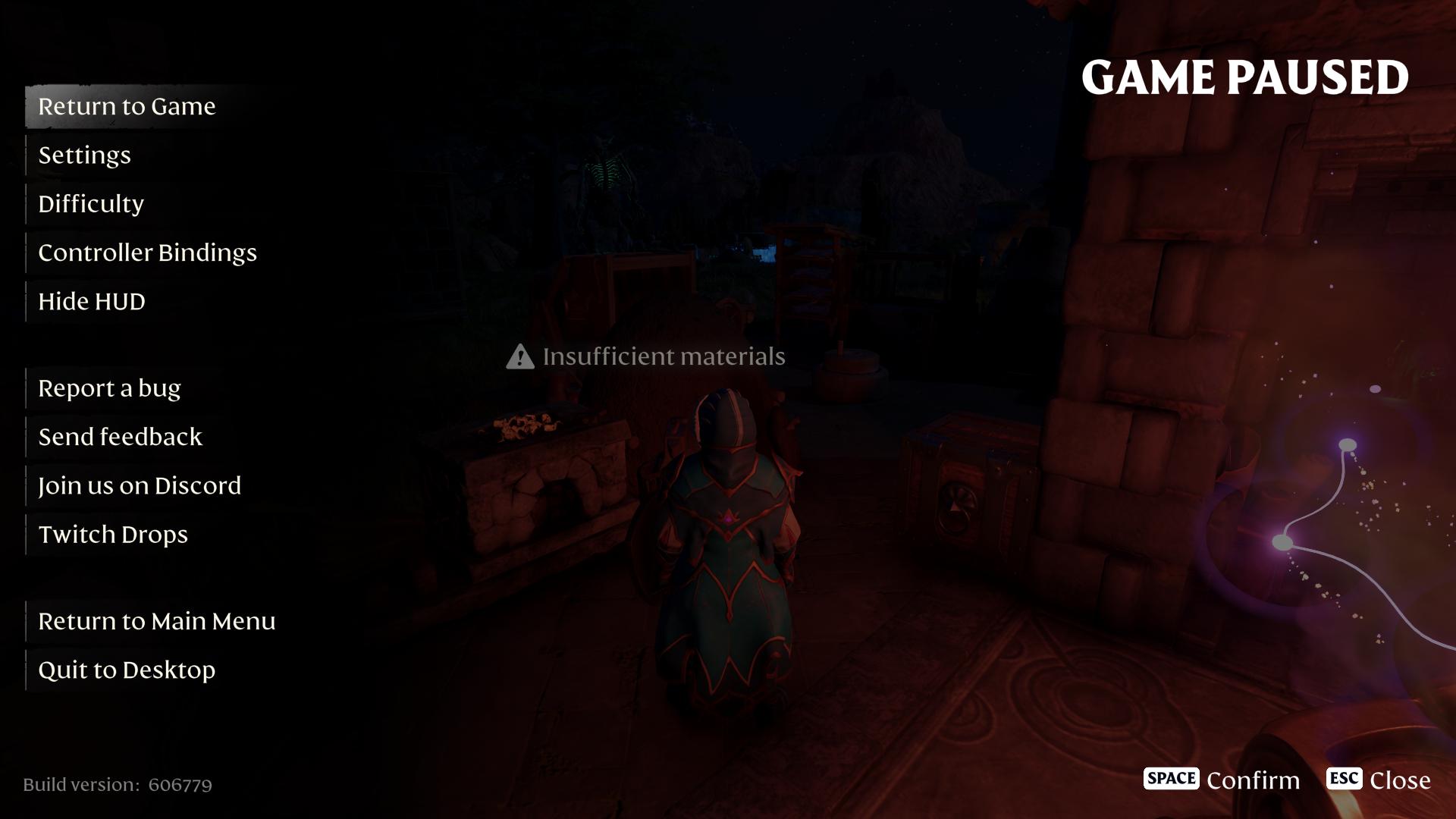
Enshrouded automatically saves your game, but steps below will help you to save your game manually:
- Press ESC:
- Choose “Return to Main Menu” or “Quit to Desktop”:
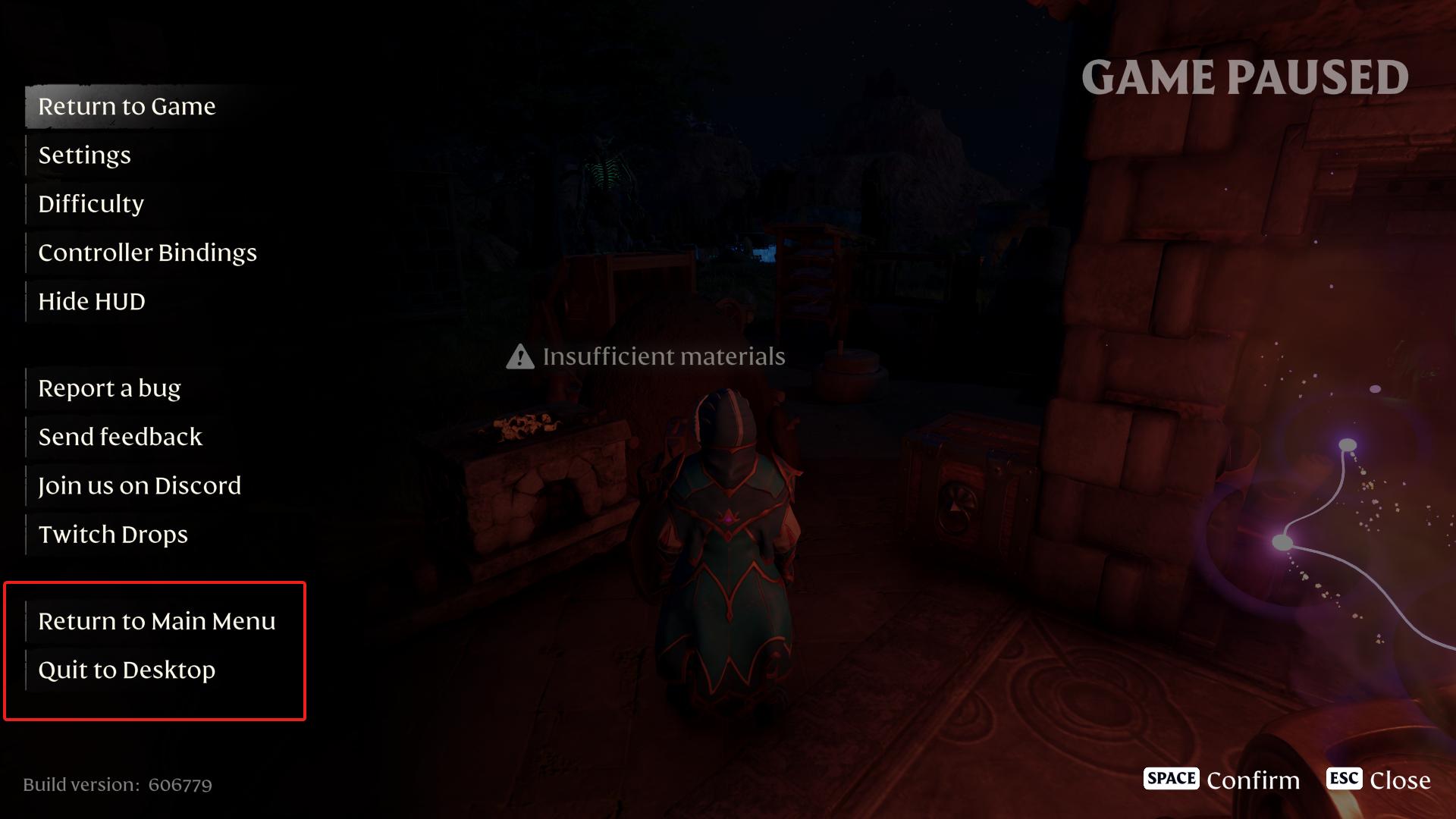
After these steps your game will be saved.
Conclusion:
Congratulations! Now you know how to save your game progress manually and where to find your save on the server. We hope that this guide will help you when playing the exciting cooperative game Enshrouded.