
How to Reset Progress in Icarus
Starting anew in Icarus might not be a built-in feature, but it can be achieved manually by working with the game’s saved files. With this guide, you'll understand how to modify or erase specific data to reset everything, ensuring a fresh beginning.
Identify the Save File Location
To begin, locate the directory where Icarus stores its save files:
1. Open your file explorer.
2. Navigate to ‘C:\Users\[Your Username]\AppData\Local\Icarus\Saved\’.
3. Inside, find the folder named ‘PlayerData’.
This folder contains key data, including character details, items, and progress. If the folder isn’t visible, ensure that "Show hidden items" is enabled in your file explorer settings.

Back Up Save Files Before Changes
Creating a backup is a smart precaution. Copy the ‘PlayerData’ folder to another location, like your desktop or an external drive. This way, you’ll be able to restore your progress if needed.
Edit or Delete Save Data
You have two main options for resetting your progress: adjusting specific files or erasing everything.
Option 1: Modify Files
1. Open ‘MetaInventory.txt’ and ‘Profile.txt’ within the ‘PlayerData’ folder using a text editor.
2. In ‘MetaInventory.txt’, remove all content under the "Workshop Items" section.
3. In ‘Profile.txt’, set all currency values (e.g., exotics and ren) to ‘0’. Remove entries under "Unlocked Flags."
4. Save your changes before closing the files.
Option 2: Delete Files
1. Delete the entire ‘PlayerData’ folder.
2. Launching Icarus will recreate the folder with default settings.

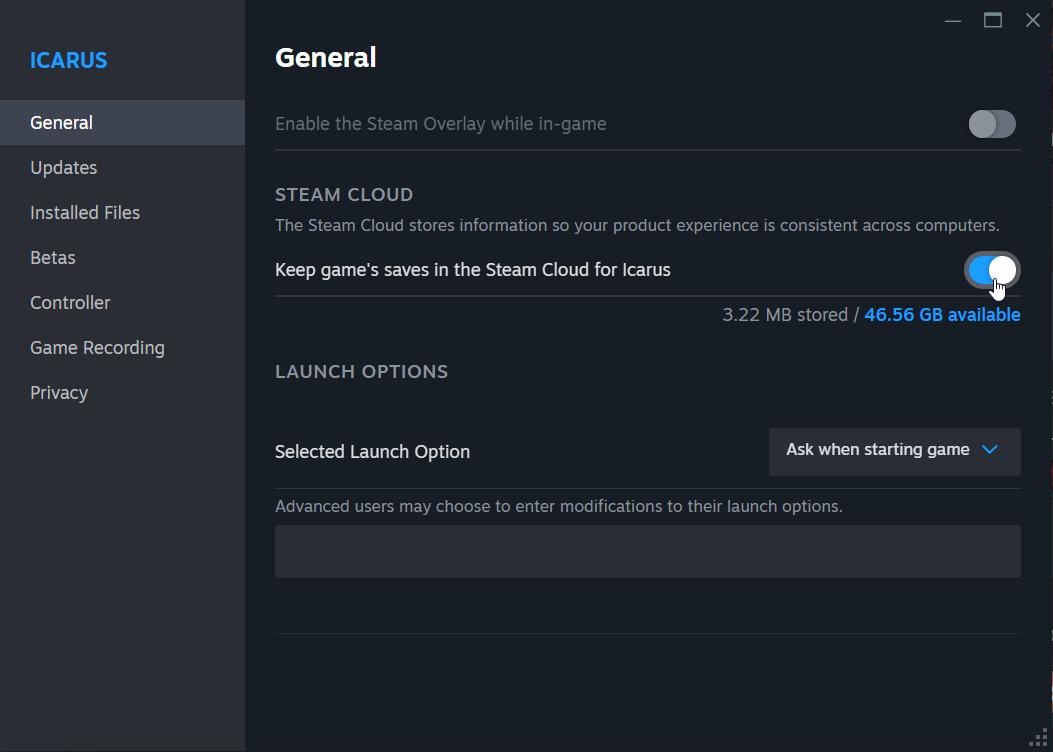
Adjust Steam Cloud Settings
To prevent Steam from restoring old save files, temporarily turn off Steam Cloud synchronization:
1. Open Steam and access your game library.
2. Right-click on Icarus, then select "Properties."
3. Uncheck the box for "Keep games saves in the Steam Cloud for Icarus."
4. After resetting your progress, you can enable synchronization again if desired.
Launch Icarus and Verify Progress Reset
Open the game to check that all changes have taken effect. You should notice the absence of previous characters, currencies, and unlocked missions. If everything looks correct, create a new character and proceed with the game.
Manually resetting your progress in Icarus may seem technical, but it’s manageable with the right steps. By editing or deleting the save files and temporarily adjusting Steam settings, you can ensure a clean slate. With your game reset, enjoy the fresh challenges that await.