
How to repair tools in Palworld?
Maintaining your effectiveness and durability in Palworld depends on your capacity to fix tools and equipment. Keeping everything in your kit, including weapons, armor, and other tools, in top shape ensures that you are always ready to take on any challenge the game may throw at you. This comprehensive guide will walk you through the process of fixing stuff in Palworld step-by-step so you may resume your escapades as soon as possible.
The importance of getting things repaired in a timely manner
Your equipment in Palworld, including tools, weapons, and armor, plays a vital role in your ability to explore, collect resources, and defend yourself against hostile creatures and players. As time rolls on, your gear won't stay pristine - it'll wear down and you'll need to fix it up to keep its power. Regular maintenance prevents the frustration of equipment failing at critical moments and ensures that you're always operating at peak efficiency.
Step-by-Step Guide to Repairing Your Items in Palworld
1. Unlocking the Repair Bench
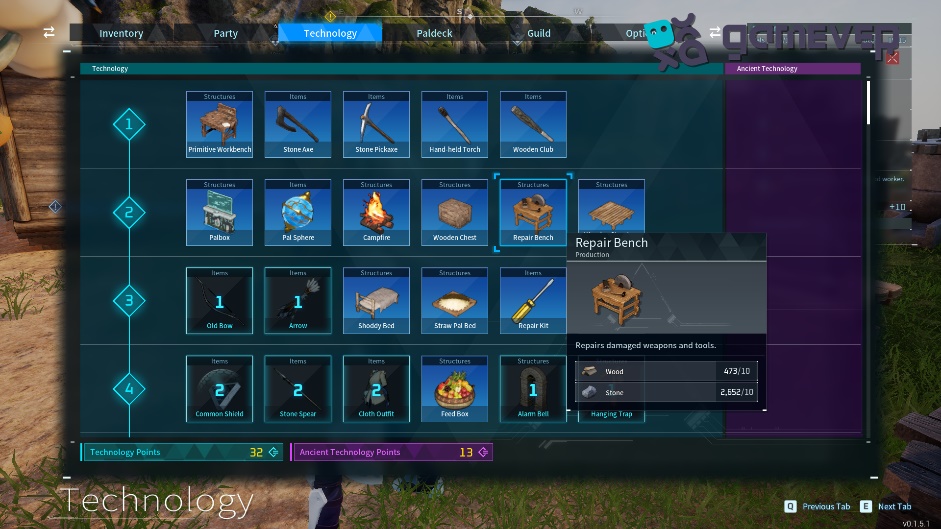
The first step to repairing your items is to unlock the repair bench. By moving up to level 2 and allocating technology points within the technology tree, this is possible. Keeping your equipment in top shape is key, right? So an early-game investment you really need to consider is the repair bench. It's a basic tool but it plays a crucial role in gear maintenance.
2. Building the Repair Bench
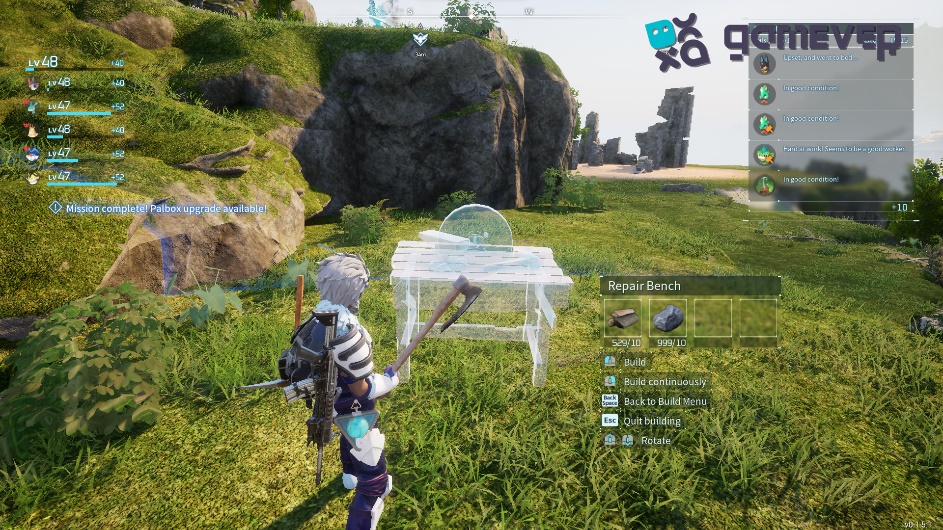
Once unlocked, the repair bench needs to be placed within your base. Its placement is strategic; consider an accessible location where you frequently manage your inventory and equipment. You will need 10 pieces of wood and 10 pieces of stone.
3. Interacting with the Repair Bench
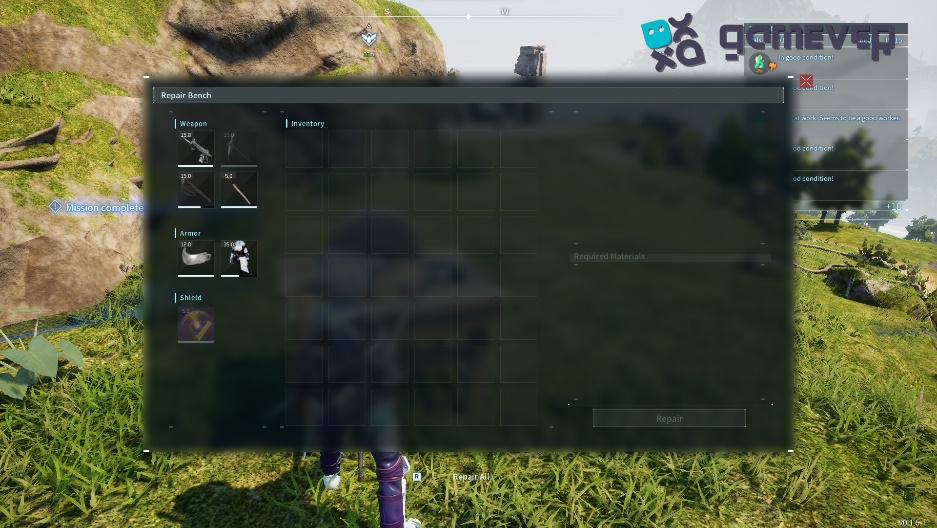
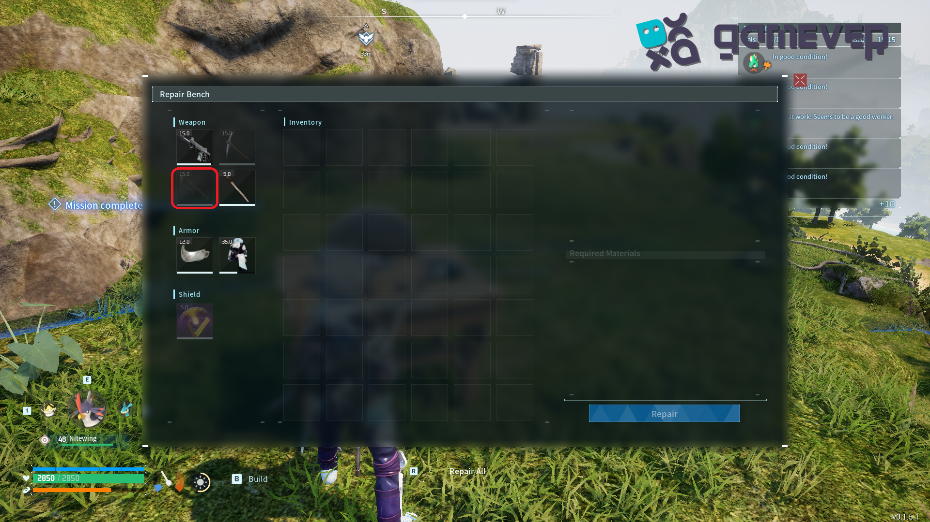
With the bench in place, approach it and interact to open the repair menu. This user-friendly interface displays your repairable items and the resources required for each repair.
4. Selecting the item to repair
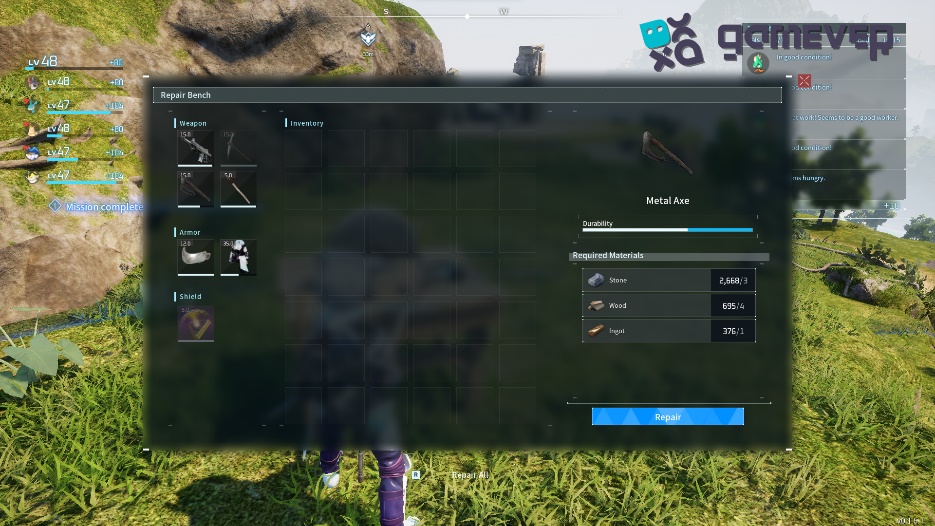
Within the repair menu, you'll find a list of damaged tools, weapons, and armor. Select the item you wish to repair, reviewing the necessary resources for the repair process.
5. Executing the repair
After selecting the item and verifying the required resources, click the 'Repair' button. After you click 'Repair', your gear will be immediately fixed, primed and ready for whatever task or adventure awaits you next.
Strategic Tips for Tool and Equipment Maintenance
- Regular Checks: Periodically review the condition of your items to avoid unexpected failures.
- Resource Management: Keep a stockpile of common repair materials to ensure you can always maintain your equipment.
- Prioritization: Repair high-priority items like weapons and armor first, especially if resources are limited.
Enhancing Your Palworld Experience with Gamever Servers
While Palworld offers a vast, immersive experience, playing on Gamever servers can elevate your gameplay further. Gamever provides:
- Stable Multiplayer : Boost the fun and team spirit by linking up with your buddies in a rock-solid, no-lag zone.
- Community Support : Join a community of like-minded players, share tips, and enjoy Palworld together on a secure platform.
- Enhanced Performance : Benefit from Gamever's optimized servers, ensuring smooth gameplay during both tranquil and action-packed moments.
Conclusion
In Palworld, mastering the art of repairing your gear is key to not just surviving but thriving. You can effectively manage your equipment and keep it functional and long-lasting by following the instructions provided in this handbook. Having well-maintained tools and armor is essential to your enjoyment and progress in Palworld, whether you're playing alone or with pals on Gamever servers.
Enroll in Gamever right now to start your Palworld experiences with pals, making use of a powerful platform to meet all of your gaming demands and improve your gaming experience in general.