
How to Remove Quick Waypoint in 7 Days to Die 1.0
If you've ever placed a Quick Waypoint in 7 Days to Die and then found yourself staring at that annoying red flag, you're not alone. Luckily, removing it is a piece of cake once you know where to look. In this guide, we’ll dive into exactly how to get rid of that pesky marker from your map and HUD in 7D2D 1.0.
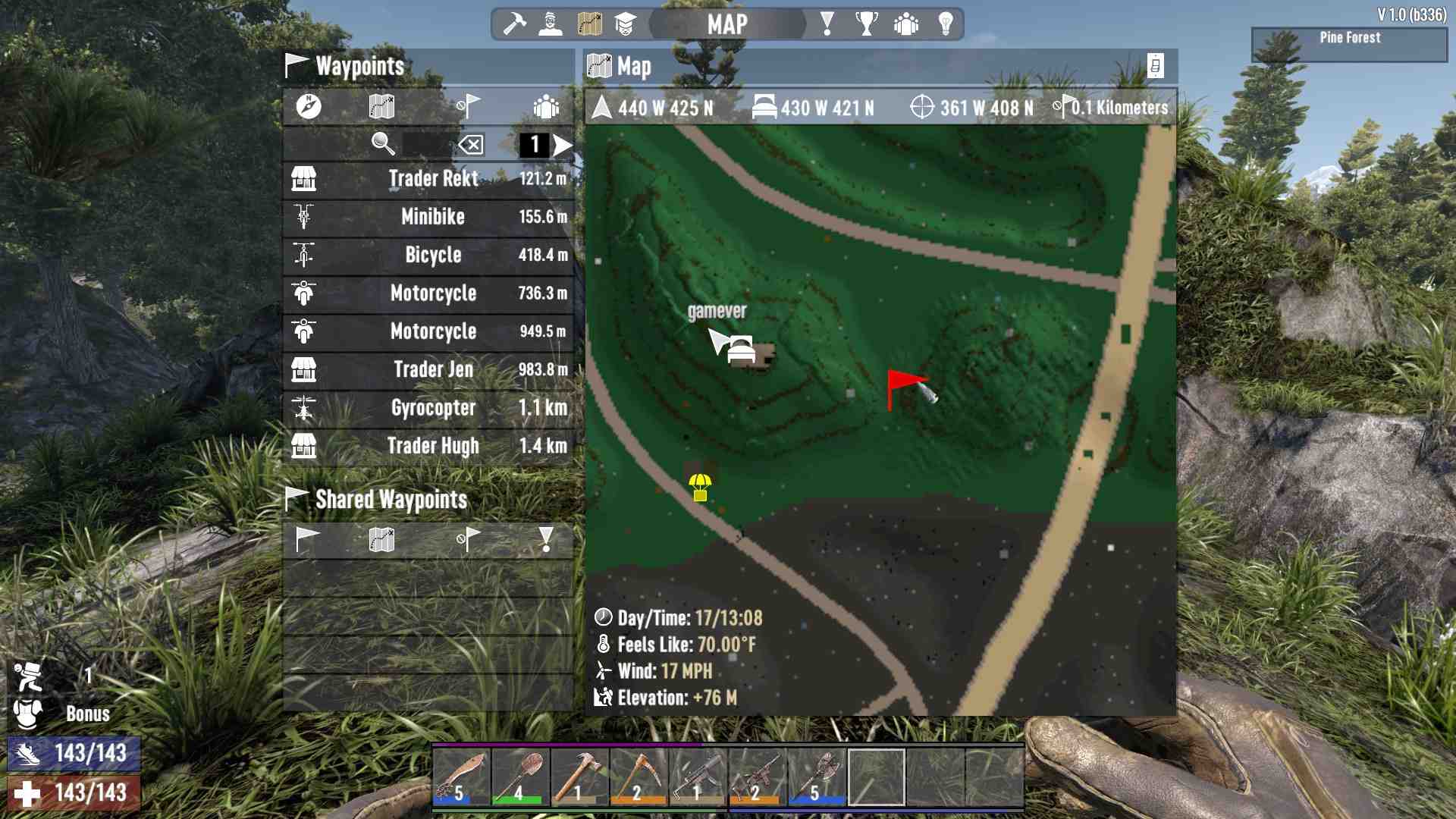
Quick Waypoint
Quick Waypoints are handy markers you can place on your map by right-clicking it. They show up as a red flag both on the map and on your HUD, helping you navigate to important spots. However, if you’ve decided you no longer need this marker, it’s time to get rid of it. The process might seem tricky at first, but once you get the hang of it, it’s super straightforward.
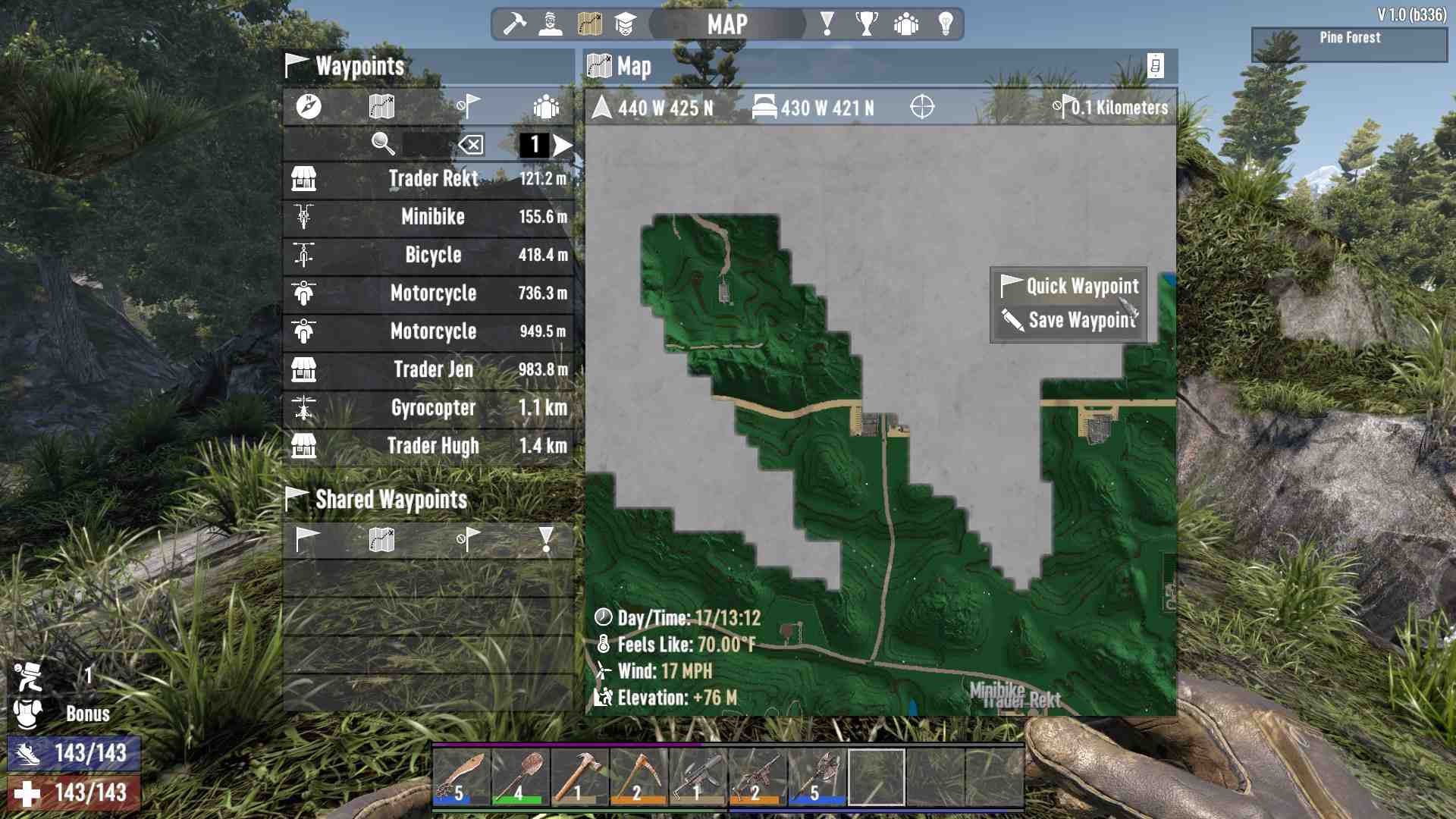
Removal Button
1. Open the Map: First, bring up your map screen. You can do this by pressing the appropriate key (usually `M` or `Tab`, depending on your setup).
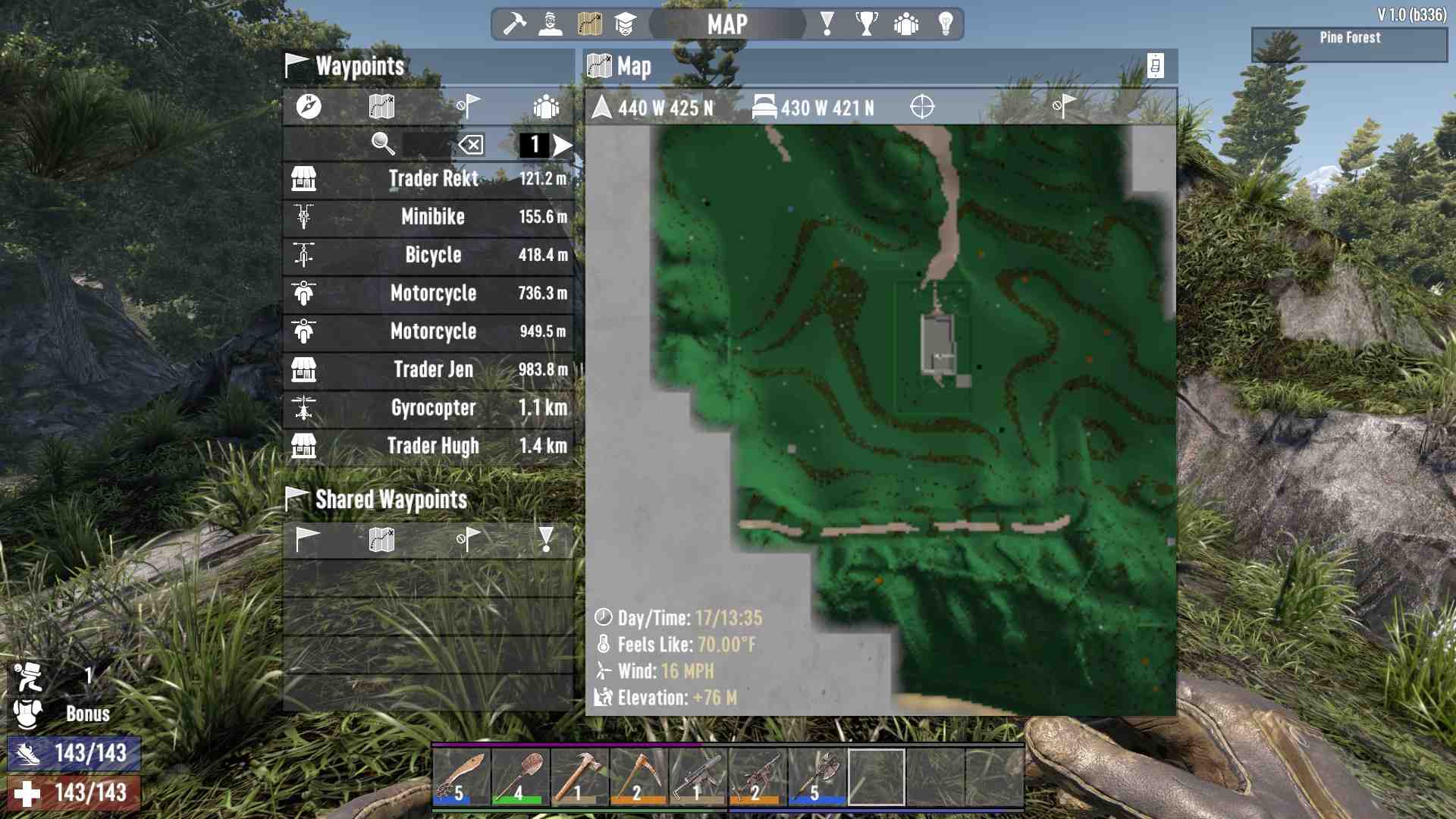
2. At the top of the map screen, there’s a status bar displaying your coordinates and other information. You’ll need to focus on this area.
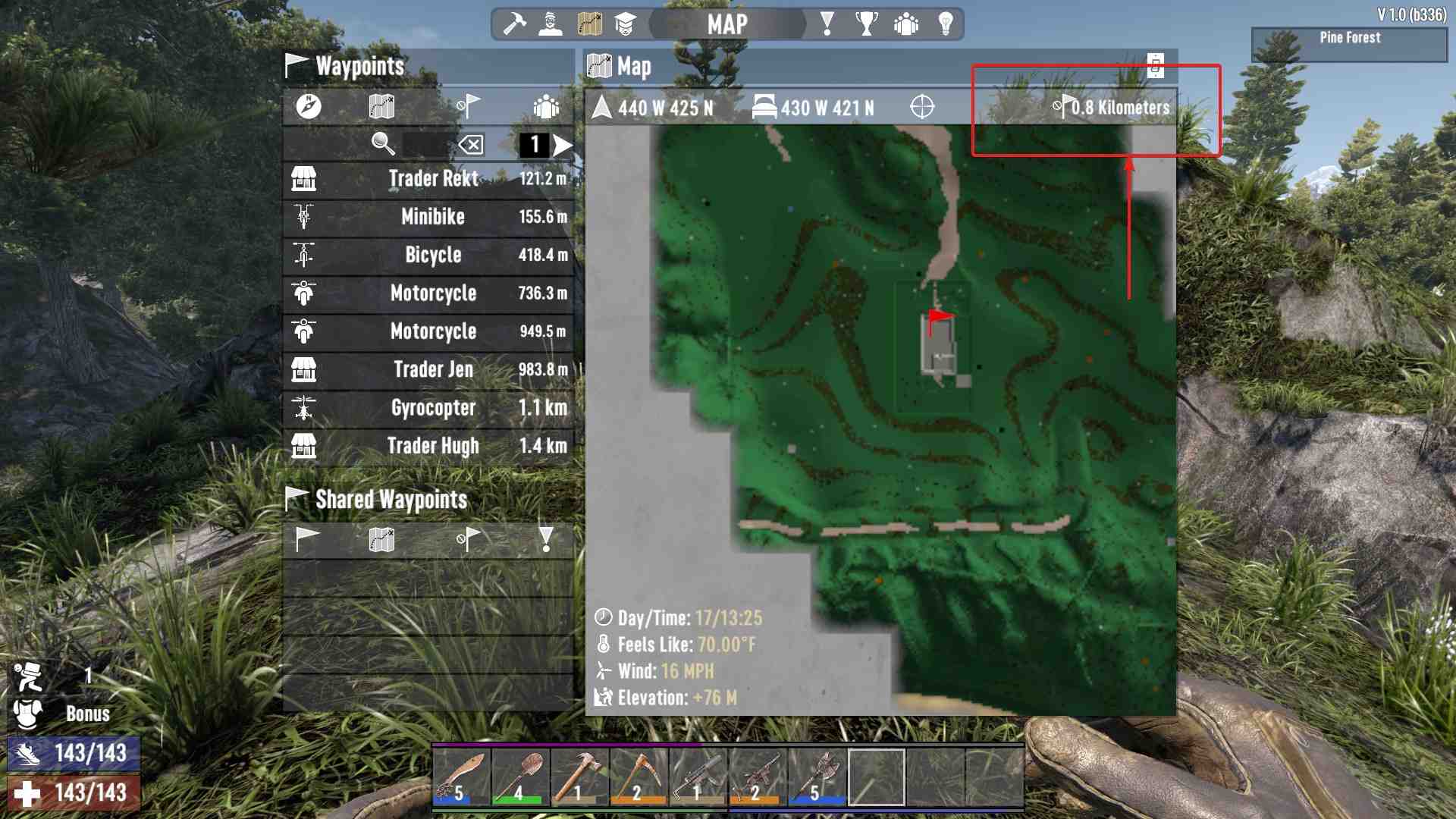
3. On the right side of this status bar, look for a symbol that looks like a circle with a slash through it, paired with a small flag icon. This icon is crucial as it’s used to manage Quick Waypoints.
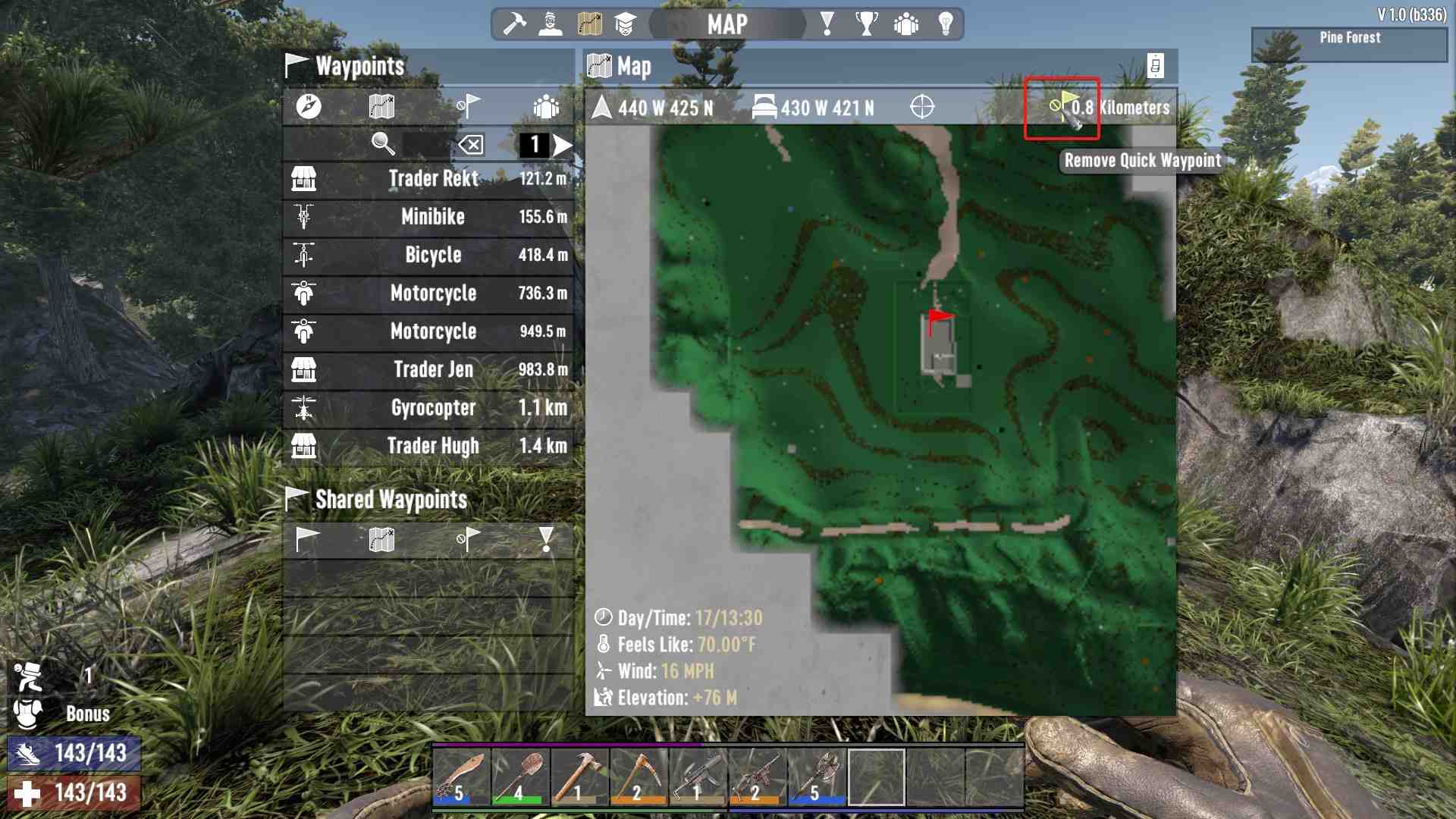
4. Click the Icon: Simply click on this icon, and it will remove your Quick Waypoint from both the map and the HUD. Voila! That red flag is gone.
Tips and Tricks
- Hiding vs. Removing: Hiding a Quick Waypoint simply makes it disappear temporarily, while removing it entirely gets rid of it from your HUD and map. Be sure to use the removal method if you want it completely gone.
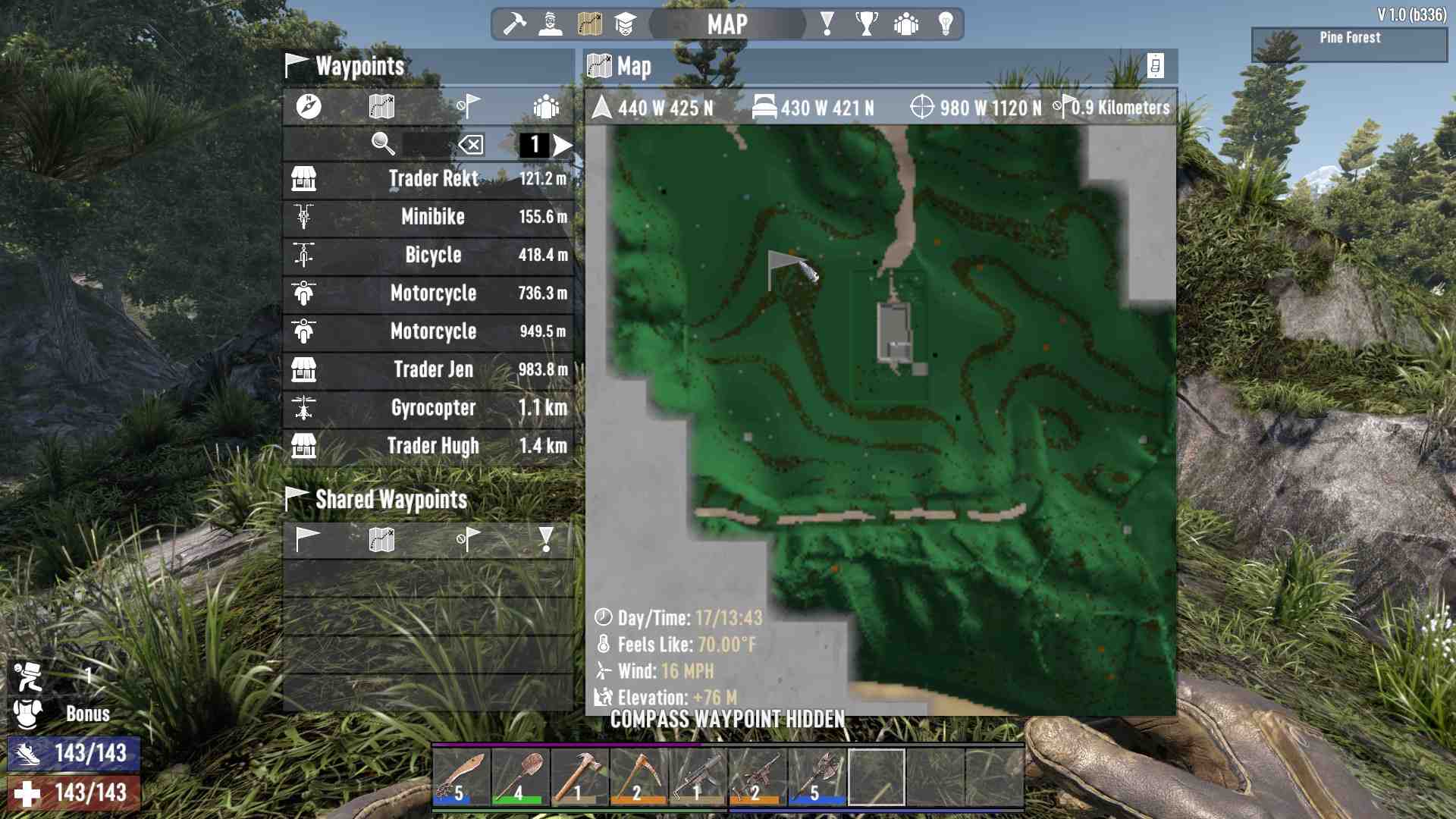
Once you’ve clicked the removal icon, you won't see that red flag again unless you place a new Quick Waypoint. This is especially useful if you’re trying to declutter your map or just want a cleaner view.
And there you have it! Removing a Quick Waypoint in 7 Days to Die 1.0 is a breeze once you know the right spot to click. By following these steps, you’ll keep your map clear and your gameplay smooth. So, get out there, explore the wasteland, and don’t let those red flags get in your way.