
How to Prevent Decaying Buildings in Soulmask
Role of the Bonfire
In Soulmask, the bonfire is the heart of your base. It not only attracts tribesmen but also prevents your buildings and workstations from decaying. Without a bonfire, your structures will slowly deteriorate over time.
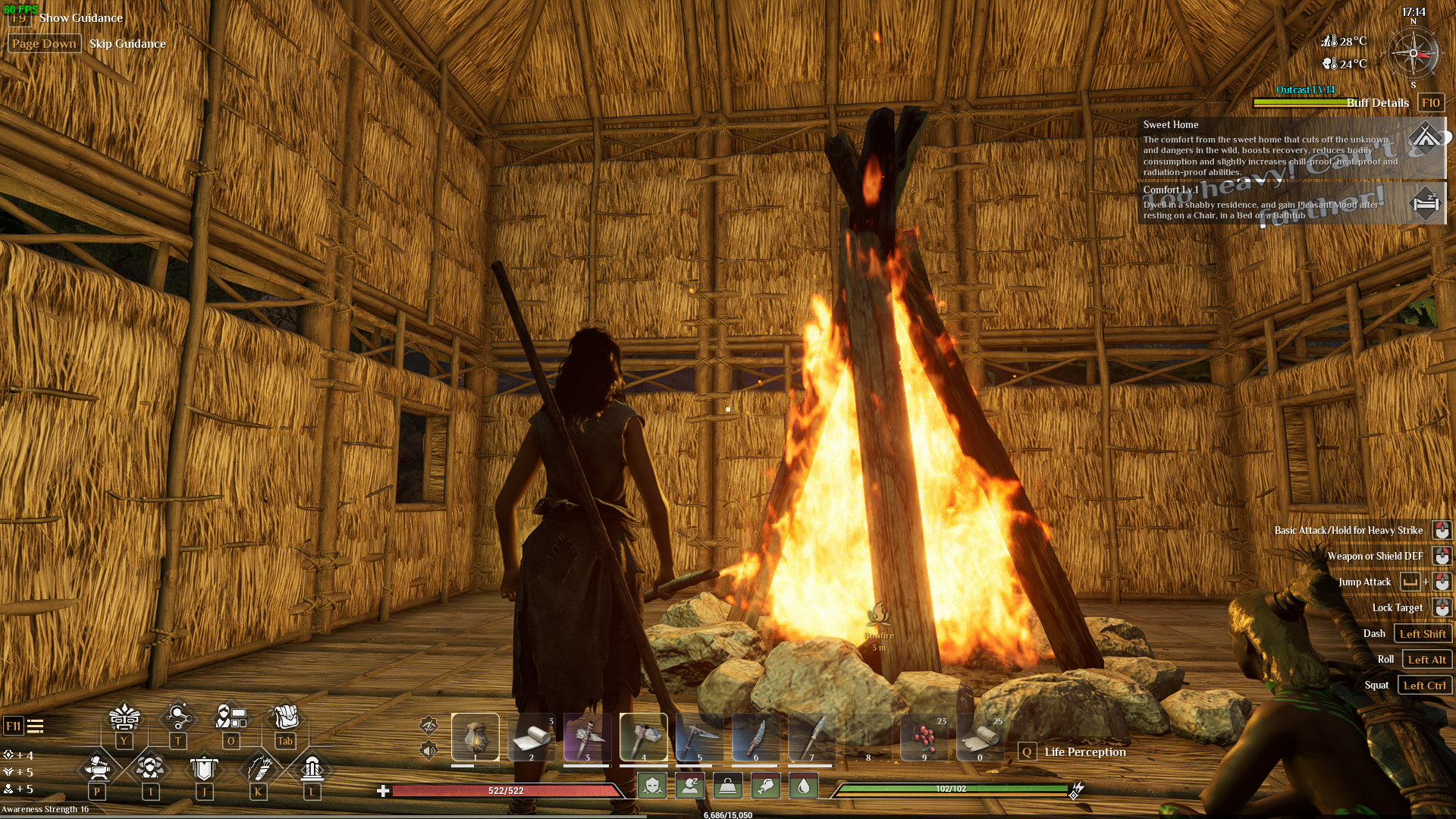
Craft a bonfire in Soulmask.
Crafting the Bonfire
To craft a bonfire, press the "Tab" key to open your crafting menu. Navigate to the "Items" tab and find the bonfire in the "Manual Crafting Blueprint" section. You'll need Branches (mandatory), Stones or Flint (optional), Logs or Hardwood (optional).
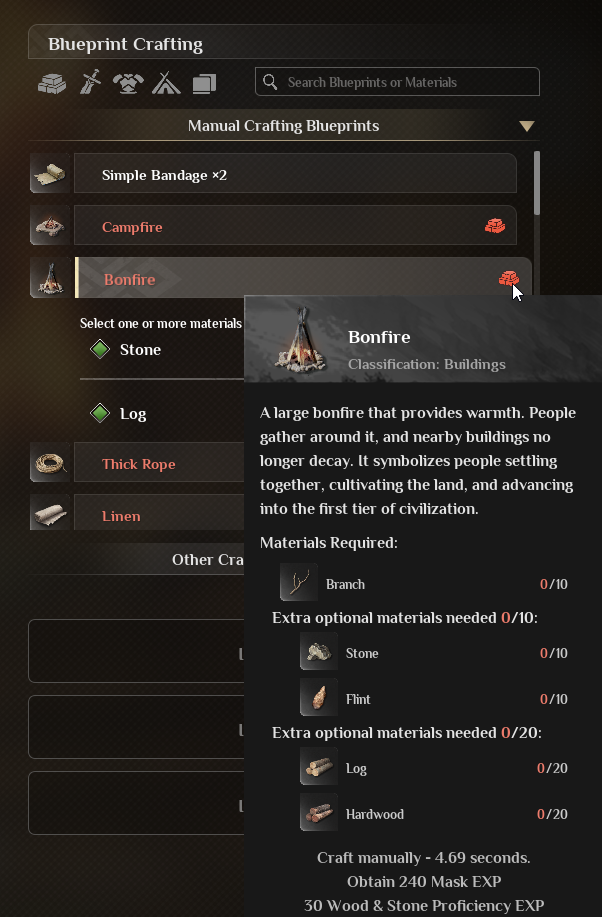
Gather materials for the bonfire in Soulmask.
Activating the Bonfire
Once your bonfire is built, interact with it by pressing ‘E’. Add fuel such as branches, logs, or bark. Ensure that your base is within the bonfire's range and keep it burning.
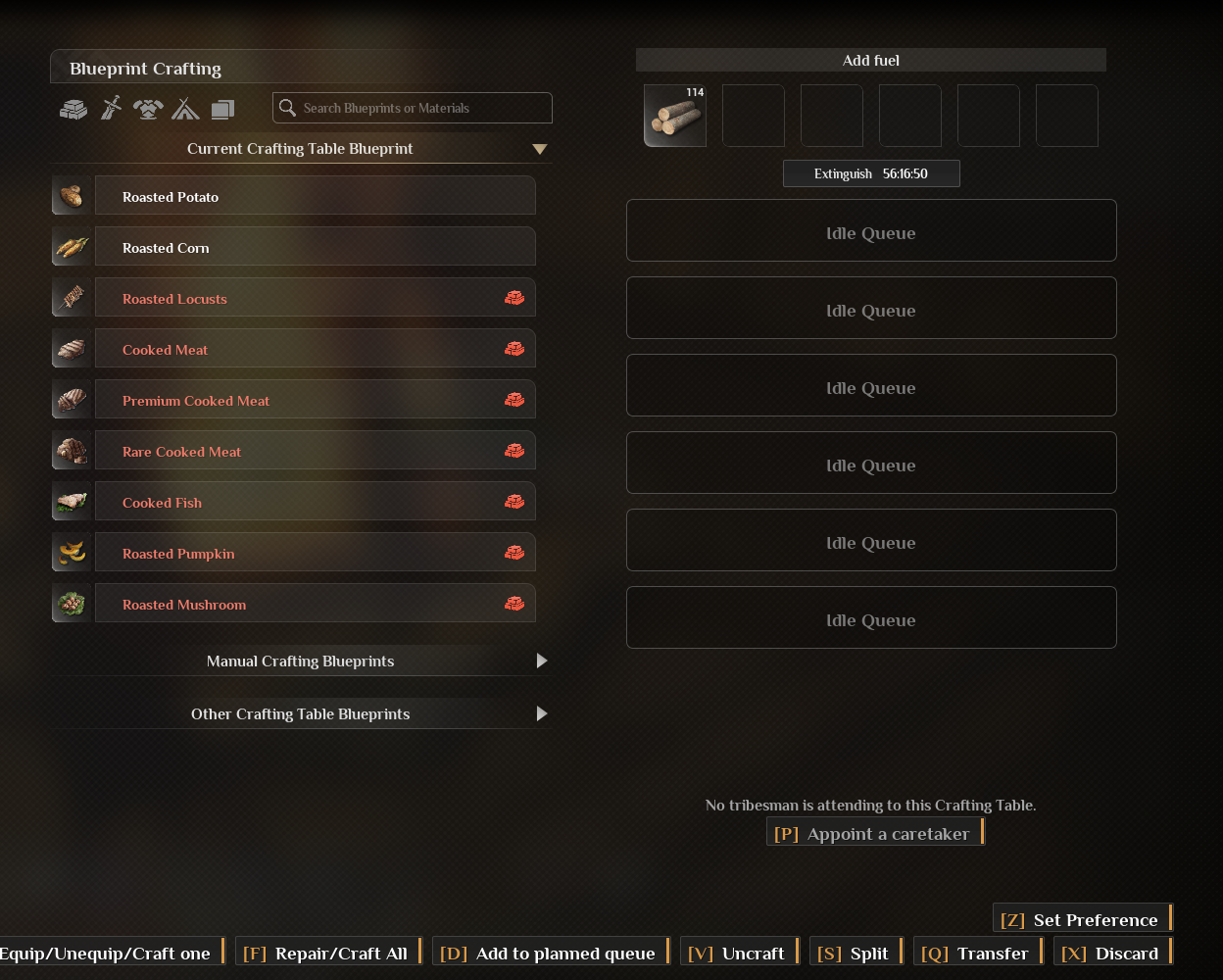
Add fuel to the bonfire in Soulmask.
When you hover your mouse over your building materials, you'll see "Bonfire protection activated" indicating that they won't decay as long as the bonfire is lit.
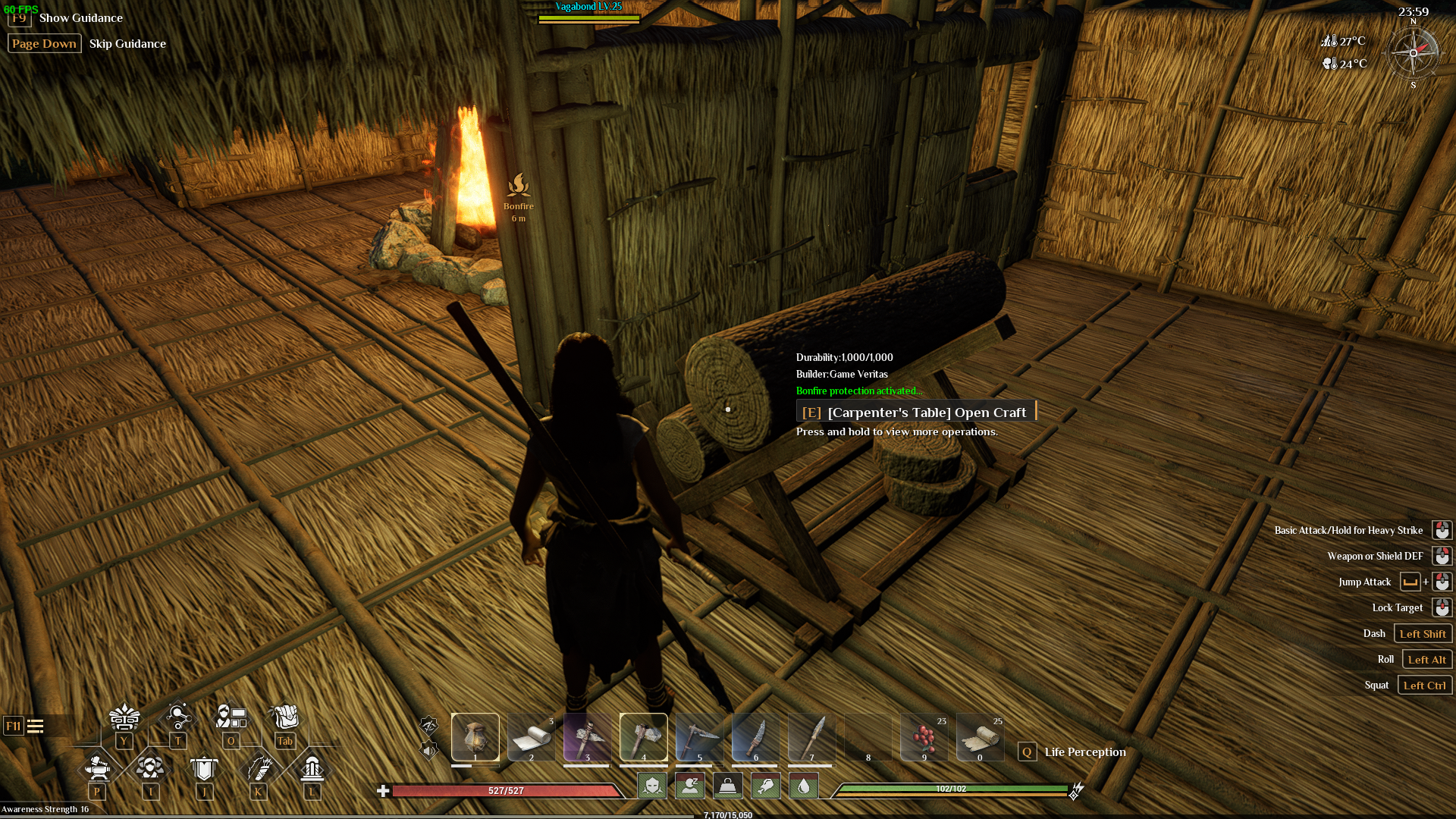
Check the "Bonfire protection activated" status in Soulmask.
Maximizing Bonfire Efficiency
Build the bonfire before constructing your base to avoid proximity issues with other players' bases. This ensures you can protect and maintain your bonfire without interference. Cover the bonfire with a roof or flooring to prevent rainwater from extinguishing it. This simple precaution ensures that your bonfire remains lit, even during rainy days.
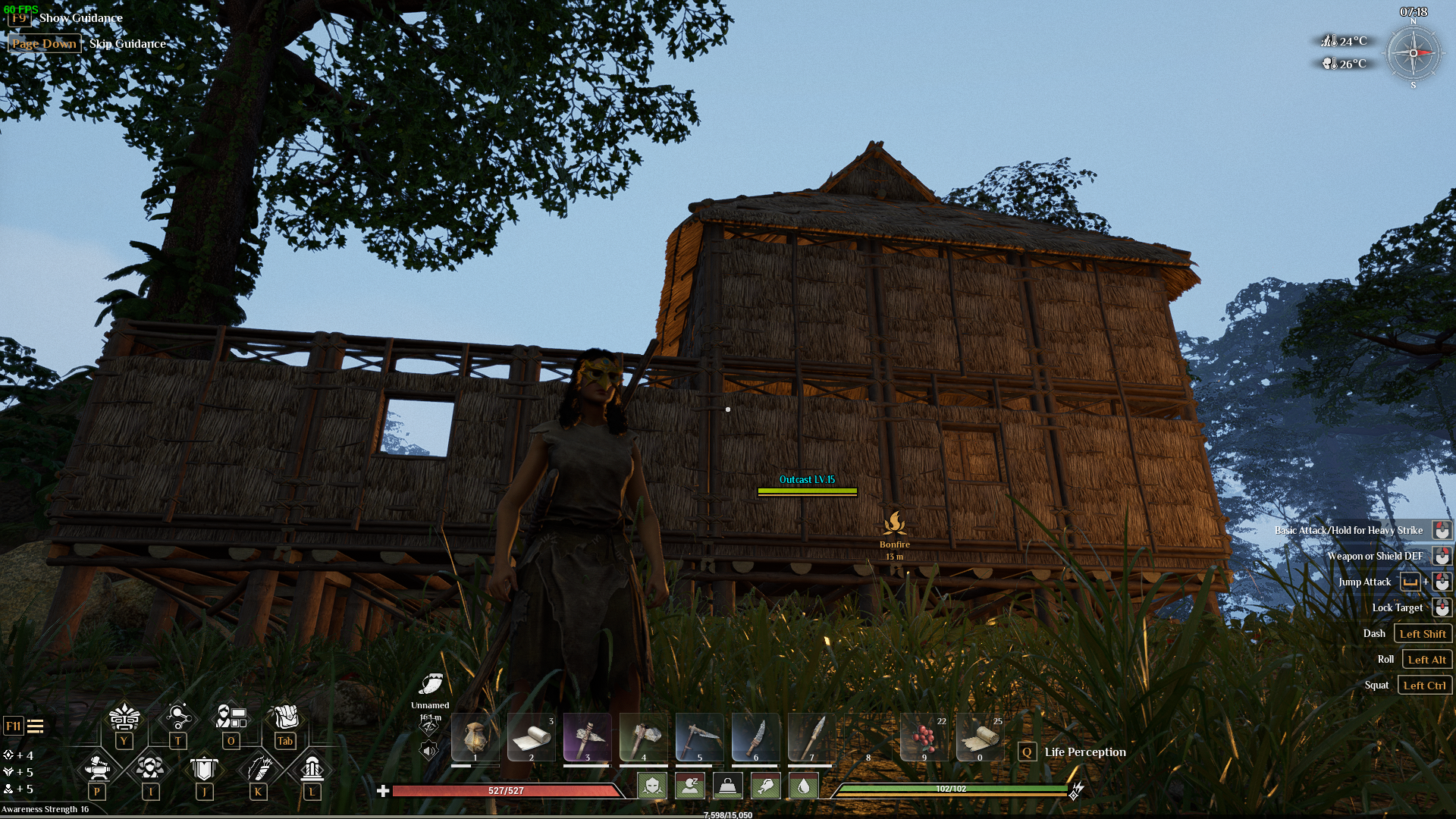
Cover the bonfire with a roof to prevent rain extinguishing it in Soulmask.
Conclusion
Preventing your constructions from decaying in Soulmask is all about maintaining a steady, burning bonfire. Craft your bonfire using branches and optional materials, keep it fueled with the right combustible materials. Protect your bonfire from rain and prioritize its construction before building your base.