
How to Prepare Your Valheim Server for 1.0 (Launch-Day Checklist)
Most Valheim patches give you a warning shot — a public test branch where server owners try the build, mod authors update their plugins, and everyone finds the breakages a week early. Valheim 1.0 does not. Iron Gate confirmed there will be no test branch because "we want everyone to get to experience 1.0 at the same time", which means 9 September is the first time your server will ever run this build. Here is what to do before, during and after — and the order matters.
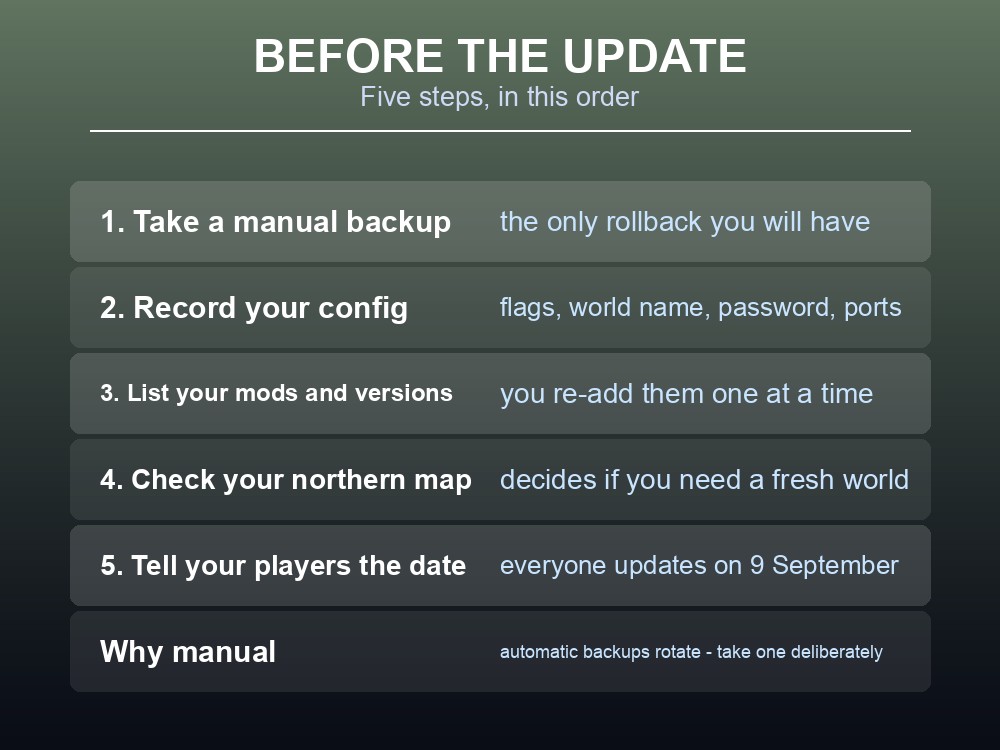
Before the Update
| Step | Why |
|---|---|
| 1. Take a manual backup | The only rollback you will have |
| 2. Record your config | Startup flags, world name, password, ports |
| 3. List your mods and versions | You will re-add them one at a time |
| 4. Check your northern map | Decides whether you need a fresh world |
| 5. Tell your players the date | Everyone updates the client on the same day |
The backup is not optional and it is not the automatic one. Automatic backups are excellent for the ordinary case, but before a version bump this large you want a snapshot you took deliberately, that you know the timestamp of, and that nothing will rotate out from under you. On a gamever server that is a one-click job; take it the evening before.
Record the config separately from the server. If something goes wrong, the fastest recovery is often a clean server with your old world file and your old settings — which requires having the settings written down somewhere that is not inside the thing that broke.
Expect Mods to Break
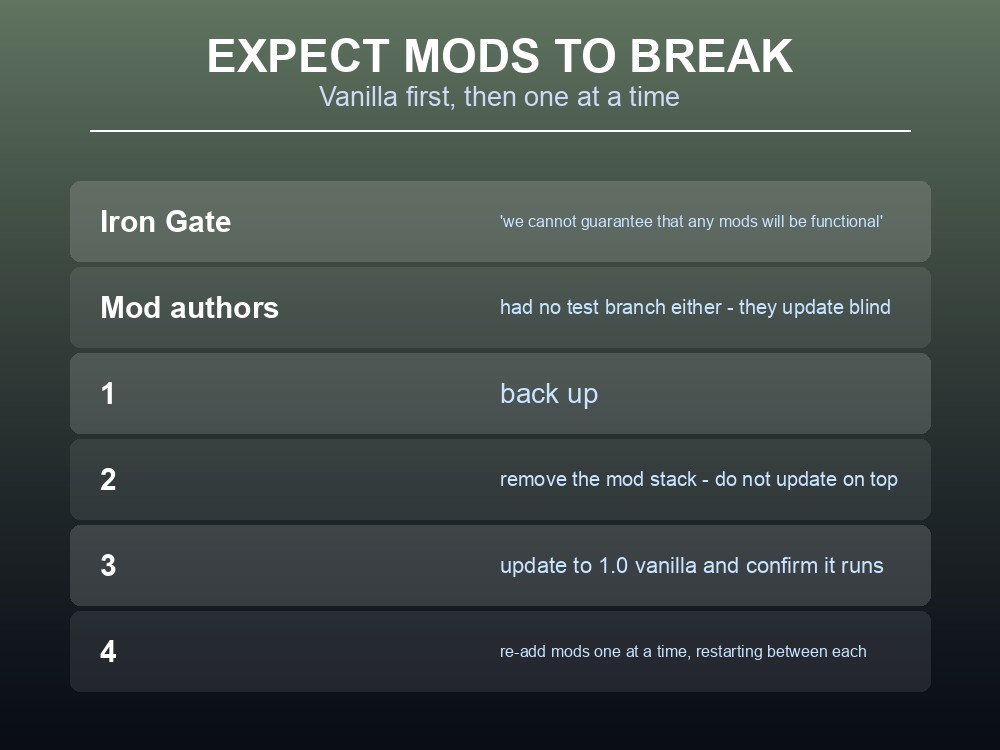
The FAQ does not hedge:
"Since we don't have any official mod support, we cannot guarantee that any mods will be functional when 1.0 releases."
And mod authors had no test branch either. They are updating blind on the same day you are, which means even well-maintained plugins may take days rather than hours.
There is a technical reason big updates break mods, and Iron Gate have documented it. Since the asset bundle change in 0.217.40, the game loads and unloads assets dynamically rather than holding everything in memory. Their guidance to modders explains the fragility directly: "asset path might change during development, so if your mod relies on a certain asset having a certain path, it's likely that an update will break your mod." The stable alternative is AssetID, which "will always stay the same for each asset even if it's moved or renamed."
So the breakage is not random. Mods that reference assets by path break when paths move — and a release the size of 1.0, adding an entire biome, moves a great many of them. Well-written mods that use AssetIDs fare better, but you have no way to tell which is which from the outside.
Iron Gate's own instruction last time was stronger than the 1.0 FAQ's. Before the Ashlands update they wrote: "Disable them before you download the Ashlands update, otherwise the game will most likely not launch properly." Note the sequencing — before you download, not before you launch. If your server updates automatically, this is the one occasion to know your update window in advance so the stack comes off first.
The update order that keeps you sane:
- Back up.
- Remove the mod stack — do not update on top of it, and ideally pull it before the download.
- Update to 1.0 vanilla and start the server.
- Confirm it runs: world loads, you can connect, nothing errors in the log.
- Re-add mods one at a time, restarting between each.
Adding them back one at a time is the part people skip, and it is the part that saves the evening. If you re-add fifteen plugins at once and the server refuses to start, you have fifteen suspects. One at a time gives you the culprit immediately.
If your group's mod stack is the whole point of the server, the better answer is not to update it at all yet. Leave the modded world on its current version, and stand up a second, vanilla server for 1.0. Two servers cost less than a broken one, and nobody has to choose between their base and the new biome.
Decide the World Question First
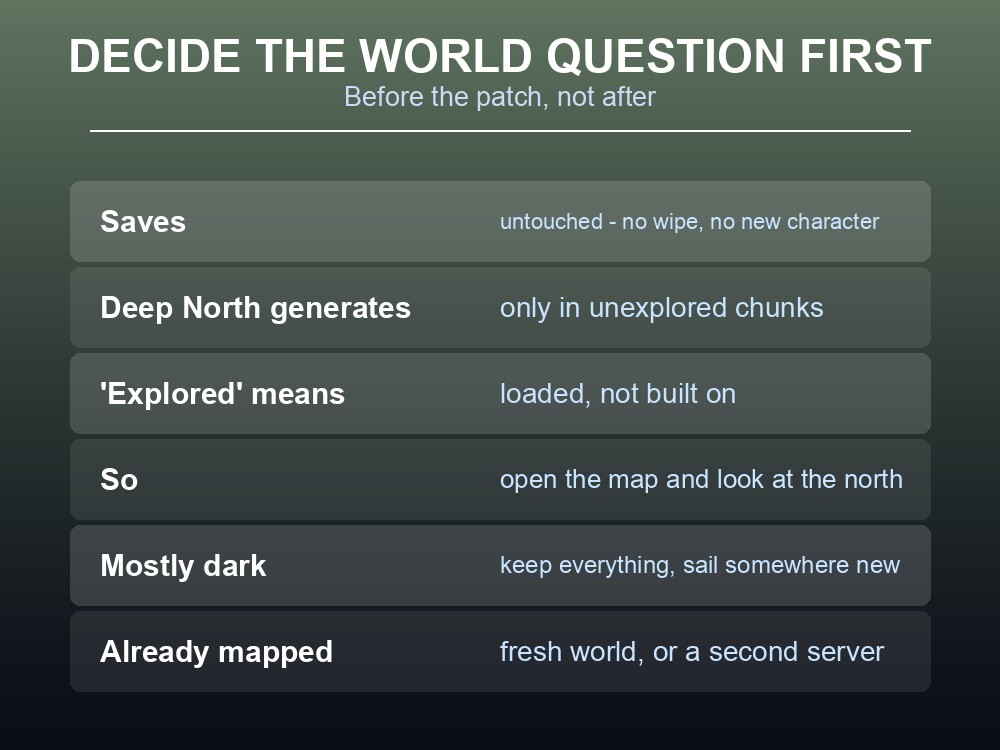
This one has to be settled before the patch, not after, because it changes what you back up and how many servers you want running.
Your saves are safe — "Nothing. Your old saves will still be where you last left them, and you can continue to play with them if you like." No wipe, no new character required.
But the Deep North only generates where nobody has been. Existing worlds "will receive new content… although biome generation will only work properly on areas that have not yet been explored." Chunks already loaded to disk keep whatever terrain they had.
So open the world map and look at the north. If it is mostly dark, you can keep everything and simply sail somewhere new. If your group already mapped that coastline, the new biome will not generate over it, and you want either a fresh world or a second server.
Note that "explored" means loaded, not built on. One player sailing past a northern shore a year ago is enough to commit those chunks for everybody.
One argument that does not apply: keeping the old world will not preserve achievement progress, because 1.0's achievements track from the moment you download it regardless of which world you play. Old kills do not count either way.
Launch Day and After
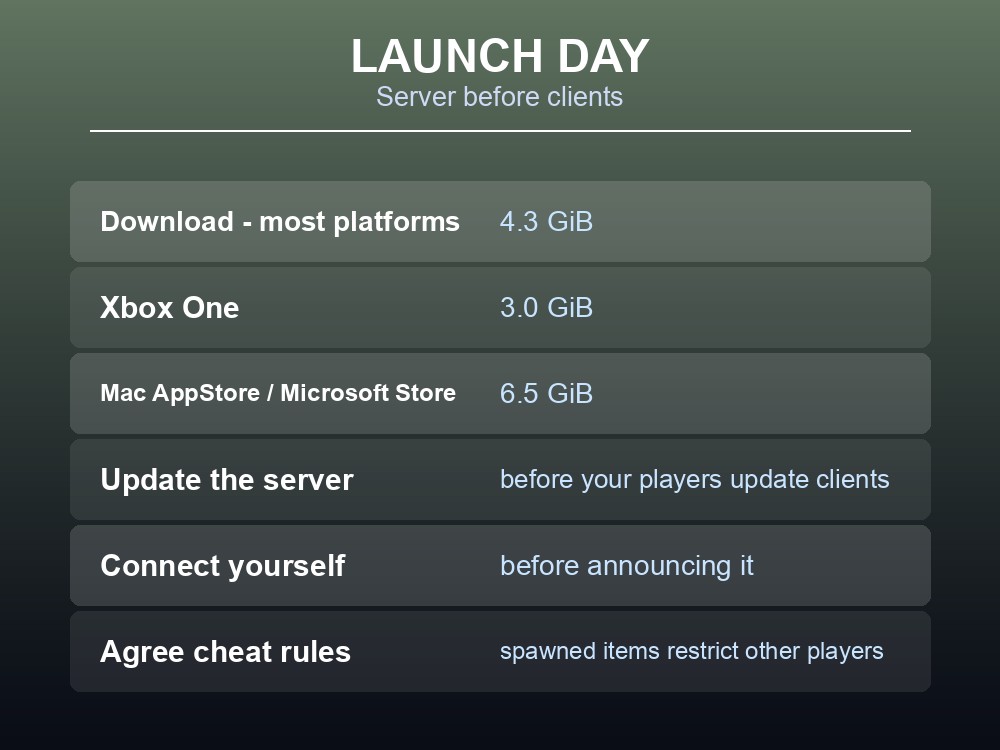
Download sizes, so you can plan the window:
| Platform | Size |
|---|---|
| Most platforms | 4.3 GiB |
| Xbox One | 3.0 GiB |
| Mac App Store / Microsoft Store | 6.5 GiB |
Update the server before your players update their clients. A server on the old build and clients on the new one is the most common launch-day support ticket in any game, and it produces confusing errors rather than clear ones.
Then, in order:
- Start the server and watch the first boot. A version bump this size can surface config keys that changed.
- Connect yourself before announcing it. Verify the world loads and you can join.
- Check the player cap is what you expect — 1.0 keeps Valheim at 1–10 players, so nothing changes there.
- Only then invite everyone in.
Agree your cheat rules before the first session, not after. In 1.0, cheat usage permanently flags characters and worlds and blocks achievements — and spawned items are visibly marked, temporarily restricting any non-cheated player who picks one up. On a shared world that means one person's console command affects other people's progress. It is a five-minute conversation that avoids a genuinely unfixable problem.
Finally, expect a patch or three. A release this size is normally followed by hotfixes within days. Automatic updates handle that without anyone watching the Steam news feed.
Practical tips
- There is no public test branch. Your first 1.0 run is live — back up manually the night before.
- Write your config down somewhere other than the server.
- Disable mods before the update downloads, not after — Iron Gate's own Ashlands instruction.
- Update vanilla first, then re-add mods one at a time, restarting between each.
- Run a second server rather than breaking a modded one.
- Check your northern map before the patch — it decides whether you need a fresh world.
- Update the server before the clients. Version mismatches produce unhelpful errors.
- Set cheat rules up front — spawned items restrict other players' achievements.
Running your own Valheim 1.0 server
This checklist is mostly a list of things that managed hosting does for you: the backup is one click, the update applies itself on release day, and standing up a second vanilla server beside your modded one takes minutes rather than an evening. A gamever Valheim server also keeps the world online around the clock so a ten-person group can explore the Deep North on their own schedules, with full crossplay across PC, Xbox, PlayStation 5 and Nintendo Switch 2 so nobody is left out by platform.
Conclusion
Valheim 1.0 lands on 9 September 2026 with no public test branch, so the ordinary rehearsal simply does not exist — which makes a manual backup the night before the single most important item on this list. Plan for mods to break, and update vanilla first before re-adding plugins one at a time; if the mod stack matters more than the new biome, run a second server instead of updating the first. Settle the world question in advance by looking at how much of your northern map is already revealed, because the Deep North only generates in unexplored chunks. On the day, update the server before your players update their clients, verify you can connect before you announce it, and agree your cheat rules first — in 1.0 one player's spawned items can restrict everyone else's achievements.
Want the update applied automatically with a backup taken first? Rent a Valheim server at gamever.io — instant setup, one-click backups and updates, full crossplay and 24/7 uptime. Start with a free trial and use promo code WELCOME.