
How to Password Protect an ARK: Survival Evolved Server
If you're running an ARK: Survival Evolved server, you may want to password protect it to prevent unauthorized access. In this guide, we'll show you how to set a password for your server, so only authorized players can join.
Step 1: Open the Settings Panel
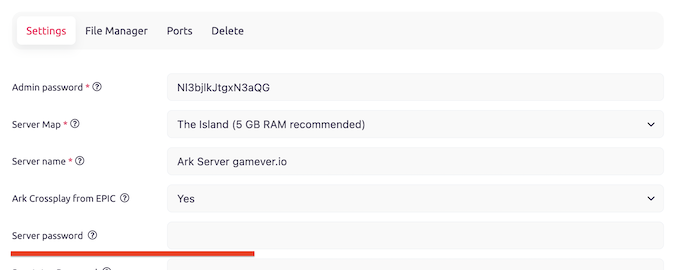
To set a password for your ARK: Survival Evolved server, you'll need to open the settings panel. This can be done by clicking on the "Settings" button in the server control panel.
Step 2: Set the Password
In the settings panel, scroll down to the "Server Settings" section. Here, you'll see an option labeled "Server Password." Enter the password you want to use in the text field provided.
Step 3: Save Changes
Once you've entered your password, click the "Save" button at the bottom of the settings panel. This will save your changes and apply the password to your server.
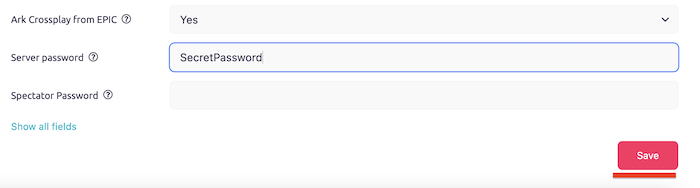
Once your server restarts, you can join the server only with a password.
Conclusion:
Password protecting your ARK: Survival Evolved server is an important step in ensuring that only authorized players can join. By following the steps outlined in this guide, you can easily set a password for your server and manage it using console commands. Remember to choose a strong password and keep it secure, to prevent unauthorized access to your server.