
How to Maximize Storage Efficiency in 7 Days to Die Update 1.0
Welcome to the world of 7 Days to Die Update 1.0. The improved storage chests are here, and they’re about to become your new best friends in managing your loot and gear. Let's break down how you can maximize your storage efficiency, including upgrade strategies and space management, to ensure you’re always prepared for whatever the wasteland throws at you!

Upgrading Your Storage Chests
The improved storage chests offer more slots than their basic counterparts. To upgrade, you’ll need to gather the necessary materials like iron or steel.
To upgrade your Wood Chest, you'll need 10 Forged Iron. Once you’ve got that, you can take it a step further and improve it to a Steel Storage Chest by gathering 10 Forged Steel. Here’s the simple process: equip your Axe, head over to your chest, and click the Right Mouse Button. Each click will increase the percentage of how ready your upgraded storage chest is. Keep clicking until your chest is fully upgraded!
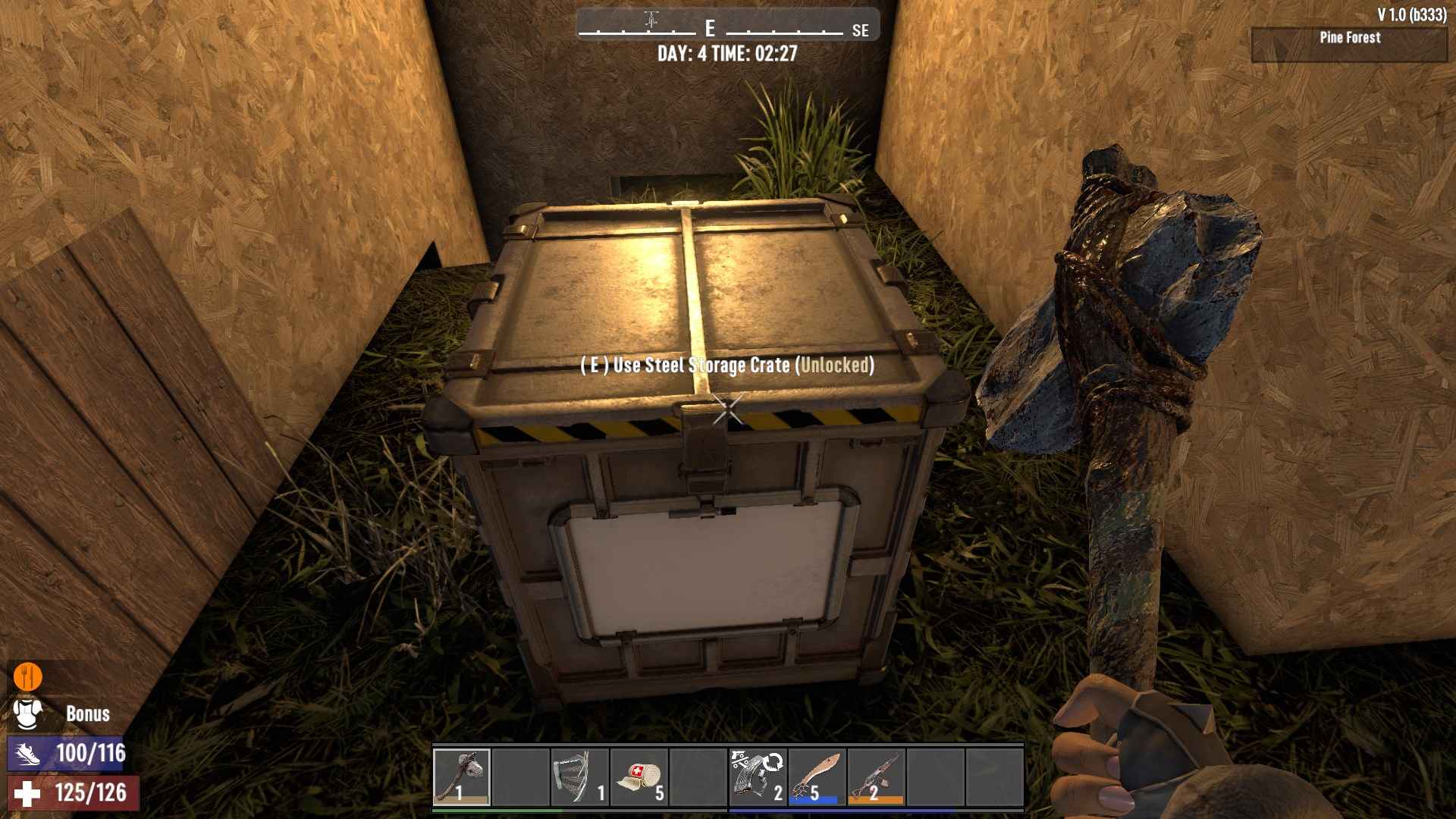
Crafting these upgraded chests not only gives you more space but also allows for better organization. Upgraded chests come in different sizes and capacities, so mix and match to suit your needs. Larger chests are perfect for bulk items like resources and crafting materials, while smaller chests can be used for essentials and loot.
Organize Like a Pro
Once you've got your upgraded chests in place, it’s time to get organized. Start by designating specific chests for certain categories: one for food, one for weapons, one for building materials, and so on.
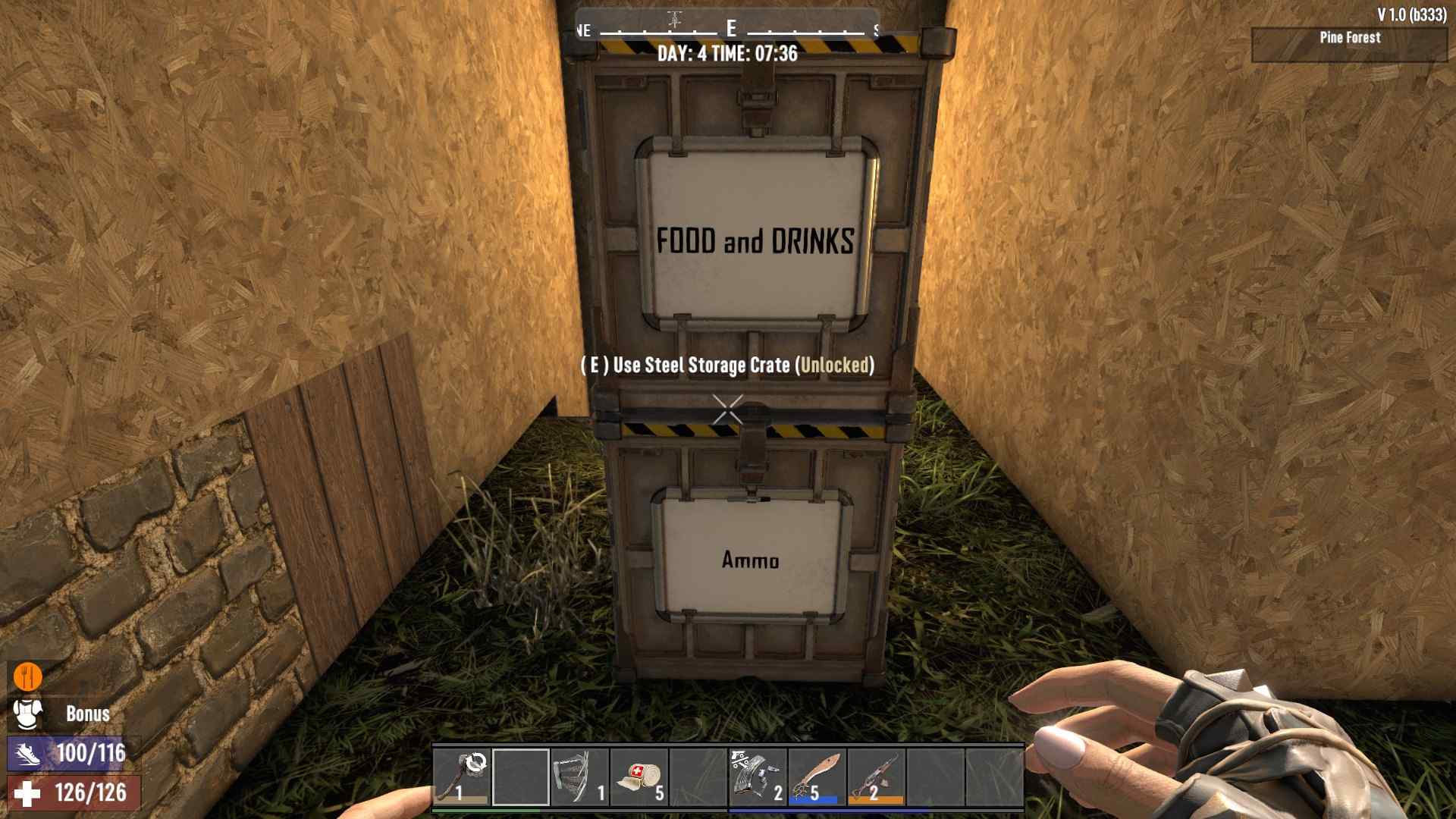
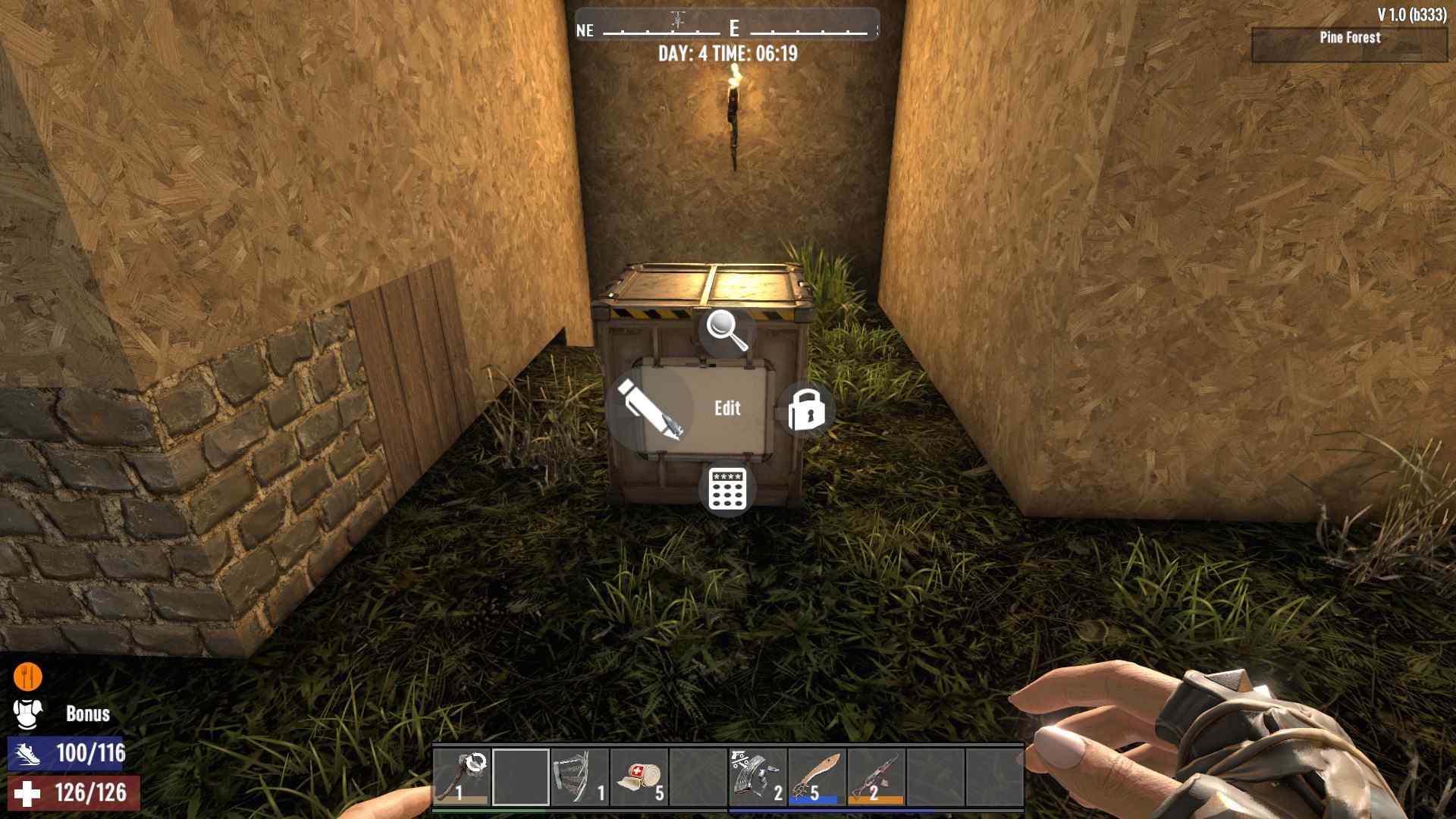
To organize your storage efficiently in 7 Days to Die Update 1.0, follow these steps: Approach your storage box and hold the 'E' key to bring up the radial menu. From the menu, choose the 'Edit' option, represented by a pencil icon, to add a label to your chest. Write a clear and descriptive sign to easily locate the items you need the next time you open the box. This will help you quickly find and manage your gear, making your scavenging and organizing more efficient.
To quickly move a stack of items, hold down the Shift key and click the Left Mouse Button. This trick lets you transfer items efficiently, making inventory management a breeze.
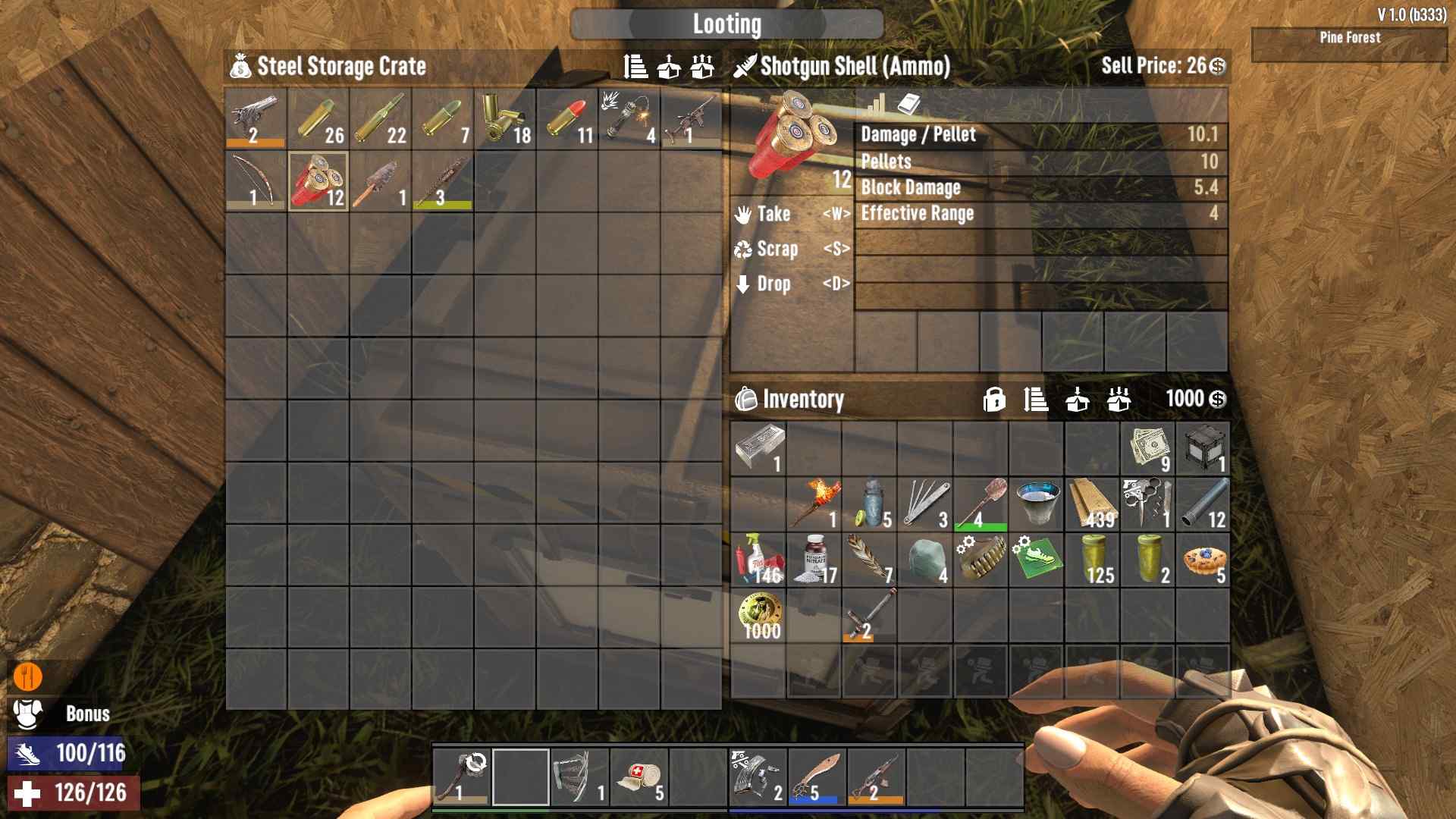
This will save you tons of time rummaging through your storage and help keep your base tidy. Use labels or color codes if your game version supports them. A well-organized storage system means you can quickly grab what you need without the stress of a cluttered inventory.
Space Management Tips
Space management is key to efficiency. Utilize vertical space by stacking chests where possible and using shelving units. Don't waste valuable space on the ground. Opt for wall-mounted or elevated storage solutions to keep your base organized and free of clutter.
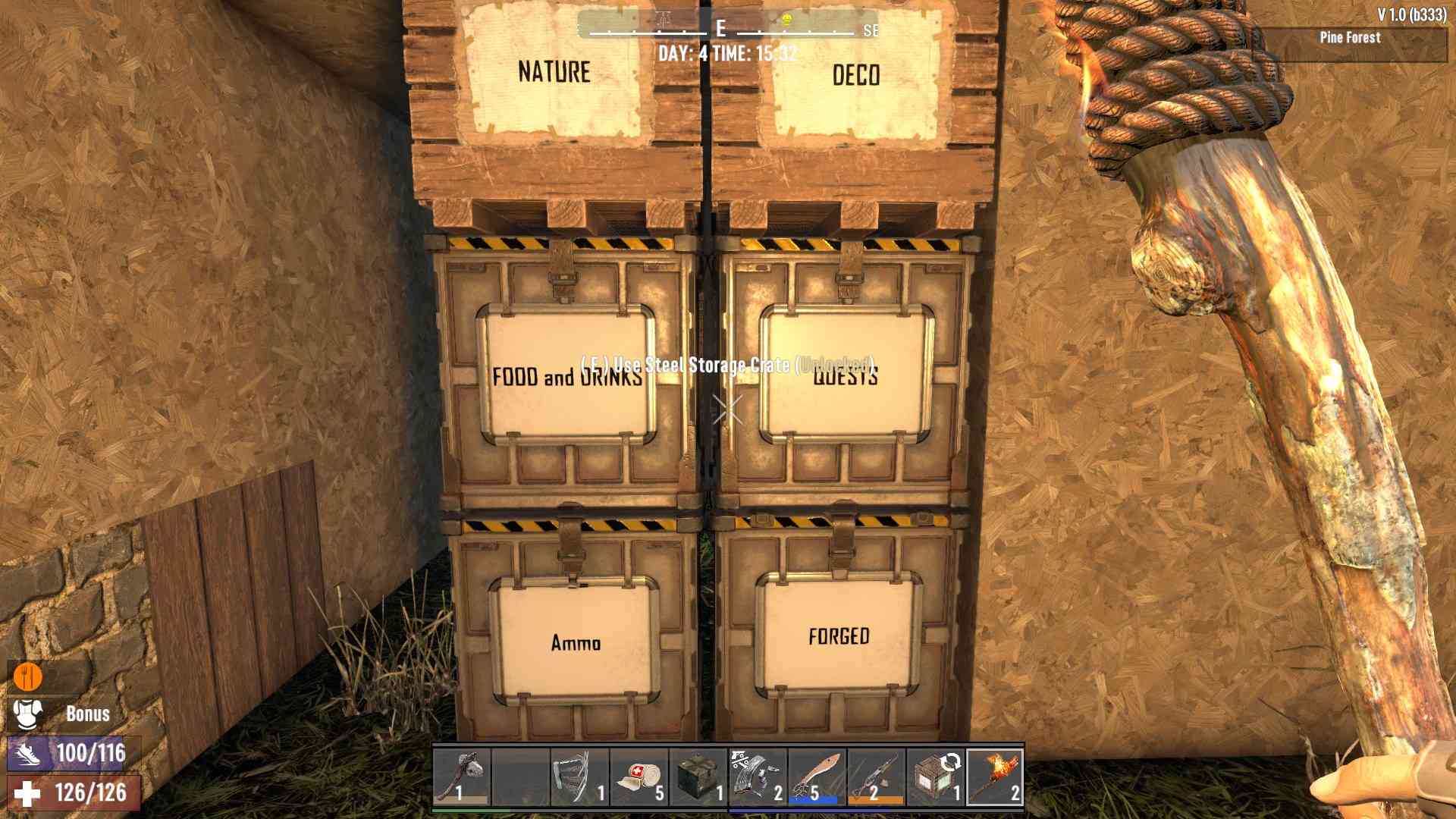
Keep in mind that empty chests are just as important as full ones; having dedicated chests for future loot or supplies will keep you prepared for those surprise drops.
Finally, embrace the art of space economy. Don’t just throw items into chests randomly; think about how items can be stacked or combined. For example, group similar items together or use containers within containers. This will help you use every inch of your chest effectively. Maximize each chest’s potential by filling it up as much as possible without overloading it.
In 7 Days to Die Update 1.0, mastering storage efficiency isn’t just about having more space; it’s about making the most of the space you have. By upgrading your chests, organizing smartly, managing space wisely, and maintaining regularly, you’ll create a storage system that supports your survival efforts and keeps you ahead of the game. Dive into these strategies, and make your storage system as robust as your defenses. Happy looting and crafting, survivor!