
How to Make Rust Load Faster
Connecting to a Rust server can be incredibly frustrating. There are several methods that can help you speed up the loading process, making your game experience smoother and more enjoyable.
Method #1: Set Your Optimized Loading Setting
Rust has introduced an Optimized Loading setting that can significantly improve loading times. Follow these steps to enable it:
1. Start Rust and go to Options.

2. Navigate to the Experimental tab at the bottom.

3. Change Optimized Loading to Partial.

This setting can dramatically reduce loading times, enhancing your overall gameplay experience.
Method #2: Update Your Graphics Drivers
Outdated graphics drivers can negatively impact game performance and lead to slow loading times. To update your graphics card drivers:
1. Type "Device Manager" in the Windows search bar.
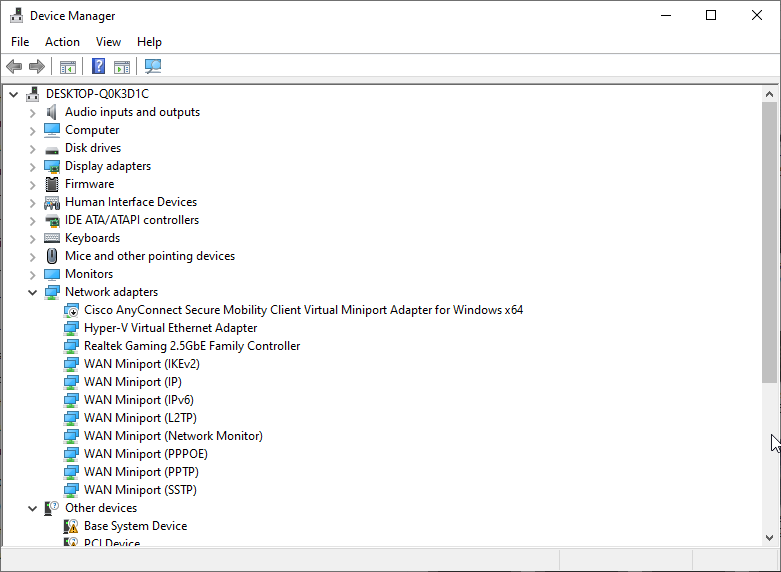
2. Open Device Manager and locate your graphics card.
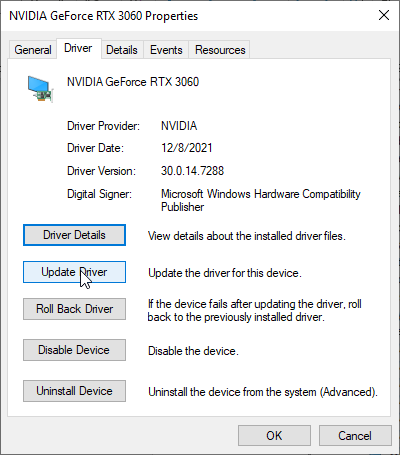
3. Download the latest version from the manufacturer's website (e.g., Nvidia GeForce Experience for Nvidia cards).
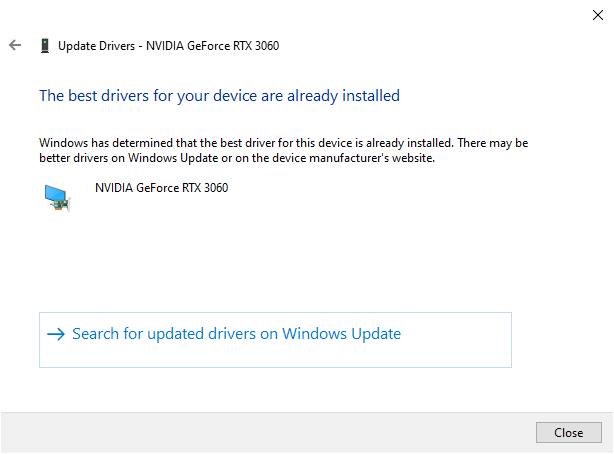
Updating your drivers can resolve performance issues and contribute to faster loading times.
Method #3: Optimize Your System
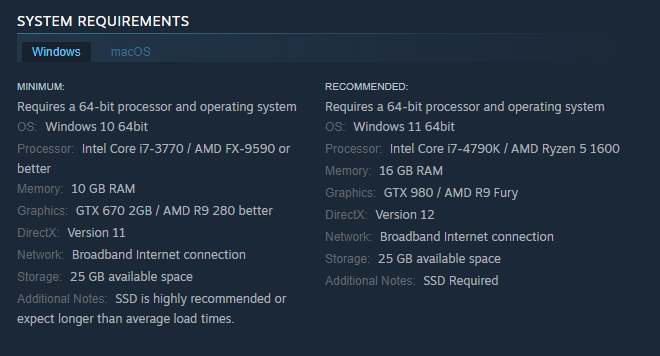
Ensure your PC meets the game's minimum system requirements. If your computer is overloaded with other programs and games, it can slow down Rust's loading. Make sure there's enough space on your hard drive for Rust to be installed smoothly.
By following these methods, you can significantly reduce loading times in Rust, providing a more enjoyable and efficient gaming experience. With optimized settings and up-to-date drivers, you'll spend less time waiting and more time exploring the exciting world of Rust.
Conclusion
Don't let slow loading times hinder your Rust experience. Keep your system optimized, update your graphics drivers, and take advantage of Rust's Optimized Loading setting. With these steps, you'll be ready to dive into the action without the frustration of lengthy load screens.