
How to make purple dye in Minecraft
The vibrant world of Minecraft is enhanced by the addition of color, allowing players to create stunning landscapes and visually appealing structures. Among the various hues available, one color that exudes elegance and charm is none other than purple.
In this article, we will guide you through the process of obtaining purple dye in Minecraft. From locating a rose bush to mining lapis lazuli, we will provide a detailed explanation of everything you need to acquire this enchanting shade in the game.
Recipe for Minecraft Purple Dye
To obtain purple dye, you will require the following materials:
- Blue Dye or Lapis Lazuli
- Red Dye
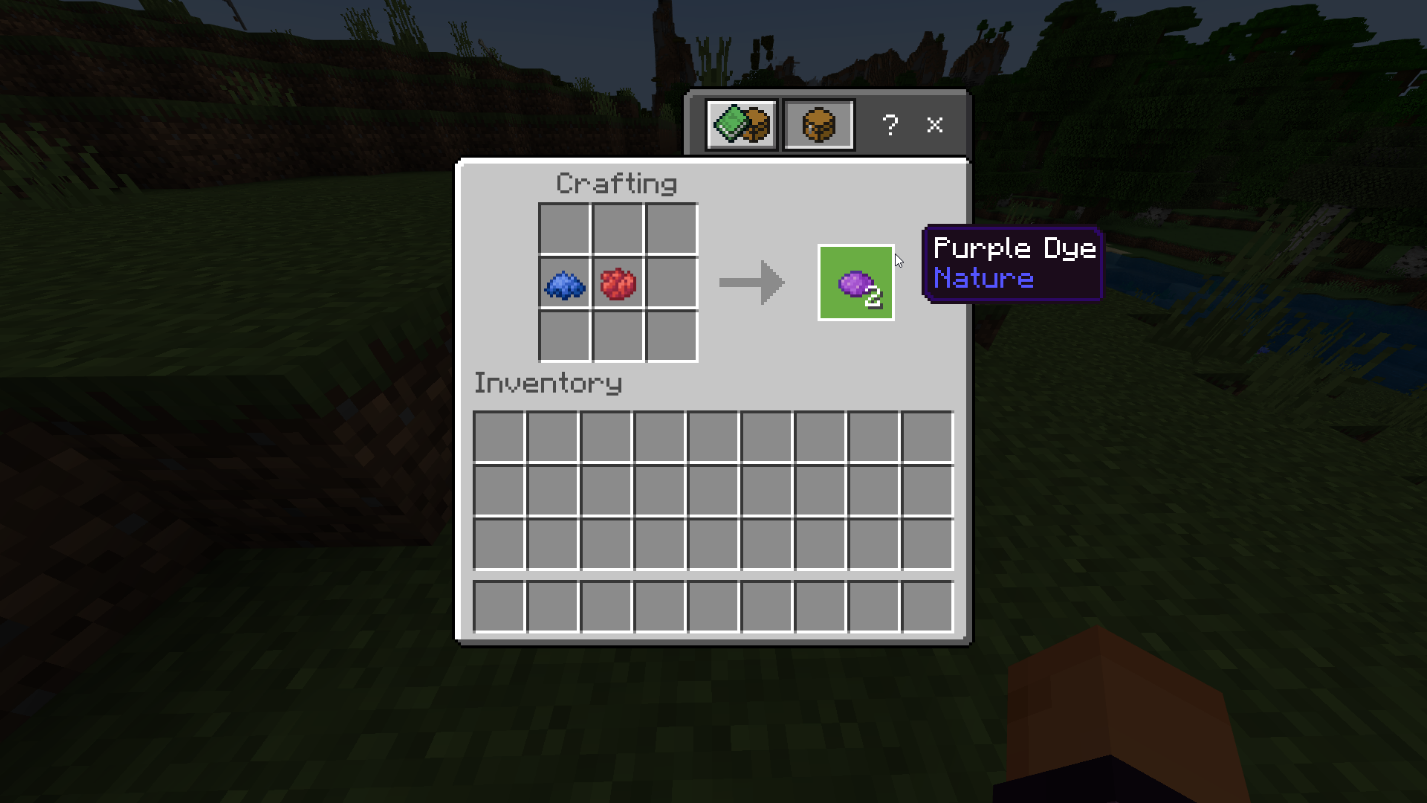
To create purple dye, access your Crafting Table and place one Blue Dye or Lapis Lazuli alongside one Red Dye. Afterward, retrieve the resulting purple dye and transfer it to your inventory.
Creating Blue Dye in Minecraft
Blue dye serves as a primary color in Minecraft and acts as one of the key components for crafting purple dye. To produce blue dye, you can utilize either of the following materials:
- Lapis Lazuli: This material is the most challenging to find for purple dye. Lapis Lazuli can be mined deep underground near the lowest layer. When mined using a stone pickaxe or a superior tool, it yields 4 to 9 units of Lapis Lazuli.
- Cornflower: These flowers are commonly found in Flower Forests, Sunflower Plains, Meadow Biomes, and regular Plains. Their vivid blue petals make them easily identifiable in open fields.
Once you have gathered the necessary materials, follow these steps to create blue dye:
1. Place your Crafting Table on the ground and access it.
2. Add either one Lapis Lazuli or one Cornflower to the crafting grid to produce one unit of blue dye.
3. Collect the resulting blue dye and place it in your inventory.
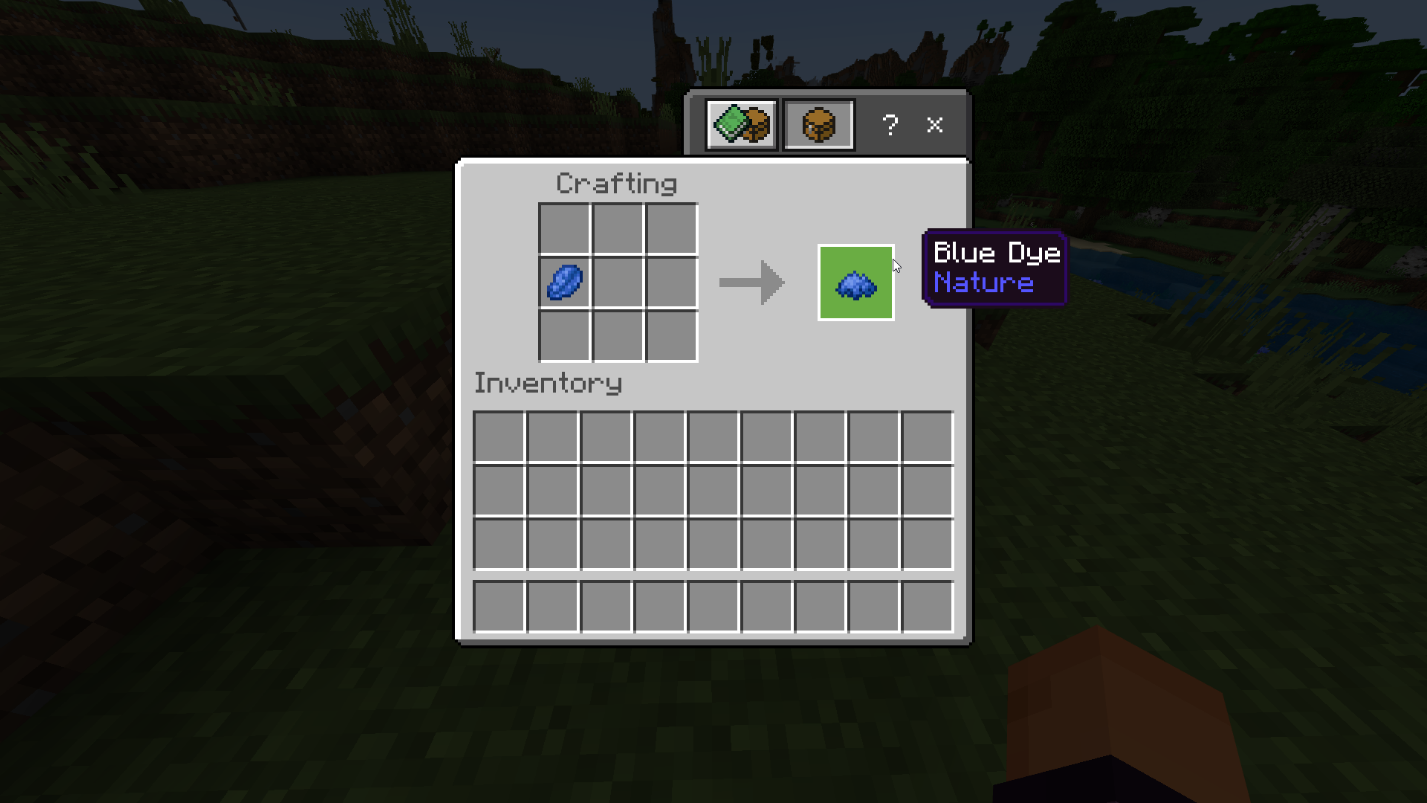
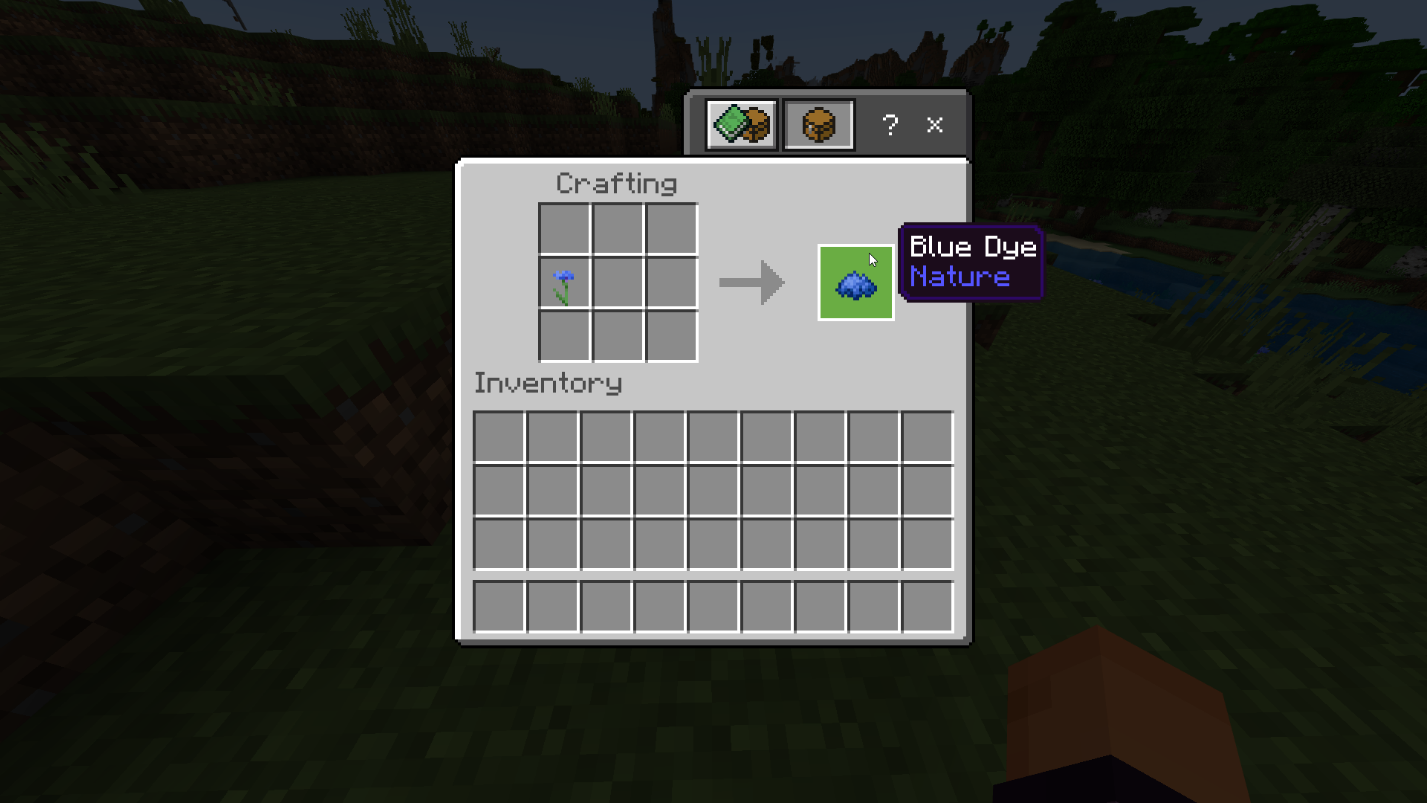
Note: Mining Lapis Lazuli blocks with a Fortune III enchantment offers a chance to obtain up to 36 items.
Creating Red Dye in Minecraft
The second component required for crafting purple dye in Minecraft is red dye. You can craft red dye using any of the following materials:
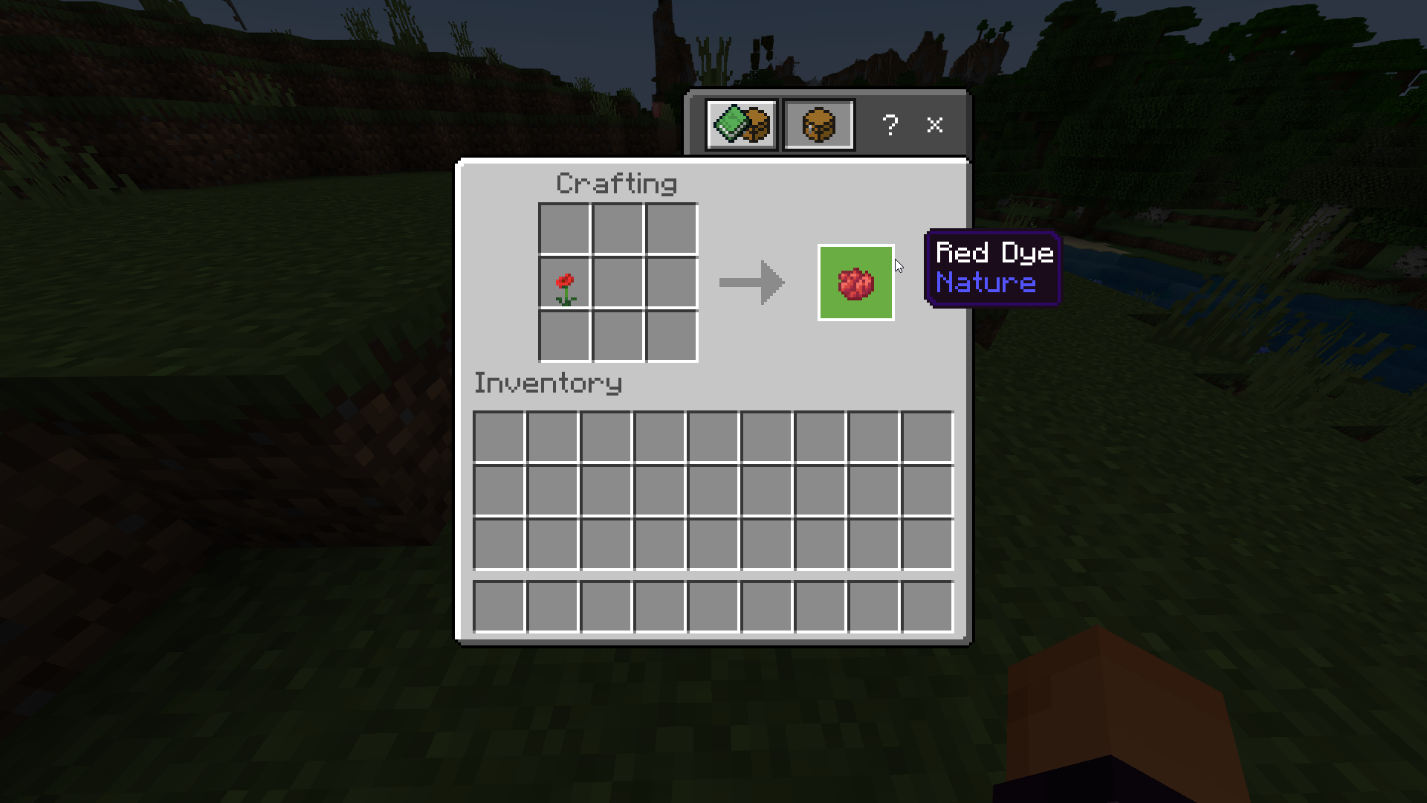
- Poppy
- Red Tulip
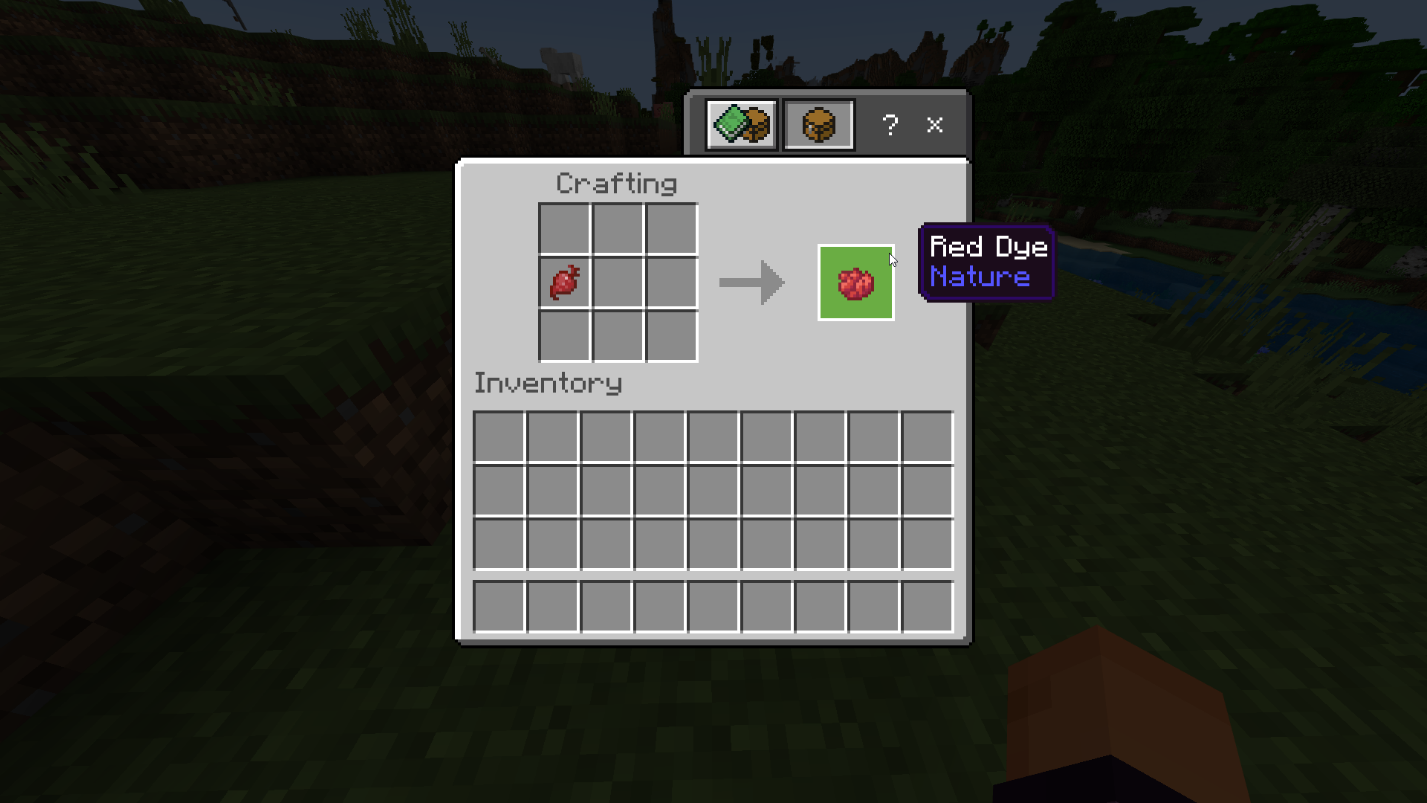
- Beetroot
- Rose Bush
Flowers naturally spawn in specific biomes. Poppy, Red Tulip, and Rose Bushes are commonly found in Plains, Sunflower Plains, Dripstone Caves, Deep Dark, and Flower Forests.
Beetroots can be obtained by harvesting fully grown crop blocks. Each harvest yields 1 Beetroot and 1-4 Seeds. These crops can naturally generate in villages or be cultivated by planting beetroot seeds.
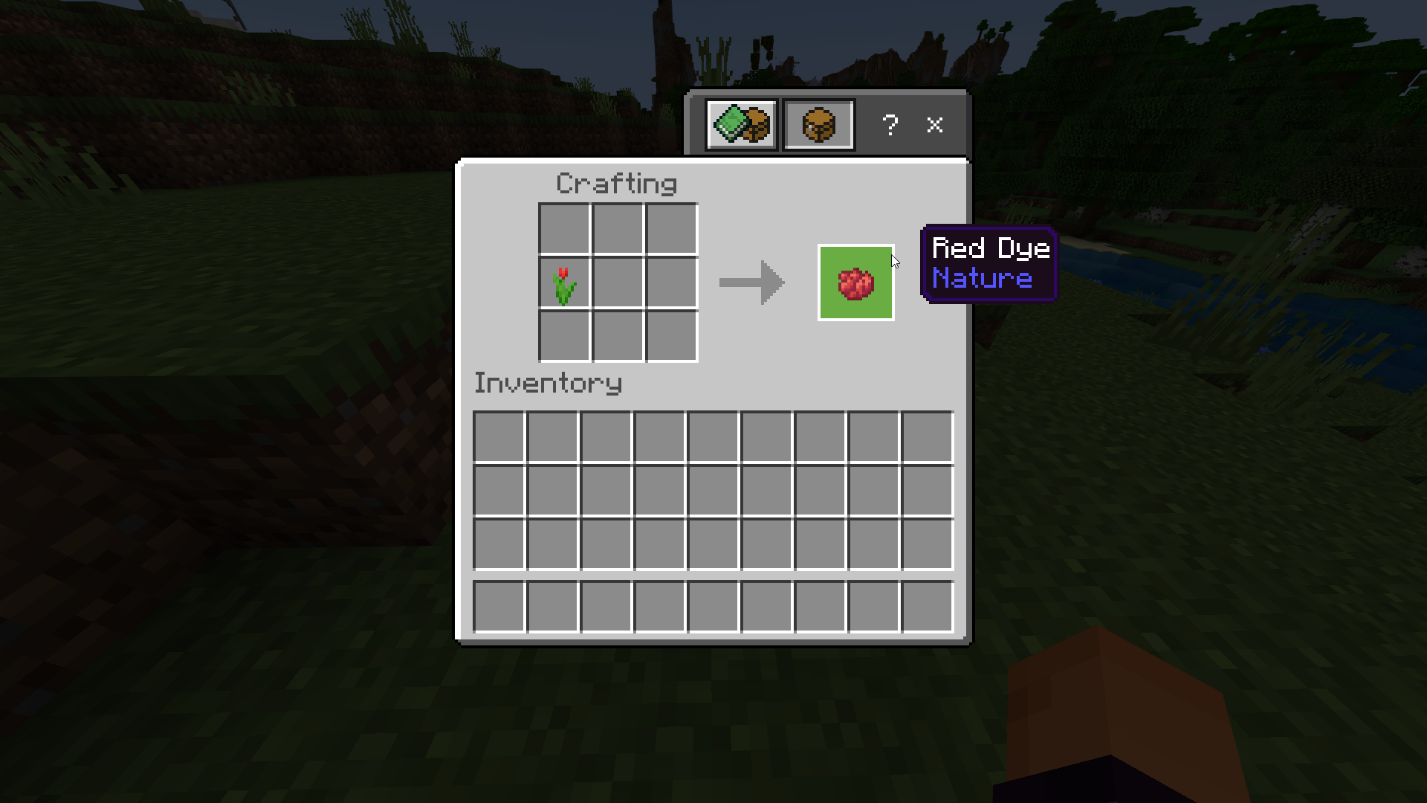
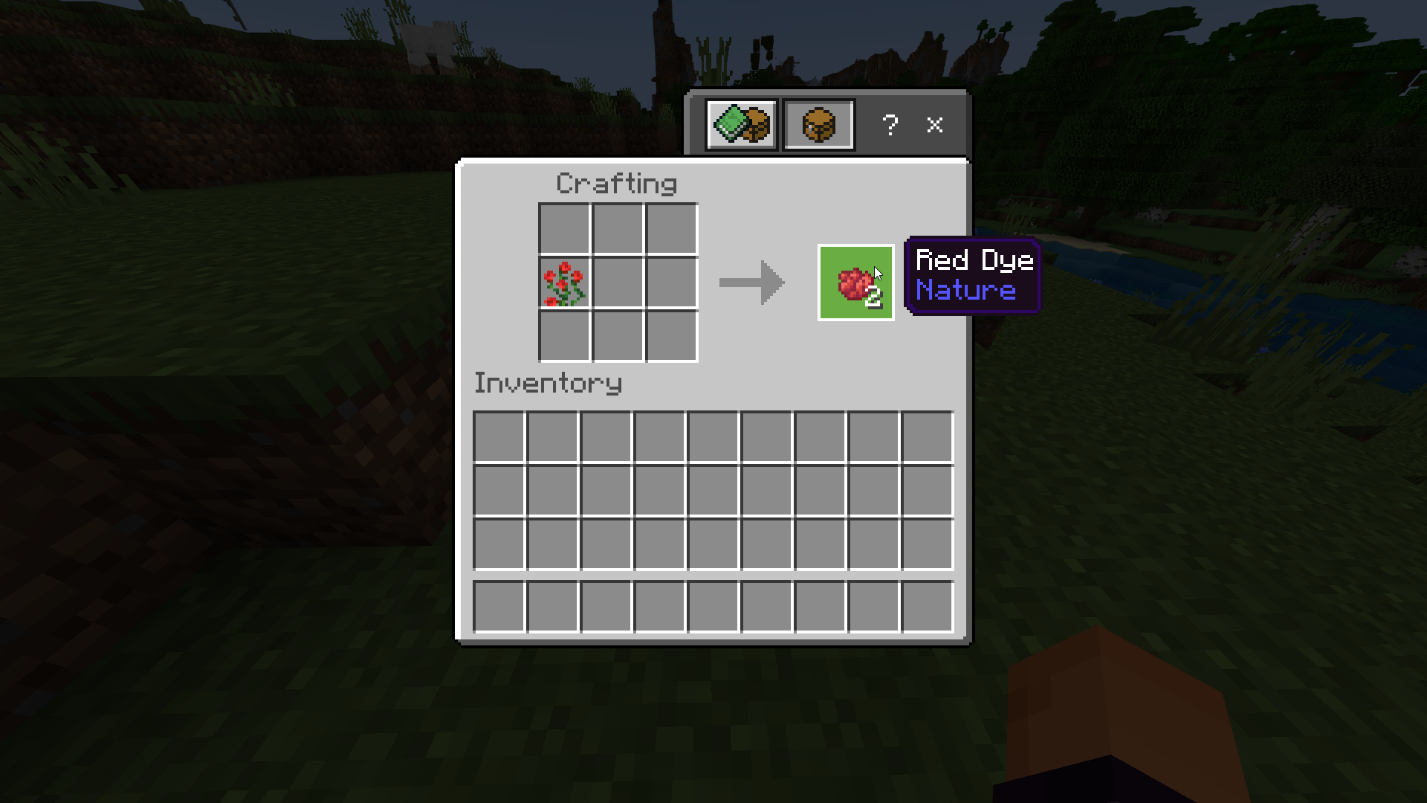
To create red dye, follow these steps:
1. Access your Crafting Table.
2. Place one Poppy, Red Tulip, Beetroot, or Rose Bush in the crafting grid.
3. Collect the resulting red dye by transferring it to your inventory.
Crafting Purple Dye in Minecraft
Once you have acquired enough blue and red dye, you can proceed with crafting purple dye. Follow these steps:
1. Place your Crafting Table on the ground and access it.
2. Add either one Blue Dye or Lapis Lazuli to the crafting grid.
3. Incorporate a Red Dye into the crafting grid as well.
4. Collect the resulting purple dye by transferring it to your inventory.
Applications of Purple Dye in Minecraft
Purple dye can be applied to sheep to dye their wool, which can subsequently be sheared to obtain 1 to 3 blocks of purple wool. Additionally, if you have tamed cats or wolves, applying purple dye to them will result in their collars turning purple.
Moreover, purple dye can be used in the following ways:
- Staining glass, wool, leather, beds, terracotta, and shulker boxes.
- Creating purple concrete powder by combining purple dye with sand and gravel.
- Combining purple dye with compounds to craft balloons or glowsticks in the Bedrock Edition.
The "Give" Command for Purple Dye in Minecraft
If you find it challenging to locate lapis lazuli or open plains with flowers, there is an alternative method to acquire purple dye quickly by utilizing the "Give" command. To use this command, follow these steps:
1. Type the following command: /give <playername> minecraft:purple_dye 15
2. Replace "<playername>" with the name of the player you wish to give the item to.
3. "minecraft:purple_dye" represents the item ID for purple dye, while the number at the end indicates the quantity of purple dye provided to the player.
With this knowledge, you now possess the ability to create purple dye in Minecraft, allowing you to elevate your builds to new heights.
Conclusion
In conclusion, mastering the art of making purple dye in Minecraft opens up a world of possibilities for enhancing your creations. The process, although it requires locating specific materials such as lapis lazuli and flowers, is well worth the effort.
With purple dye in your inventory, you can add a touch of elegance to various elements in the game. Dyeing sheep's wool, creating decorative stained glass, and customizing beds, leather, and shulker boxes are just a few of the ways you can incorporate purple into your designs. Additionally, crafting purple concrete powder and even creating unique items like balloons and glowsticks in the Bedrock Edition add even more creativity to your gameplay.
If you're short on time or struggling to find the necessary materials, don't forget about the "Give" command, which allows you to quickly obtain purple dye in Minecraft.
To fully immerse yourself in the Minecraft experience and discover even more exciting possibilities, consider joining the Gamever servers. These servers provide a vibrant and engaging community where you can connect with fellow players, explore new worlds, and share your creations. With the support and inspiration from like-minded individuals, your Minecraft adventures will reach new heights on the Gamever servers.
So, embrace the beauty of purple dye and let your imagination soar in the colorful world of Minecraft. Create magnificent structures, breathtaking landscapes, and unique designs that showcase your creativity and make your gameplay truly unforgettable.