
How to make a regeneration potion in Minecraft
Introduction
Crafting Potions of Regeneration in Minecraft can be a rewarding experience. These potions have the ability to slowly restore health over time, making them valuable assets in your adventures. In this guide, we'll walk you through the process of crafting different variations of Regeneration Potions, including how to make Splash and Lingering Potions. So grab your crafting materials and let's get started!
1. Crafting a Potion of Regeneration
To begin, gather the following items:
- Crafting Table: Craft it with 4 Wood Planks.
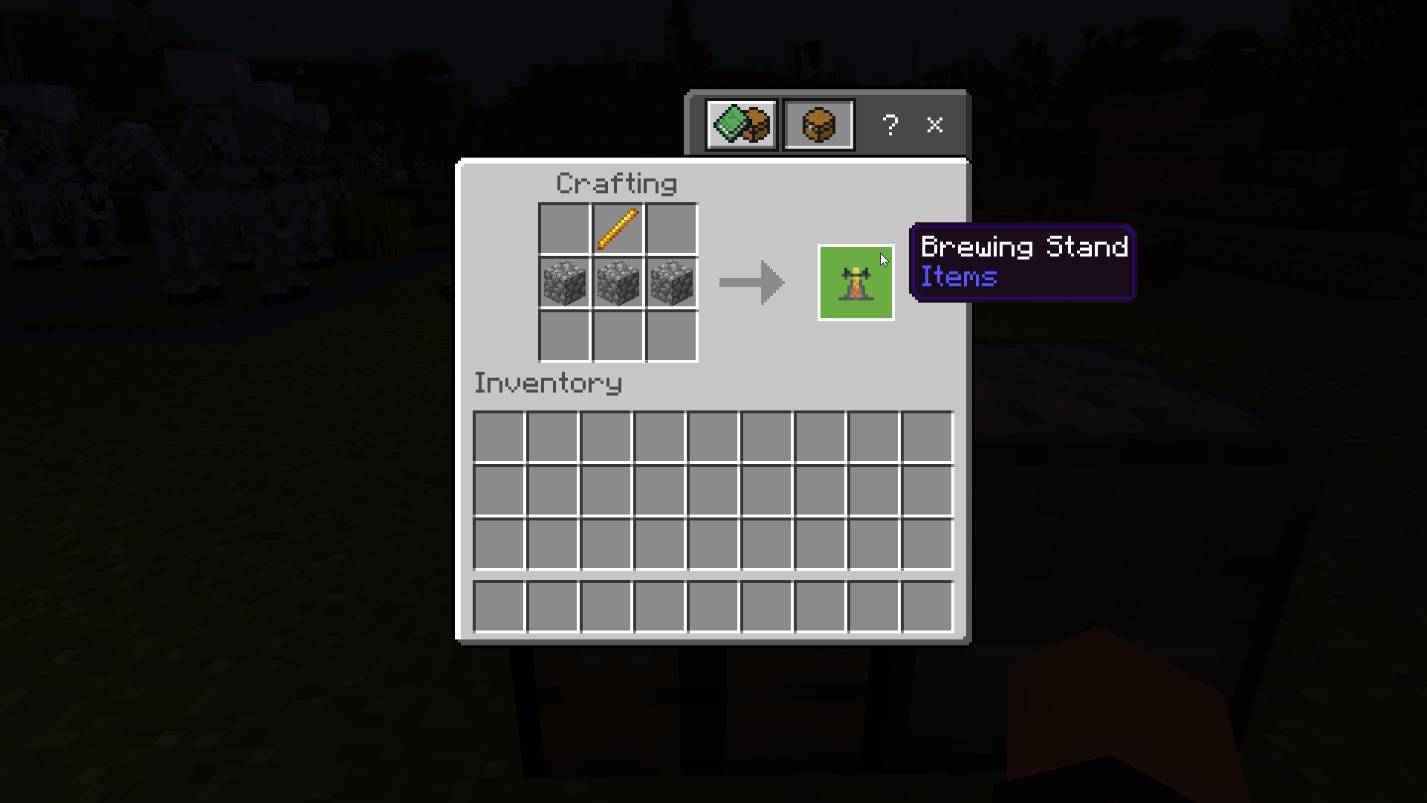
- Brewing Stand: Craft it with 1 Blaze Rod and 3 Cobblestones.
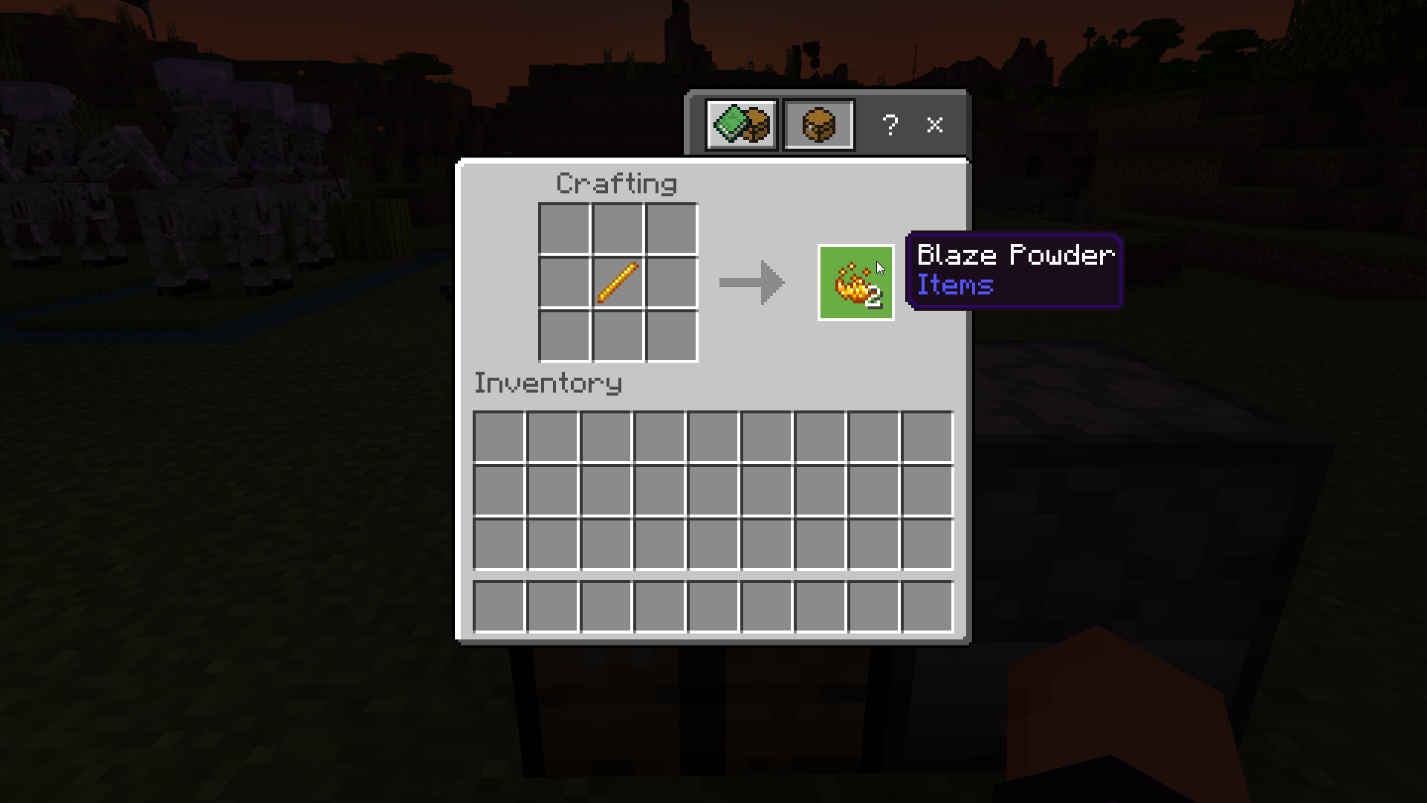
- Blaze Powder: Craft it using 1 Blaze Rod.
- Netherwart
- Ghast Tear
- Water Bottle
Now, let's proceed with the crafting steps:
Step 1: Craft Blaze Powder using a Blaze Rod.
Step 2: Craft a Crafting Table using four wood planks of any type.
Step 3: Place the Crafting Table on the ground and access the 3x3 crafting grid.
Step 4: Craft a Brewing Stand by placing a Blaze Rod in the middle of the top row and three Cobblestones in the second row.
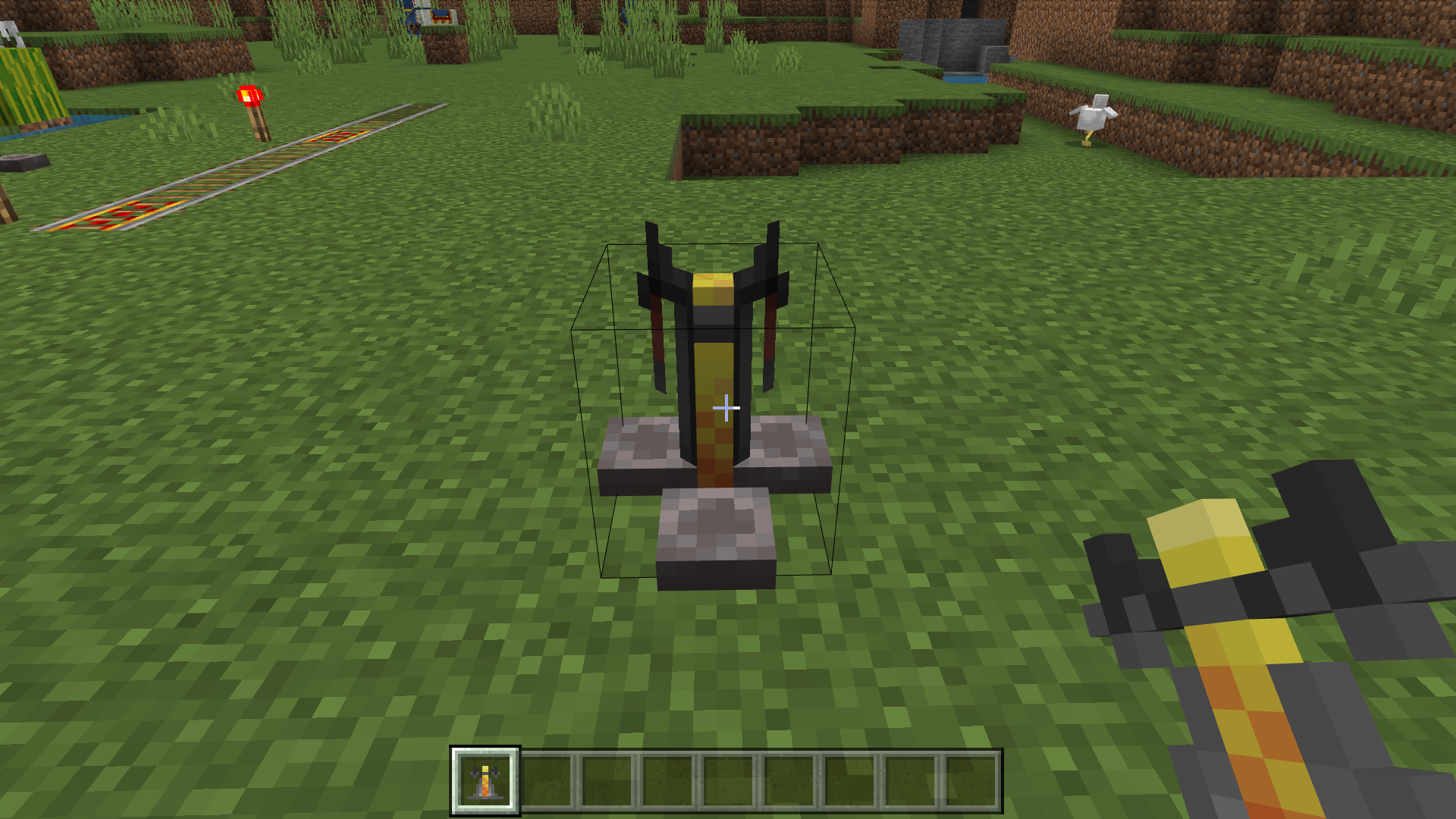
Step 5: Place the Brewing Stand on the ground and open its brewing menu.
Step 6: Add Blaze Powder to the upper-left box to activate the Brewing Stand.
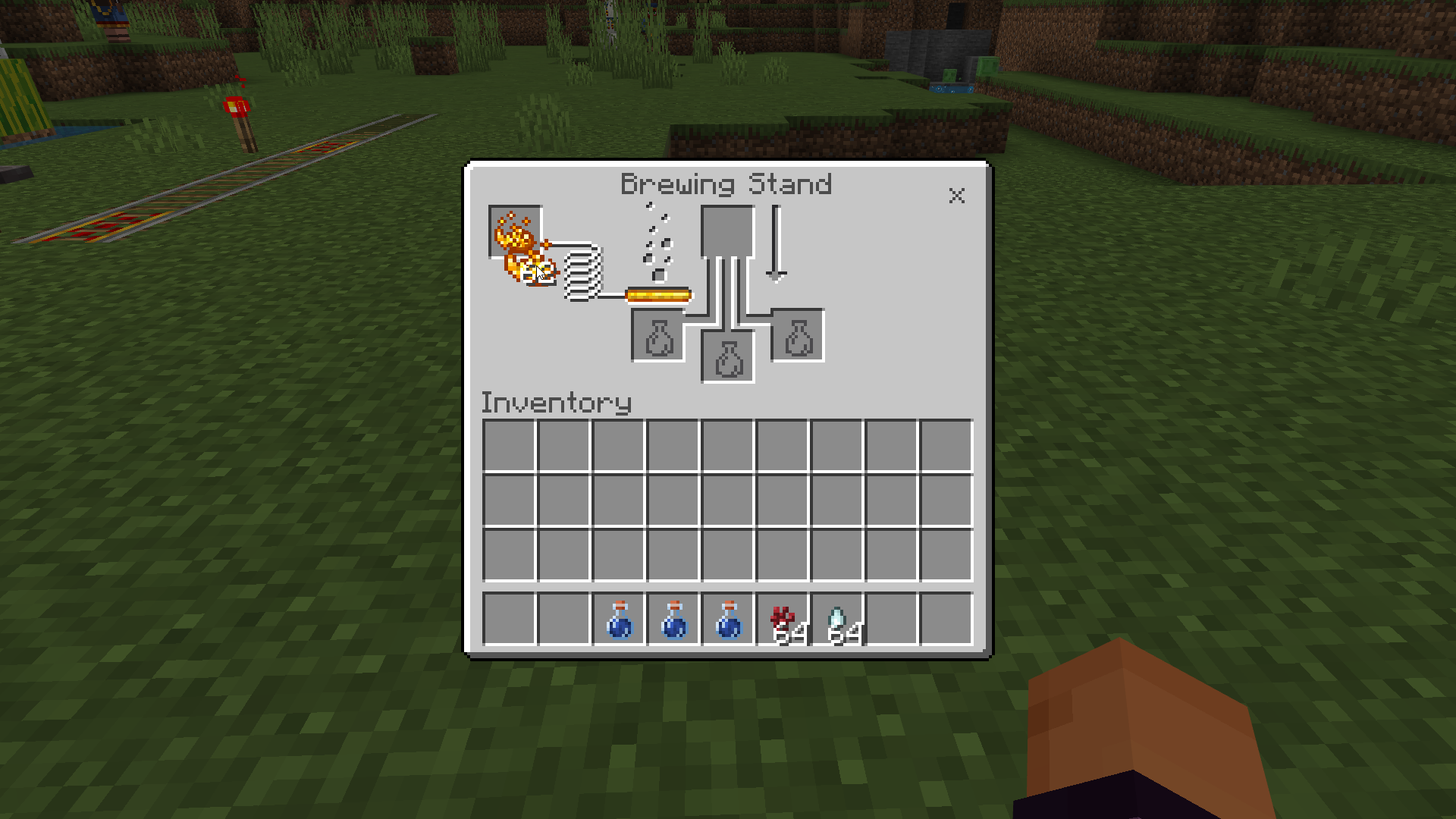
Step 7: Add a Water Bottle to one of the boxes at the bottom of the brewing menu.
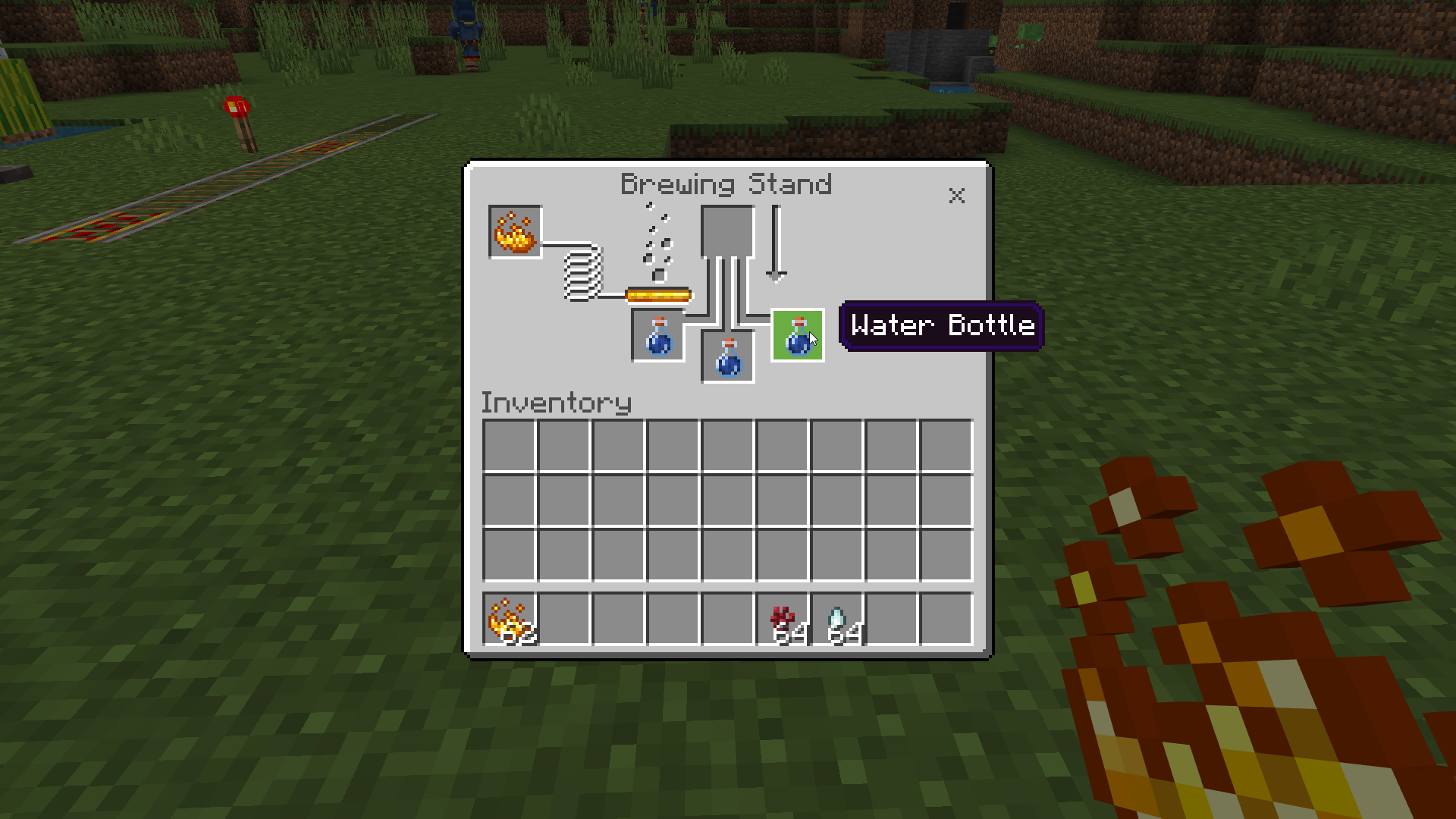
Step 8: You can brew up to three potions at once by adding Water Bottles to the other bottom boxes.
Step 9: Add Nether wart to the top box of the brewing menu.
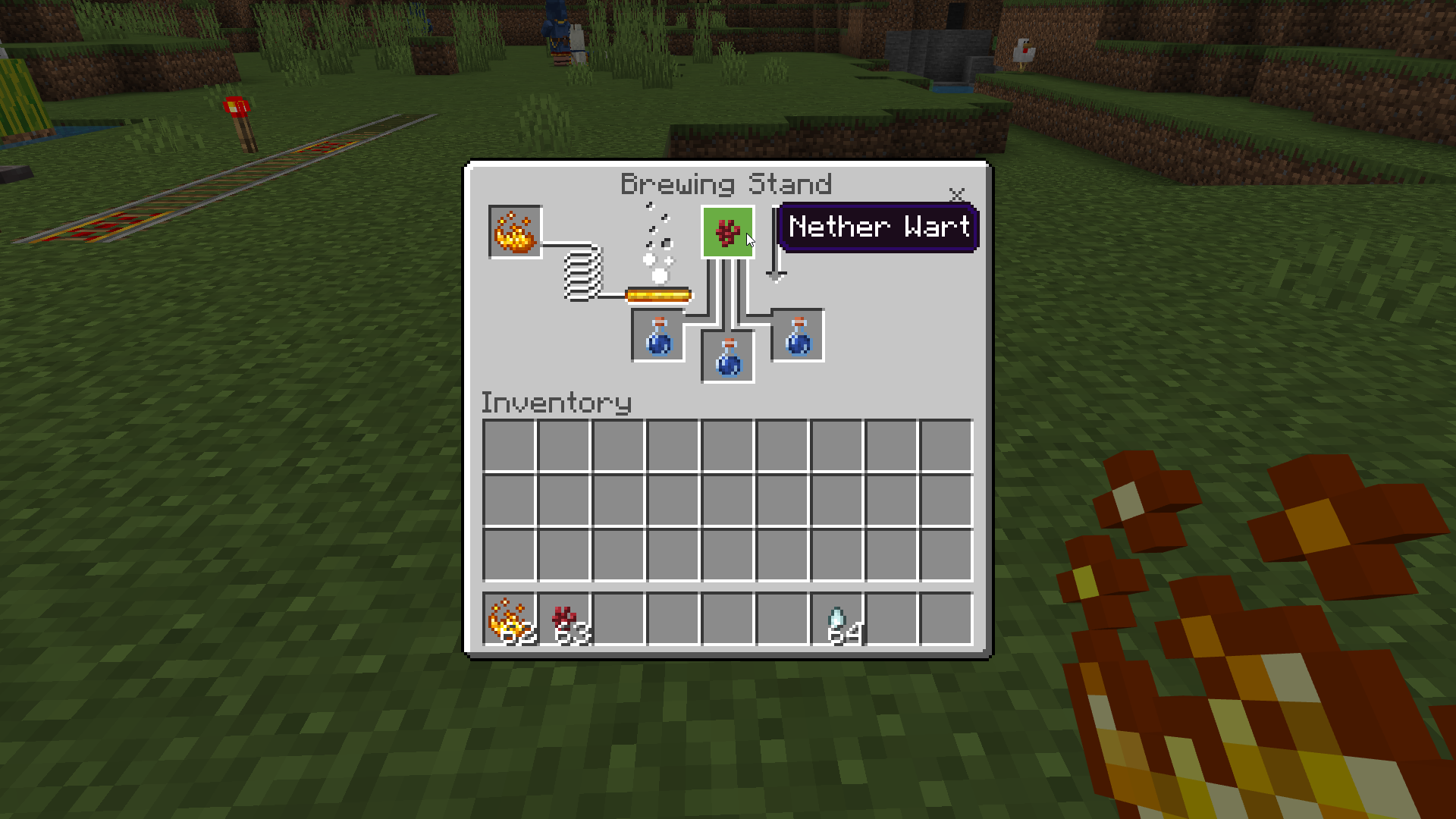
Step 10: Wait for the brewing process to finish. Once the progress bar is full, the bottle will contain an Awkward Potion.
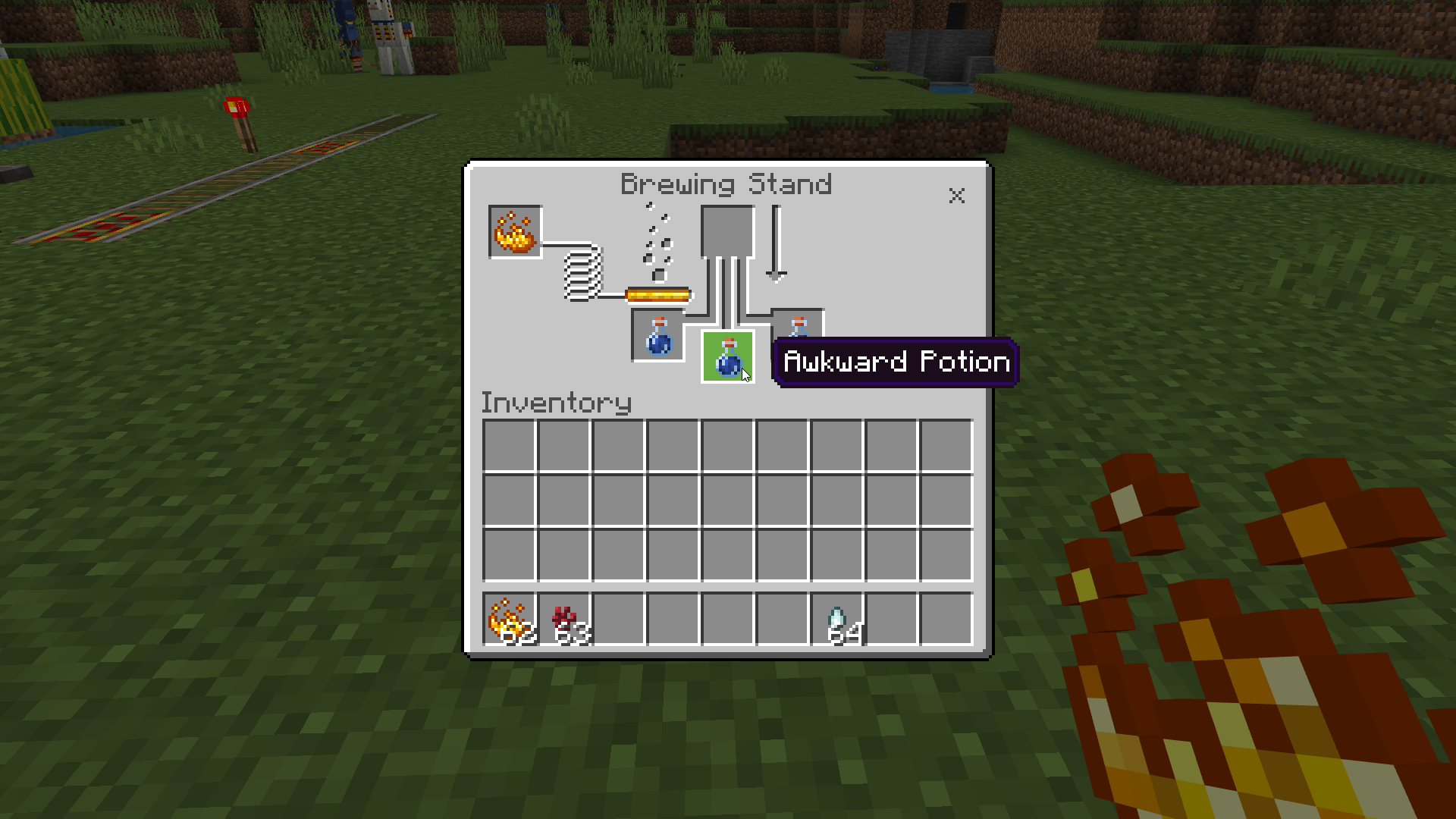
Step 11: Add a Ghast Tear to the top box of the brewing menu.
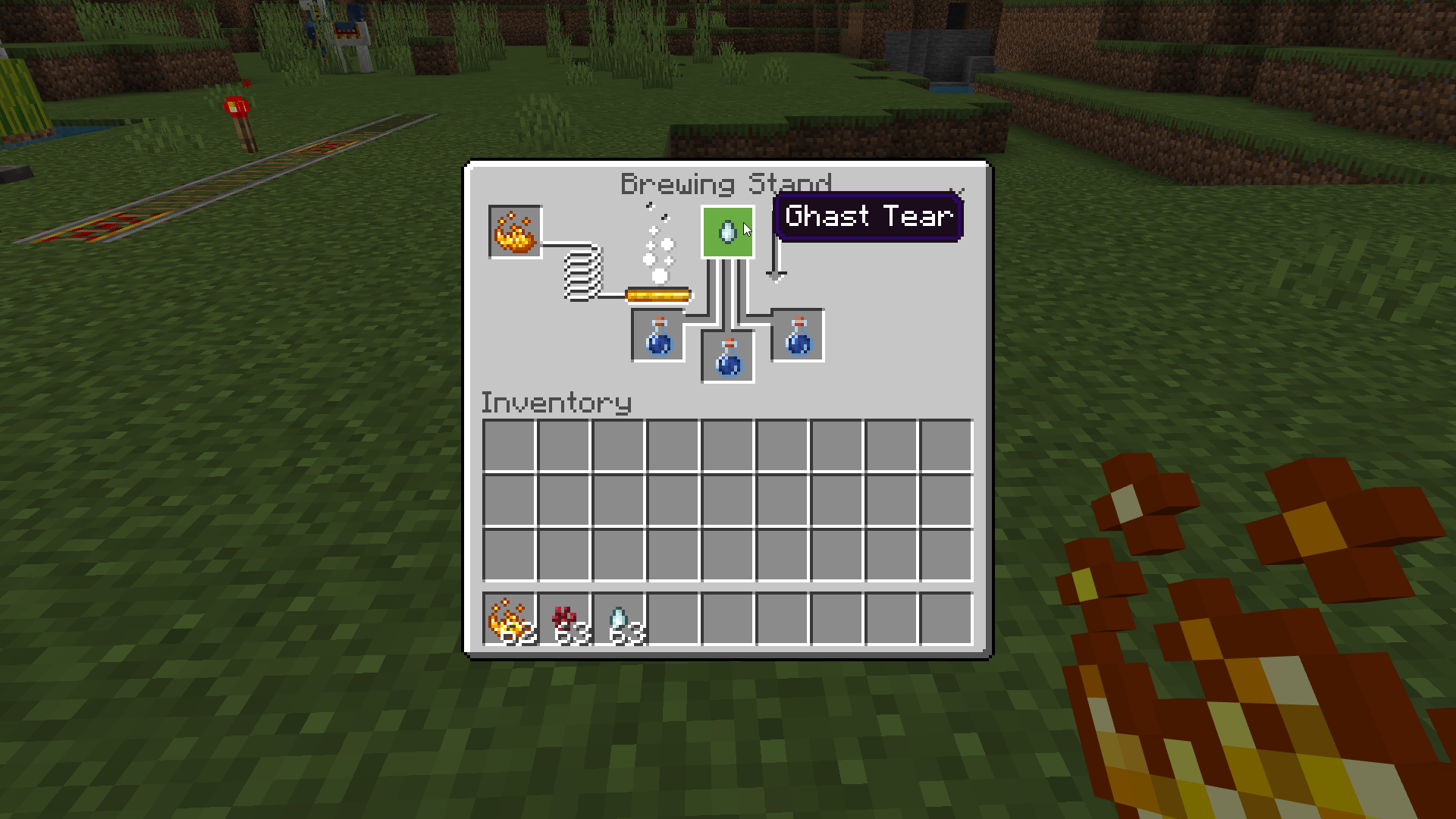
Step 12: Wait for the brewing process to finish. Once the progress bar is full, the bottle will contain a Potion of Regeneration.
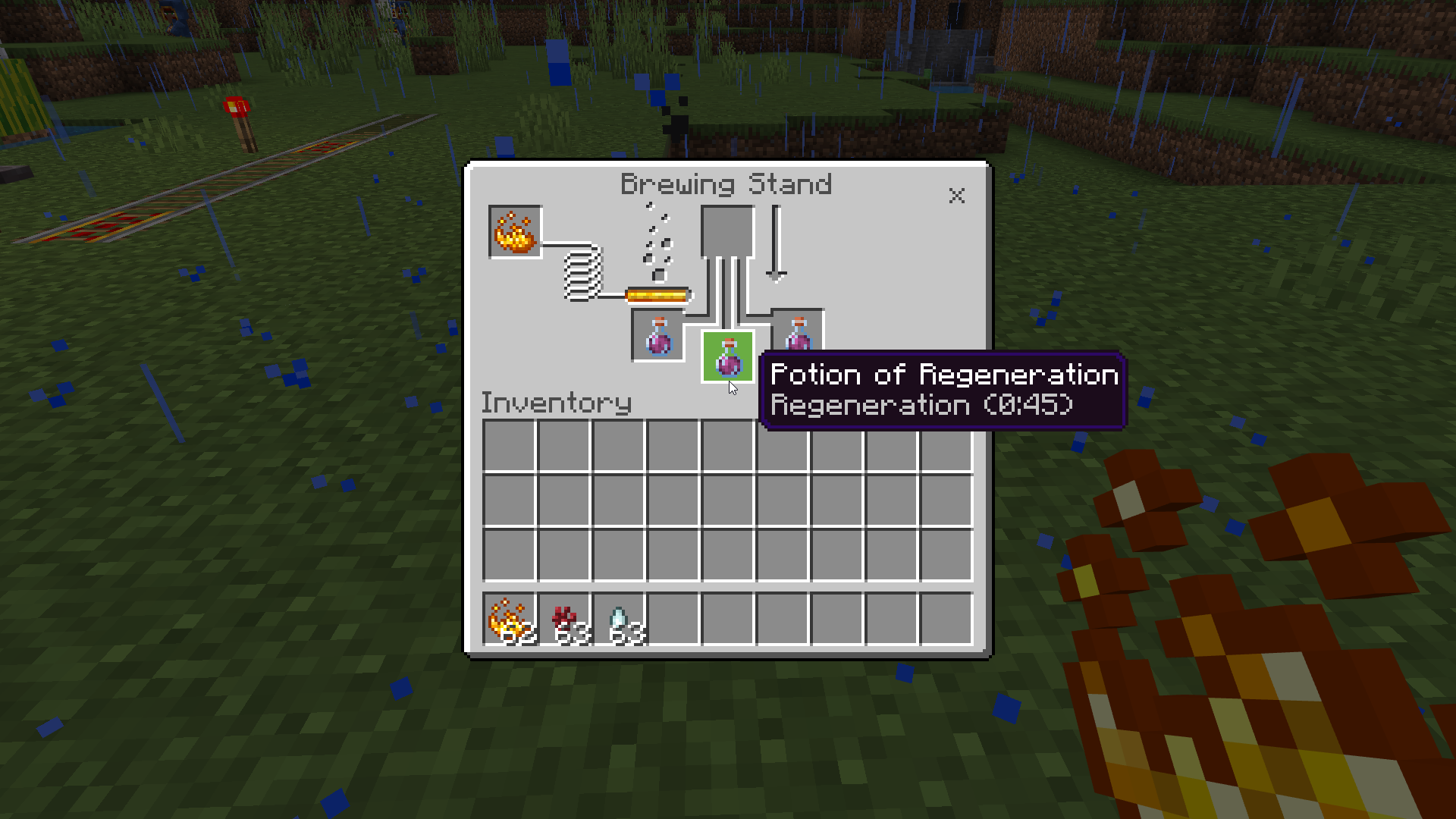
2. Brewing a Potion of Regeneration II
If you want an even more potent healing potion, you can create a Potion of Regeneration II. Follow these steps:
Step 1: Add a Potion of Regeneration to one of the bottom boxes in the brewing menu.
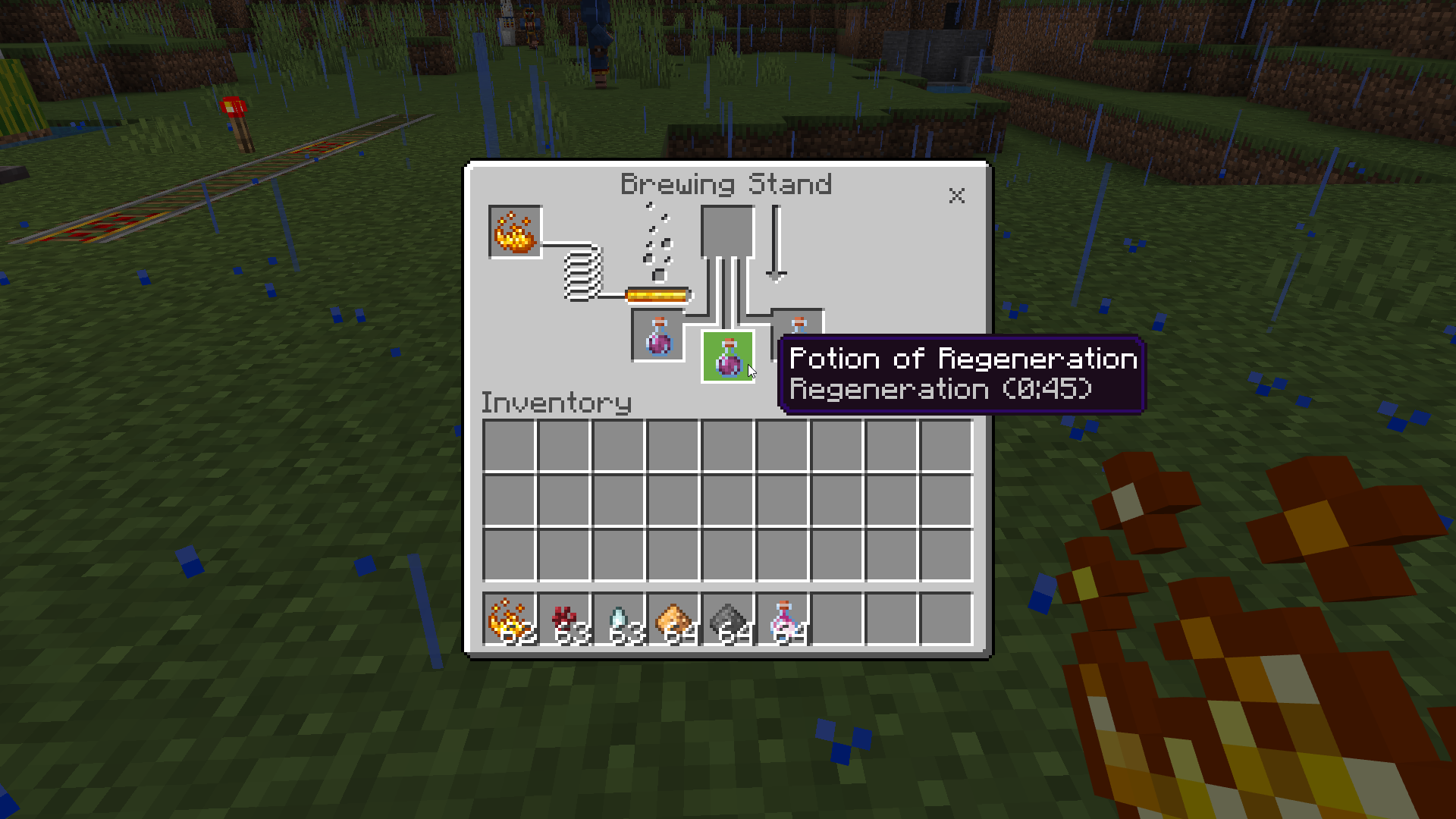
Step 2: Add Glowstone Dust to the top box in the brewing menu.
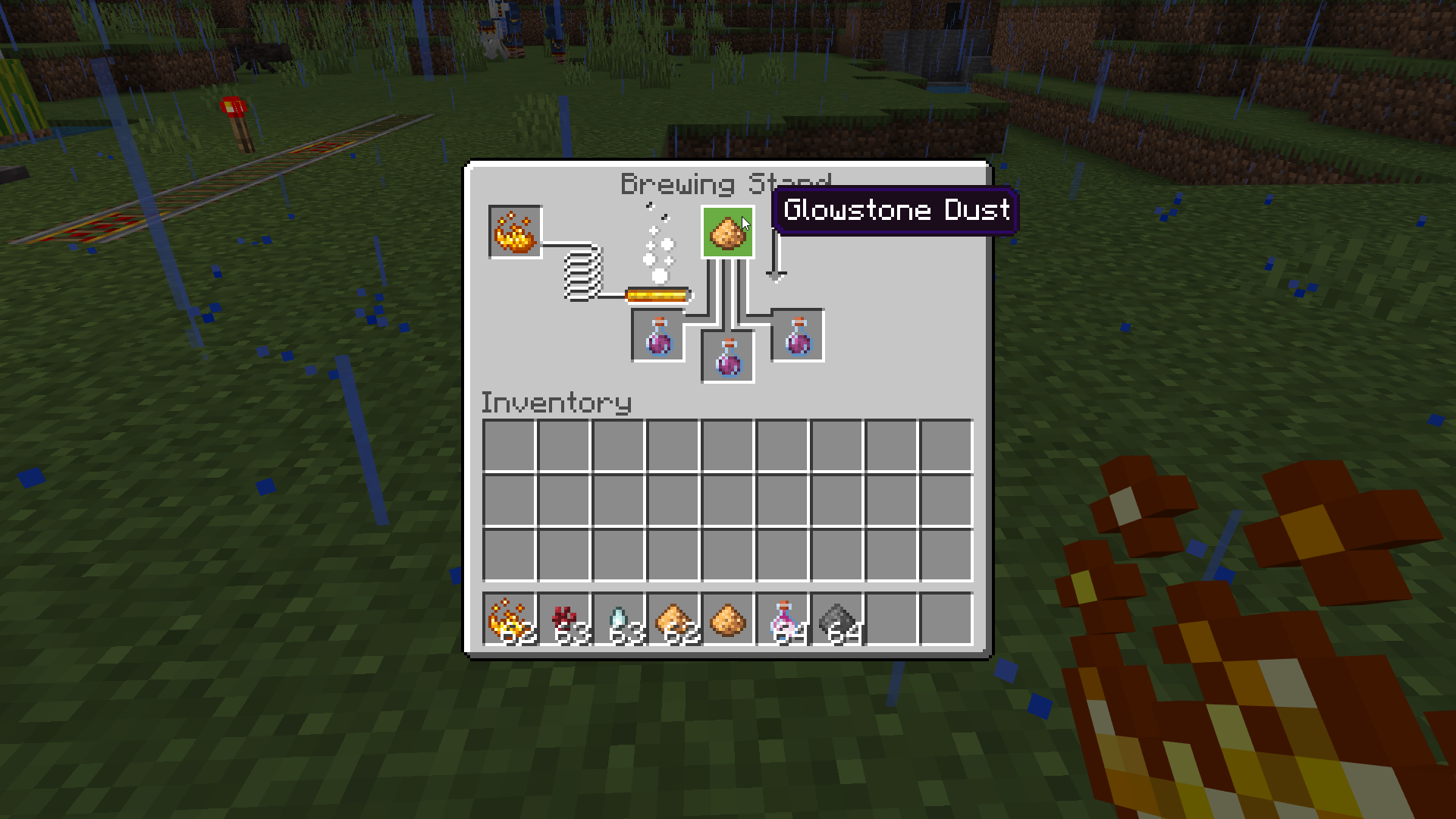
Step 3: Wait for the brewing process to finish. When the progress bar is full, the bottle will contain a Potion of Regeneration II.

3. Crafting Splash Potions and Lingering Potions
To create Splash and Lingering Potions of Regeneration, you'll need additional ingredients:
For a Splash Potion of Regeneration:
- Add Gunpowder to the top box of the brewing menu.
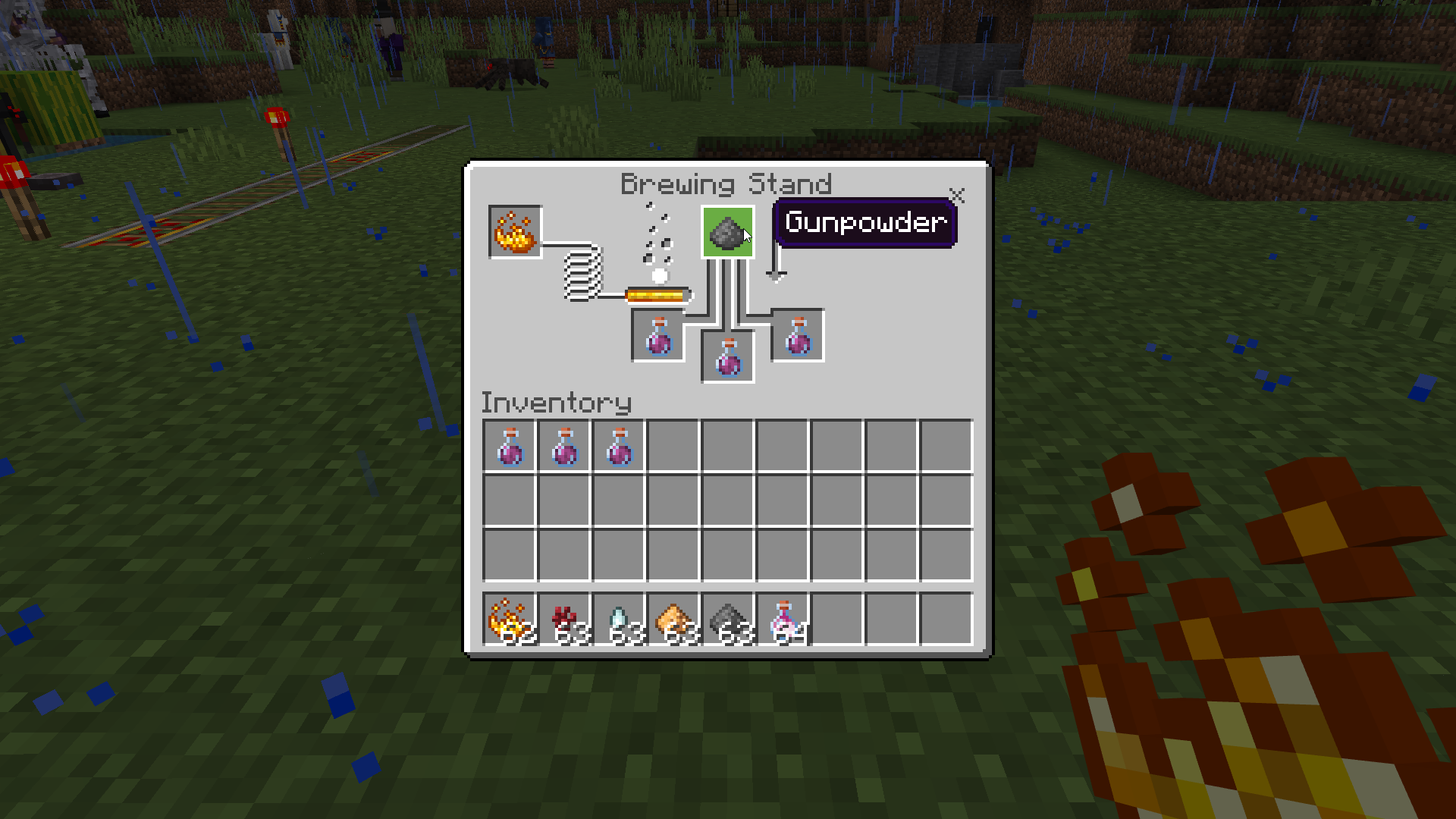
- Place a regular Potion of Regeneration in one of the bottom boxes.
For a Lingering Potion of Regeneration:
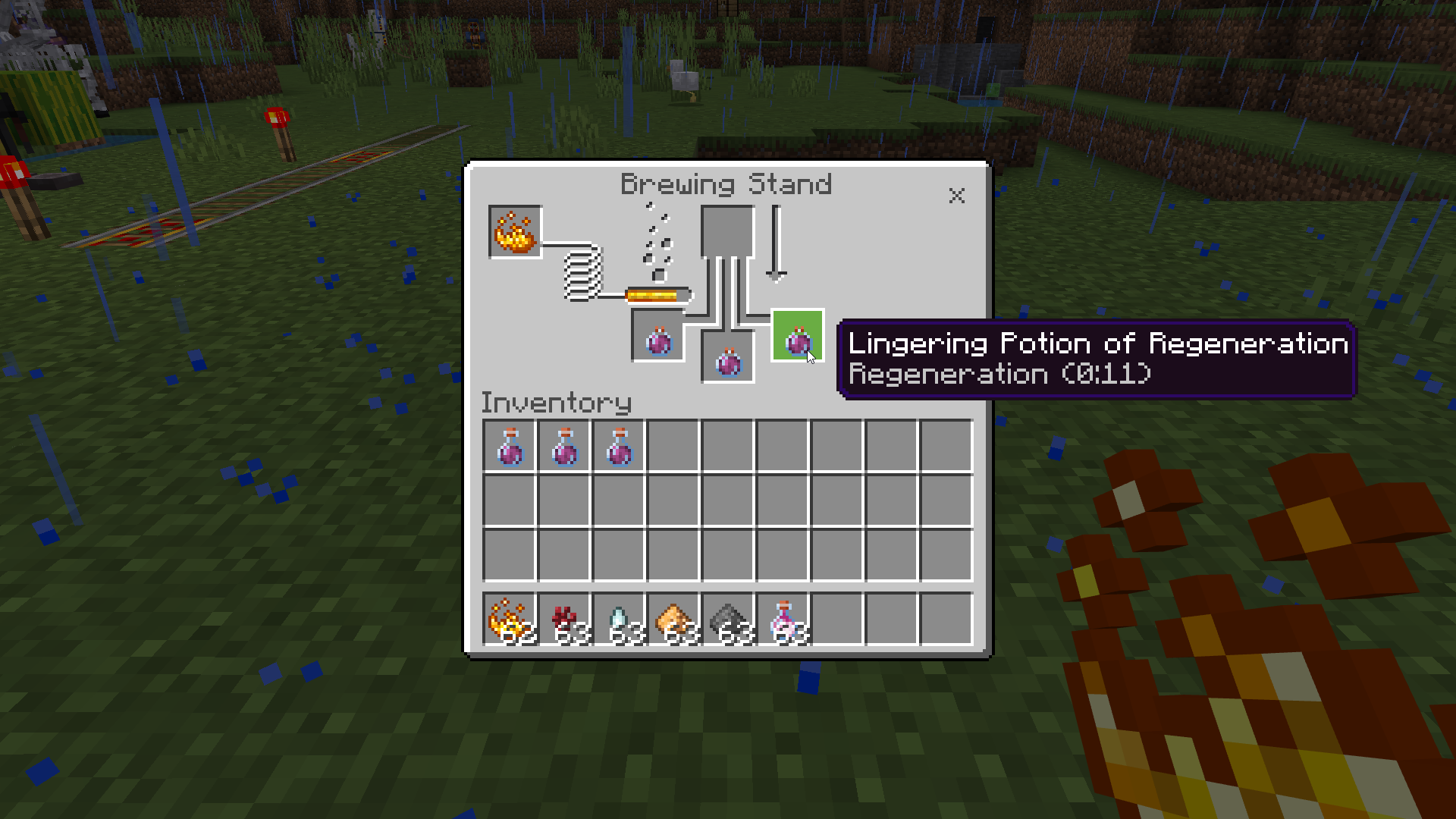
- Add Dragon's Breath to the top box of the brewing menu.
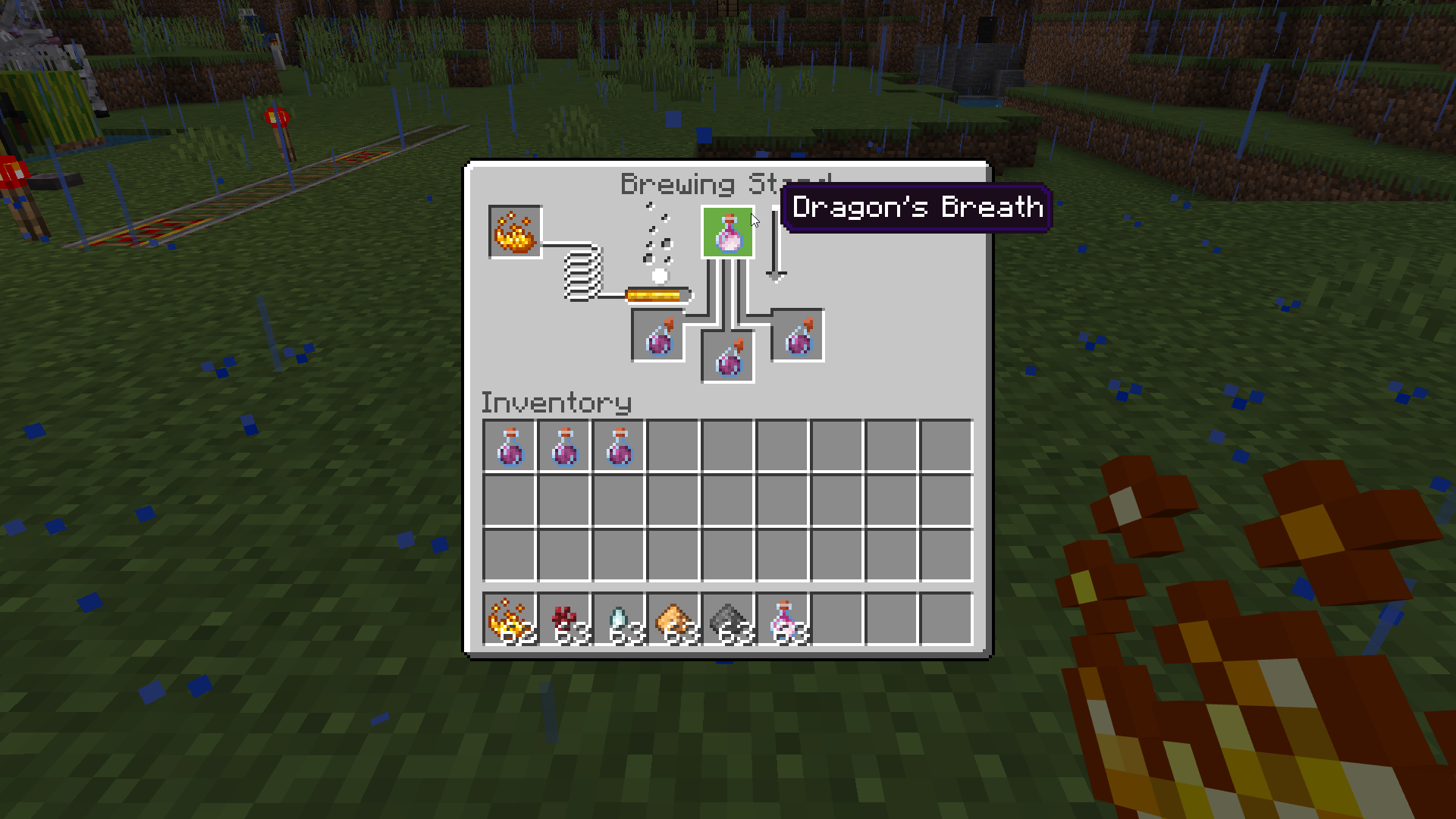
- Place a Splash Potion of Regeneration in one of the bottom boxes.
Conclusion
Now you're well-equipped with the knowledge to craft Potions of Regeneration in Minecraft. Whether you use them to heal yourself or help your fellow players, these potions are a valuable addition to your inventory. So go forth, brew, and embark on exciting adventures with your newfound healing powers!