
How to make a leash in Minecraft
If you are looking to guide and control animals in Minecraft, using a lead or leash is the way to go. This handy tool allows you to lead animals around and prevent them from wandering off.
No matter which platform you play Minecraft on, these instructions will help you craft and use a lead effectively.
Creating a Crafting Table in Minecraft
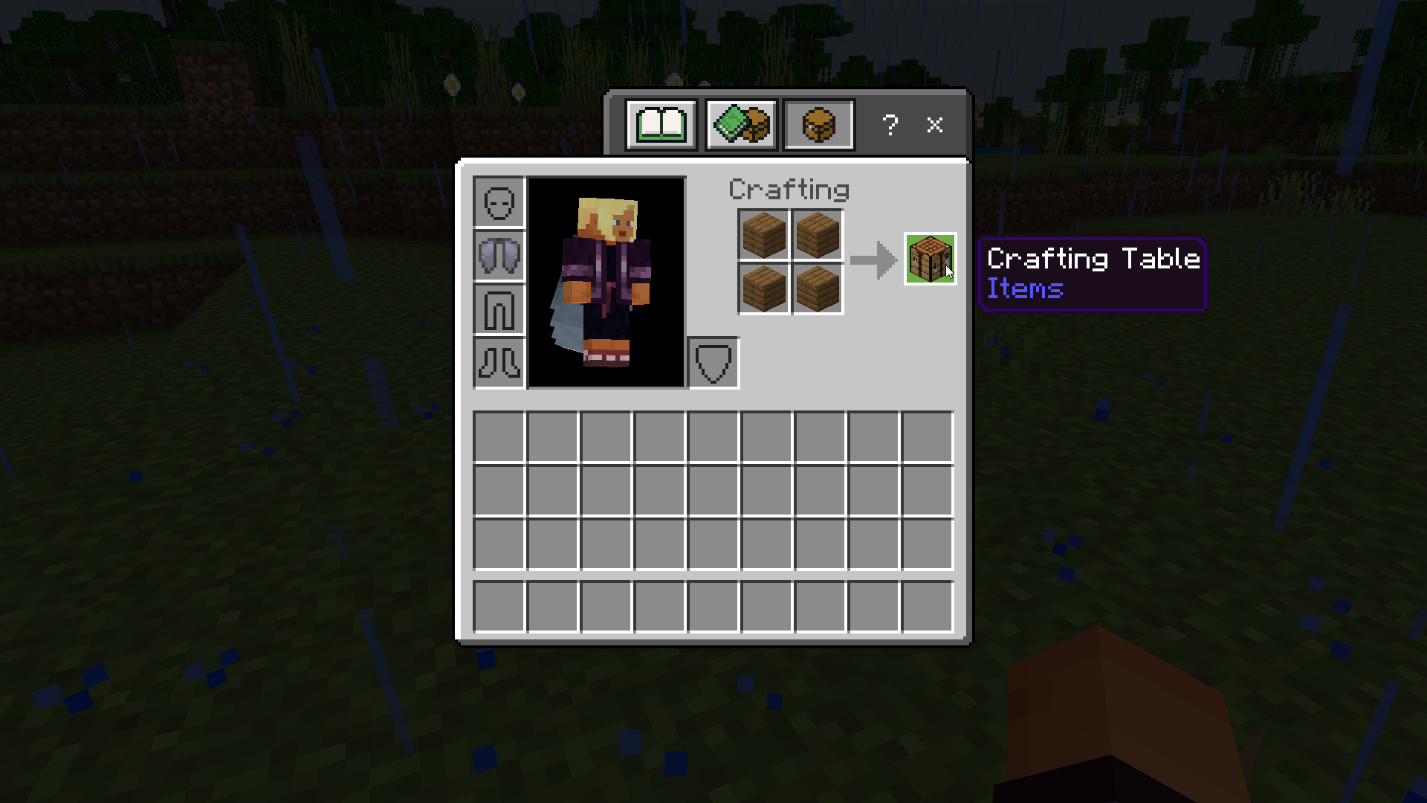
To make a crafting table, you'll need 4 wood planks of any type.
Crafting a Lead in Minecraft
To create a lead (also known as a leash), follow these steps:
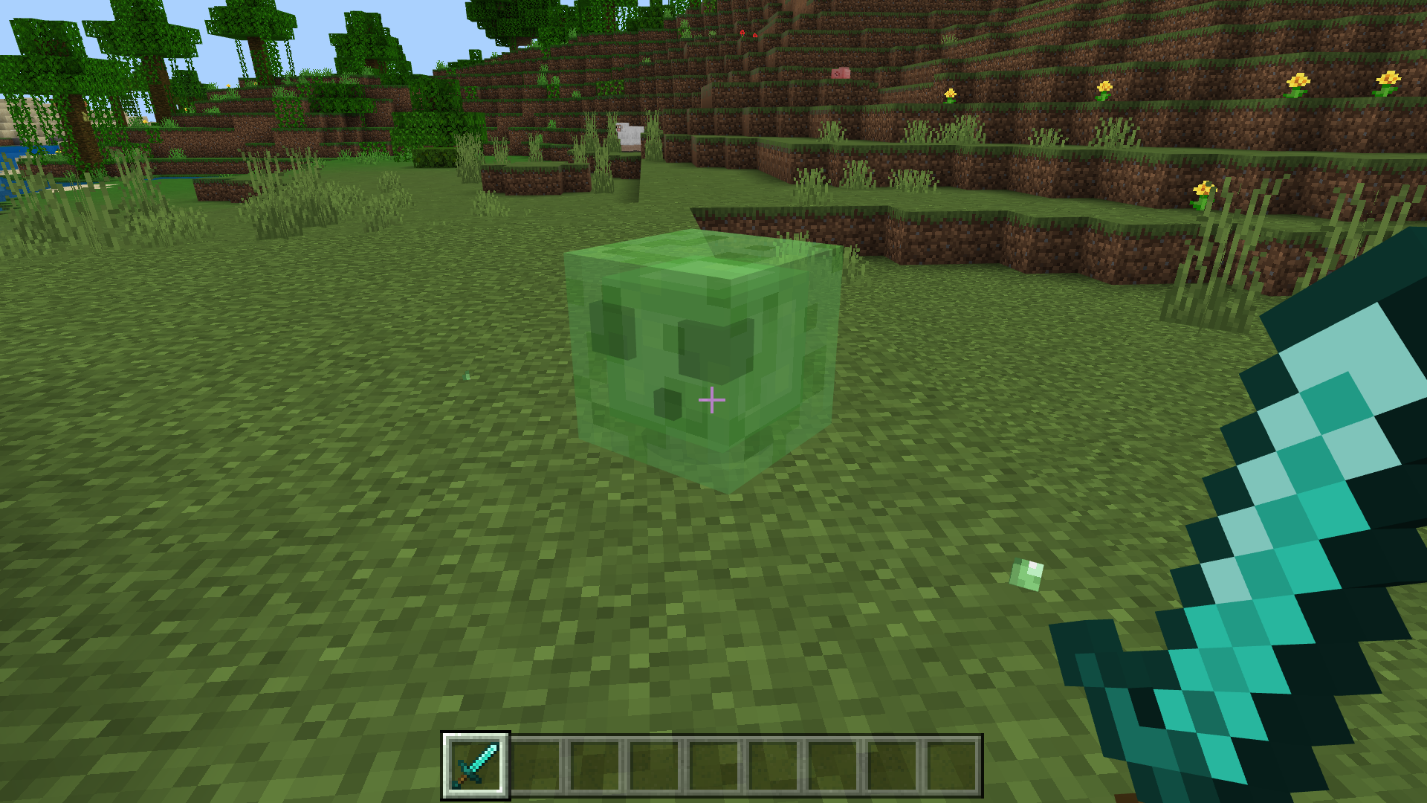
Step 1: Obtain 1 Slimeball. You can acquire slimeballs by defeating Slimes, which usually appear in swamps or underground caves.
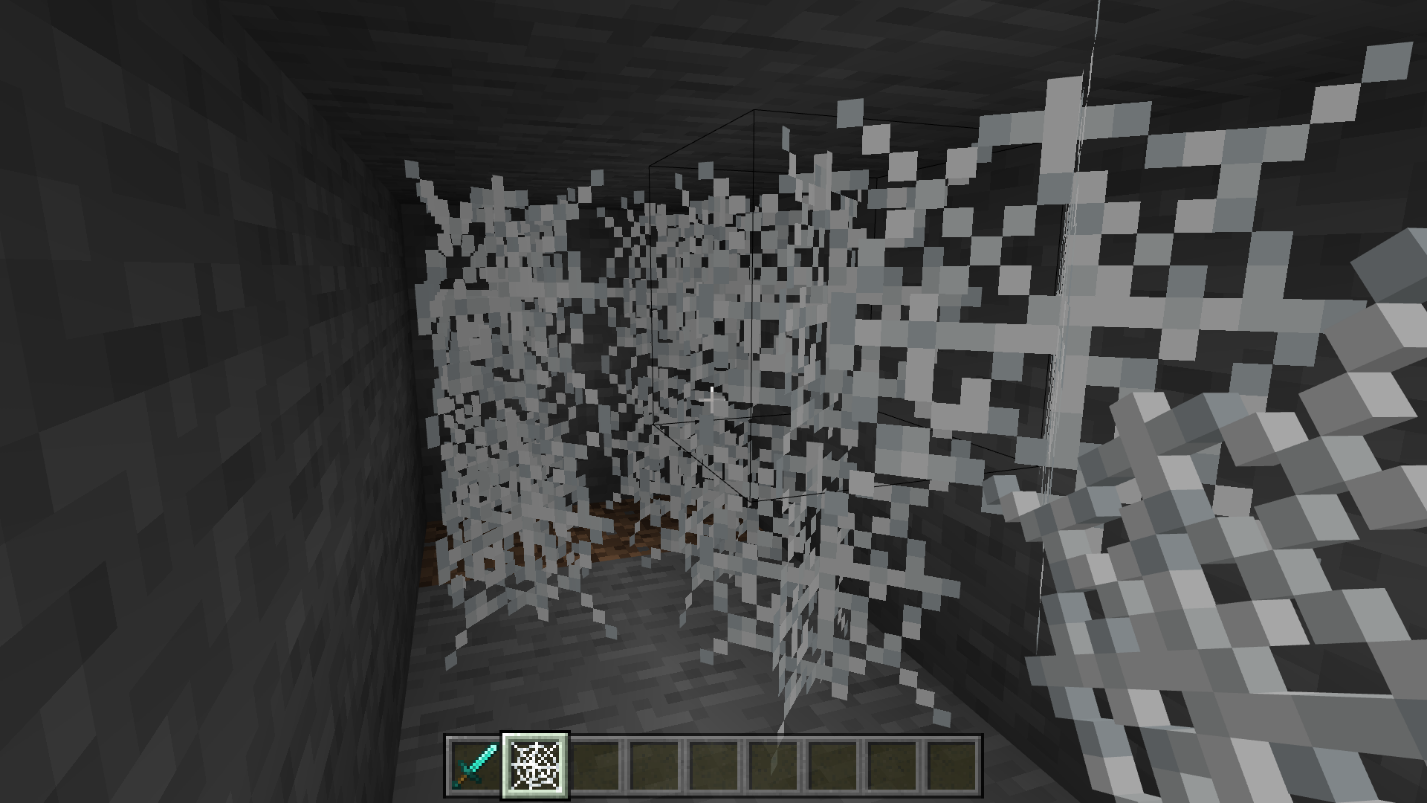
Step 2: Gather 4 Strings. You can find strings in treasure chests or craft them from cobwebs. Cobwebs can be found in mines or obtained by defeating Spiders.
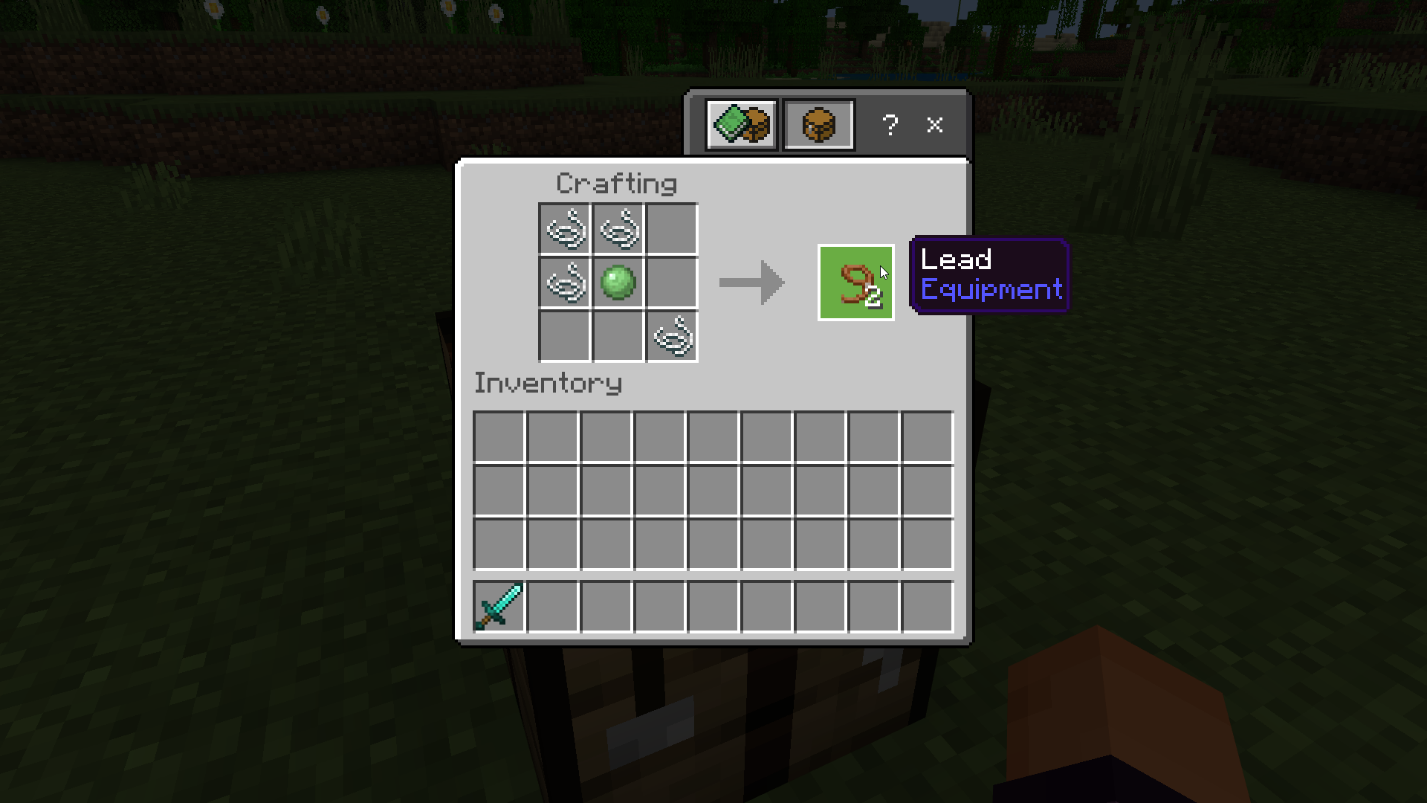
Step 3: Open your Crafting Table and arrange the materials. Place 2 strings in the first two slots of the top row. Then, put 1 string and 1 slimeball in the slots below them. Finally, add 1 string to the last slot of the bottom row, located in the lower-right corner of the grid.
Using a Lead in Minecraft
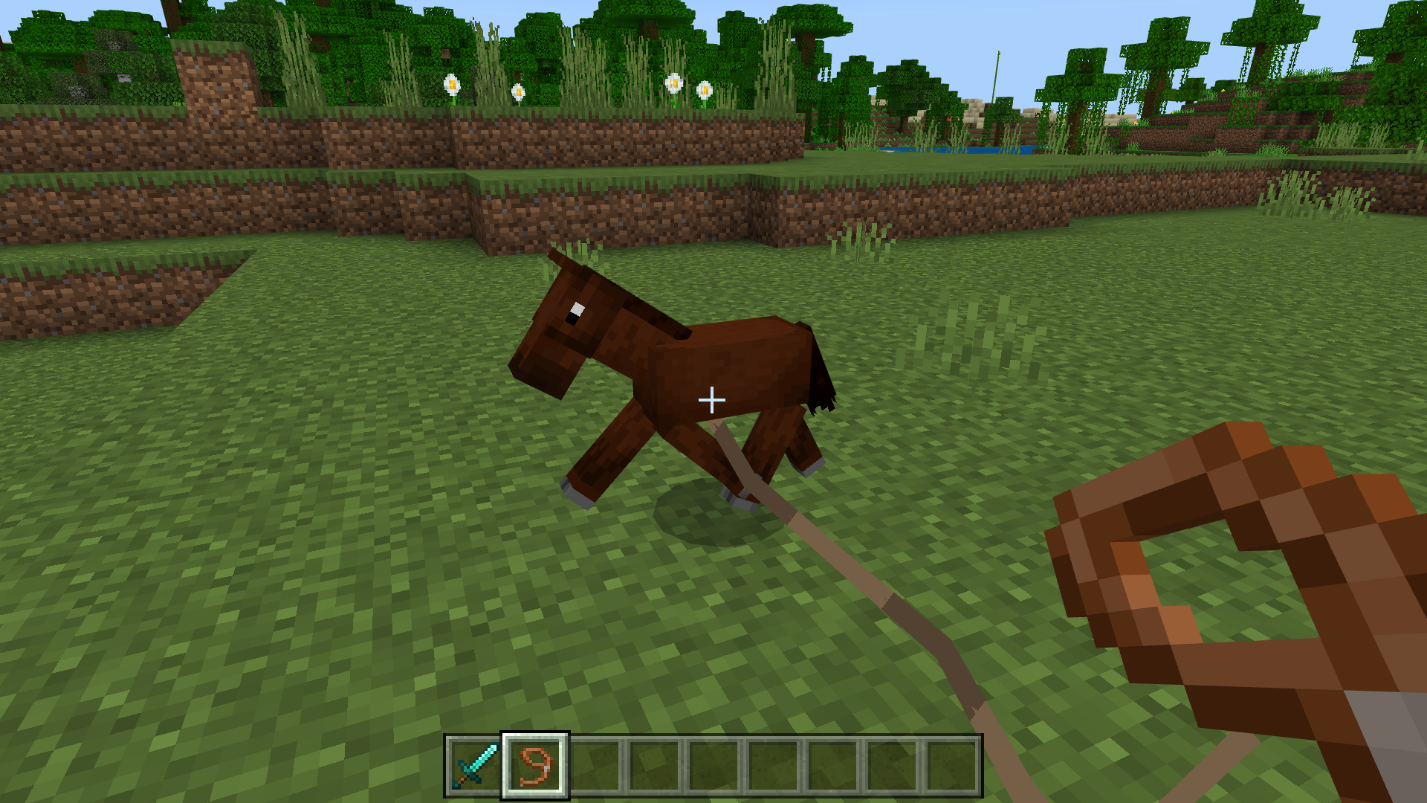
Once you have your lead, you can utilize it to guide passive mobs, such as horses or axolotls. The method of using a lead depends on the platform you're playing on:
- PC/Mac: Right-click
- Xbox: LT
- PlayStation: L2
- Switch: ZL
- Pocket Edition: Tap and hold
When you move, the animal attached to the lead will follow your actions. To release the animal, interact with it using the controls mentioned above.
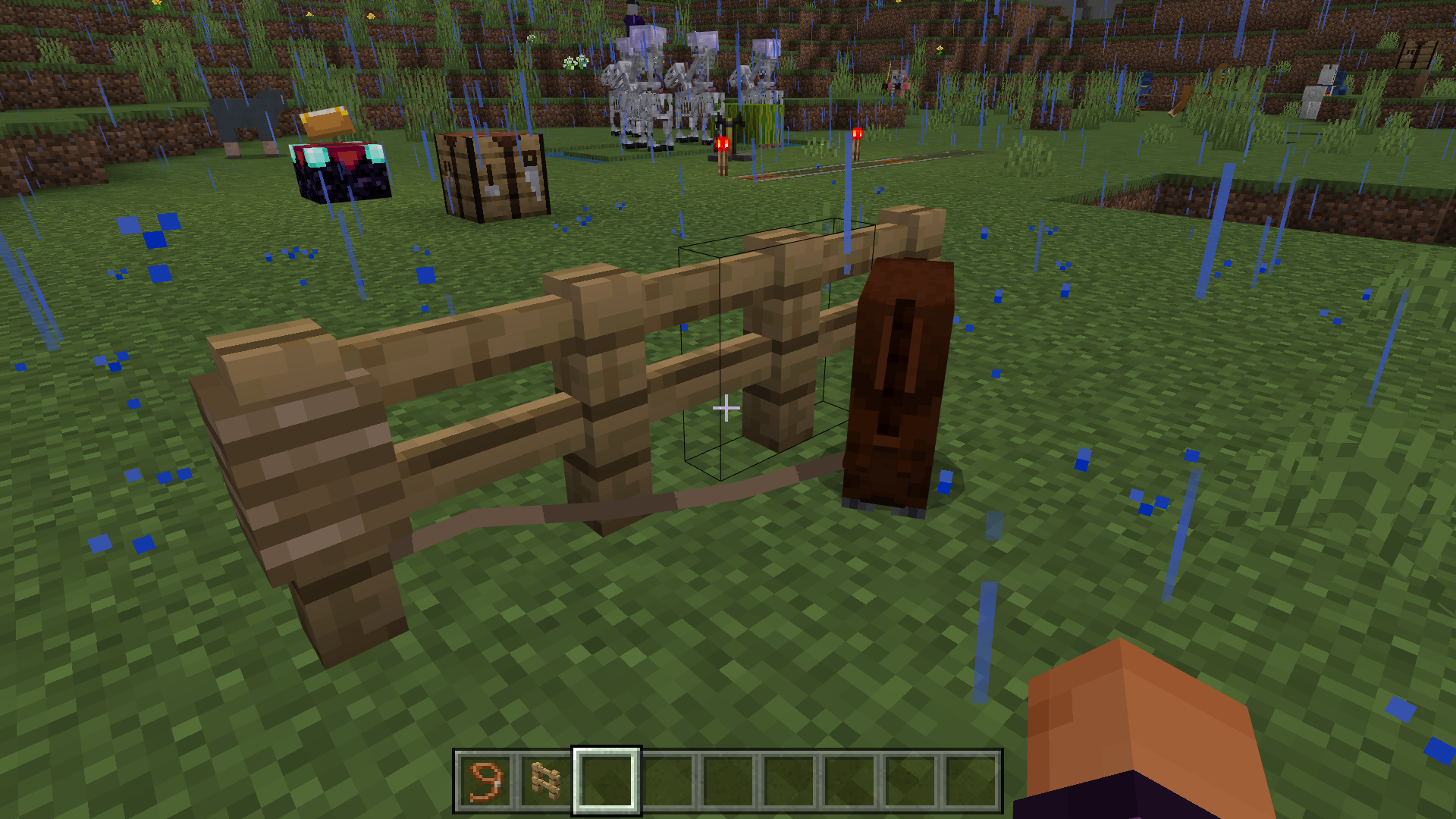
Tying a Mob to a Fence with a Lead
To tether a mob to a fence, first use the lead on the mob, and then use it on the fence. To free the mob, interact with the leash tied to the fence post.
Supported Animals for Leading in Minecraft
Most neutral mobs in Minecraft can be led using a lead. Here is a list of animals you can use a lead on:
- Bees
- Cats
- Chickens
- Cows
- Dolphins
- Donkeys
- Foxes
- Hoglins
- Horses
- Iron golems
- Llamas
- Mooshrooms
- Mules
- Ocelots
- Parrots
- Pigs
- Polar bears
- Rabbits
- Sheep
- Snow golems
- Squid
- Striders
- Wolves
- Zoglins
Please note that villagers cannot be led using a lead, but you can transport them to different locations by using a minecart or a boat.
Frequently Asked Questions
Q: How can I obtain a lead without slime?
A: To craft a lead, you need a slimeball. However, you can acquire a slimeball without crafting it by either killing a Wandering Trader or separating them from their llamas.
Q: How do I lead a cow?
A: To lead a cow, simply click on the animal while holding the lead. It will then follow you around. If you want the cow to remain within a certain range, you can click on a fence or other structure to "hitch" the animal to it. The cow will stay within five blocks of the location where you attached the lead.
Conclusion
In conclusion, using a lead in Minecraft is an excellent way to guide and control animals within the game. By following the crafting instructions provided, you can easily create a lead using a slimeball and strings. Once you have the lead, you can attach it to passive mobs such as horses or axolotls, allowing you to lead them wherever you want.
Remember to use the appropriate controls based on your gaming platform, whether it's right-clicking, LT, L2, ZL, or tap and hold, to utilize the lead effectively. Tethering a mob to a fence with a lead is another useful technique for keeping them in a specific location.
While most neutral mobs can be led, villagers require alternative methods of transportation, such as minecarts or boats. It's important to note this distinction.
If you have any further questions, refer to the provided frequently asked questions for additional information and tips.
For an enhanced Minecraft experience, we recommend playing on the Gamever servers. With their dedicated servers and community of players, you can enjoy multiplayer interactions, engaging challenges, and even more opportunities to utilize leads and explore the game's vast possibilities. Join Gamever servers today and immerse yourself in a thriving Minecraft community. Happy leading!