
How to make a dispenser in Minecraft

Crafting a Dispenser in Minecraft requires several ingredients, with Cobblestone being the main component. Dispensers are highly versatile tools that enable players to set traps and automate various tasks, making them valuable additions to their arsenal.
Ingredients for Crafting a Dispenser
To create a dispenser, gather the following materials: 7 blocks of Cobblestone, 1 Bow, and 1 Redstone Dust. Arrange these items on a Crafting Table by placing the Redstone Dust on the bottom-middle slot and the Bow above it on the centermost slot. Surround them both with Cobblestone in the remaining slots.

Obtaining the Required Ingredients
Cobblestone is a readily available resource in Minecraft, often obtained through mining Stone blocks. Regular Stone blocks can be acquired by using a tool enchanted with Silk Touch.
Redstone Dust, on the other hand, requires more effort to acquire. It can be found deep underground, specifically between layers 1 and 16. Redstone Ore blocks drop this crimson powder when mined.
Crafting a Bow
To craft a Bow, you'll need 3 Sticks and 3 Strings. Arrange the Sticks on the Crafting Table, placing one in the bottom-middle slot, another in the middle-left slot, and the final one in the top-middle slot. Then, fill the right column with the 3 Strings.
Finding Dispensers in Naturally-Generated Structures
Dispensers can be found within Jungle Temples, a naturally-generated structure in Minecraft. However, they are not loot in chests but rather components of traps. By skillfully avoiding the trap mechanisms, players can collect the Dispensers, which may also contain arrows.
Utilizing a Dispenser's Capabilities
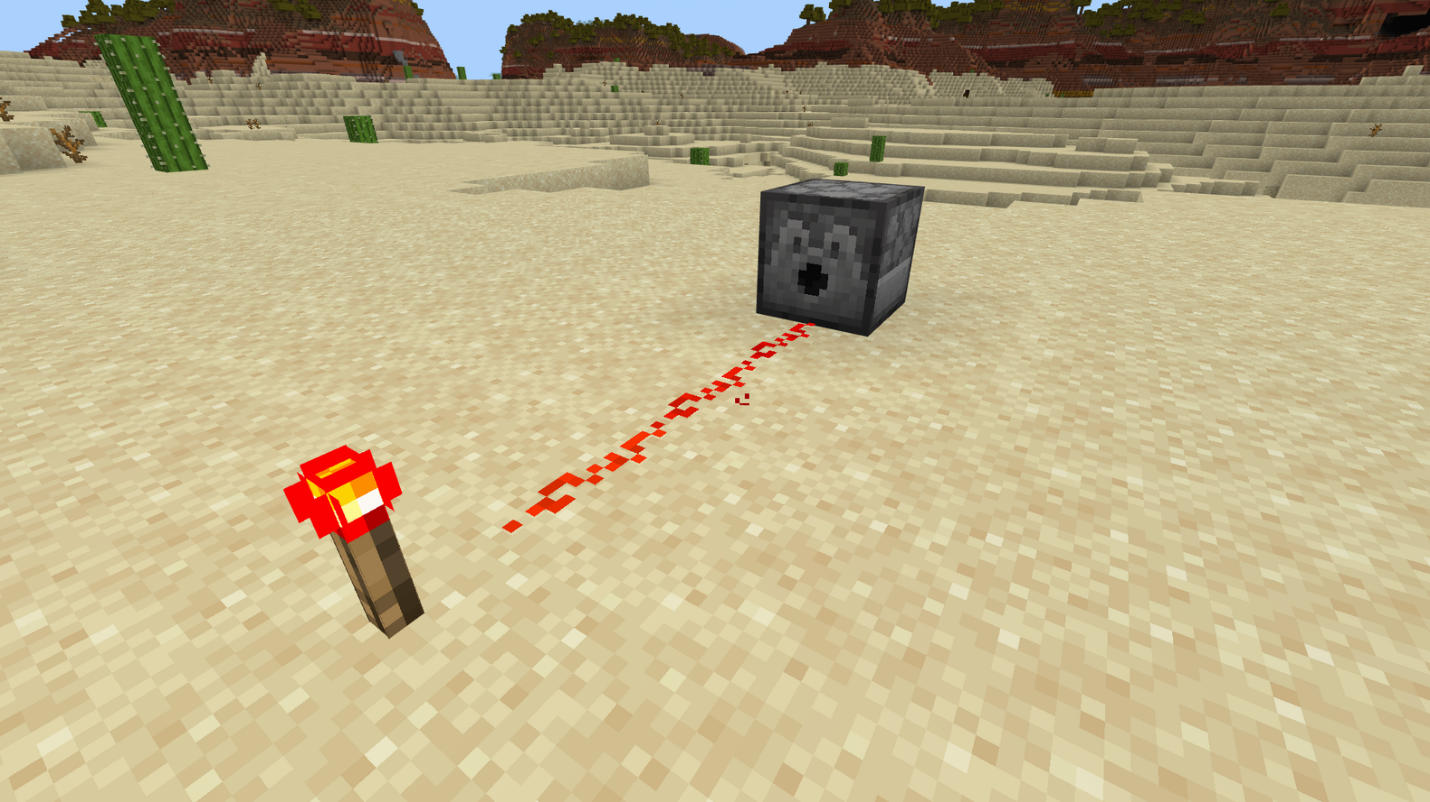
Dispensers offer a wide array of functions related to item and block output. When powered by Redstone, they can be activated remotely or set up for automatic operations. Their versatile nature allows for applications in defense, farming, and various other tasks based on the items placed inside. With 9 available slots capable of holding a full stack of items, Dispensers can be integrated into contraptions using Redstone Torches, Levers, and lines of Redstone Dust.
Using a Dispenser to Shoot Projectiles
Similar to the Dispensers found in Jungle Temples, players can set up their own defensive measures using Dispensers. Placing any type of arrows into a Dispenser enables it to shoot them from its front opening when powered. Arrows are the most cost-effective ammunition for Dispenser traps, although they are not the sole projectiles that Dispensers can fire.
In addition to arrows, Dispensers can shoot Fire Charges, Firework Rockets, and even Tridents. All these items function in a similar manner: load them into the Dispenser and power it with Redstone to initiate firing.
Using a Dispenser to Throw Items
While firing projectiles and throwing items differ in Minecraft, some items can be launched in a chosen direction without functioning as weapons. Examples include Eggs, Snowballs, and Splash Potions. Placing these items in a Dispenser serves various purposes. Eggs can be used to spawn baby Chickens, offering an alternative to breeding adult Chickens. Snowballs and Splash Potions, on the other hand, provide intriguing defensive tools.
Using a Dispenser for Automated Farming
By inserting Bonemeal into a powered Dispenser, it can be utilized to accelerate the growth of crops. Set up a Dispenser filled with Bonemeal in front of the desired crops to achieve faster growth. Since the Bonemeal is only used when a plant is affected by it, resources are not wasted.
Using a Dispenser to Place Items
Dispensers do not exclusively shoot, throw, or use items placed within them. With most common blocks,
Dispensers simply drop them as items. However, specific items can be placed by Dispensers. For instance, Dispensers will attempt to place Boats on water if possible, and they will also try to equip suitable mobs with armor.
Conclusion
In conclusion, Dispensers are powerful tools in Minecraft that offer a wide range of functionalities for players. From setting traps to automating tasks, Dispensers can greatly enhance gameplay and provide new opportunities for creativity. By understanding the crafting recipe and obtaining the necessary ingredients such as Cobblestone, Bow, and Redstone Dust, players can create their own Dispensers and explore their capabilities.
While finding Dispensers in naturally-generated structures like Jungle Temples can be exciting, crafting them allows players to have more control and customization. By utilizing Redstone power and loading various items, including arrows, Fire Charges, Firework Rockets, and Tridents, players can create effective defensive mechanisms and engage in thrilling battles.
Moreover, Dispensers can also be used to throw items such as Eggs, Snowballs, and Splash Potions, enabling unique gameplay strategies and the creation of inventive defensive tools.
In addition, Dispensers prove useful for automated farming by utilizing Bonemeal to expedite crop growth. This efficient technique saves resources and enhances agricultural productivity.
Overall, incorporating Dispensers into your Minecraft adventures opens up a world of possibilities. So why not dive in and experiment with these versatile tools? Whether you prefer crafting your own Dispensers or seeking them out in naturally-generated structures, the choice is yours. Unleash your creativity and strategic thinking with Dispensers in Minecraft!
Looking for an enhanced multiplayer experience? Consider joining the Gamever servers, where you can engage with a vibrant community of Minecraft players. Collaborate on projects, share strategies, and participate in exciting events. Join the Gamever servers today and embark on unforgettable adventures in the world of Minecraft!