
How to Make a Crafter in Minecraft?
Minecraft, the beloved sandbox game, continuously evolves, offering new tools and features to enhance your gameplay. One of the most useful additions to any player’s arsenal is the crafter block, which allows for automated crafting. This guide will walk you through the steps of creating and using a Crafter in Minecraft, ensuring you can automate your crafting processes efficiently. Additionally, we'll discuss the benefits of utilizing such advanced tools on Gamever servers, where collaborative gameplay and resource sharing can significantly enhance your experience.
Understanding the Crafter in Minecraft
The crafter in Minecraft is a block that automates the crafting process, saving you time and effort, especially when dealing with large quantities of items. This automation is invaluable for complex builds and extensive resource management, making your Minecraft adventures more streamlined and enjoyable.
Materials Needed for Crafting a Crafter
To craft a crafter, you will need the following materials:
Crafting Table: The central component of the crafter.
Iron Ingots (5): Essential for the structure and functionality of the crafter.
Redstone Dust (2): Provides the necessary energy and activation for the crafting processes.
Dropper: Used in the crafting recipe to facilitate item movement.
A Step-by-Step Guide to Crafting a Crafter
1. Gather Your Materials
Before you begin crafting, ensure you have all the necessary materials:
Crafting Table : Easily crafted from four wooden planks.
Iron Ingots : Smelt iron ore in a furnace to get iron ingots.
Redstone Dust: Typically, you can find redstone ore deep underground at levels 1–16.
Dropper : Crafted from seven cobblestones and one redstone dust.
2. Setting Up the Crafting Grid
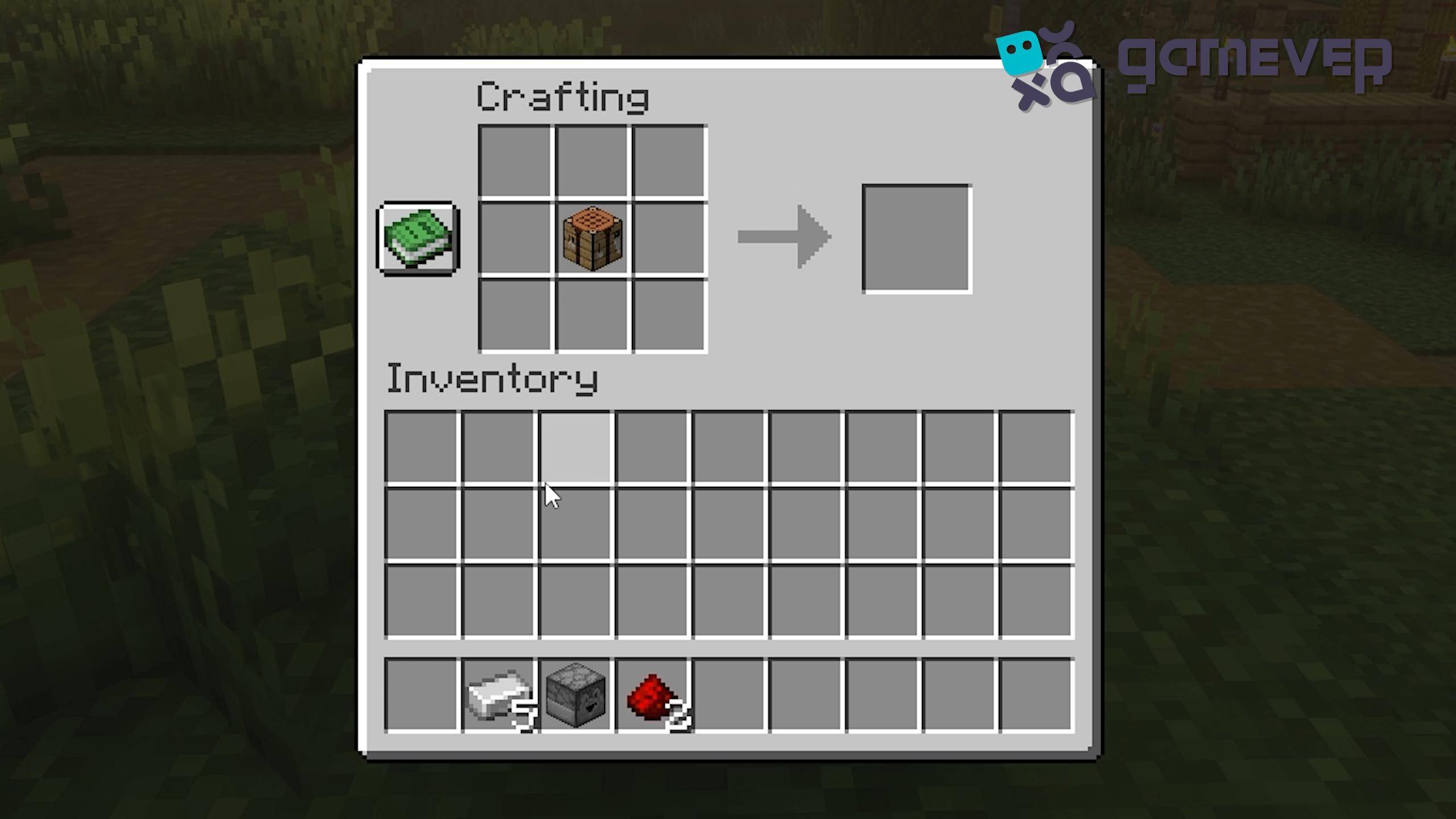
Crafting Table Placement : Open your crafting table. Place the crafting table in the center slot of the 3x3 crafting grid.
Iron Ingot Placement : Place five iron ingots in the top row and the first two slots in the middle row.

Redstone Dust Placement : Place redstone dust in the bottom left and bottom right slots.
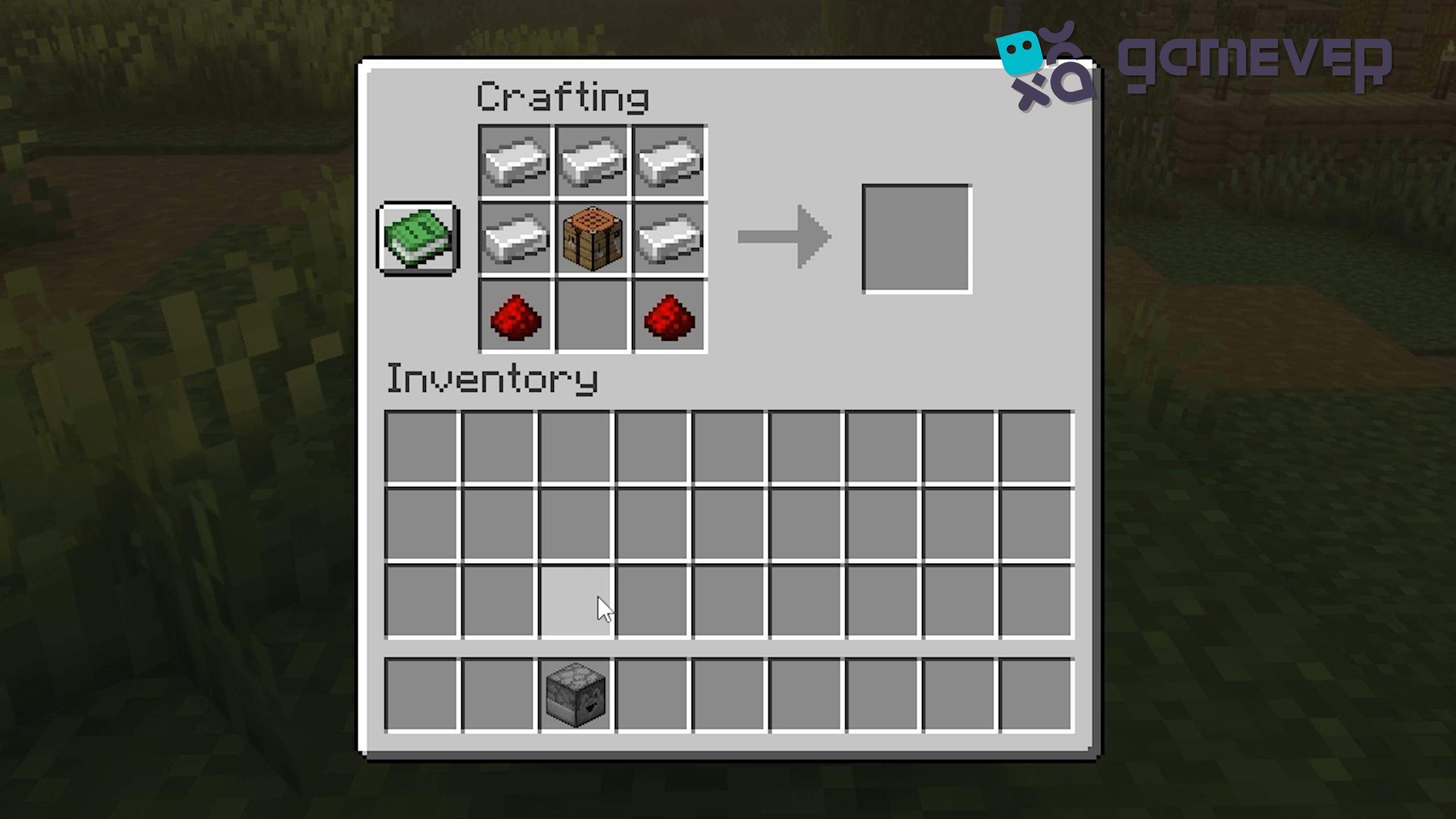
Dropper Placement : Place the dropper in the center slot of the grid, directly below the crafting table.

3. Crafting the Crafter
Once you correctly place all the materials in the crafting grid, the crafter will appear in the result slot. Drag the crafter into your inventory. Congratulations! You have crafted a new block in the game!
Using the Crafter
The crafter block is not only versatile but also straightforward to use, making it an essential tool for automating various tasks.
1. Setting up the Crafter
Placement : Place the crafter block in your desired location. For quick access, it's best to position it near other automation components or in your primary crafting area.
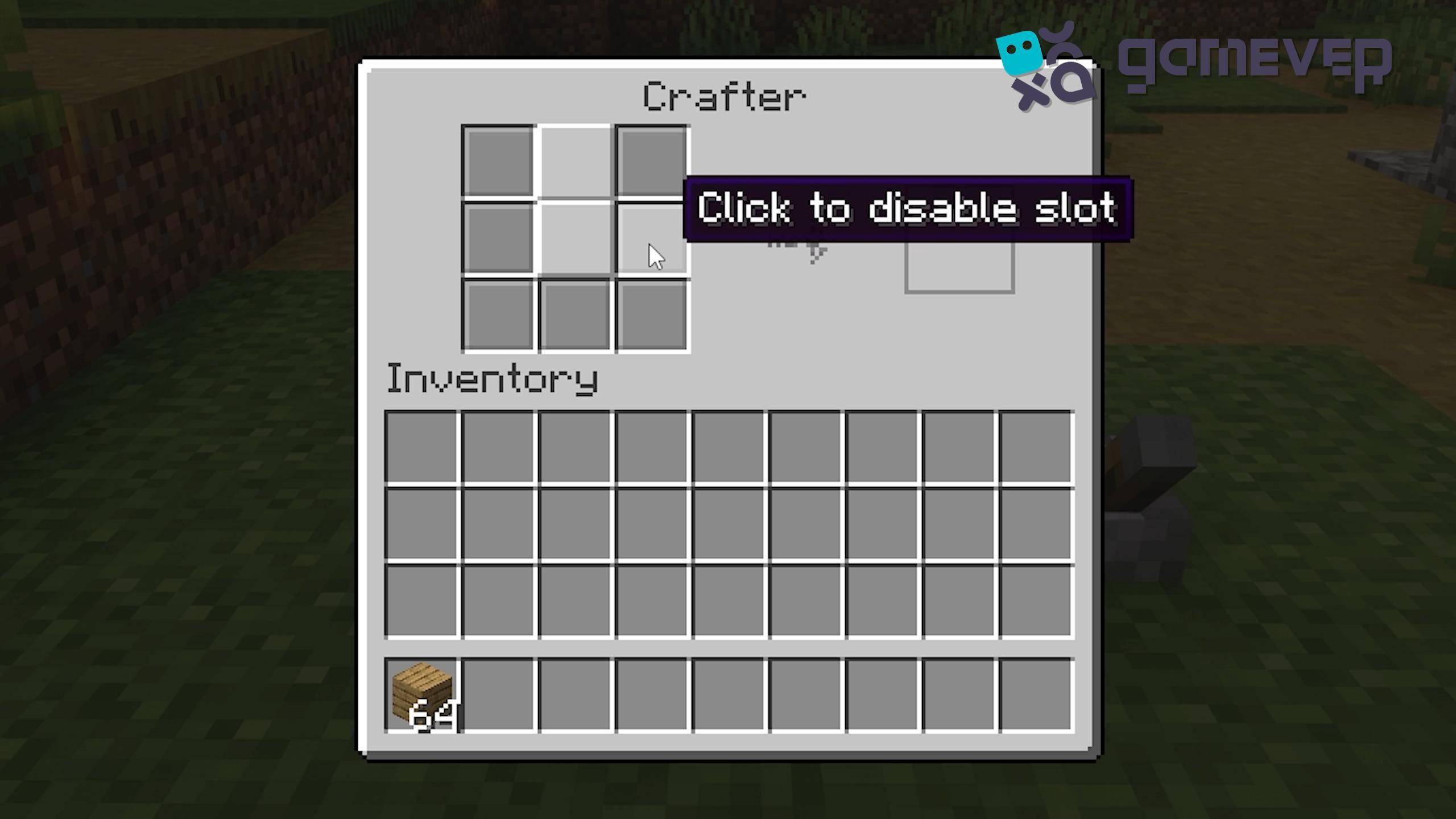
Blocking Slots : Clicking on any slot in the crafter will block it. This feature enables you to designate specific items for crafting, guaranteeing the crafter only generates what you require.
2. Automating the Crafting Process
Input and Output : Connect hoppers or other item transport systems to the crafter to feed in the raw materials and extract the crafted items.
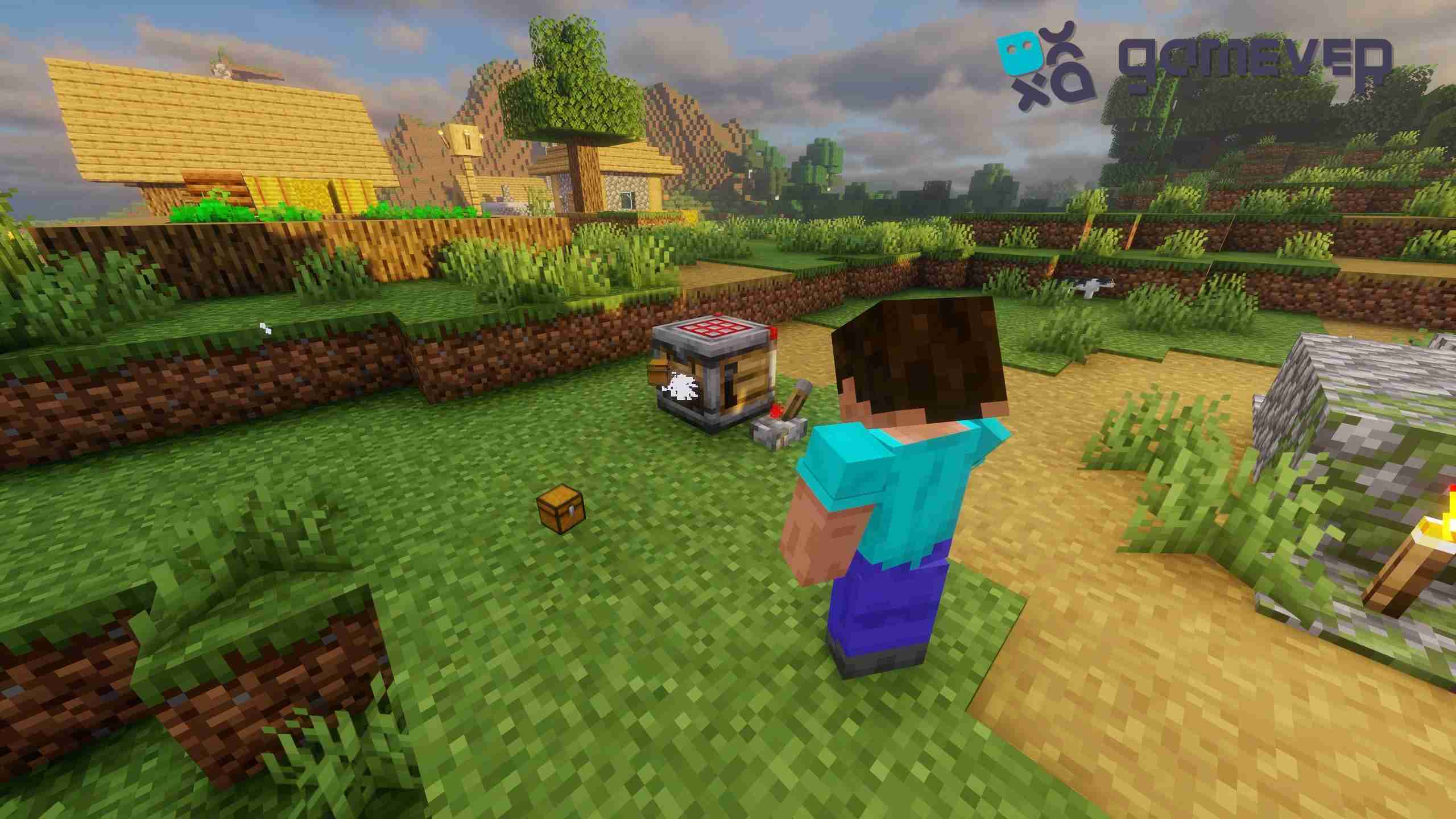
Redstone Activation : To pick up an item, you need to submit a redstone signal. This signal activates the crafter, prompting it to create the items from the specified recipe and transfer them to the output slot or connected transport system.
Advanced Tips for Using the Crafter
Efficiency Optimization: To maximize efficiency, integrate the crafter into a broader automation system using redstone circuitry, hoppers, and other redstone-compatible components.
Recipe Management: Regularly update and manage your recipes as a crafter to ensure they meet your evolving crafting needs.
Resource Management: Monitor your input materials to avoid creating stalls due to shortages.
Benefits of Using the Crafter on Gamever Servers
Utilizing the crafter block on Gamever servers can significantly enhance your Minecraft experience through several advantages:
Community Collaboration: Share your automation setups and crafter designs with other players. Collaborate on large-scale projects that require extensive crafting automation.
Resource Sharing: Efficiently produce and share crafted items with other players, fostering a cooperative environment and boosting the server economy.
Enhanced Gameplay: Enjoy stable and high-performance gameplay on Gamever servers, ensuring your automation systems run smoothly without lag or interruptions.
Conclusion
The crafter block in Minecraft is a powerful tool that automates the crafting process, making it easier to manage resources and build complex structures. By following this guide, you can craft and utilize this block to its full potential, enhancing your overall gameplay experience. Furthermore, consider the added benefits of playing on Gamever servers, where you can collaborate with others and enjoy a more enriched and dynamic Minecraft adventure.