
How to make a circle in Minecraft?
Introduction
Minecraft has captured the hearts of millions of players worldwide with its blend of survival, exploration, and limitless creativity. The game, renowned for its blocky graphics and infinite landscapes, offers the freedom to build anything, from modest houses to awe-inspiring castles. However, the very geometry that defines Minecraft—its cubic structure—poses a unique challenge for builders aspiring to introduce more rounded structures into their creations. This comprehensive guide will demystify the art of creating circles in Minecraft, even in a world dominated by squares.
Decoding Minecraft's Geometry: Squares to Circles
The first step in creating circles in Minecraft is understanding the game's intrinsic geometric nature. In a world governed by squares, creating a 'true' circle isn't possible. However, players can construct approximations of circles by strategically placing blocks in a way that suggests a round shape.
Planning the Circle: Understanding the Principles
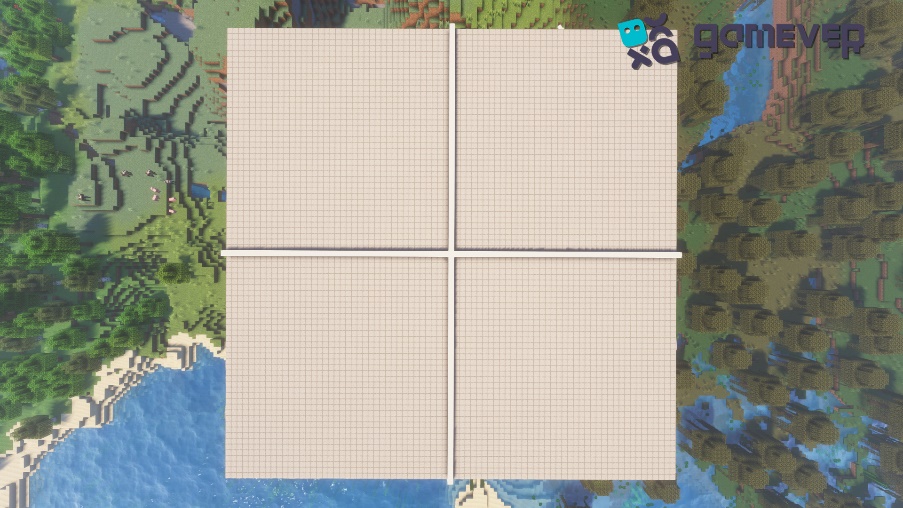
Picture a cross (+) with an equal number of blocks in each arm. This cross forms the diameter of your circle. To create the illusion of roundness, you'll start by extending outwards diagonally from the cross, gradually decreasing the number of blocks as you move further away from the center, creating a stepped effect.
Building the Circle: Placing the Blocks
Step 1: Choose the diameter of your circle. Keep in mind, the larger the circle, the more detailed and smooth it will appear.
Step 2: Refer to a circle chart or a circle generator tool and follow the blueprint. Typically, these charts display a series of "steps" that correspond to the number of blocks you should place in a line before changing direction.
Step 3: Start building! The circle's blueprint will usually begin with a straight line of blocks. After placing these blocks, shift your direction per the chart's instructions. You might need to place one block, then turn and place three, then turn again and place two, and so on.
Step 4: Continue following the blueprint until your circle is complete.
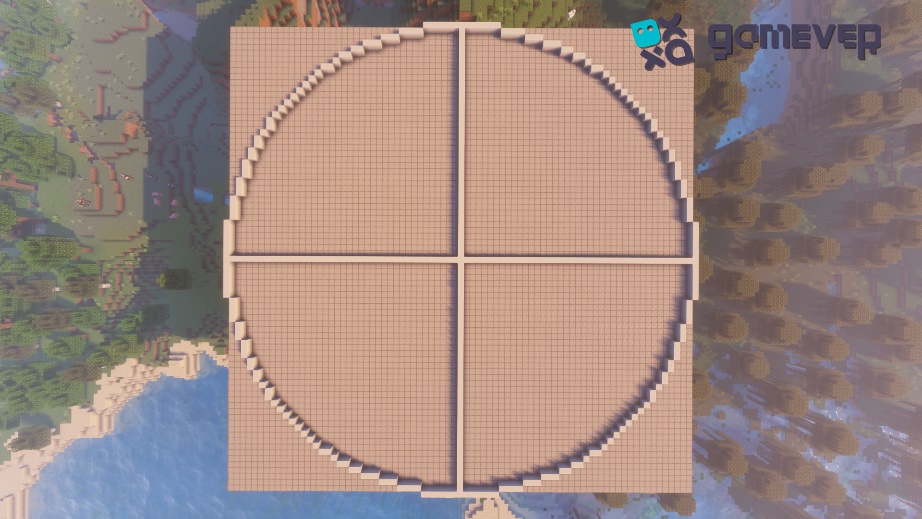
Firstly, choose your location carefully, ensuring there's enough space for the circle's size. From your selected center block, start placing blocks following the steps mentioned above. Depending on the size of your circle, you'll have longer or shorter straight stretches between the steps.
Remember, creating a circle in Minecraft is a slow, methodical process, especially for larger circles. However, the satisfaction of seeing your finished circle will make every minute worthwhile.
Ensuring Symmetry: Perfecting Your circle
As you work, frequently check for symmetry, ensuring the left side mirrors the right and the top mirrors the bottom. This balance is key to creating a convincing, round structure. If something seems off, don't hesitate to tweak your design. With patience and precision, you'll craft a circle that brings a touch of curvature to Minecraft's blocky world.
Mastering 3D: The Art of Crafting Spheres
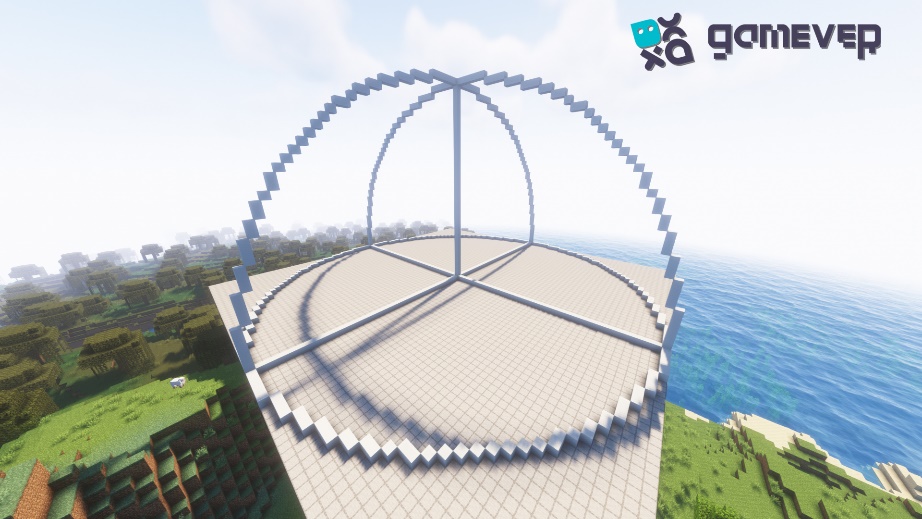
Once you've conquered the art of creating circles, you can take your building skills to another level by creating spheres. The process is similar, but instead of building flat, you're extending your circle into the third dimension, slowly reducing the size of the circles as you move upwards, and then expanding them again to form a perfect sphere.
Conclusion
Crafting circles in Minecraft adds a new level of depth to your building skills. While it may seem challenging initially, with patience and practice, it becomes an incredibly satisfying and rewarding experience. It's a testament to the game's versatility and the limitless creativity it fosters in its players.
To elevate your Minecraft experience, consider using Gamever servers. Gamever offers you the opportunity to rent a server to play with your friends. Experience the thrill of crafting grand designs together, or indulge in friendly building competitions. With Gamever, your Minecraft world becomes a more engaging and communal experience. So, what are you waiting for? Dive in and start building your Minecraft dreams with Gamever today!