
How to make a cactus farm in Minecraft?
You can generate a continuous supply of cactus in Minecraft by creating an efficient cactus farm, which you can use for dye, crafting, or as a defensive barrier. This guide will walk you through the steps to construct a simple yet effective cactus farm using the basic materials available early in the game. Additionally, we will explore the benefits of building and utilizing your cactus farm on Gamever servers, where you can interact with a community of players and enhance your overall Minecraft experience.
Understanding Cactus Farming
In Minecraft, cactus farming is the process of automatically harvesting cactus, a plant that naturally breaks when adjacent to another block. Leveraging this mechanic, you can design a farm that collects cactus without manual intervention, saving you time and effort.
Components of a Cactus Farm
To construct a basic cactus farm, the following materials are required:
• Sand: Cactus can only be planted on sand.
• Cactus: The primary plant on your farm.
• Solid Blocks: Used to break the cactus.
• Fence: Placed above the cactus to break it as it grows.
• Water: Channels to transport the cactus to a collection area.
• Hopper and Chest: For collecting the cactus.
• Glass Blocks: To cover and protect the farm.
Step-by-step guide to building your cactus farm
1. Preparing the ground
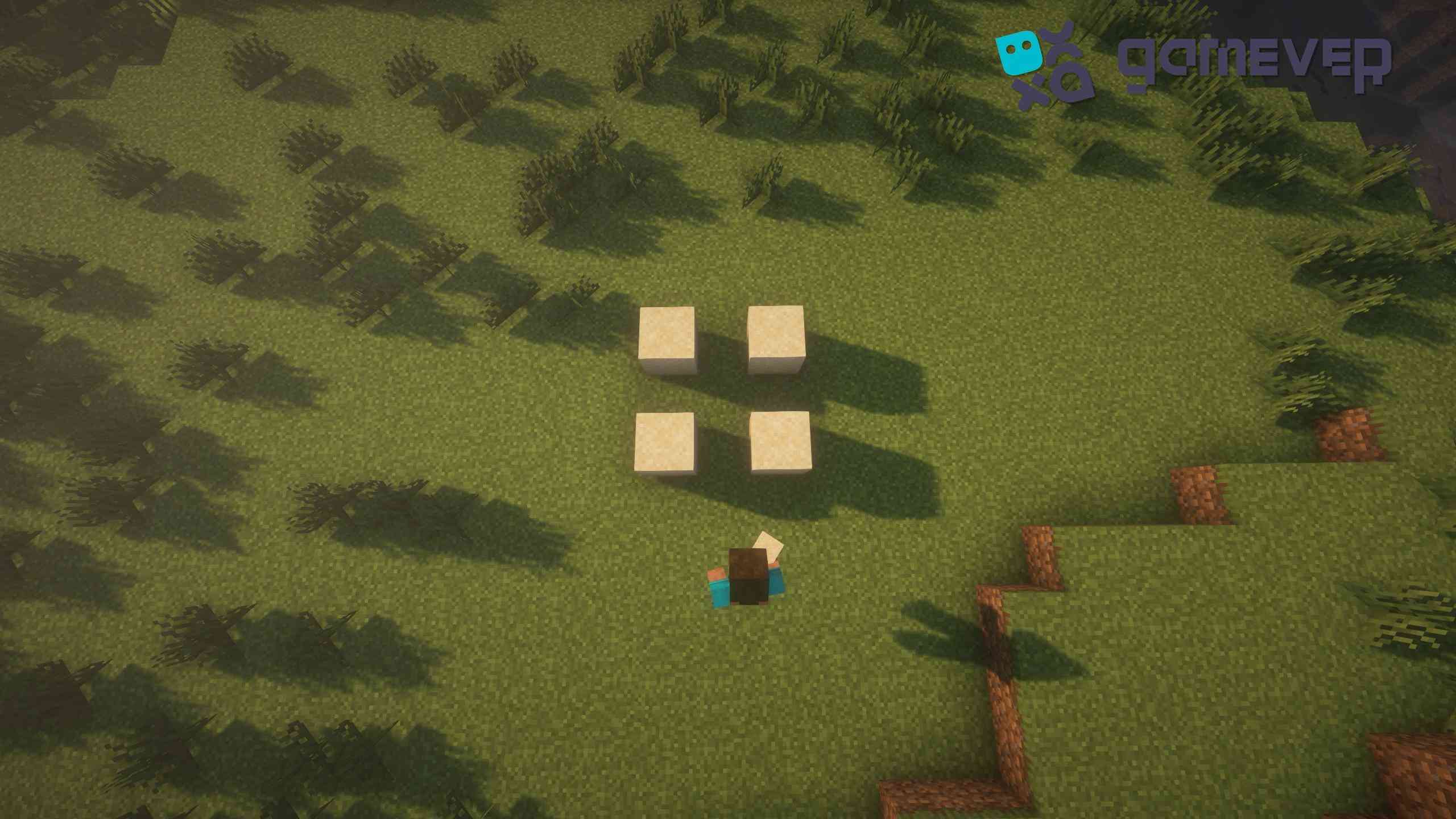
Layout: Start by placing four blocks of sand in a square pattern. This will serve as the base for planting your cacti.
2. Setting up the collection system
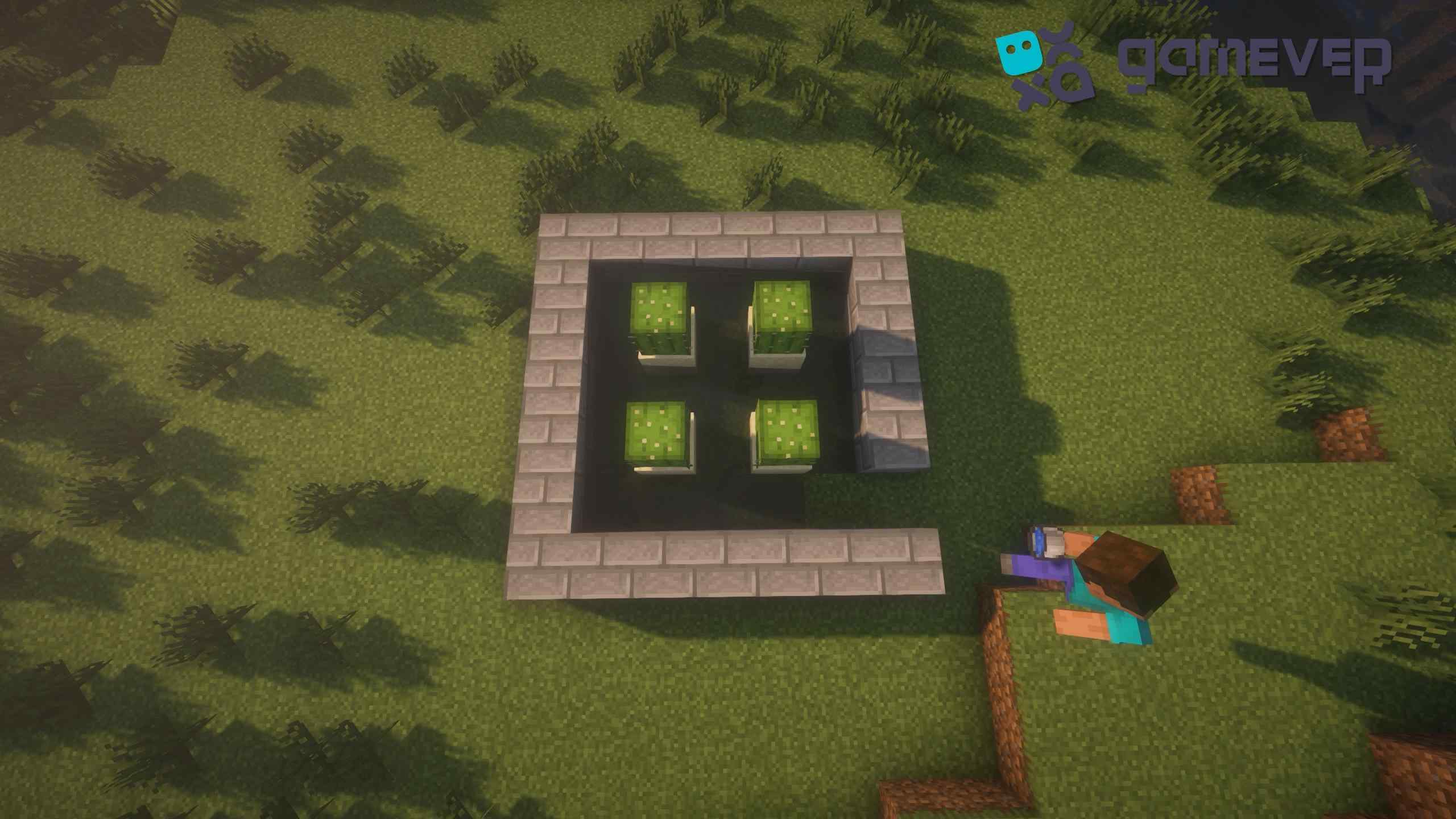
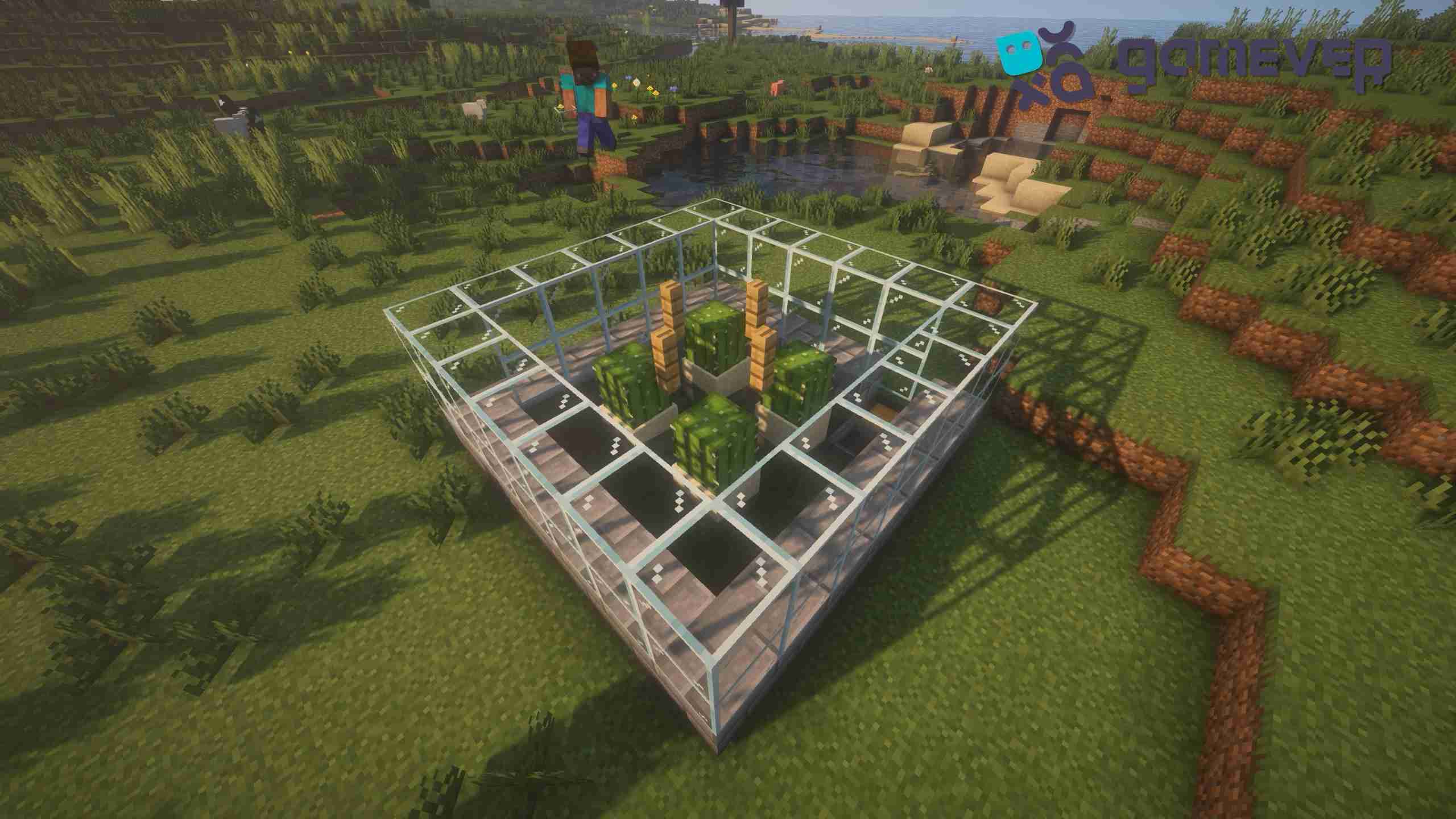
Solid Blocks and Fence: Surround the planted cacti with solid blocks, but not directly next to them. Leave one block of air space between each cactus and the solid blocks. Place a fence directly above each cactus. As the cactus grows, it will collide with the fence, break, and fall into the water stream.
Water Placement: In one corner of the farm, place water. This water will guide the cactus pieces to the collection point once they break off.
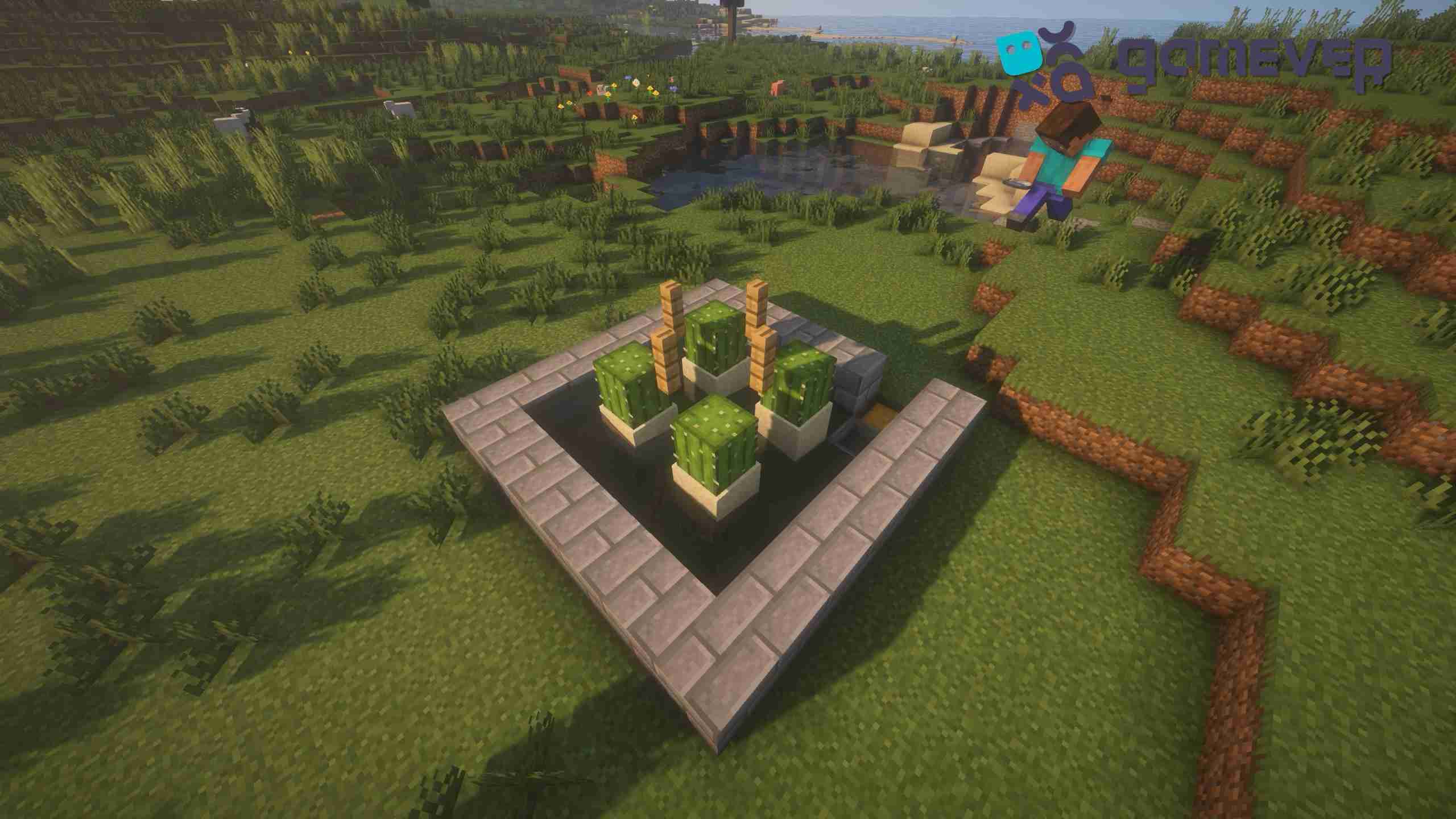
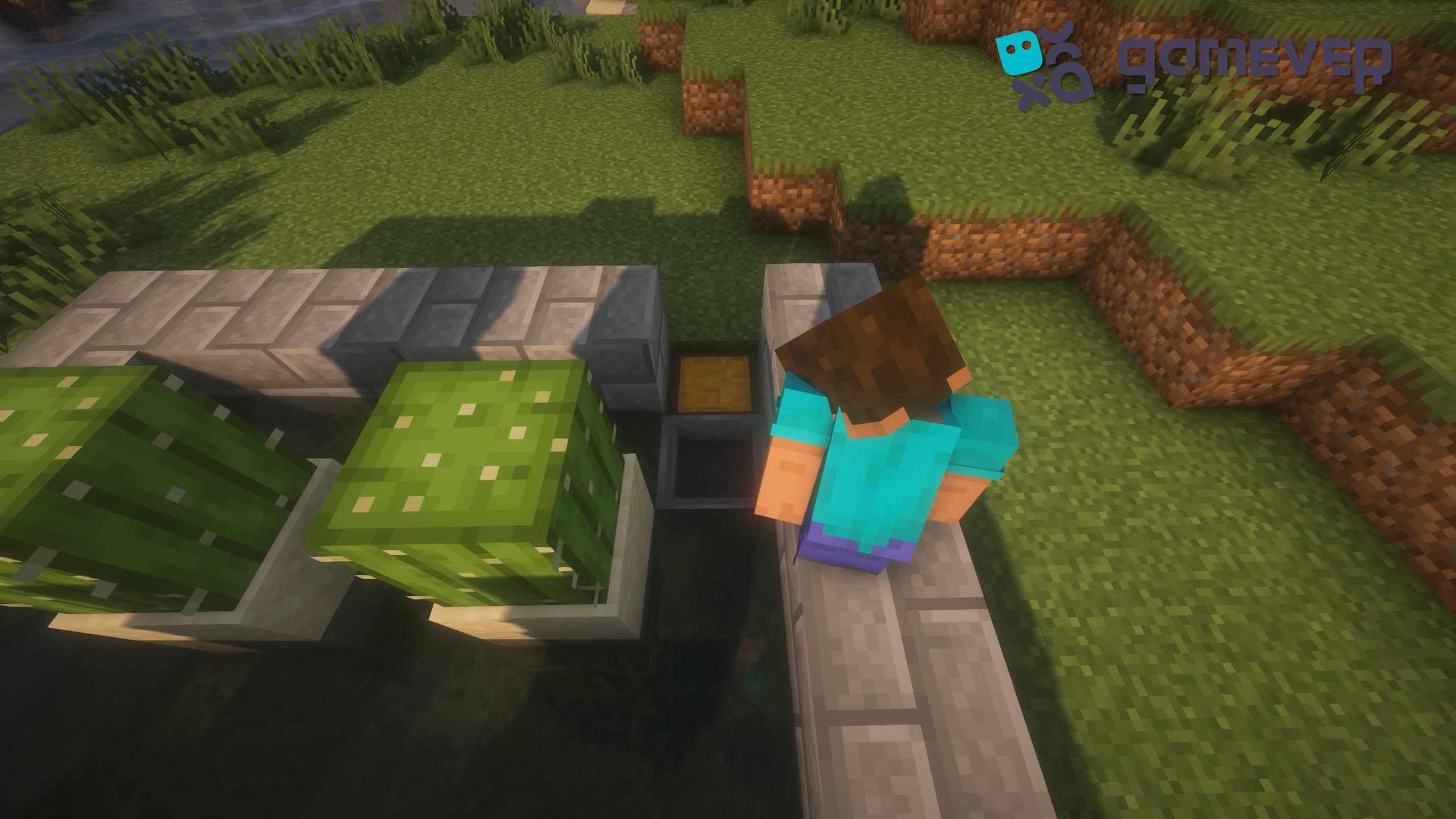
Chest and Hopper: In the opposite corner from the water, install a chest and connect a hopper to it. Ensure the hopper is properly funneling into the chest. This setup is designed to collect and store all the cacti that the water channels into.
3. Protecting the Farm
Glass Cover: Cover the entire farm with glass blocks. This not only shields the cactus from external damage but also deters mobs.
Tips for Maximizing Your Farm's Efficiency
Regular Checks: Keep an eye on your farm to clear any clogs and ensure that the water flows smoothly and the hopper collects efficiently.
Expansion: As your needs grow, consider expanding your farm by adding more rows of cacti, water channels, and collection systems.
Optimization: Experiment with different layouts and water channel designs to improve your farm's efficiency.
Advantages of Building on Gamever Servers
Constructing your cactus farm on Gamever servers can offer several benefits:
• Community Collaboration: Share your cactus farming techniques, gain insights from other players, and collaborate on larger projects.
• Resource Sharing: Utilize the server's economy to sell or trade your surplus cactus, enhancing your gameplay and interaction with other players.
• Stable Environment: Enjoy a consistent and uninterrupted farming experience on reliable servers, maximizing your productivity and farm output.
Conclusion
Building a cactus farm in Minecraft is a useful task that can provide you with an abundance of cactus for your Minecraft needs. There are steps in this guide that will help you build a farm that works well and is easy to run. Also, think about joining Gamever to get the most out of a helpful and resource-rich multiplayer space.