
How to make a bowl in Minecraft?
Introduction
A wonderful experience is unleashing imagination and survival instincts in the infinite sandbox environment of Minecraft. The bowl is one of the many things that players can make, and it's straightforward but crucial. In this post, we'll look at a step-by-step tutorial for making a bowl in Minecraft, which is necessary for making dishes like mushroom stew or rabbit stew. So let's start from the beginning and explore the world of bowl-making!
Understanding Bowls in Minecraft
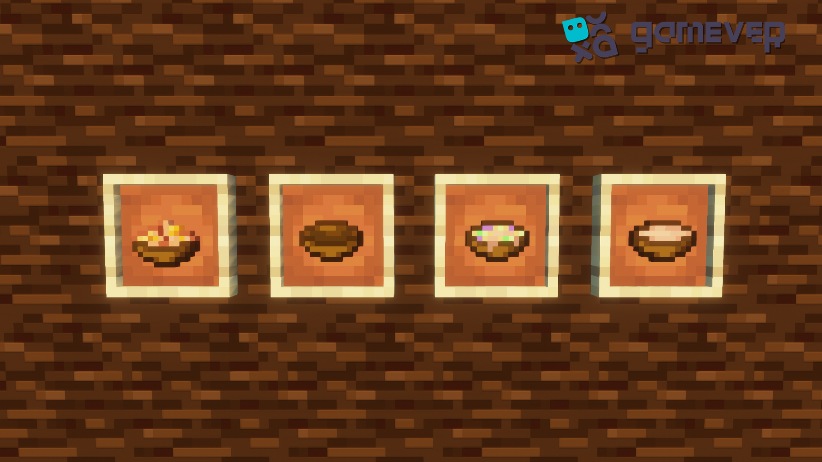
In the Minecraft universe, bowls play a significant role. They serve as containers for various stews, including beetroot soup, mushroom stew, and rabbit stew. These food items provide a tremendous energy boost, crucial for survival in Minecraft's challenging environments. Bowls are reusable, making them a worthwhile investment for every Minecraft adventurer.
Materials Required for Crafting a Bowl
The most fantastic aspect of crafting bowls is the simplicity of the materials required. All you need are three wooden planks, obtainable from any type of tree in the Minecraft world. It can be oak, spruce, birch, jungle, acacia, or dark oak. Once you've gathered the wooden planks, you're ready to proceed with the crafting process.
The Crafting Process
Step 1: Open the Crafting Menu
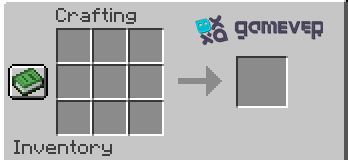
The first step is to open your crafting table to bring up the 3x3 crafting grid, the space where the magic happens. The crafting table is a crucial tool in Minecraft, offering a larger crafting area for more complex recipes, like our bowl.
Step 2: Place the Wooden Planks
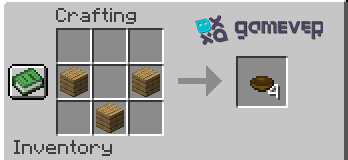
In the 3x3 crafting grid, place the three wooden planks in a specific arrangement. Place one wooden plank in the second box of the first row, one in the third box of the second row, and one in the second box of the third row. This arrangement should create a bowl shape in the crafting grid, symbolizing the item you're about to create.
Step 3: Move the Bowl to Your Inventory
Once you arrange the wooden planks correctly, a bowl will appear in the result box on the crafting table. When this happens, simply drag it into your inventory, and voila! You now have a bowl ready for use!
Enjoying Your Minecraft Bowl
Now that you've crafted your bowl, it's time to put it to good use! Harvest some mushrooms or cook some rabbit stew to fill your bowl. Remember, these food items can be a lifesaver when you're exploring dangerous terrain or building grand structures. Crafting multiple bowls ensures you'll always have food on your journey.
Conclusion
Creating a bowl in Minecraft is simple, yet it adds so much depth to your gaming experience. It provides you with the ability to craft nutritious stews, which is key to surviving and thriving in your Minecraft adventures. The steps we've outlined will have you well on your way to becoming a master bowl crafter in no time.
The joy of Minecraft comes alive when playing with friends. That's where Gamever comes in. Gamever offers you the opportunity to rent your very own server, providing an exclusive space for you and your friends to play. With your own server, you can share your Minecraft experiences, explore together, create together, and craft as many bowls as you wish. Experience the magic of Minecraft like never before, and make your gaming experience more interactive and memorable with Gamever.
So why wait? Start crafting, start exploring, and play together with Gamever, your ultimate choice for Minecraft server rentals.