
How to make a beacon in Minecraft
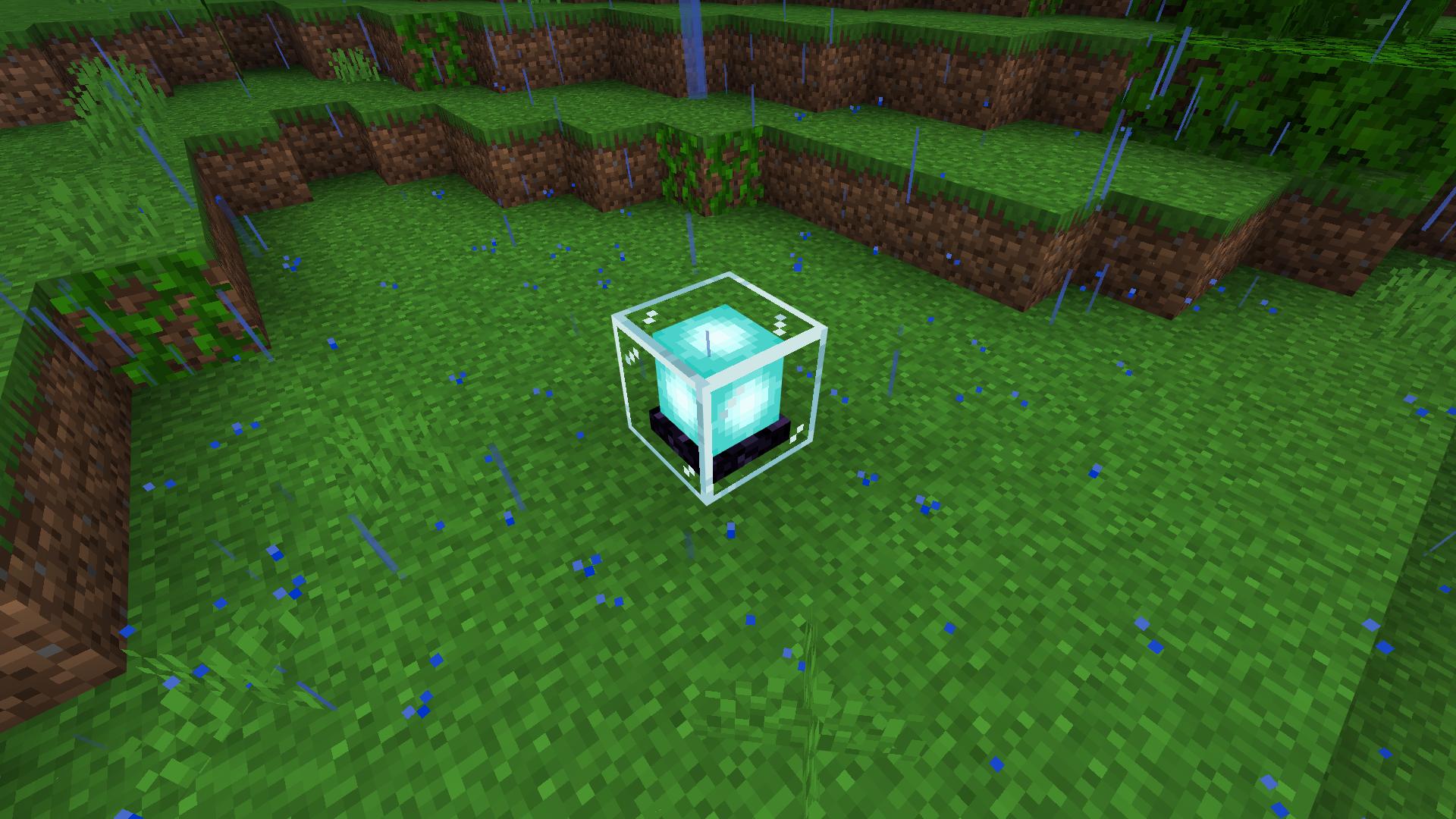
If you're looking to impress your fellow players and harness incredible abilities in Minecraft, mastering the art of crafting a beacon is the way to go. However, don't expect it to be a walk in the park. Crafting a beacon requires dedication, time, and a wide range of resources. But fear not, the rewards are well worth the effort. Prepare to illuminate the night sky and wield special powers that will make you the envy of all the Steves. Here's everything you need to know about crafting a Minecraft beacon, gathering the necessary materials, setting it up, and the powers it bestows upon you.
Crafting a Minecraft Beacon
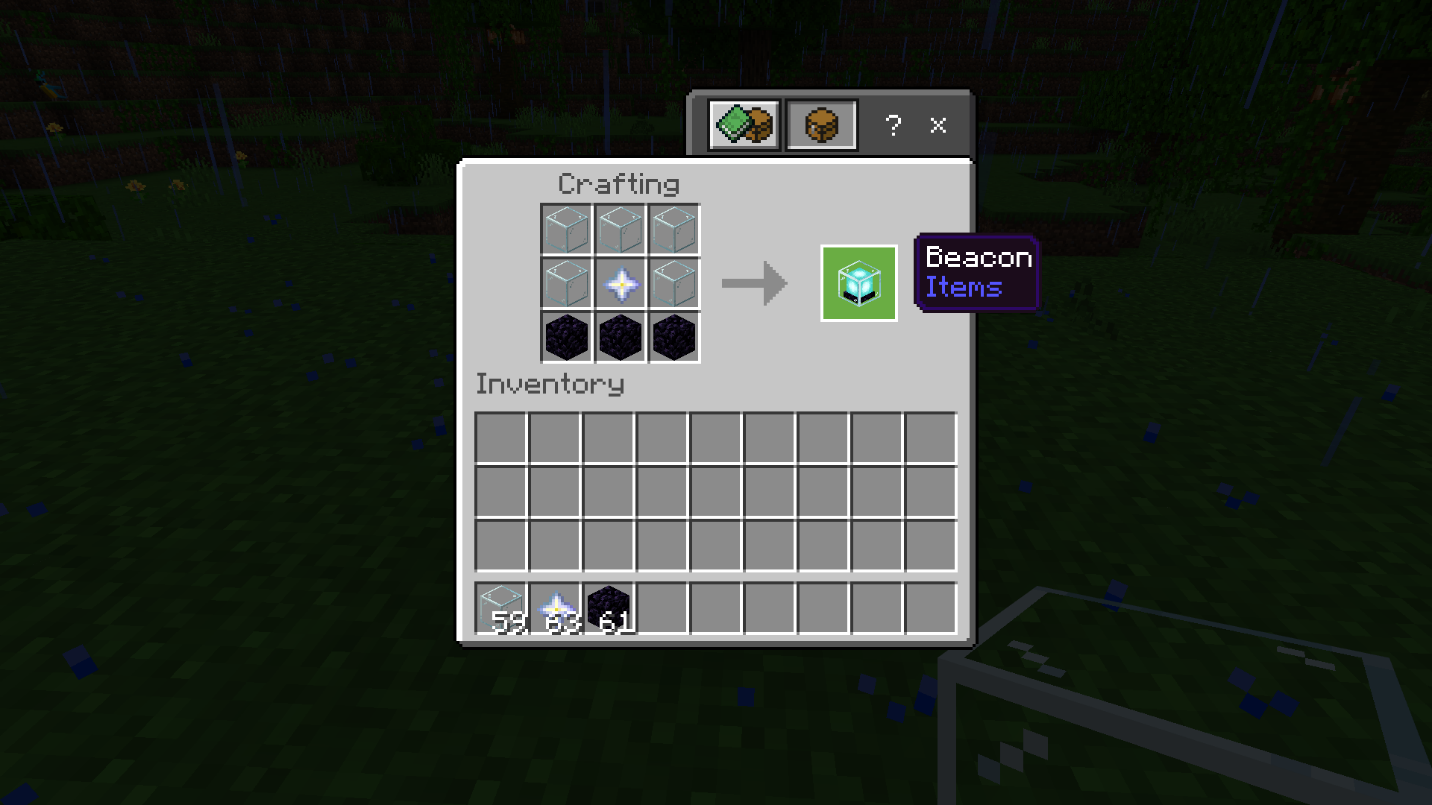
To create a Minecraft beacon, you'll need a Nether Star, three obsidian blocks, and five glass blocks. Place the Nether Star in the center of the crafting grid, arrange the obsidian blocks in the bottom row, and fill the remaining spaces with glass blocks. Voila! You have your beacon ready to be assembled.
Obtaining the Required Materials
Glass is relatively easy to obtain. You can find it in woodland mansions or create it by smelting sand in a Minecraft blast furnace. Just remember that glass is fragile, so be careful when mining it, especially if you're using the silk touch enchantment.
Getting your hands on a Nether Star is no small feat. Defeating the formidable Wither boss is the only way to obtain this rare item. Prepare yourself for a tough battle and refer to our guide on how to spawn and defeat the Wither.
As for obsidian, it occurs naturally in The End, end cities, woodland mansions, underwater ravines, and caves. You can also create obsidian by combining water and lava or mining it in the Nether or Overworld.
Activating the Beacon
Crafting the beacon is just the first step. To activate it, you need to create a pyramid structure for it to sit atop. The pyramid has different levels, and you can use iron, gold, emerald, or diamond blocks to construct it. The material and placement of the blocks are entirely up to you, as long as they form a pyramid structure. Keep in mind that each beacon requires a larger pyramid radius as you add more beacons, requiring more blocks and resources.
Harnessing Beacon Powers
Once your beacon is activated, it's time to choose your powers. Different levels of the pyramid unlock various abilities. You can select your desired power in the beacon's GUI when you reach each level. The primary powers include Speed I, Haste I, Resistance, Jump Boost, and Strength I. Feed your beacon an iron ingot, gold ingot, emerald, or diamond to obtain these powers.
Reaching pyramid level four allows you to select a secondary effect, either regeneration or increased strength for your primary powers. Use the beacon GUI to make your choice.
Customizing the Beacon's Color
Want to add a personal touch to your beacon? You can change its color by placing a stained glass panel above the beacon's light. Create a stained glass panel by surrounding a dye of your choice with eight glass blocks in the crafting screen. The color of the stained glass determines the hue of the beacon's light.
Remember to protect your pyramid. If any of the blocks get damaged, your beacon will cease to function. Keep an eye on its condition and promptly repair any damage to maintain your status and powers.
With this guide, you're now equipped with the knowledge to craft a Minecraft beacon, bask in its radiant glow, and wield incredible abilities. Get ready to embark on an illuminating adventure and leave your mark on the world of Minecraft.
Conclusion
Crafting a beacon in Minecraft is a challenging yet rewarding endeavor that allows you to unlock extraordinary powers and showcase your skills to other players. As you illuminate the night sky with your beacon's radiant glow, you'll become the envy of all the Steves in the Minecraft universe. But the journey doesn't end there.
To take your Minecraft experience to new heights, we recommend joining the Gamever servers. Gamever offers a dynamic and vibrant community of Minecraft enthusiasts where you can connect with like-minded players, participate in exciting events, and engage in thrilling adventures. Whether you're a master builder, an expert explorer, or a seasoned warrior, Gamever provides the perfect platform to showcase your creativity and forge unforgettable memories.
On the Gamever servers, you'll find a supportive community that shares your passion for Minecraft. Collaborate with fellow players on ambitious projects, embark on epic quests, or engage in competitive challenges. With a diverse range of game modes and custom features, Gamever ensures that there's always something new and exciting to explore.
Don't limit yourself to solitary Minecraft sessions. Join Gamever and become part of a thriving community where you can make friends, exchange ideas, and learn from the best. Whether you're a novice or a seasoned player, Gamever offers a welcoming environment where everyone can thrive.
So, what are you waiting for? Take the knowledge you've gained from this guide, craft your beacon, and head over to the Gamever servers to embark on an illuminating adventure. Unleash your creative potential, make lasting memories, and leave your mark on the vibrant world of Minecraft. The Gamever servers await your arrival.