
How to Join Rust Server with IP
Rust, the popular multiplayer survival game, offers an array of active servers where players can experience thrilling adventures. Whether you've found an interesting server online or created one yourself, joining a server using its IP address is a useful skill.
Favoriting the Server on Steam
Favoriting a server on Steam is a simple and effective way to join a Rust server using the IP address:
1. Launch Steam and click the "View" button in the upper left corner.
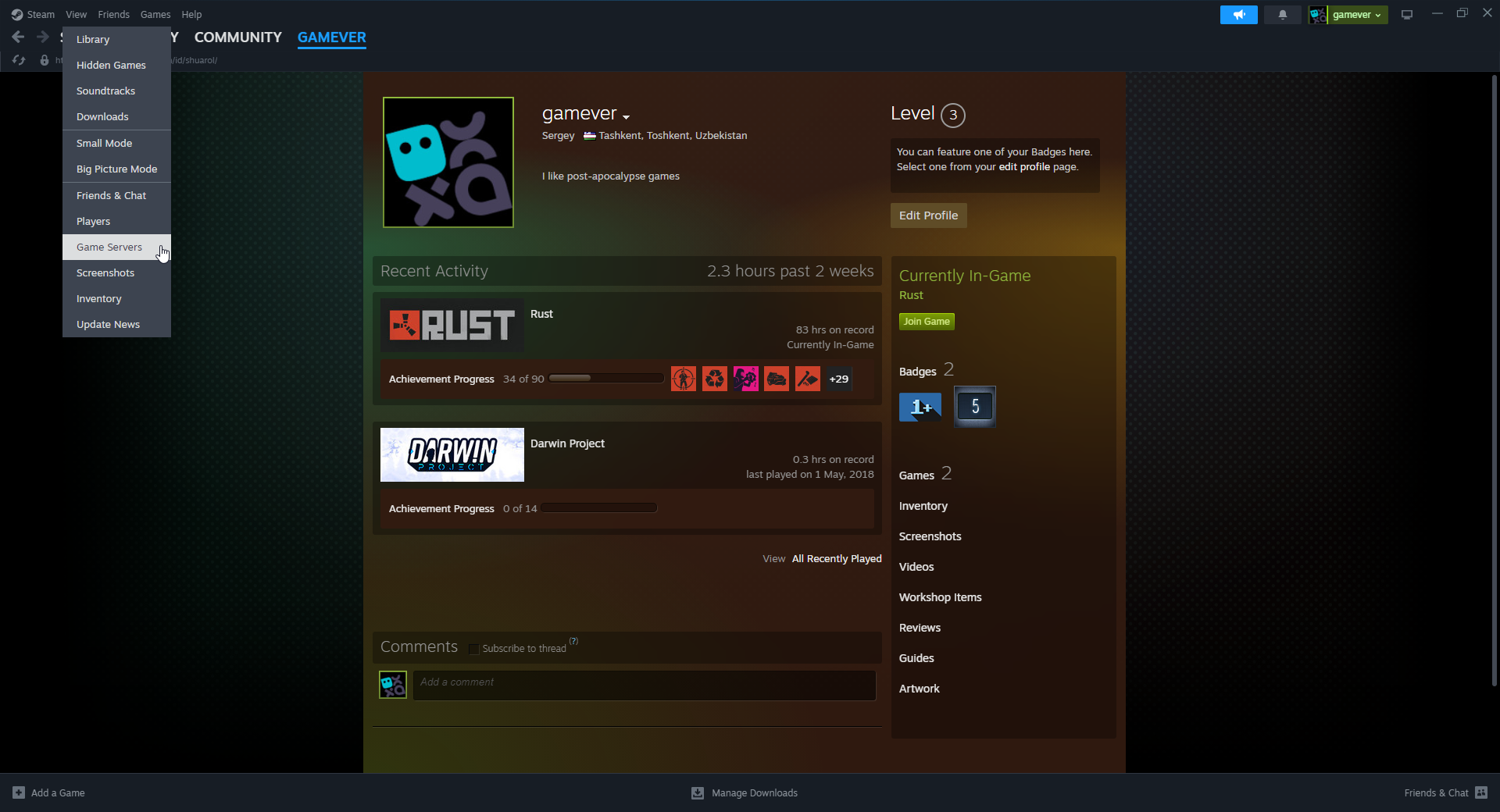
2. Select the "Servers" option.
3. If you're not on the "Favorites" tab, navigate to it.

4. Click the "Add Server" button in the bottom right corner.
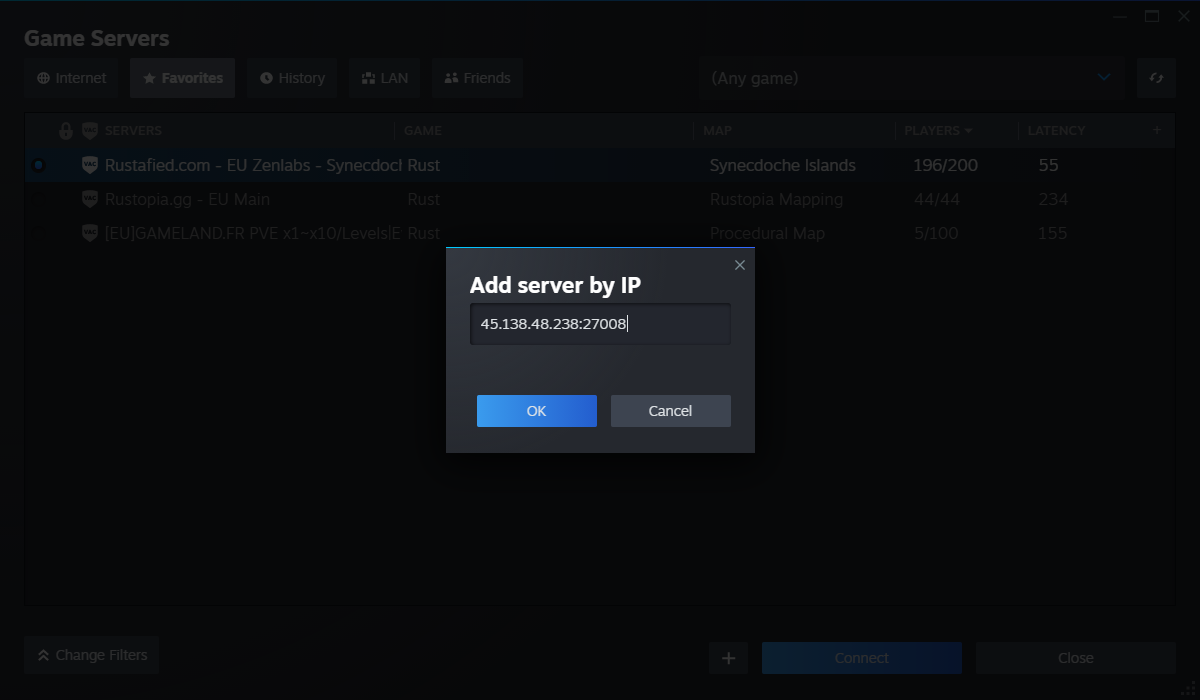
5. Enter the IP address of the server you wish to join and select "Add this Address to Favorites."

6. Right-click the server and choose the "Connect to server" option to launch Rust and join the server.
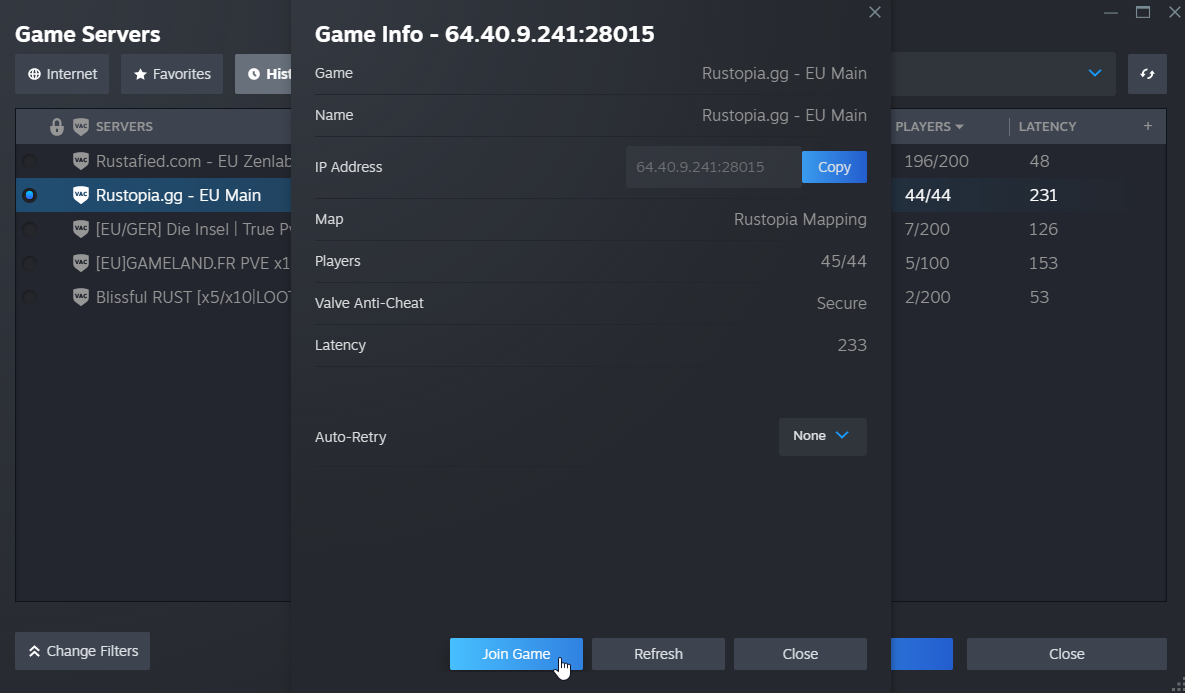
By adding the server to your favorites on Steam, you can easily find it in the Favorited tab within the game, making future connections hassle-free.
Joining via the Console
If you've already launched Rust, you can use the in-game console to join a server using its IP address:
1. Press the F1 key to open the console.
2. Make sure "CONSOLE" is selected in the top left corner of your screen.
3. Type the command: `client.connect <IP:port>` and press Enter.
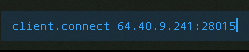
Ensure you replace "<IP:port>" with the actual IP address and port number of the server. The format should resemble something like this: "123.456.789.01:28015." The last two digits of the port number can vary, but they're essential for the connection.
In conclusion
By following these steps, you'll successfully join your desired Rust server using its IP address. Remember, whether you're favoriting the server on Steam or using the console, understanding the server's IP and port is crucial for a smooth connection.