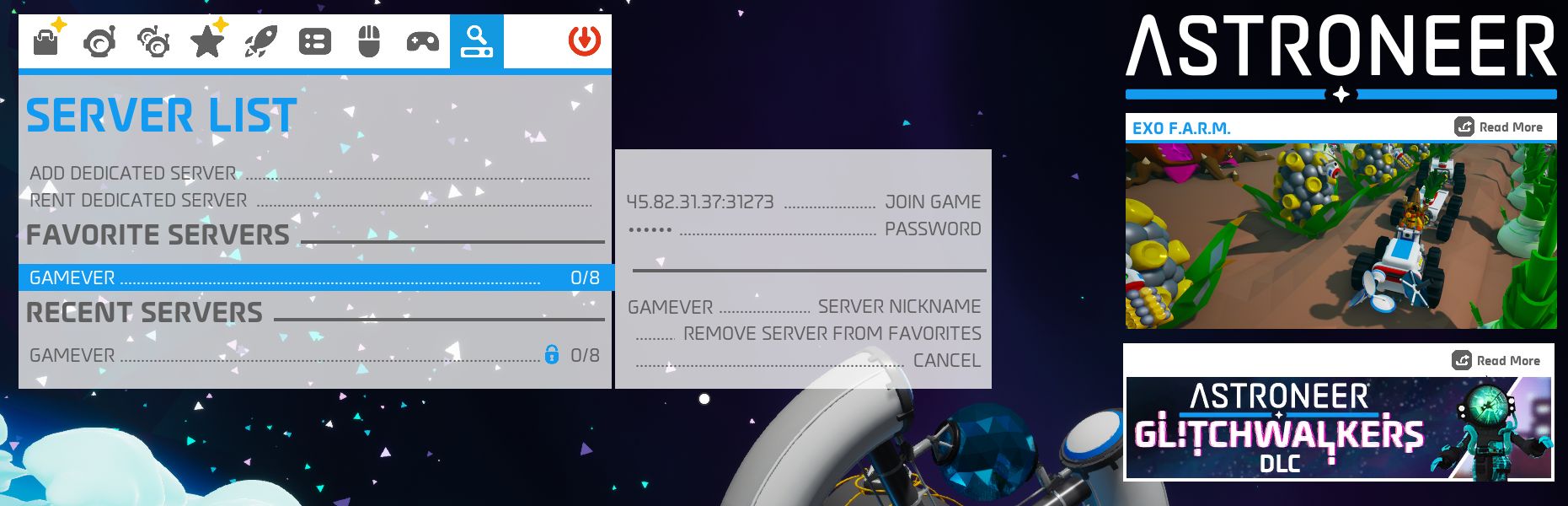
how to join ASTRONEER Gamever server
To join ASTRONEER server you firstly need to disable encryption of the game connection. To do this you need to locate the Engine.ini file on your file system (usually located under <<User Home>>/AppData/Local/Astro/Saved/Config/WindowsNoEditor) and add the following line to the bottom of the file:
[SystemSettings]
net.AllowEncryption=False
Than you need to save and close file.
In this short tutorial we will show you how to connect to your ASTRONEER server:
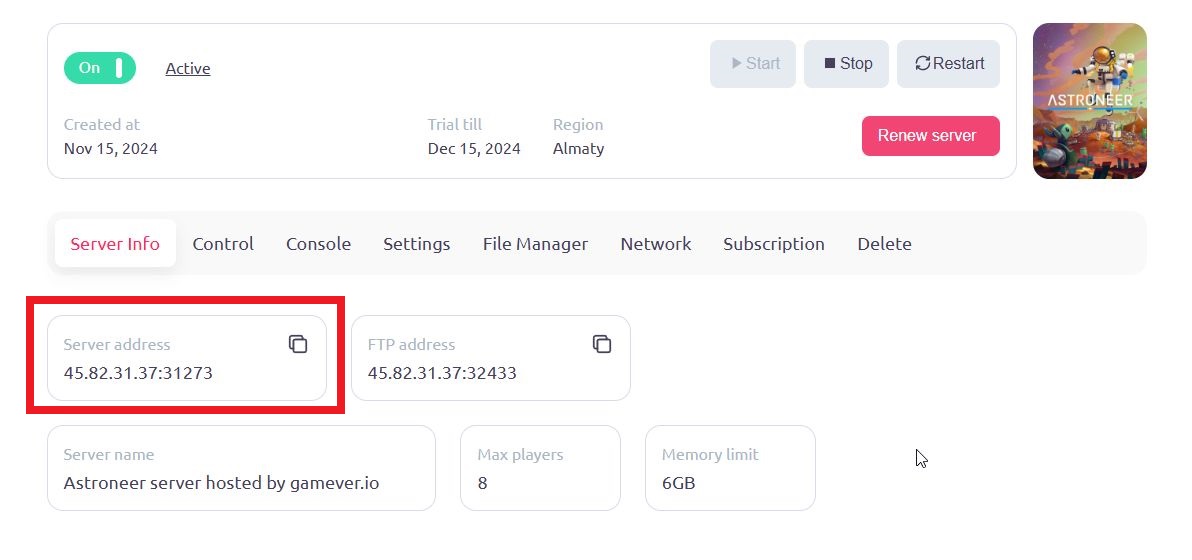
1) Find IP address and password of server you wish to join. You can find IP in Server info tab of your server control panel.
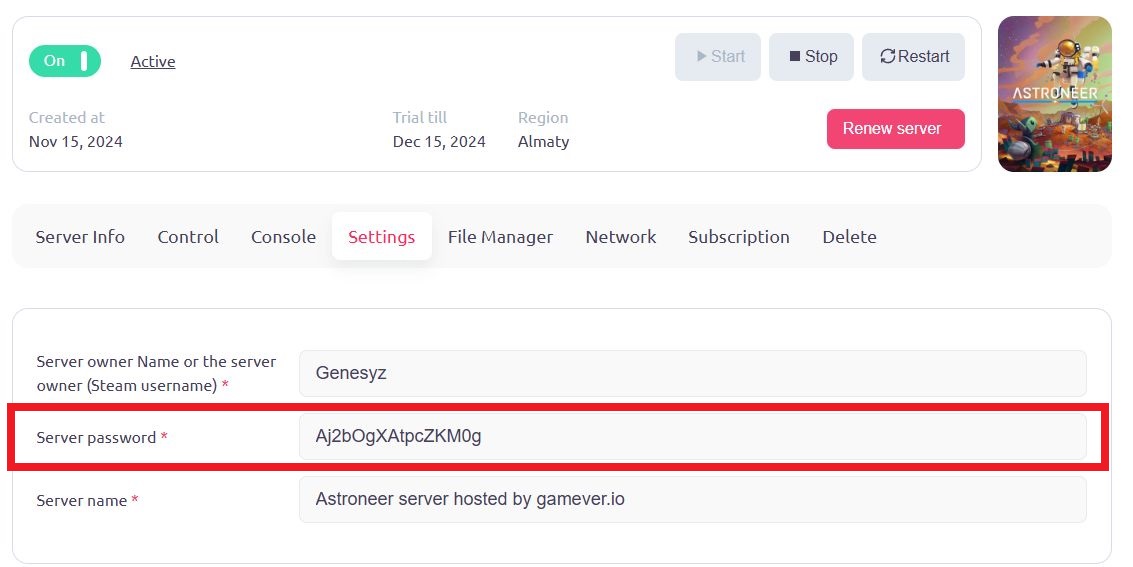
You can find password of your server in Settings tab of your server control panel
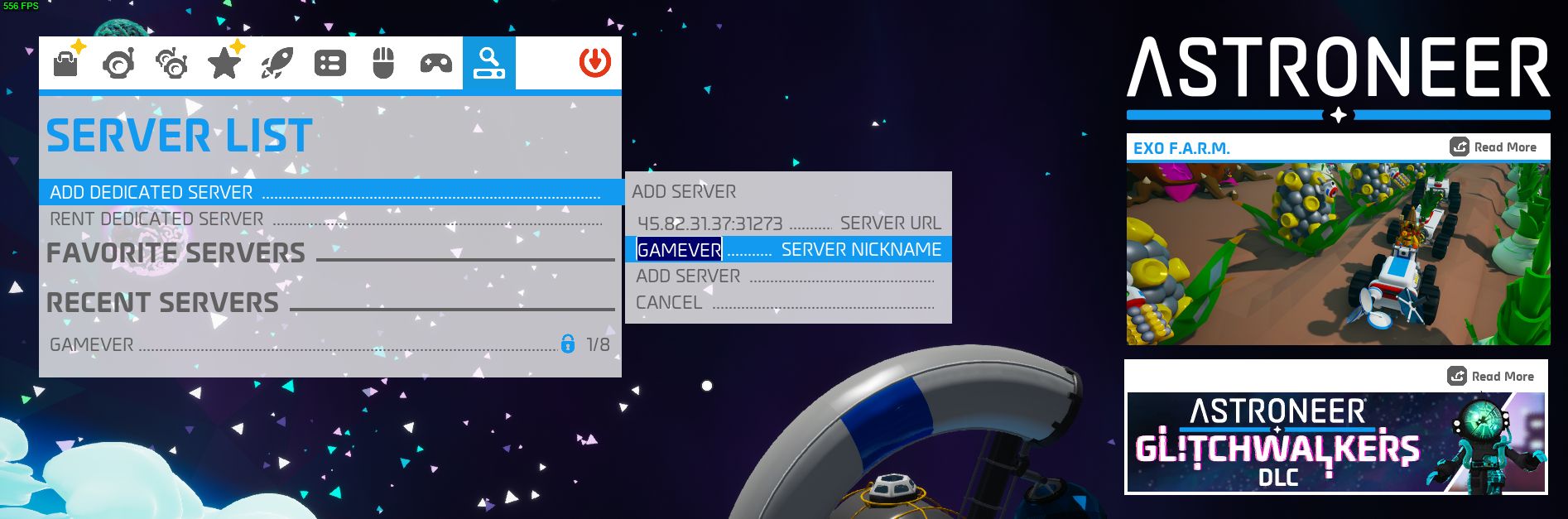
2) Go to in-game server list, choose ADD SESICATED SERVER option, write your IP as server url and any nikname for your server and press ADD SERVER.
3) Choose your server from the list of servers, write the password for your server and press JOIN GAME.