How to join Ark Survival Evolved Gamever Server
To join Ark: Survival Evolved server you need to find IP address of server you wish to join. In Gamever.io you can find 2 different IP addresses of your server – first is issued when you are using Steam client to connect ( in blue rectangle ) and the second one is isud when you are trying to connect via Epic Games launcher.
Steam Connect
Copy Ip address which is located in Steam address pole (red rectangle).

In this short tutorial we will show you how to connect to your Gamever Ark server via Steam client.
There are few simple steps for you to follow:
1) Check that you have copied right IP address (depends on a client you use).
2) Launch Steam client.
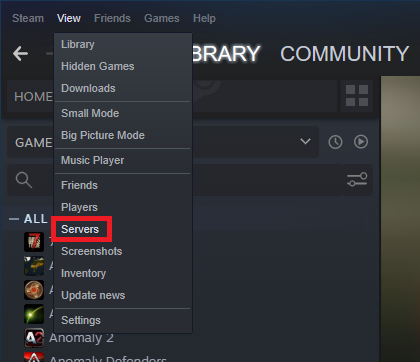
3) Press ”View” button (it is located in left-upper corner.

4) Click on the “servers” button.
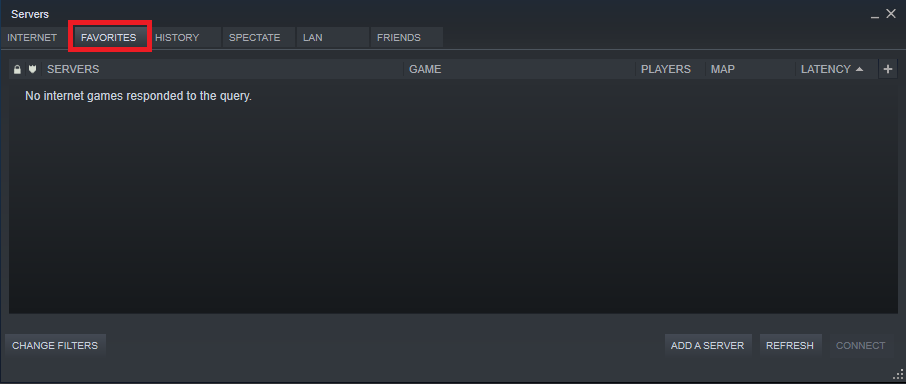
5) Click on ”Favorites” button.
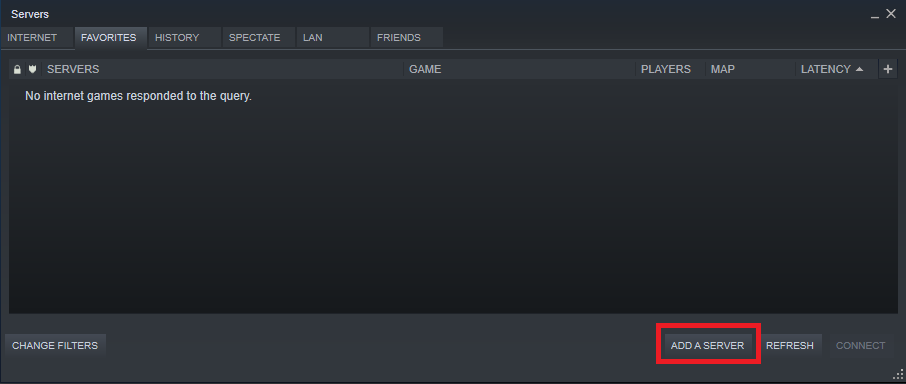
6) Press ”ADD A SERVER” button.
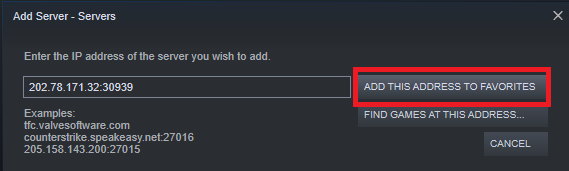
7) Enter your server IP address and then click on the ”ADD THIS ADDRESS TO FAVORITES” button.
8) Your ”Favorites” server list should now display your server.
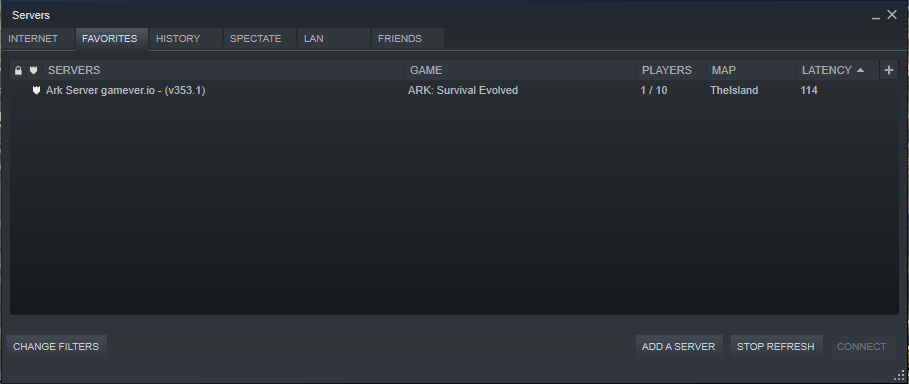
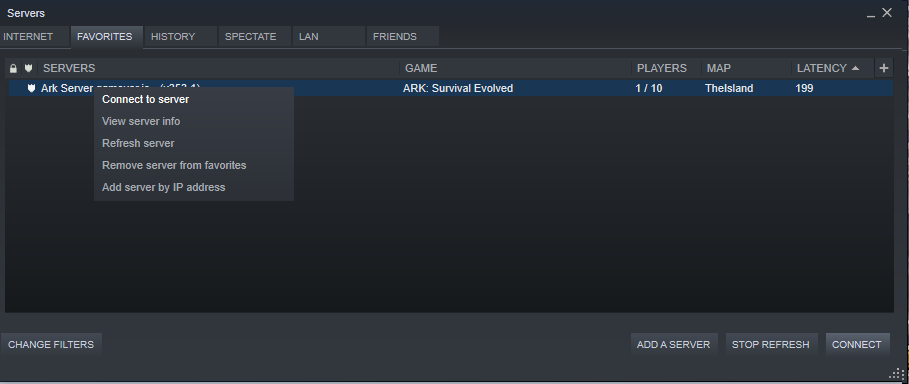
9) Right click on your server and press ”Connect to server” button.
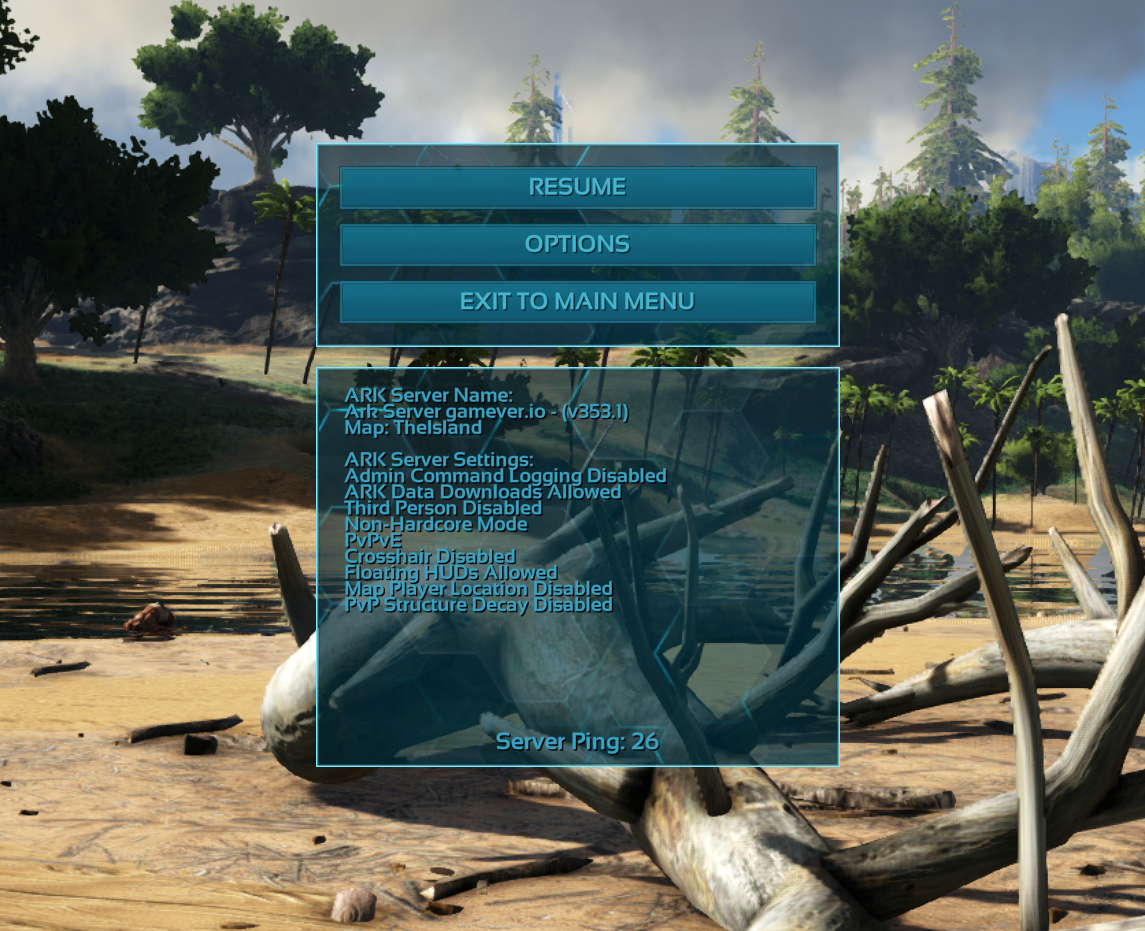
Enjoy playing on your brand new Gamever server!
PS
You can now connect to your server just by using ingame interfaces. To do so you need to:
1) Launch your game.
2) Click ”JOIN”.
3) In ”SESSION LIST” find ”SESSION FILTER”checkbox and choose ”FAVORITES”.