
How to Install Xaero’s Minimap for Minecraft
Xaero’s Minimap is a must-have mod for Minecraft players who want a real-time map displaying terrain, mobs, structures, and more. With customizable settings and helpful features, this mod makes navigation a breeze. In this guide, we’ll walk through the steps to install Xaero’s Minimap and explain its useful features, including waypoint management, Cave Mode, and more. It’s also ideal for multiplayer on Gamever servers, where efficient navigation can elevate your gameplay.
Step 1: Download Xaero’s Minimap
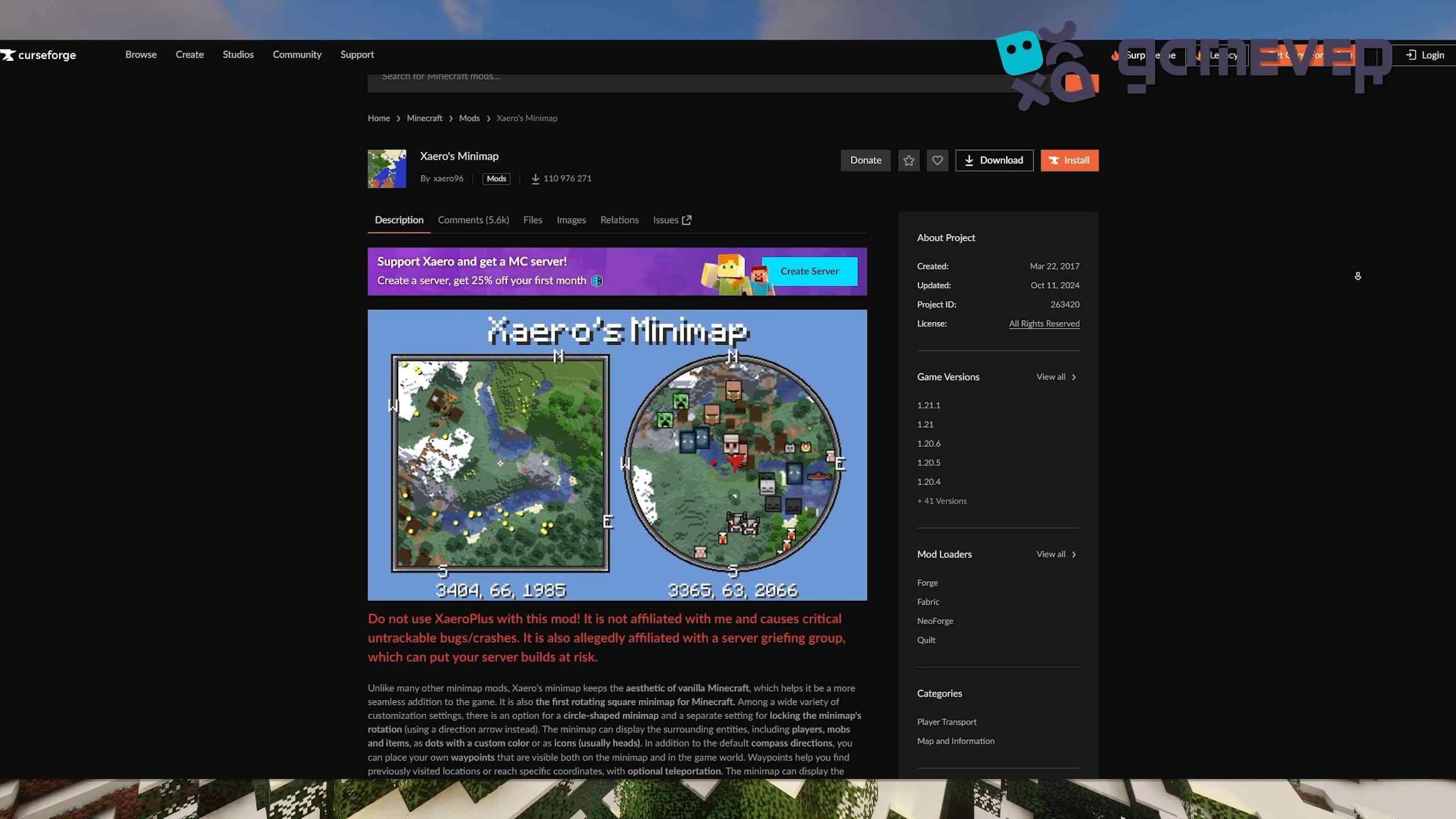
To start, download Xaero’s Minimap from CurseForge or another trusted modding site.
- Visit the Xaero’s Minimap page on CurseForge.
- Download the version compatible with your Minecraft installation.
Step 2: Install Minecraft Forge or Fabric
Xaero’s Minimap requires Minecraft Forge or Fabric for smooth operation.
- Download Forge from Forge’s official site or Fabric from Fabric’s site.
- Follow installation instructions, ensuring the mod loader matches your Minecraft version.
- Open Minecraft and select the Forge or Fabric profile.
Step 3: Place Xaero’s Minimap in the ‘Mods’ Folder
After downloading, place the Xaero’s Minimap .jar file into Minecraft’s mods folder.
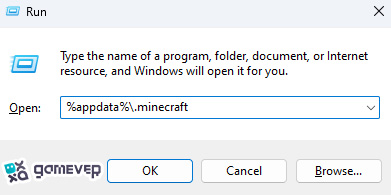
If the mods folder doesn’t exist, create one manually and move the Xaero’s Minimap .jar file into it.
Step 4: Launch Minecraft
Start Minecraft using the Forge or Fabric profile. Once loaded, Xaero’s Minimap will appear on your screen, ready to use.
Key Features of Xaero’s Minimap
Xaero’s Minimap offers various customizable tools to enhance your gameplay:
1. Real-Time Minimap Display
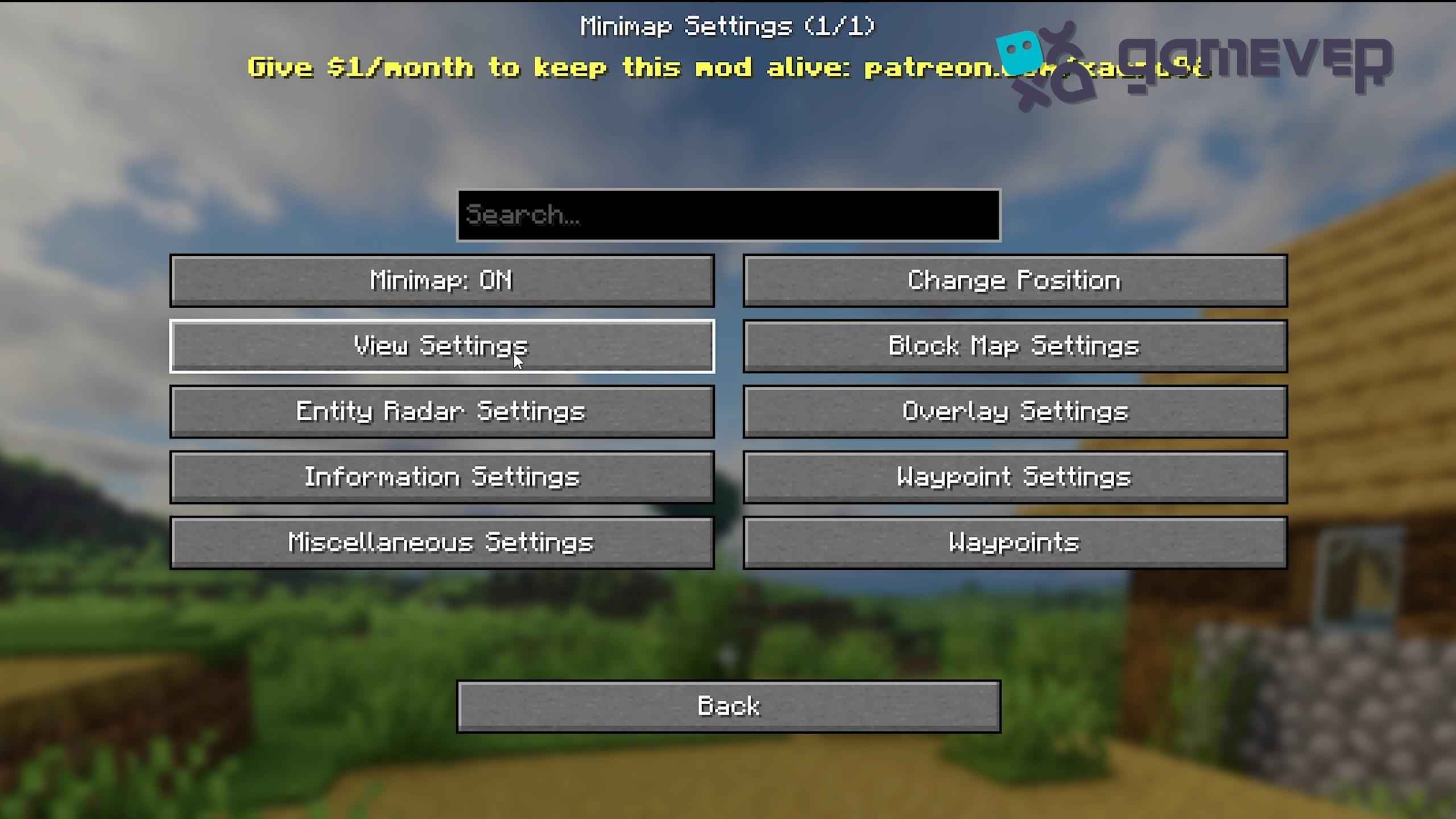
The mod shows a live map of your surroundings with options to adjust the map’s size, shape (square or circular), and position on your screen. Press Y to access the settings menu.
2. Waypoint System
Set and manage waypoints with Xaero’s robust waypoint system:
- Create Waypoints: Press B to set a waypoint, name it, and choose a custom color.
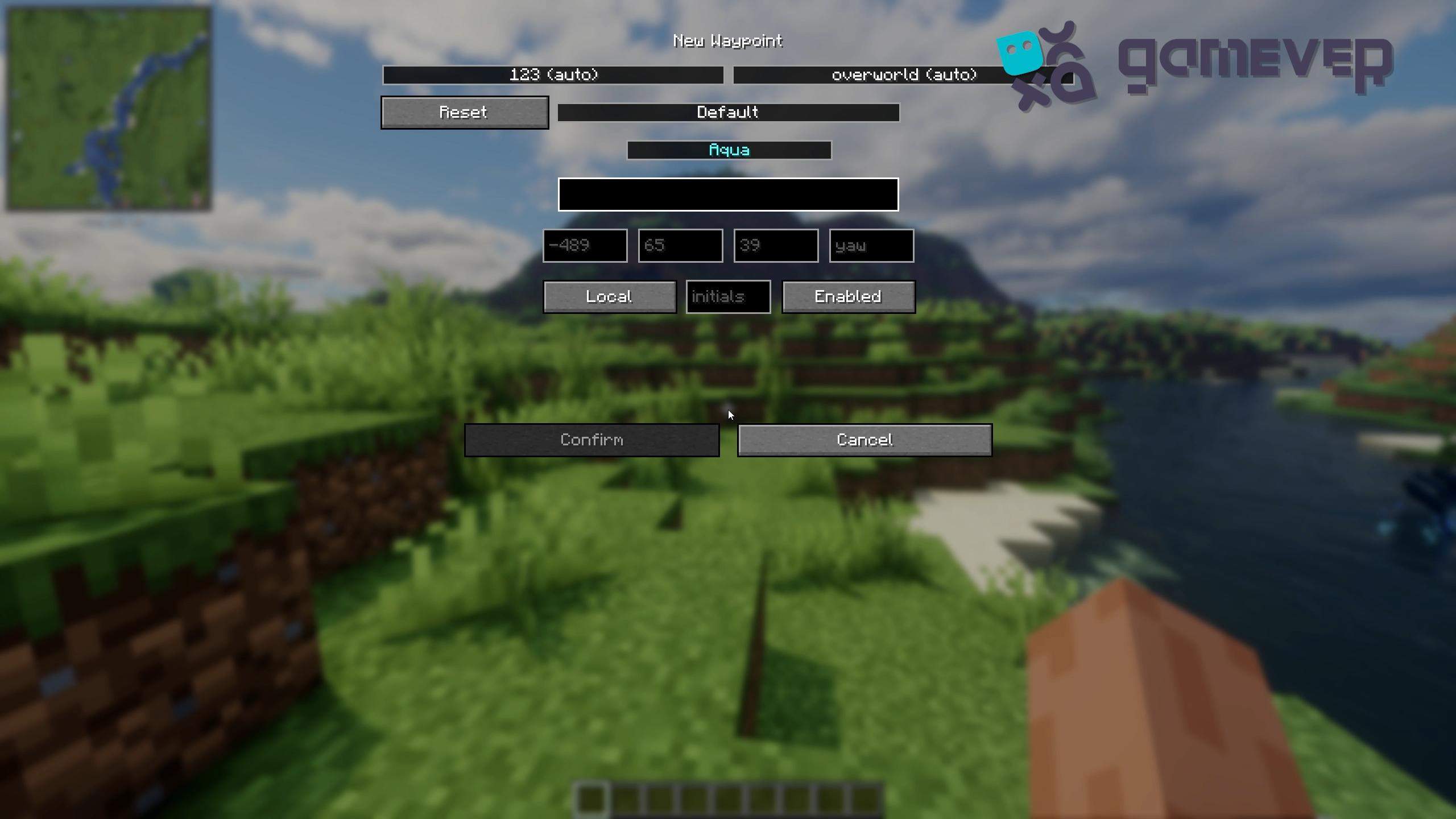
- Manage Waypoints: Press U to open the waypoint menu, where you can edit, teleport (if permitted), or remove waypoints.
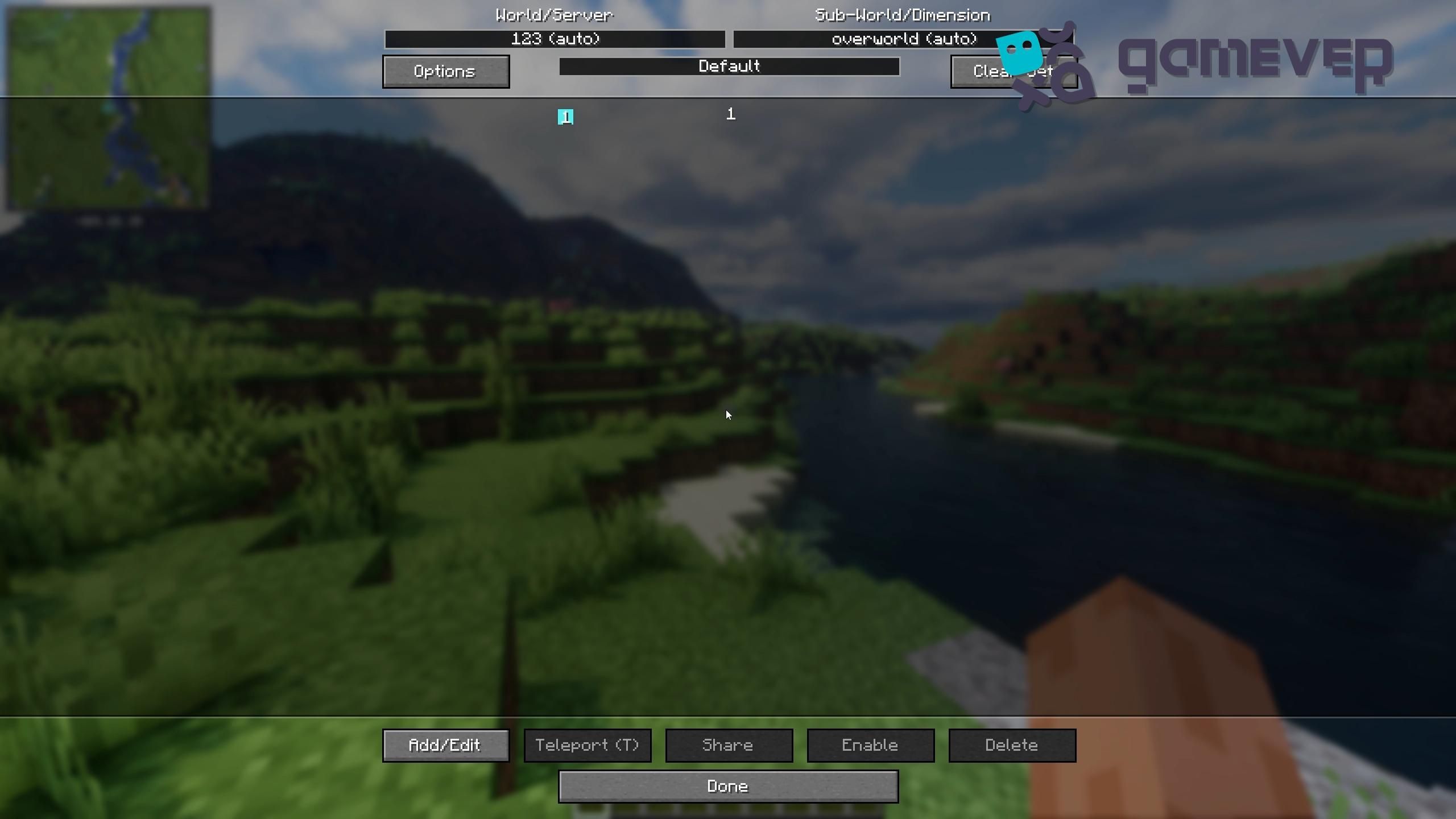
This feature is perfect for marking key locations or tracking coordinates across large maps.
3. Cave Mode and Entity Radar
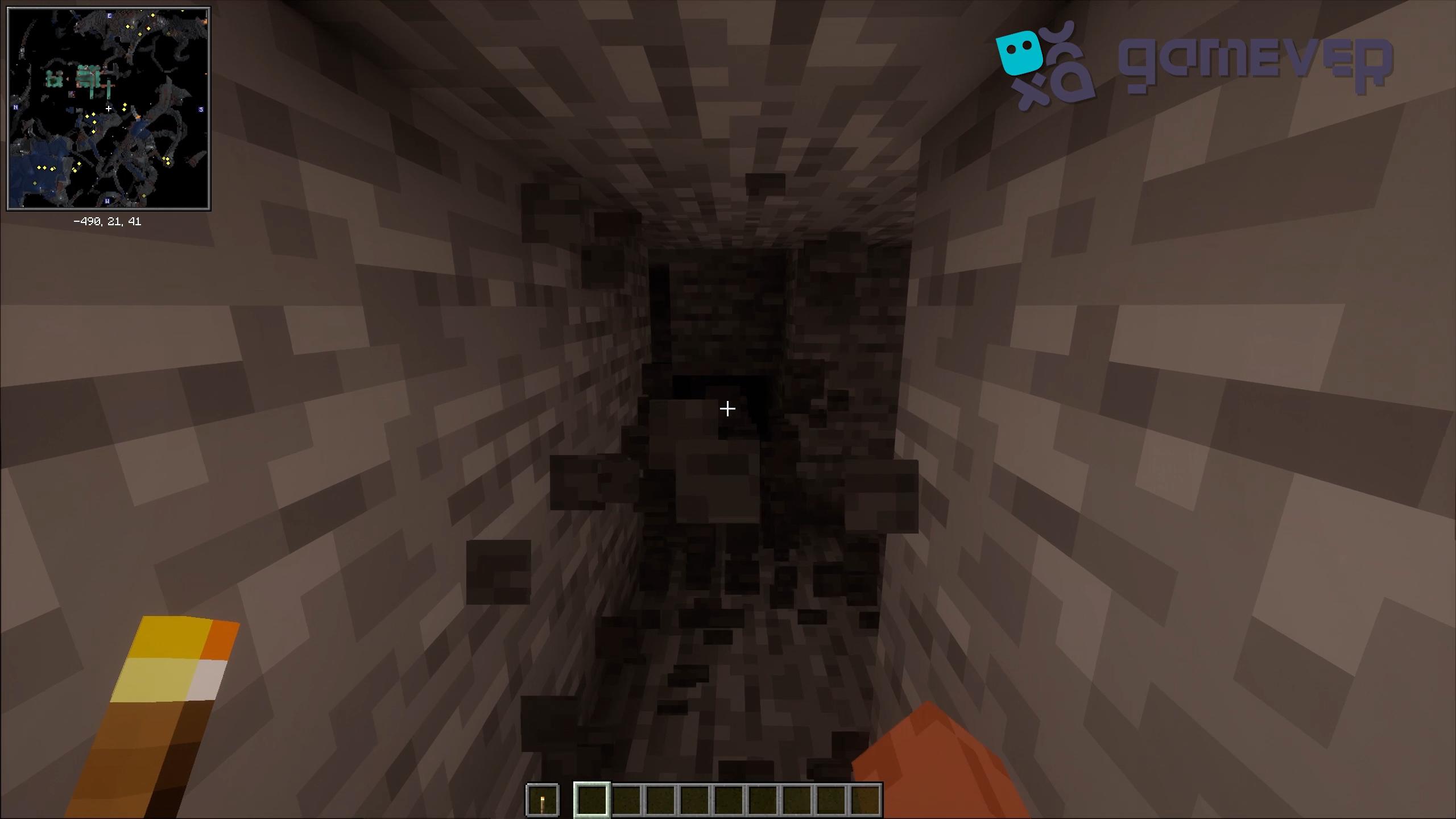
Xaero’s Minimap includes Cave Mode for mapping underground caves in real-time. The Entity Radar feature displays icons for nearby mobs and players, adding visibility for safer exploration and tracking.
4. Custom Keybindings
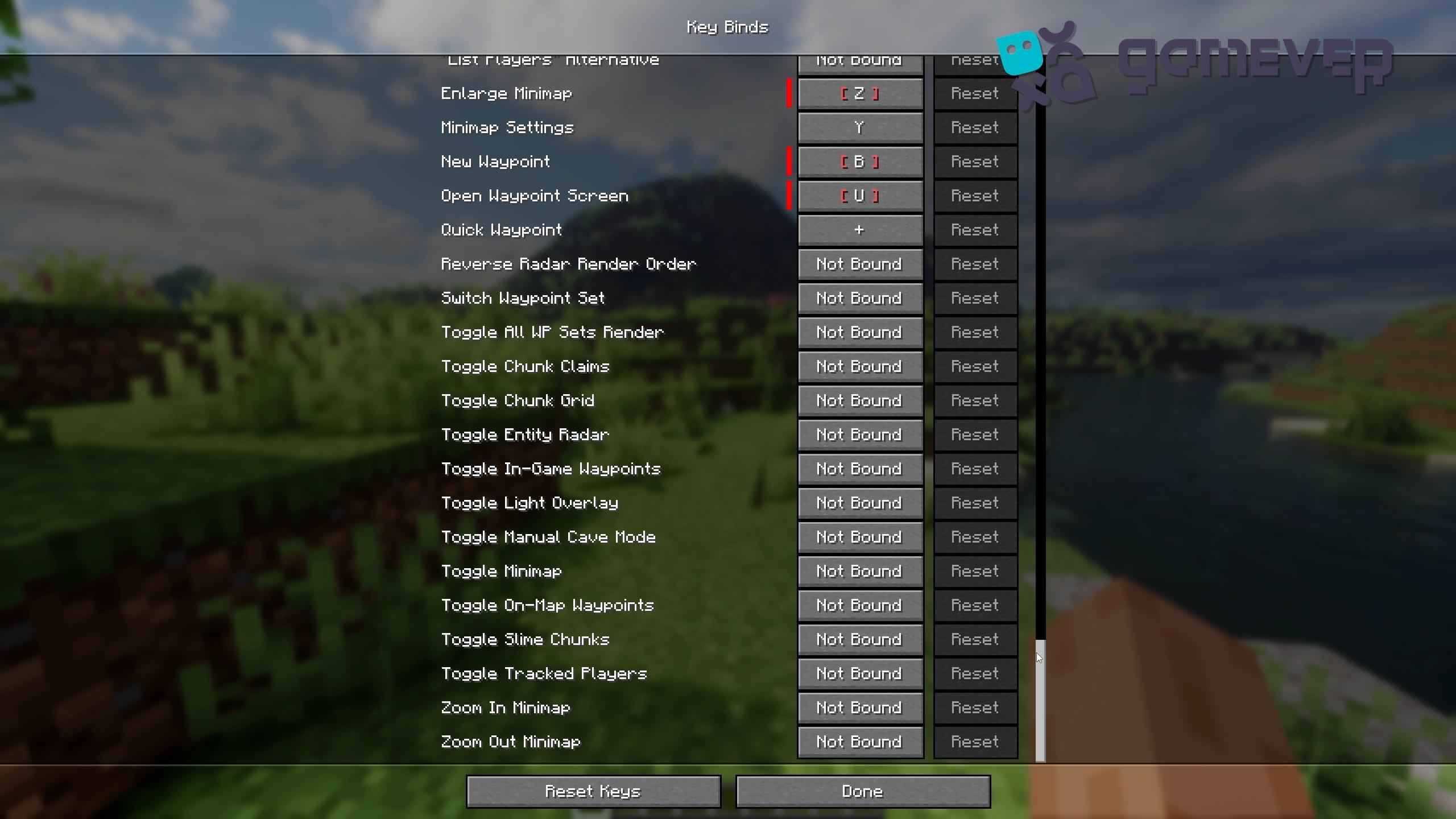
Xaero’s Minimap allows you to customize keybindings for simple access to various features, such as opening waypoints, toggling Cave Mode, and zooming in and out. This flexibility makes it simple to control the map based on your playstyle.
Benefits of Using Xaero’s Minimap on Gamever Servers
When playing on Gamever servers, Xaero’s Minimap enhances multiplayer navigation, making it easier to locate teammates, mark points of interest, and explore safely:
- Coordinated Gameplay: Waypoints help teammates find each other quickly and work together seamlessly.
- Safe Exploration: With real-time terrain and mob tracking, you’re always aware of your surroundings, even underground.
- Customizable Display: Adjust the map to fit any screen or playstyle, making group exploration efficient and enjoyable.
Conclusion
Installing Xaero’s Minimap brings essential navigation tools to Minecraft, from real-time mapping to customizable waypoints and cave exploration. Whether you’re exploring solo or teaming up on Gamever servers, this mod adds valuable visibility and control over your gameplay.