
How to Install the Sophisticated Backpacks Mod for Minecraft
The Sophisticated Backpacks mod offers an exceptional storage solution in Minecraft, allowing players to carry and customize backpacks with extensive upgrade options. With this mod, you can enjoy mobile storage, item pickup, feeding, and even fluid transport, making it a must-have for any adventurer. Here’s a guide to installing the mod, crafting backpacks, and upgrading them with powerful features. We will also explore the additional benefits of using this mod on Gamever servers.
Step 1: Download the Sophisticated Backpacks Mod
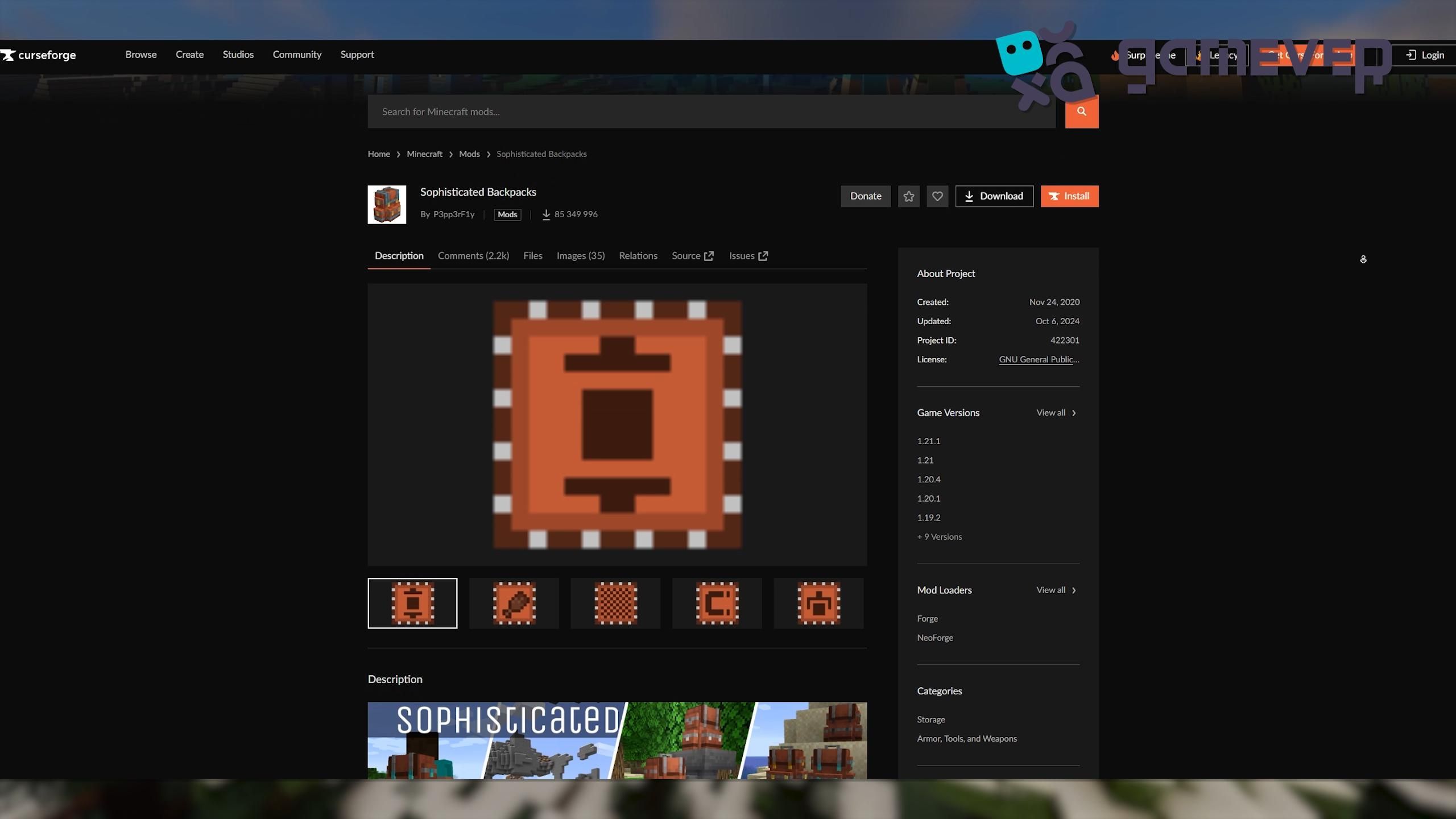
Start by downloading Sophisticated Backpacks from CurseForge.
- Visit the Sophisticated Backpacks page on CurseForge.
- Download the version that matches your Minecraft installation.
Step 2: Install Minecraft Forge or NeoForge
To run Sophisticated Backpacks, you’ll need Minecraft Forge or NeoForge installed.
- Download Forge from Forge’s site or NeoForge.
- Install it following the instructions to match your Minecraft version.
- Select the Forge or NeoForge profile in your Minecraft launcher to complete installation.
Step 3: Place the Mod in the ‘Mods’ Folder
After downloading, place the Sophisticated Backpacks .jar file into Minecraft’s mods folder.
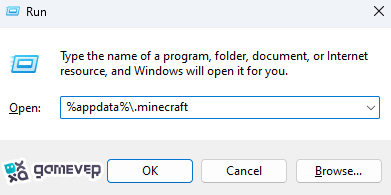
If the mods folder doesn’t exist, you can create it manually. Drop the downloaded .jar file here.
Step 4: Launch Minecraft
Open Minecraft using the Forge or NeoForge profile. Once loaded, Sophisticated Backpacks will be active and ready for use.
Crafting and Using Sophisticated Backpacks
1. Crafting Your First Backpack
To craft a basic leather backpack:
- Gather 4 leather, 4 strings, and 1 chest.
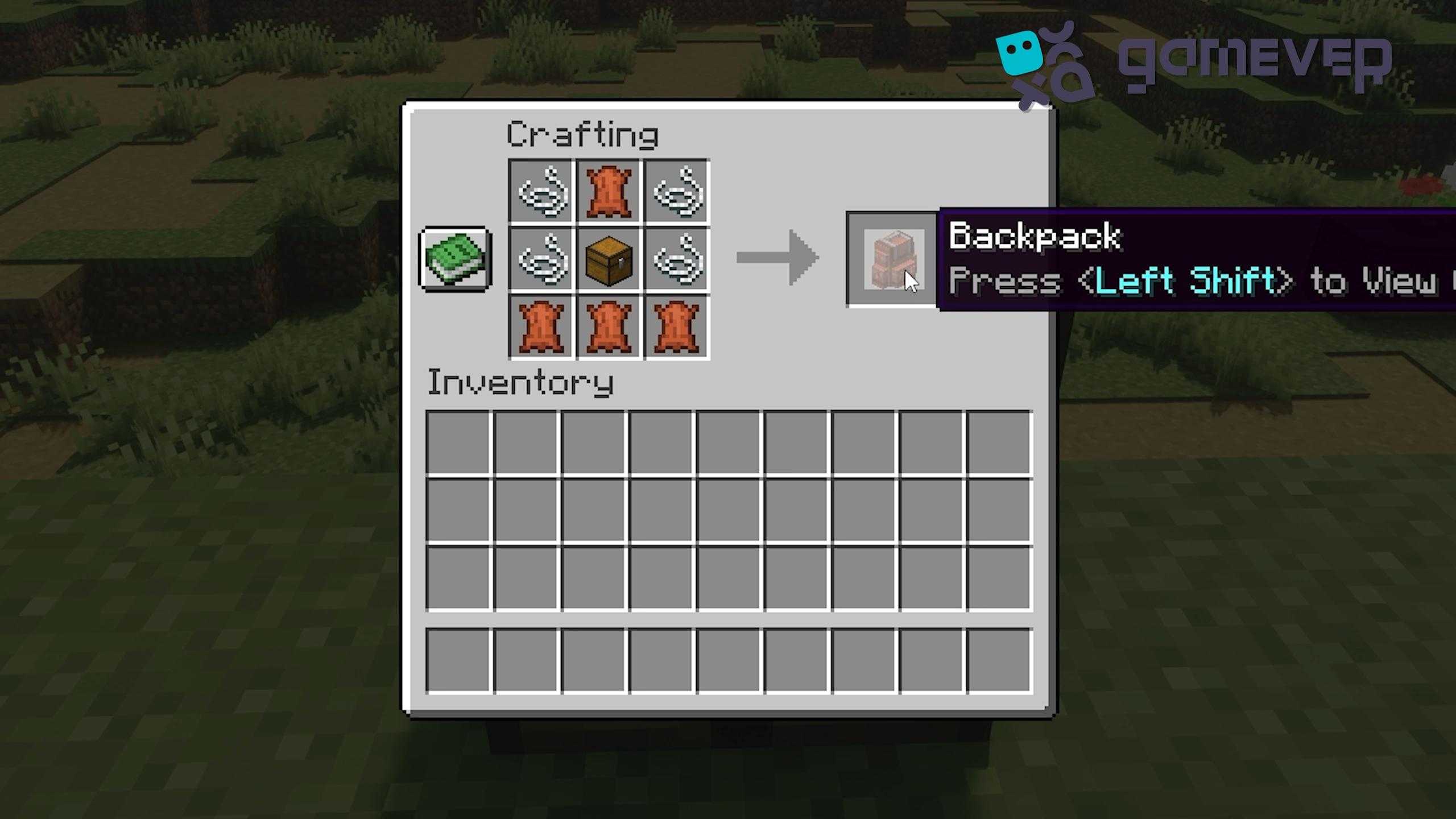
- Place these items in the crafting table to create a leather backpack with 27 storage slots. Access it by pressing the B key or right-clicking while holding it.
2. Backpack Customization
Sophisticated Backpacks offers endless customization with dual-dye options:
- Use a crafting table to dye your backpack in two colors—main and accent.

- To change colors later, simply wash off the dye in a cauldron.
3. Upgrading Tiers
The backpacks have multiple upgrade tiers: Copper, Iron, Gold, Diamond, and Netherite. Each tier increases storage and upgrade slots:
- Place your backpack in the crafting table with the appropriate material (e.g., iron ingots for Iron Backpack).

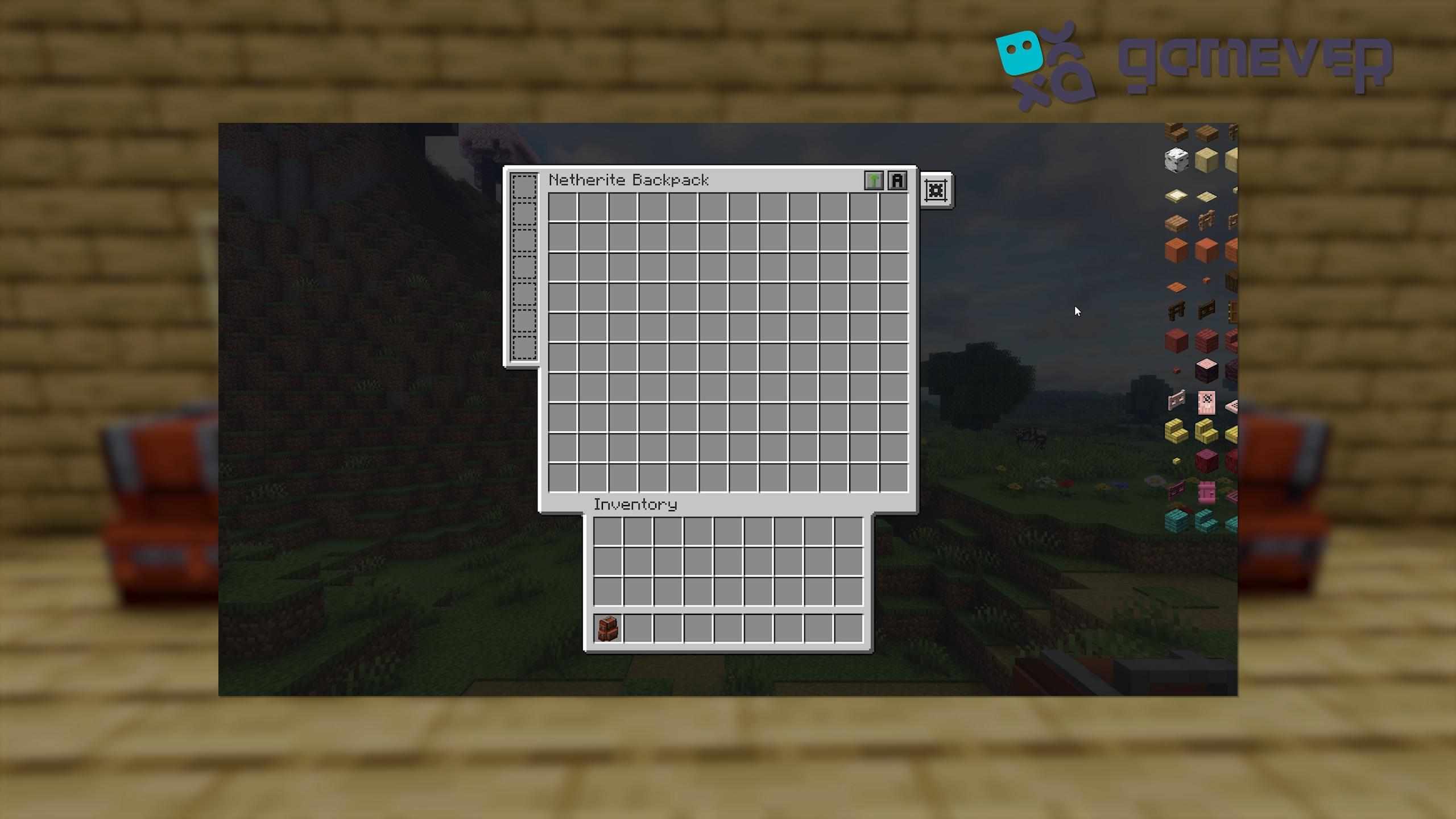
The Netherite Backpack is the top tier, with 120 storage slots and 7 upgrade slots.
Useful Upgrades for Your Backpack
The mod includes over 20 upgrades, including:
- Pickup Upgrade: Automatically collects specific items, great for resource gathering.
- Feeding Upgrade: Feeds you automatically when hungry, ideal for combat or exploration.
- Crafting Upgrade: Turns your backpack into a portable crafting table.
- Tank Upgrade: Stores fluids, such as water or lava, within your backpack.
- Magnet Upgrade: Pulls nearby items into your backpack, saving you time on collection.
Benefits of Using Sophisticated Backpacks on Gamever Servers
When playing on Gamever servers, this mod greatly enhances multiplayer gameplay:
- Streamlined Resource Management: Quickly collect and organize resources without returning to base.
- Shared Storage Options: Set down your backpack for shared access, ideal for team projects.
- Enhanced Exploration: With automatic feeding and item collection, you’re always prepared for adventure.
Conclusion
The Sophisticated Backpacks mod is essential for Minecraft players looking for portable storage, customization, and useful upgrades. From crafting to upgrades, this mod provides a dynamic storage solution that can keep up with your adventures. And on Gamever servers, it enhances team efficiency, making it a fantastic addition for multiplayer fun.