
How to Install the Project A-Life NPC Mod on a Project Zomboid Server
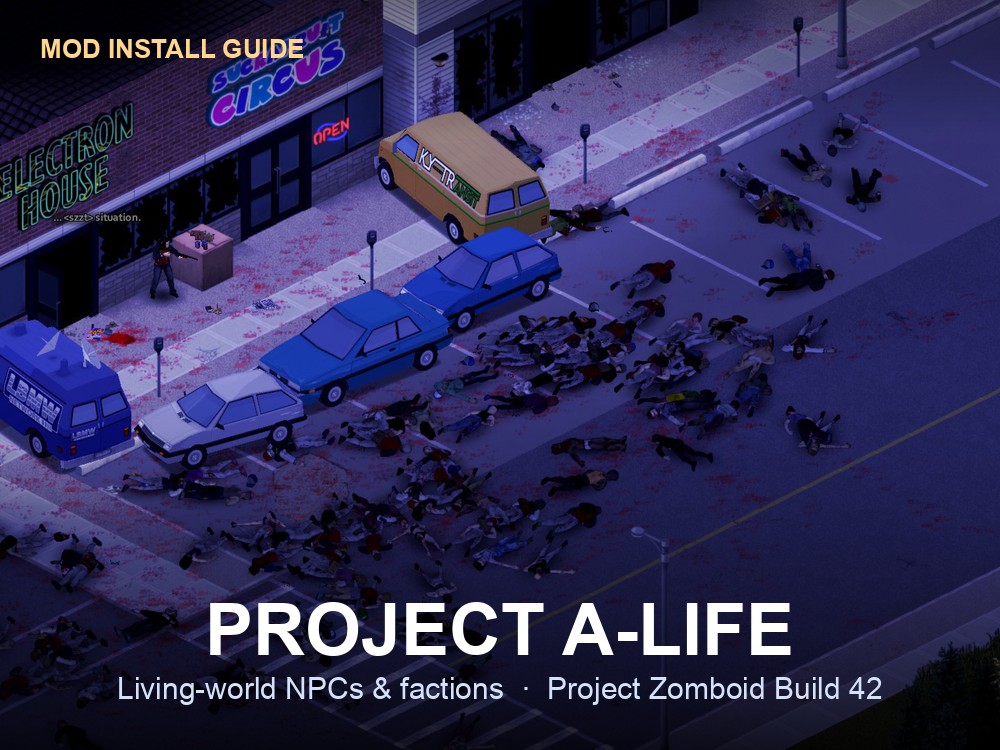
Project A-Life [ALIFE NPCS] is a Workshop mod that adds a persistent, living world of NPCs and factions to Project Zomboid, inspired by S.T.A.L.K.E.R.'s A-Life system. Per the mod's own Steam Workshop page, NPCs and factions are "simulated both online and offline (on-screen and off-screen — even if 3 towns away)": they patrol, raid, hold territory, remember players and keep acting even when no one is nearby. On a gamever Project Zomboid server, mods install straight from the Steam Workshop — you don't upload any files by hand, you just point the server's config at the right Workshop ID and Mod ID. This guide walks through exactly which two fields to fill in, and the one version setting that most often trips people up.
Two facts up front, both straight from the mod's page:
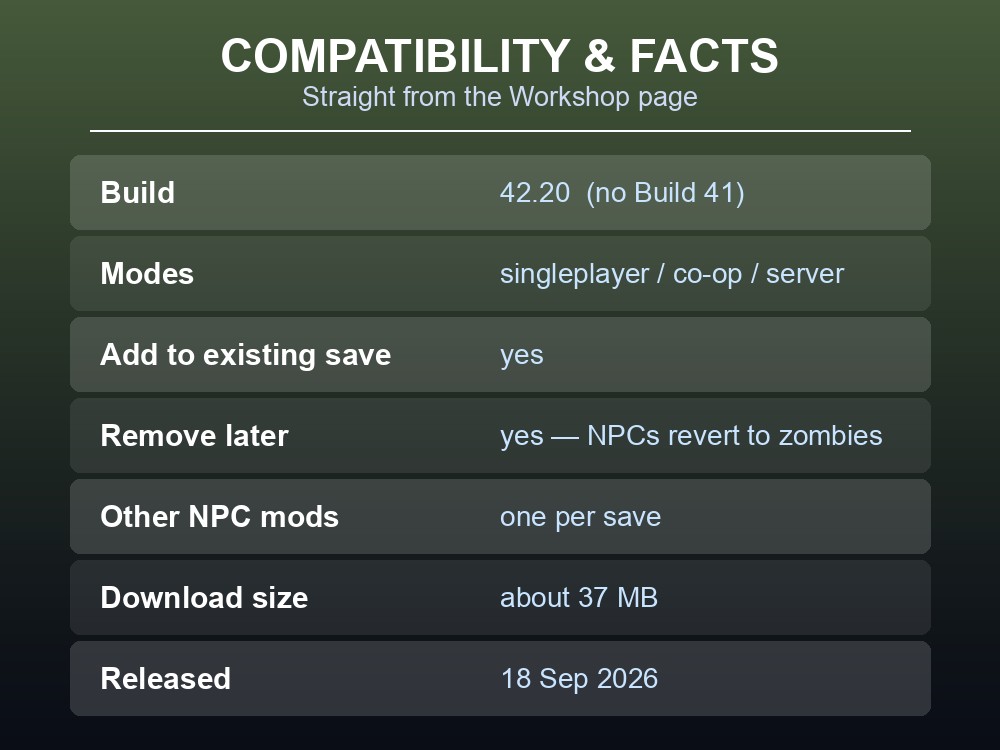
- It targets Build 42.20. The author states plainly: "B41 is not supported and won't be," and lists it as working "in singleplayer, co-op and dedicated servers."
- Its Workshop ID is
3803984183and its Mod ID isProjectALifeNPCs— the page lists both verbatim ("Workshop ID: 3803984183 / Mod ID: ProjectALifeNPCs").
It's a brand-new mod: the Workshop page shows it was posted 18 September 2026 and last updated 21 September 2026 ("Bugfixes from First Release"), it's a light ~37 MB download, and at the time of writing it carries a 5-star rating from nearly 1,900 reviews. The author is candid that it's still being polished — "Right now the priority is bugs" — so expect frequent updates.
What Project A-Life actually adds
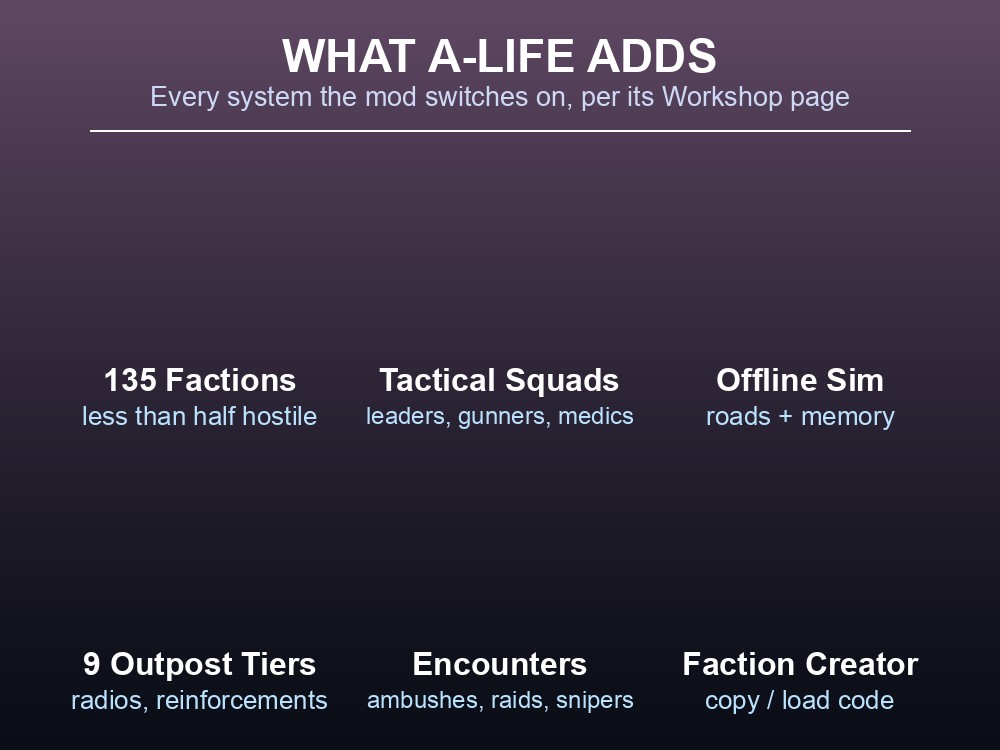
Before touching the config, it's worth knowing what you're switching on, because this mod changes how the whole world behaves — not just "some survivors spawn." Everything below is from the mod's own Workshop description:
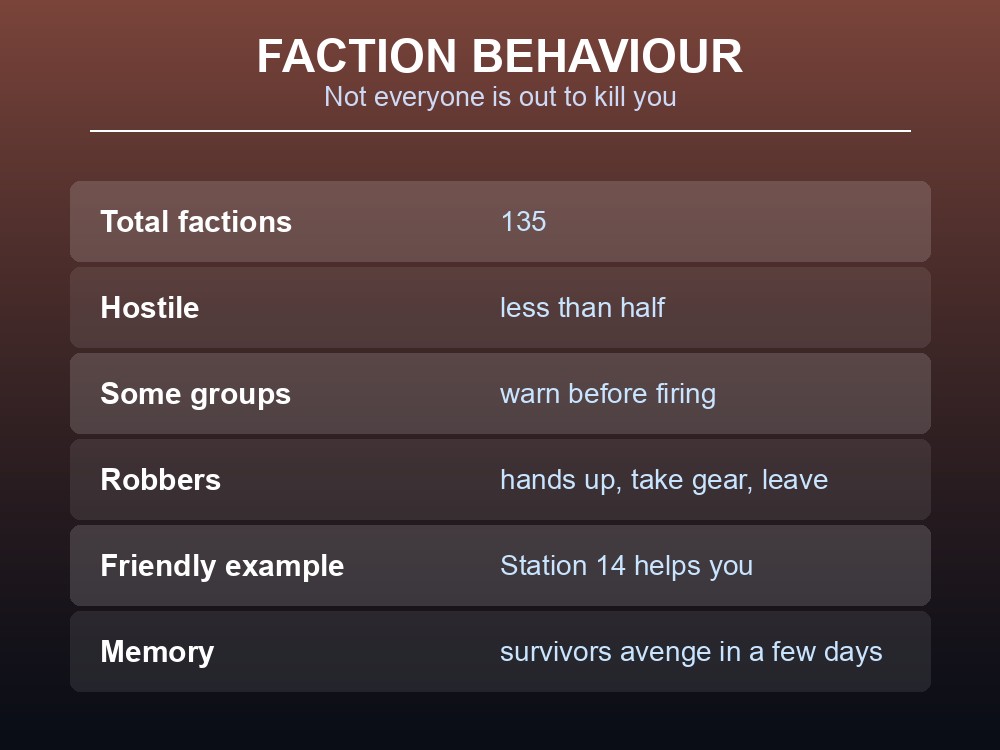
- 135 factions, and not all hostile. Families, deputies, guard remnants, trappers, fire crews, jail escapees and more. The author notes "less than half are hostile" — some warn you before shooting, some are neutral, and some (the page names "Station 14") will actually help you. A few factions rob rather than kill: they tell you to put your hands up, search you, take your better gear and leave — "pull a gun during that and things usually go bad."
- Squads with real tactics. NPCs move in groups with leaders giving orders: they stack on doors and clear houses, gunners keep firing at your last known position, and medics patch teammates up. NPCs bleed and can bleed out if no one helps them, and a group holding a house will barricade it from the inside and hold overnight.
- A world that runs offline. Squads keep existing even when you're nowhere near them, travelling actual roads at walking speed. Two hostile factions that meet can fight and take losses. And they remember: "if you kill half a squad and the rest escape they remember it and can come back a few days later with more people."
- Outposts and radios. There are nine tiers of outpost, from small barricaded houses to compounds, and every outpost has a radio. Cut its comms and it stops sending squads out; use a radio yourself to contact factions (calling one that hates you is a bad idea). Reinforcements can arrive by car and sometimes by helicopter.
- Varied encounters. Scavenger parties, patrols, highway ambushes, roadblocks, crashed cars, occupied buildings, snipers, hit squads and raids on player bases.
- A full faction Creator. An in-game editor for how NPCs look, what they wear and carry, their behaviour, relationships and which encounters they appear in — with COPY CODE / LOAD CODE so you can share a faction as text with other players.
- Admin map overlay. Admins get a map view showing every squad as a dot, which doubles as the fastest way to confirm the mod is live.
Note the current limits the author is up front about: NPCs communicate through on-screen text and shouts (no voice lines yet), and you can't recruit companions yet — proper allies are planned for a later "Friendly Update."
The two values you actually need
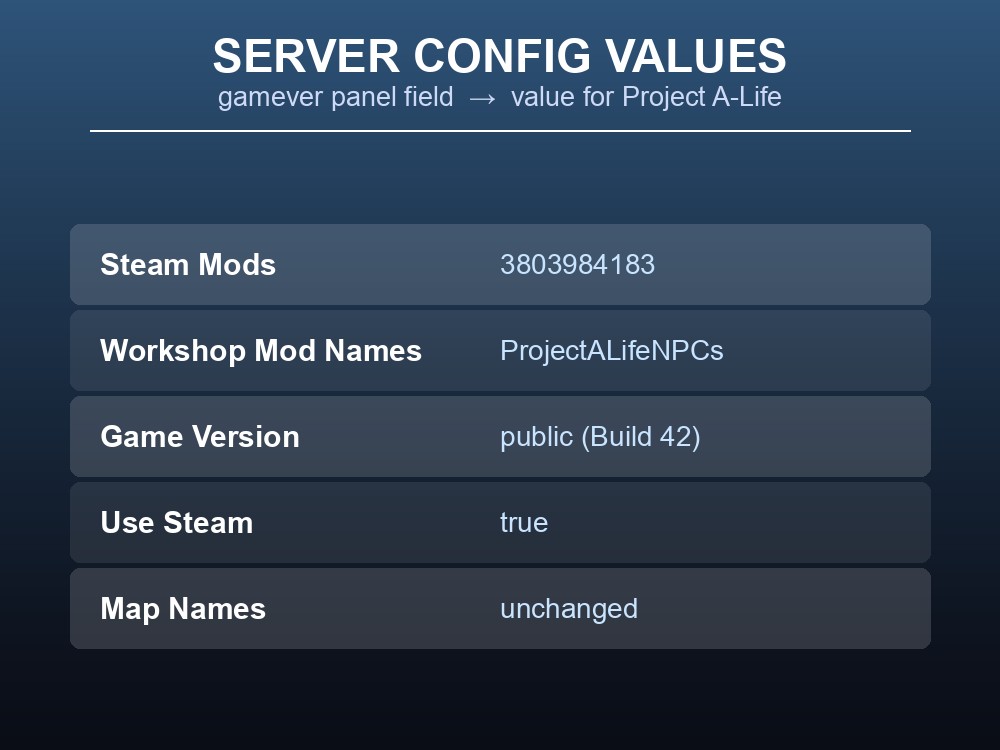
Every Project Zomboid Workshop mod needs two separate things set in the server config, and they are not the same number:
| Config field (gamever panel) | What it is | Value for Project A-Life |
|---|---|---|
Steam Mods (MOD_WORKSHOP_IDS) |
The Steam Workshop file ID — the number in the Workshop URL. The server uses it to download the mod. | 3803984183 |
Workshop Mod Names (MOD_NAMES) |
The internal Mod ID from the mod's mod.info. The server uses it to enable the mod. |
ProjectALifeNPCs |
Filling in only one of the two is the single most common mistake: with just the Workshop ID the files download but the mod never turns on; with just the Mod ID the server tries to enable a mod it never downloaded. You need both.
Step-by-step
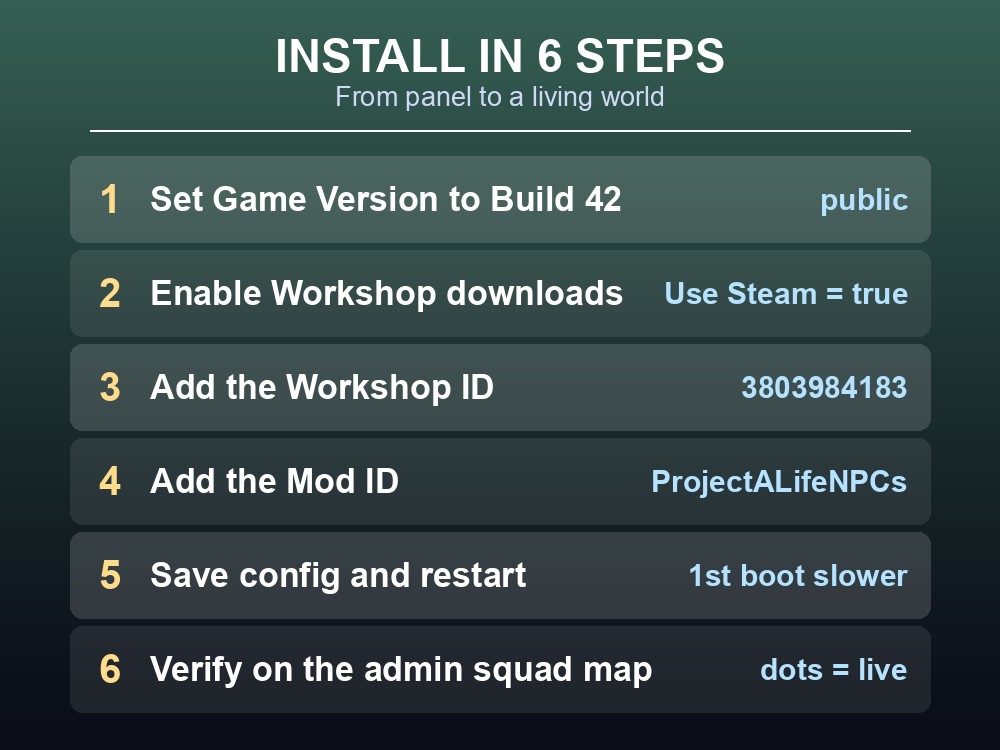
- Confirm your server is on Build 42. In the panel's Project Zomboid config, set Game Version (
GAME_VERSION) topublic— that is the current Build 42 branch (42.20.x). Do not pick anylegacy_41_*option: those are Build 41 branches, and Project A-Life explicitly does not run on Build 41. If your world was created on Build 41, this mod is not compatible with it.
- Make sure Steam Workshop downloads are on. Leave Use Steam (
USE_STEAM) set totrue. This is what lets the server pull the mod from the Workshop automatically.
- Set the Workshop ID. In the Steam Mods field (
MOD_WORKSHOP_IDS), enter:
3803984183
- Set the Mod ID. In the Workshop Mod Names field (
MOD_NAMES), enter:
ProjectALifeNPCs
- Save the config and restart the server. On first boot after saving, the server downloads the mod from the Workshop before the world loads, so the first start-up takes a little longer than usual — that's expected, not a hang.
- Verify it loaded. Once players are in, an admin can open the map overlay the mod adds (it shows every NPC squad as a dot). Seeing squads appear on the map is the quickest confirmation that A-Life is running.
That's the whole install. Because the mod ships no custom map, you do not need to touch the Map Names field — leave it on Muldraugh, KY (or whatever your world already uses).
Adding it alongside other mods (and what not to do)
If you already run other Workshop mods, add A-Life to the existing lists rather than replacing them. Both fields take multiple entries separated by a semicolon ;, matching the examples the panel itself shows (e.g. ClaimNonResidential;MoreDescriptionForTraits). Keep the two lists in the same order so each Workshop ID lines up with its Mod ID:
MOD_WORKSHOP_IDS = 3803984183;<other-workshop-id>
MOD_NAMES        = ProjectALifeNPCs;<OtherModID>
One compatibility warning comes straight from the mod author: do not run Project A-Life together with Bandits or another NPC mod. In the author's words, "these mods usually build their NPCs on top of zombies and they end up fighting over the same bodies. One NPC mod per save is safest." The mod is, however, listed as compatible with the weapon packs Guns of Marz and gael's guns, which replace the vanilla guns NPCs carry.
Tuning it after install (sandbox settings)
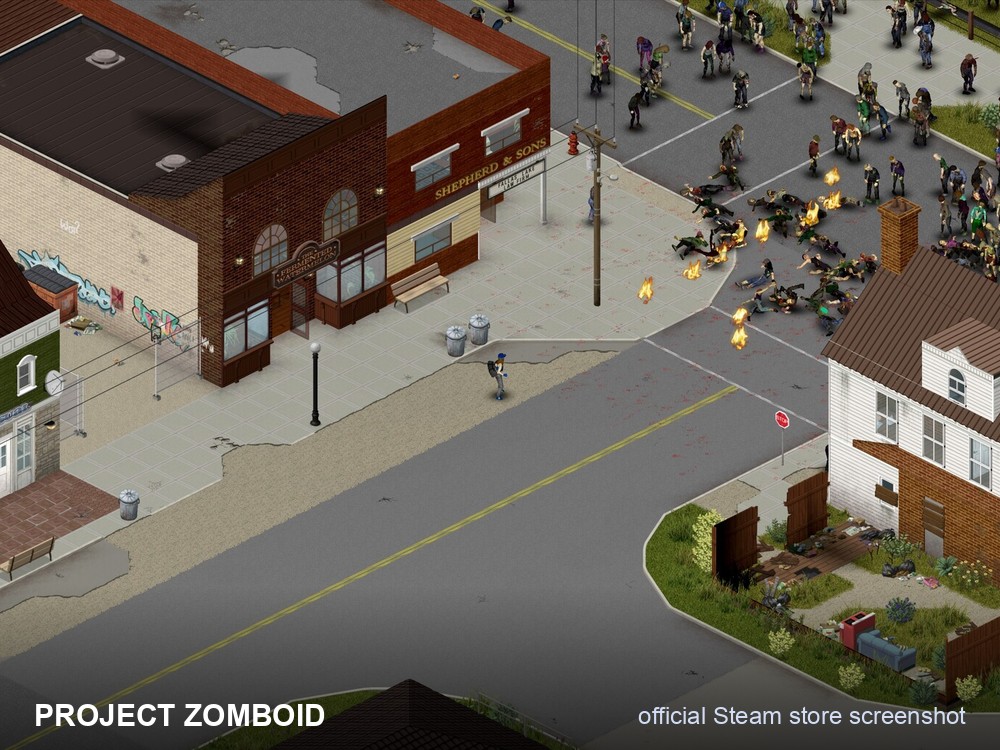
Project A-Life adds "over a hundred sandbox options," but the author notes most servers only touch three: population, encounter rate and raid rate. Those live in your server's sandbox settings, not in the two mod fields above, so change them there once the mod is loaded if the default NPC pressure feels too high or too low for your group. A useful detail for shared servers: the author confirms the mod is safe to add to an existing save, and safe to remove later — "NPCs only carry vanilla items and the mod doesn't place custom objects in the world, so the save loads fine without it," and any NPCs still around simply turn back into normal zombies.
Quick reference
- Steam Mods (
MOD_WORKSHOP_IDS):3803984183- Workshop Mod Names (
MOD_NAMES):ProjectALifeNPCs- Game Version (
GAME_VERSION):public(Build 42) — never alegacy_41_*branch.- Use Steam:
true. Map Names: unchanged (no custom map).- Both fields set, in matching order; restart after saving; first boot is slower while it downloads.
- Don't stack it with Bandits or another NPC mod — one NPC mod per save.
Running your own Project Zomboid server
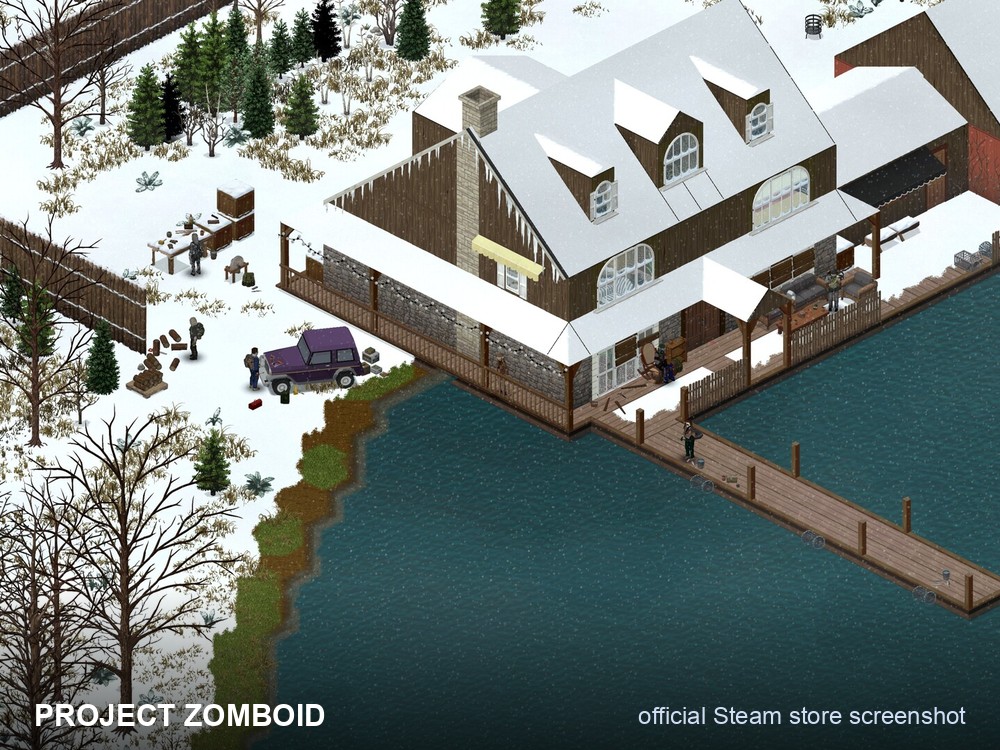
Project A-Life's whole point is a world that keeps living while you're away — squads travelling real roads, factions raiding each other, and enemies coming back days later to avenge a fallen squad. That only actually happens if the world stays running between play sessions, which is exactly what a dedicated server gives you over a host-when-someone's-online setup. On a gamever Project Zomboid server, the offline simulation keeps ticking, Workshop mods like A-Life install from a couple of config fields with no manual file uploads, and automatic backups mean you can experiment with mods and sandbox pressure without risking your save. Get your own Project Zomboid server running in minutes at gamever.io and save on your first month with promo code WELCOME.
Conclusion
Installing Project A-Life on a gamever Project Zomboid server comes down to two fields and one version check: put the Workshop ID 3803984183 in Steam Mods, the Mod ID ProjectALifeNPCs in Workshop Mod Names, and make sure Game Version is a Build 42 branch (public) rather than any Build 41 legacy option, since the mod does not support Build 41. Save, restart, and the server downloads and enables the mod on its own. Add it to the front of your existing mod lists if you run others — but keep it as your only NPC mod — and tune population, encounter and raid rates in sandbox once it's live.