
How to Install the OpenBlocks Elevator Mod for Minecraft
For Minecraft players looking for an efficient, stylish way to move vertically through their builds, the OpenBlocks Elevator Mod is a perfect solution. This mod allows you to create elevator blocks for quick and seamless vertical travel. In this guide, we’ll explain how to install and use the OpenBlocks Elevator Mod, including crafting elevator blocks and customizing your travel options. Additionally, we will demonstrate the superiority of this mod on Gamever servers, where it enhances multiplayer experiences and shared builds through effortless vertical navigation.
Step 1: Download the OpenBlocks Elevator Mod
Start by downloading the OpenBlocks Elevator Mod from a reliable modding website like CurseForge.
- Visit the OpenBlocks Elevator Mod page on CurseForge.
- Download the version that matches your Minecraft version (e.g., 1.18, 1.19).
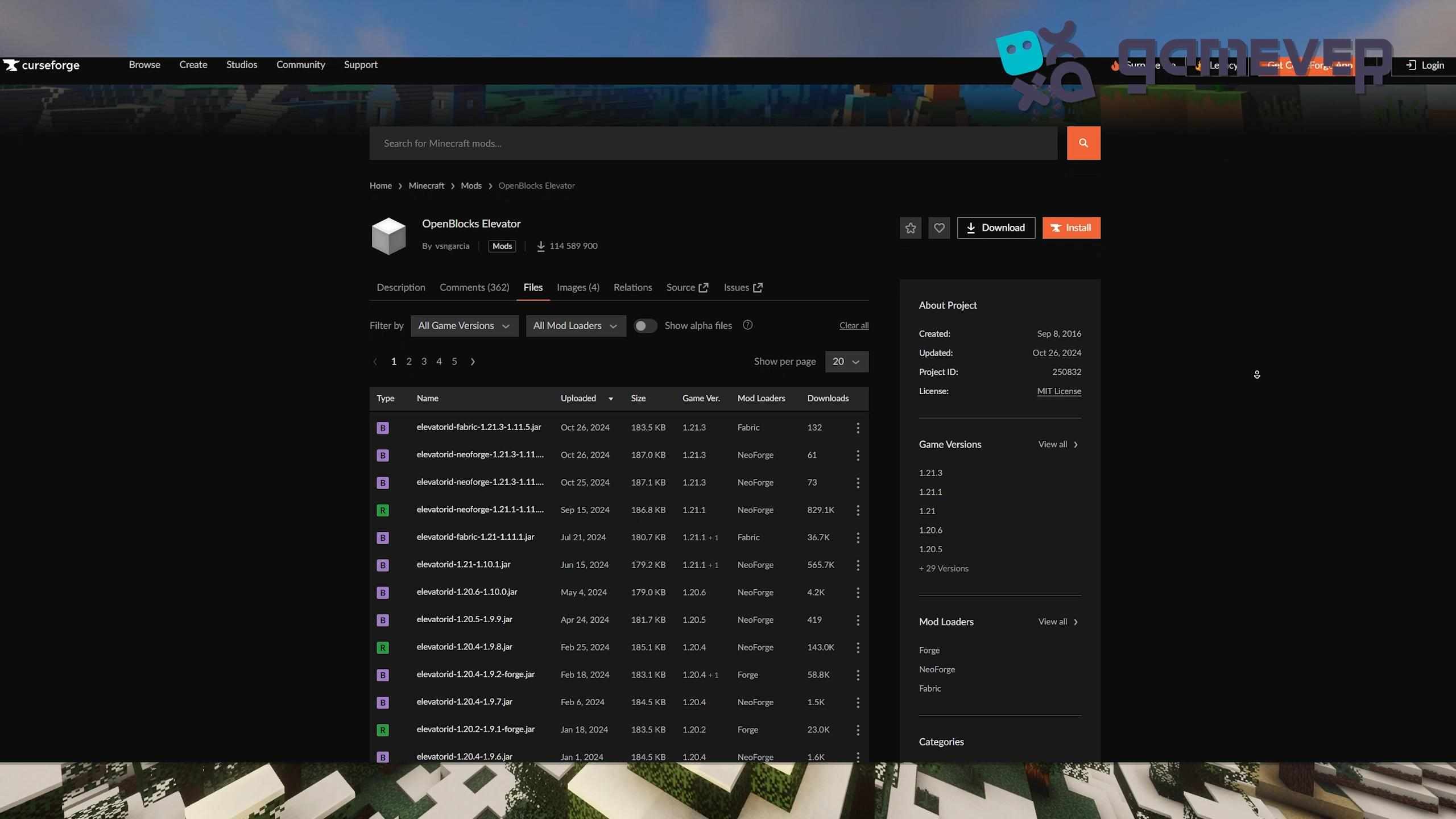
Step 2: Install Minecraft Forge, NeoForge, or Fabric
To use this mod, you’ll need Minecraft Forge, NeoForge, or Fabric installed.
- Download Minecraft Forge, NeoForge, or Fabric from their respective websites.
- Follow the installation instructions, ensuring compatibility with your Minecraft version and mods.
- Open your Minecraft launcher and select the Forge, NeoForge, or Fabric profile.
Step 3: Add the Mod to Your ‘Mods’ Folder
Once downloaded, place the OpenBlocks Elevator .jar file in Minecraft’s mods folder.
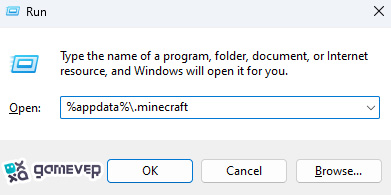
If there isn’t a mods folder, create one. Drag and drop the OpenBlocks Elevator .jar file into this folder.
Step 4: Launch Minecraft
Open Minecraft with your chosen mod loader profile (Forge, NeoForge, or Fabric). Once Minecraft loads, the OpenBlocks Elevator Mod will be ready for use, and you can start crafting your elevator blocks.
Crafting and Using Elevator Blocks
Crafting an Elevator Block
The OpenBlocks Elevator Mod makes crafting elevator blocks simple:
- Place an ender pearl in the center of the crafting table grid.
- Surround it with wool of any color.
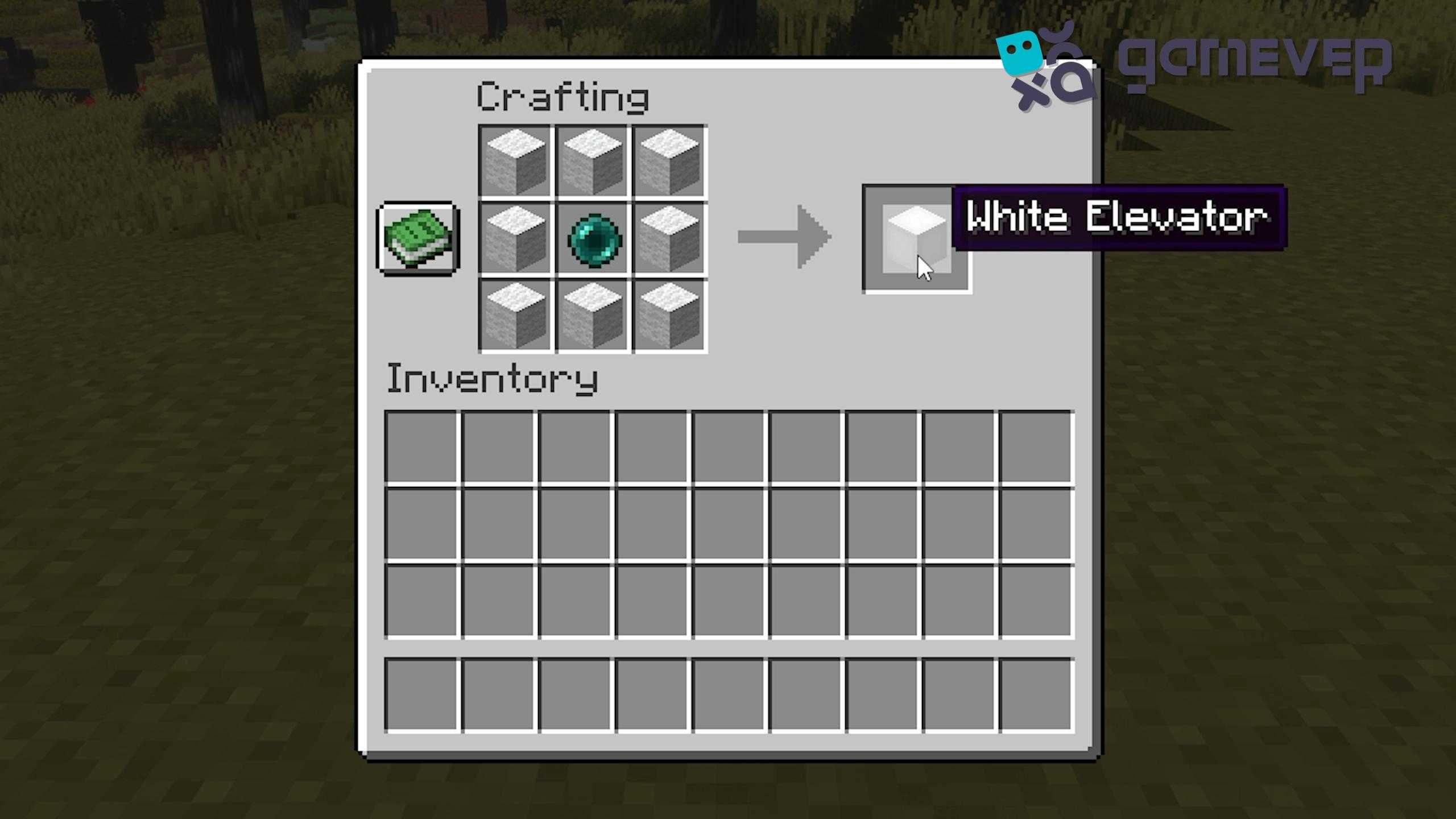
This recipe will create an elevator block, and you can choose the wool color that best fits your design.
Setting Up and Using the Elevator
To use the elevator:
- Place one elevator block directly above or below another, aligning them on the same X and Z coordinates.
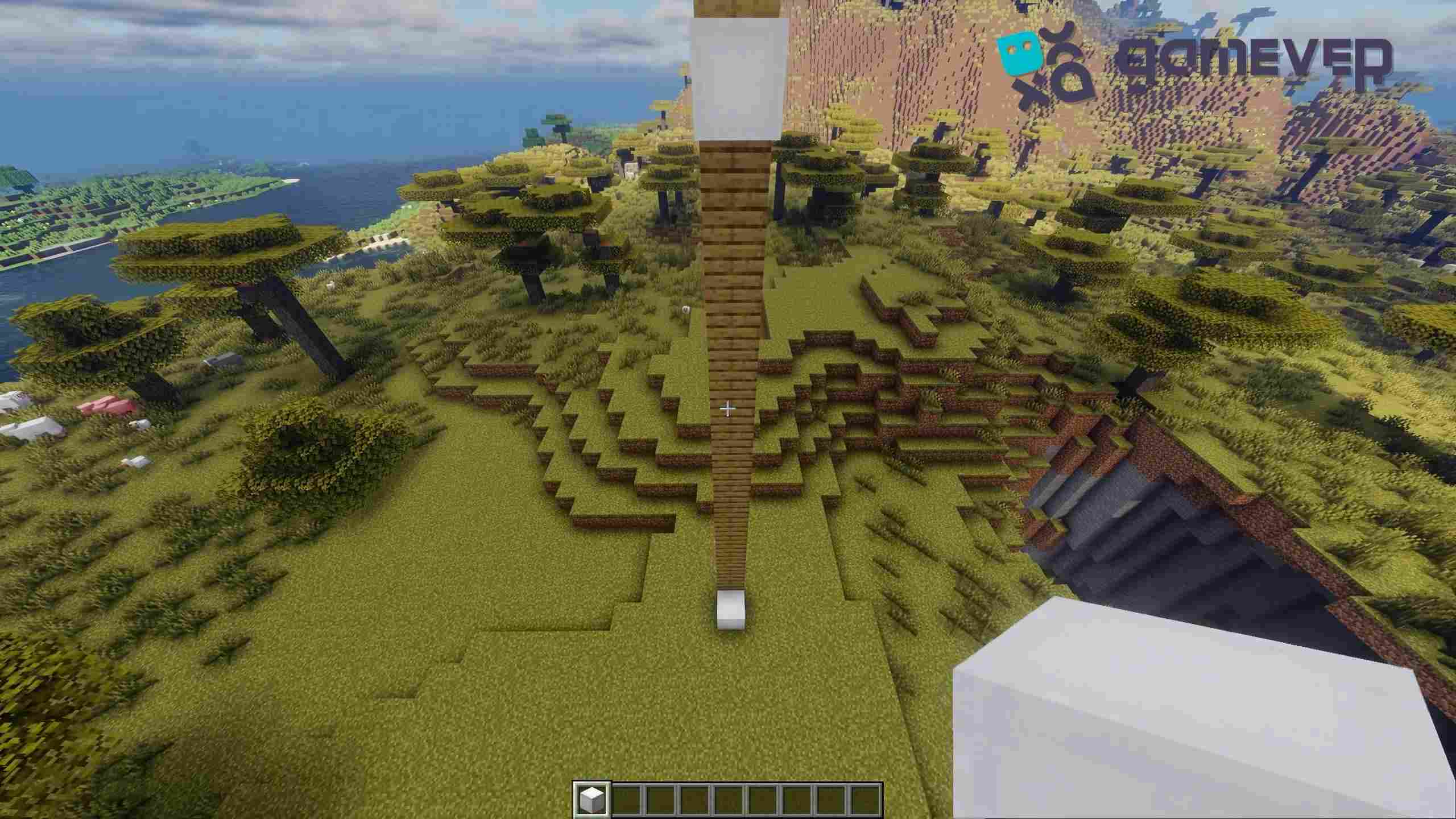
- To go up: Stand on the elevator block and jump.
- To go down: Stand on the elevator block and crouch.
You can configure the direction you’ll face upon arrival by adjusting the settings, choosing North, South, East, or West.
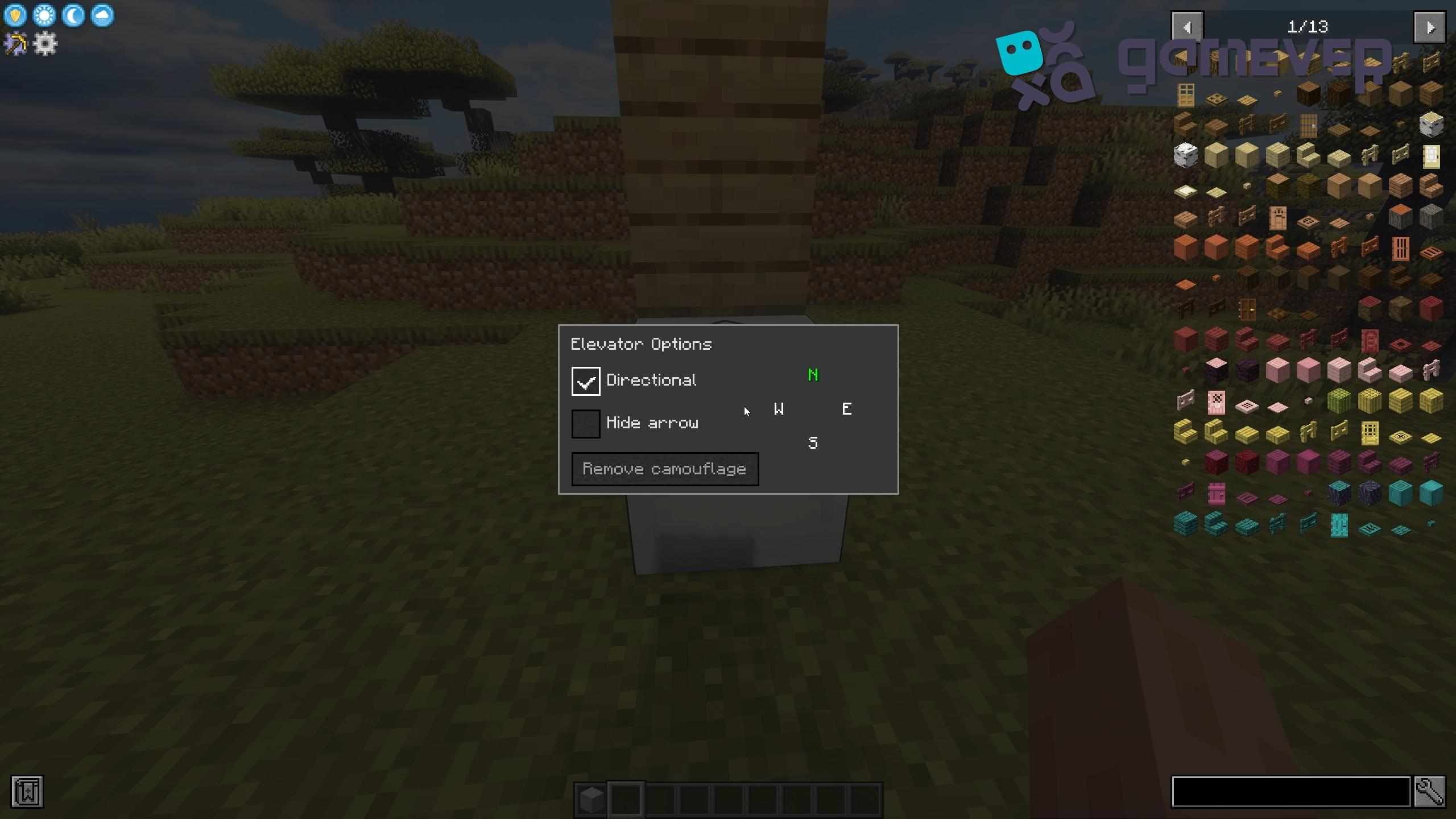
Camouflaging the Elevator Block
You can camouflage an elevator block for a seamless look:
- Right-click the elevator block with any solid block to make it blend into your build.
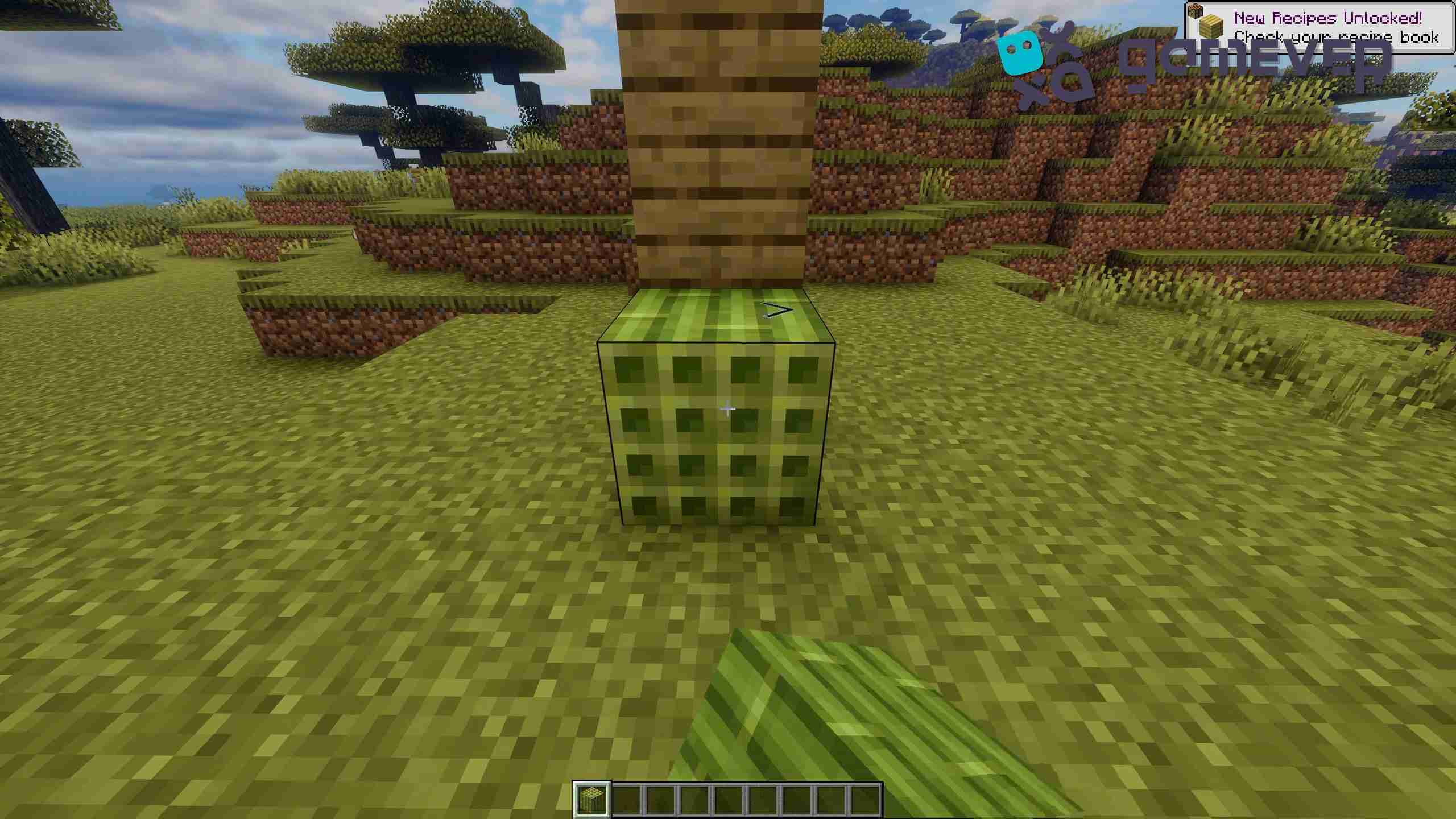
Benefits of Using the Elevator Mod on Gamever Servers
When playing on Gamever servers, this mod is especially useful for large builds or shared bases:
- Efficient Team Projects: In collaborative builds, the elevator mod provides simple movement across floors or between different areas.
- Seamless Look: Camouflaged elevator blocks keep your structures looking clean and uniform, perfect for elaborate multiplayer builds.
- Improved Navigation: In competitive or survival settings, quick vertical travel helps you stay efficient and ready for any situation.
Conclusion
The OpenBlocks Elevator Mod is a must-have for any Minecraft player looking for a quick and stylish way to move vertically in-game. Crafting elevators is easy, and with customizable options, you can integrate them seamlessly into any build. Plus, when playing on Gamever servers, these elevators enhance collaborative gameplay by making navigation quick and efficient.