
How to Install the GraveStone Mod for Minecraft
The GraveStone Mod is an essential tool for Minecraft adventurers, ensuring you never lose your items after death. This mod spawns a gravestone at your death location, safely storing your inventory until you return. It even includes detailed death information and customization options. In this guide, we’ll walk you through installing the GraveStone Mod, its features, and why it’s an excellent addition to your Minecraft gameplay, especially on Gamever servers.
Step 1: Download the GraveStone Mod
To get started, download the GraveStone Mod from a trusted site like CurseForge or Modrinth.
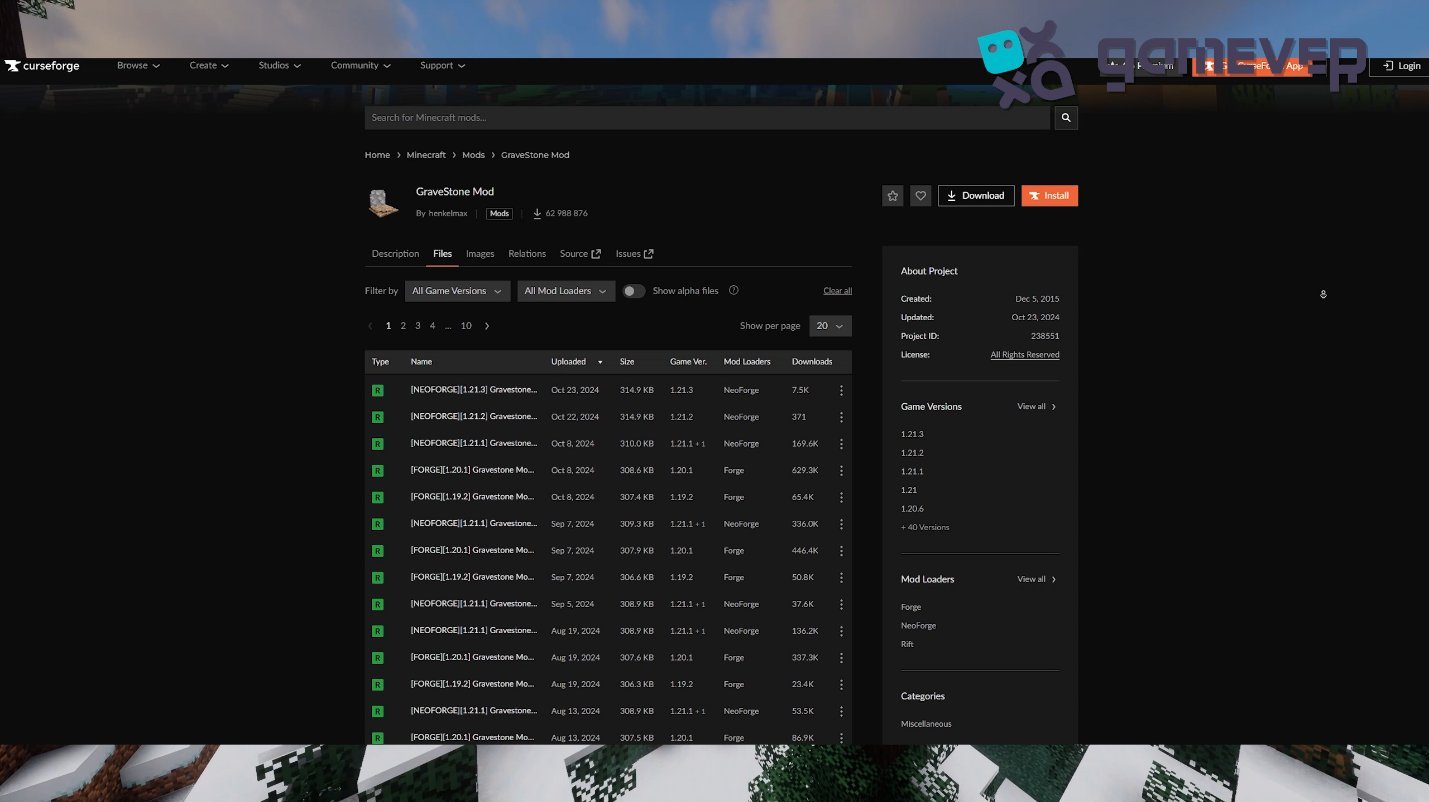
Download the version compatible with your Minecraft installation.
Step 2: Install Minecraft Forge or NeoForge
The mod requires Minecraft Forge or NeoForge to function.
- Download Forge from Forge’s website or NeoForge.
- Install the mod loader and ensure compatibility with your Minecraft version.
- In the Minecraft launcher, select the Forge or NeoForge profile.
Step 3: Place the Mod in the ‘Mods’ Folder
After downloading the GraveStone Mod, place the .jar file in Minecraft’s mods folder.
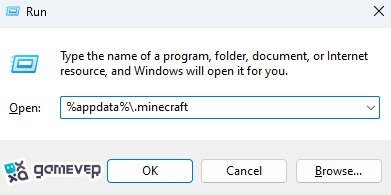
If the mods folder doesn’t exist, create it manually. Then, drag and drop the .jar file into it.
Step 4: Launch Minecraft
Open Minecraft using the Forge or NeoForge profile. Once loaded, the GraveStone Mod will be active, ready to use in your worlds.
Features of the GraveStone Mod
1. Gravestone System
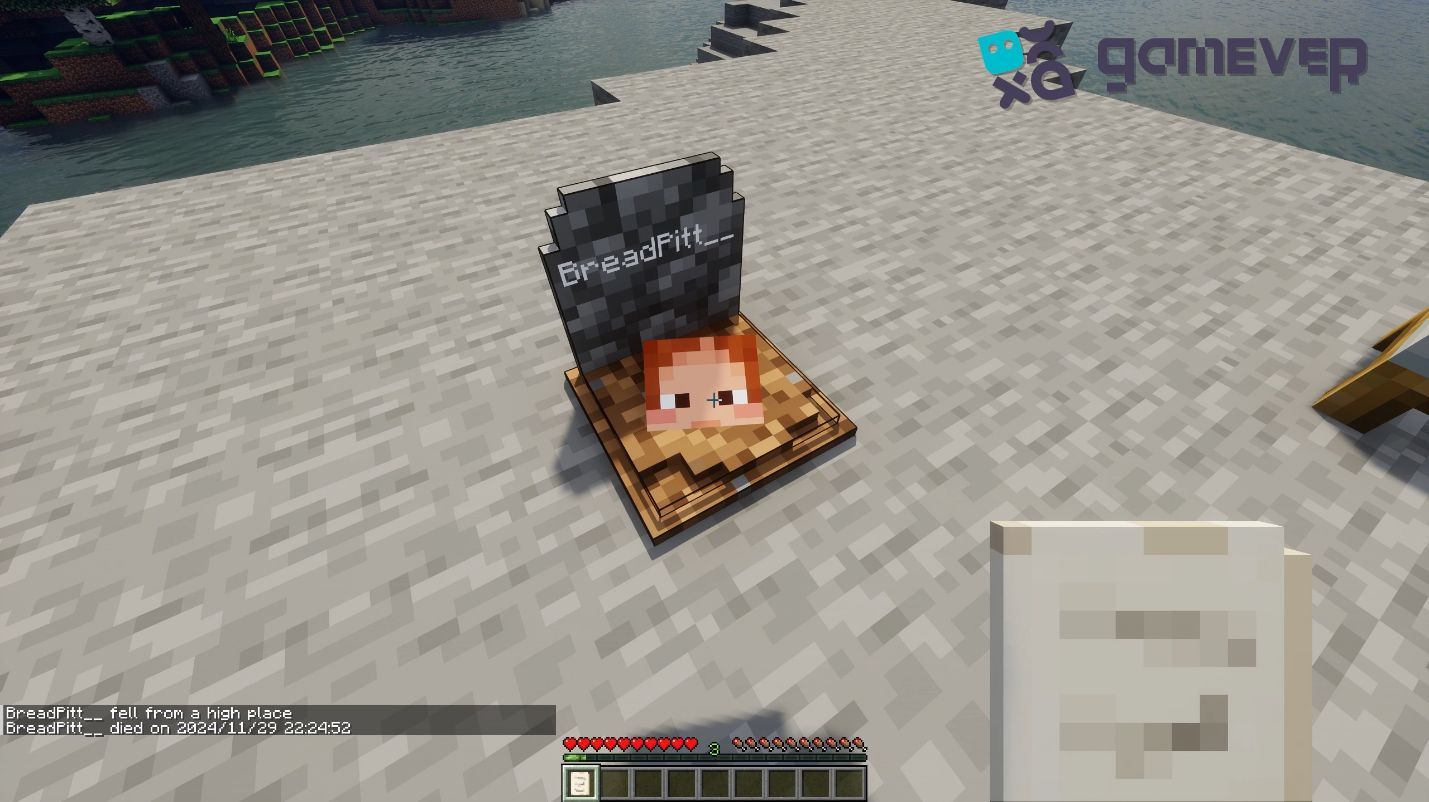
When you die, a gravestone appears at your death location, safely storing your items. To retrieve them, simply break the grave. This feature ensures you won’t lose valuable gear or resources.
2. Death Details
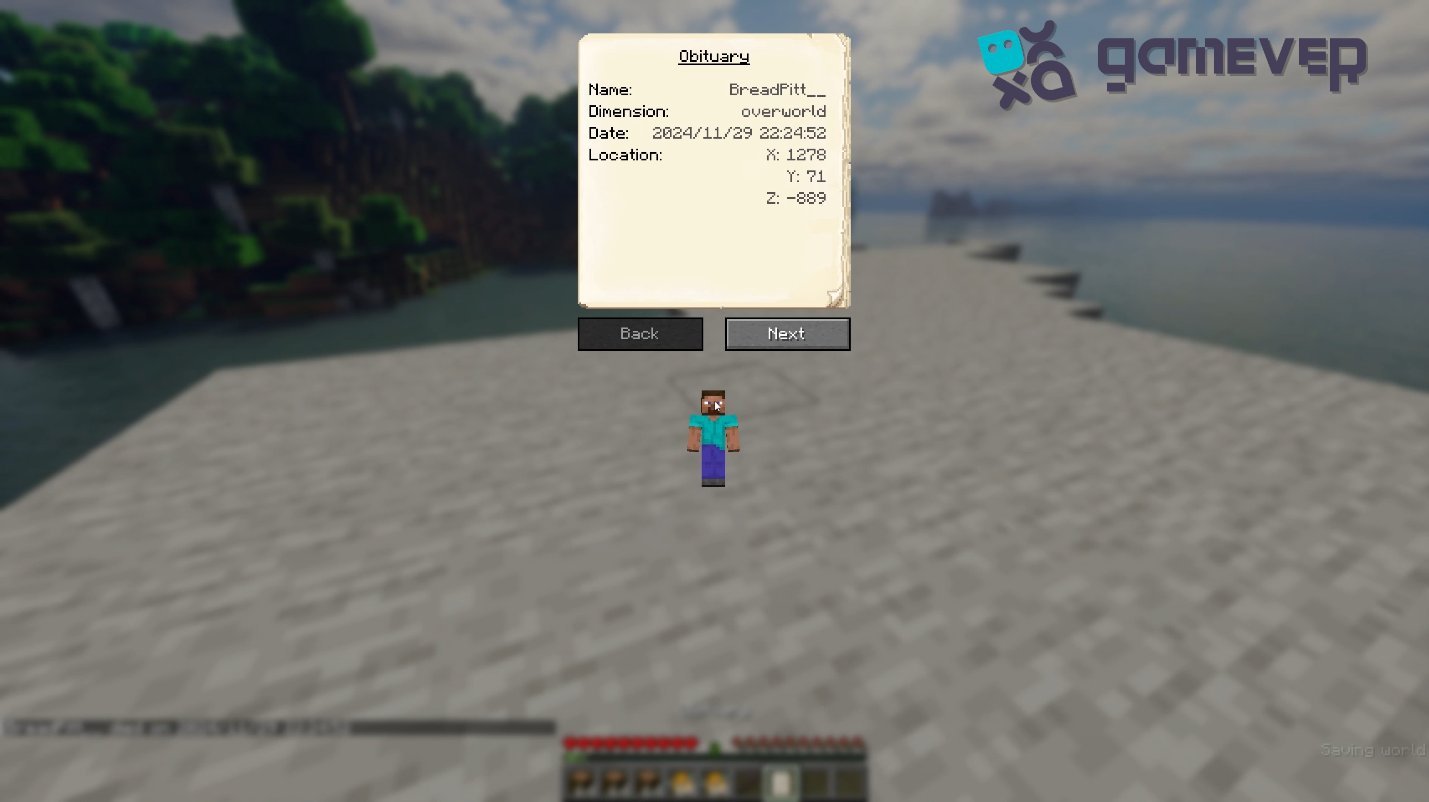
Right-clicking on the gravestone provides detailed information about your death, including:
- Location of the grave.
- A list of items stored in the grave.
- An obituary detailing what happened, including coordinates and item details.
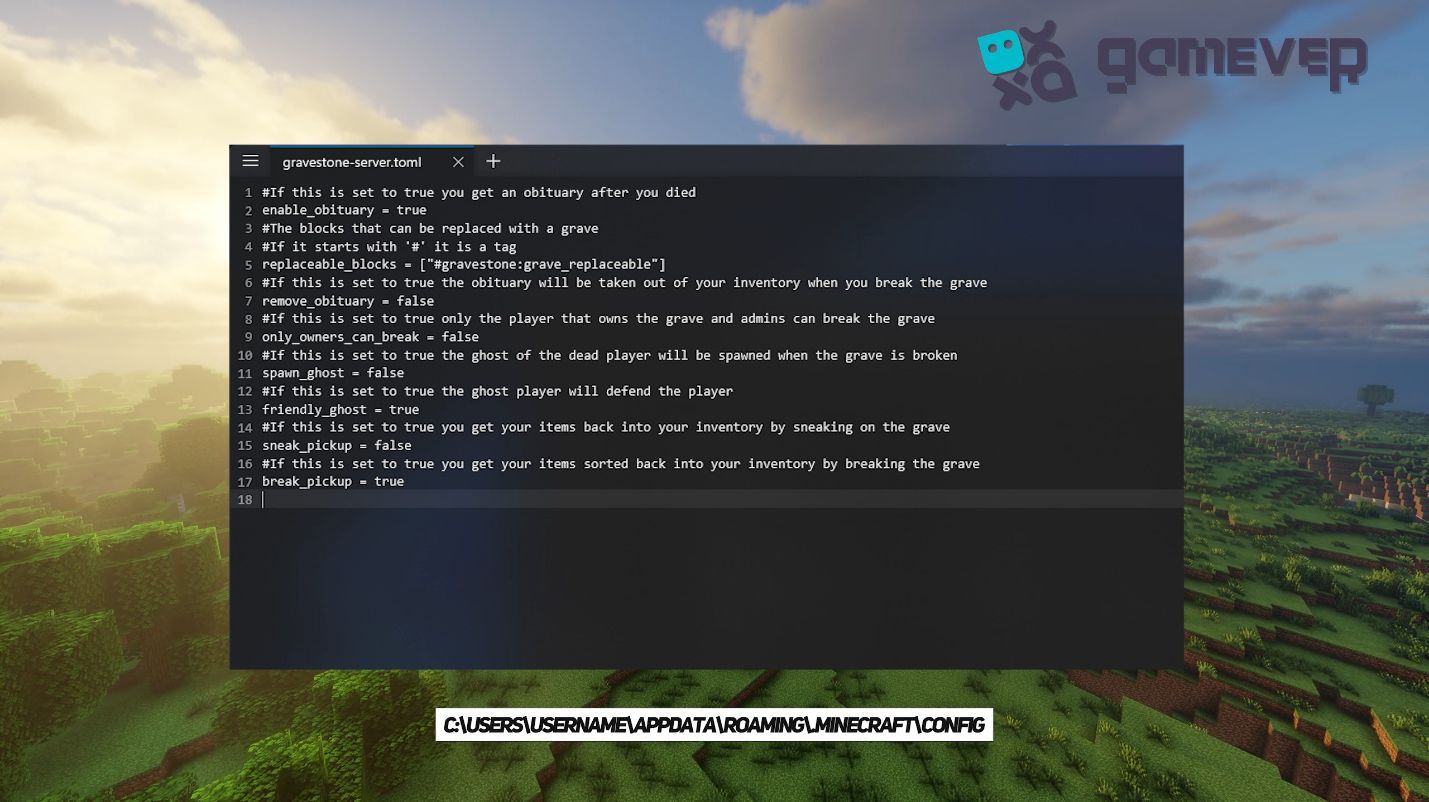
3. Customization Options
The mod includes several configuration settings to tailor the experience:
- Grave Text Customization: Adjust the text color and style on gravestones.
- Owner Permissions: Set graves to be breakable only by the player who died.
- Ghost Spawns: Enable or disable ghosts appearing when a grave is broken for added challenge.
Why Use the GraveStone Mod on Gamever Servers?
The GraveStone Mod is particularly useful in multiplayer environments like Gamever servers, enhancing the gameplay experience:
- Item Security: Safely retrieve items after death, even during PvP or dangerous mob battles.
- Coordinated Retrieval: Obituaries make it easier to find teammates’ death locations for assistance.
- Custom Challenges: Enable ghost spawns for server-wide challenges, adding a unique twist to survival gameplay.
Conclusion
The GraveStone Mod is an invaluable addition for Minecraft players, simplifying item recovery after death and adding new layers of customization and gameplay depth. Whether you’re exploring dangerous caves, engaging in battles, or building epic projects, this mod ensures your items are safe. On Gamever servers, it enhances multiplayer coordination and keeps the fun going, even after a death.