
How to Install the Corpse Mod for Minecraft
The Corpse Mod for Minecraft is a game-changer for players who want a more secure way to retrieve items after death. Instead of items scattering across the ground, this mod spawns a corpse that holds all your items safely at your death location. This guide will walk you through the steps to install the Corpse Mod and highlight its features. We’ll also show why it’s especially helpful on Gamever servers, where simple item retrieval can make multiplayer gameplay more enjoyable.
Step 1: Download the Corpse Mod
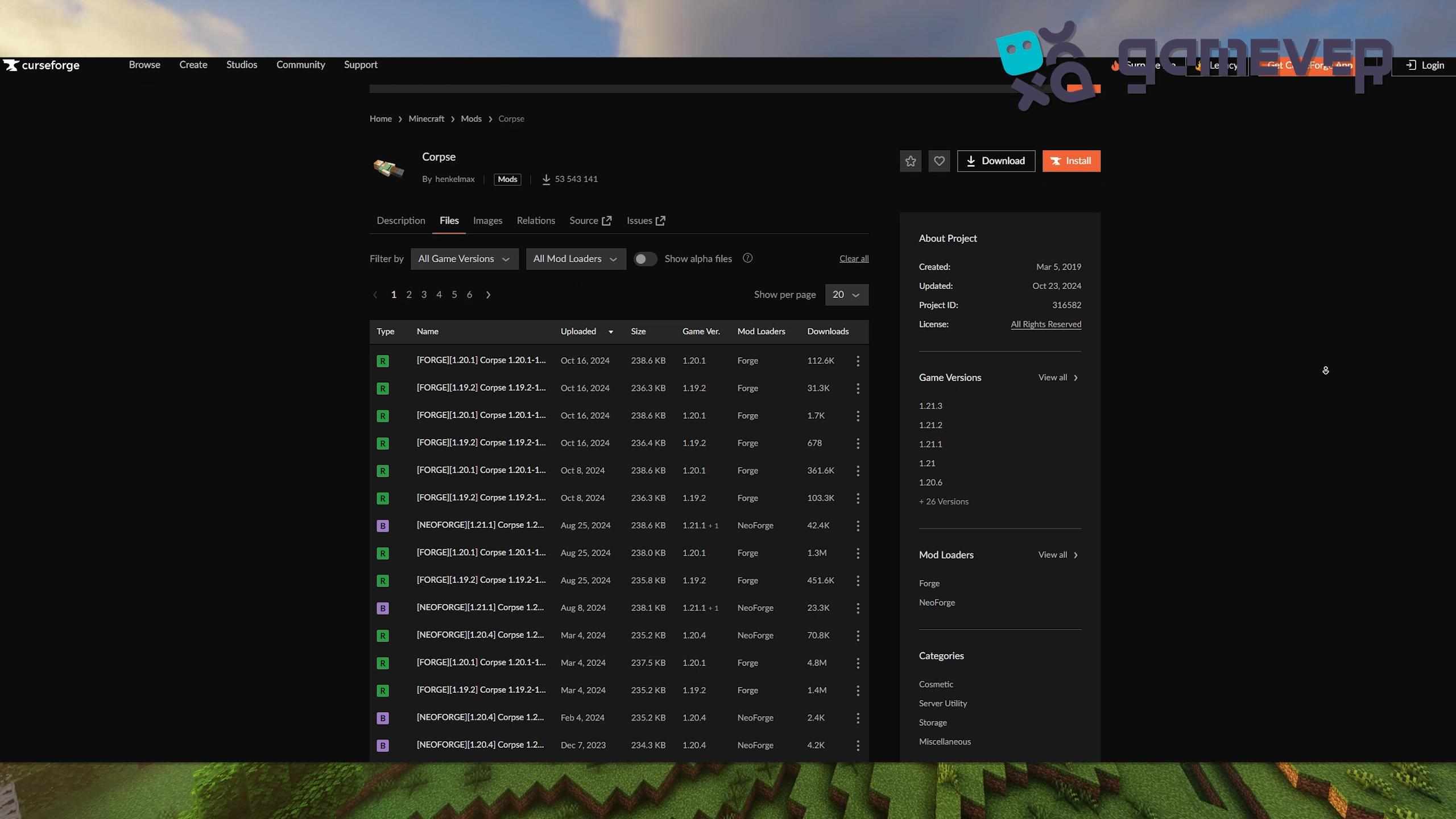
Start by downloading the Corpse Mod from a reliable modding website like CurseForge or Modrinth:
- Visit the Corpse Mod page on CurseForge or Modrinth.
- Download the version that is compatible with your Minecraft version.
Step 2: Install Minecraft Forge or NeoForge
The Corpse Mod requires Minecraft Forge or NeoForge to run.
- Download Minecraft Forge from Forge’s website or NeoForge from its site.
- Follow the installation instructions and ensure that the Forge or NeoForge profile matches your Minecraft version.
Step 3: Place the Corpse Mod in the ‘Mods’ Folder
Once downloaded, place the Corpse Mod .jar file into Minecraft’s mods folder.
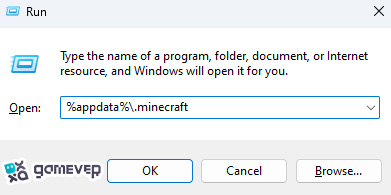
If you don’t see a mods folder, create it manually and then move the Corpse Mod .jar file into it.
Step 4: Launch Minecraft
Launch Minecraft using the Forge or NeoForge profile to activate the mod.
- Open the Minecraft launcher.
- Select the Forge or NeoForge profile.
- Click Play to start the game with the Corpse Mod enabled.
How to Use the Corpse Mod in Minecraft
The Corpse Mod enhances item retrieval after death in several ways:
1. Corpse Mechanics
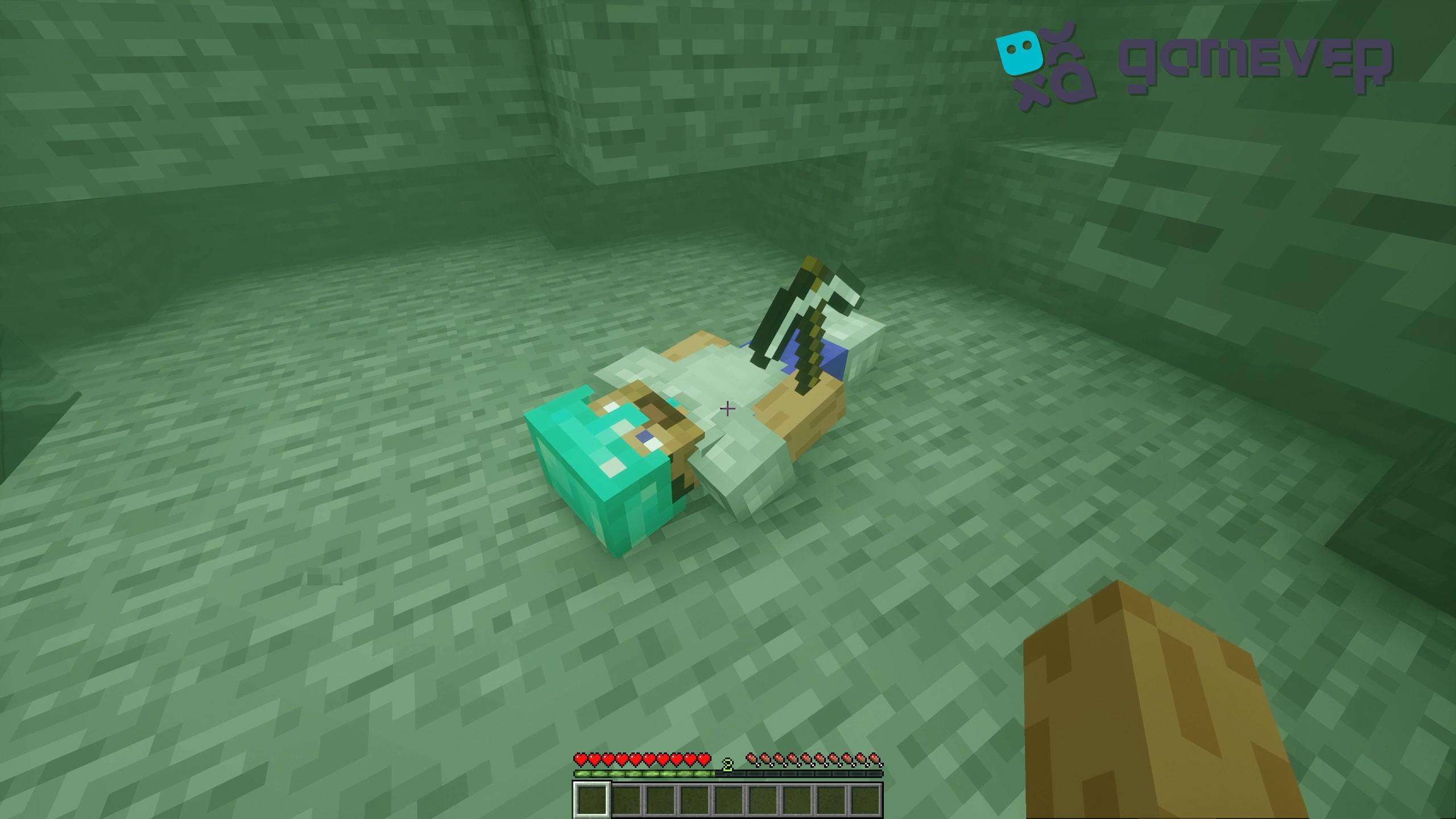
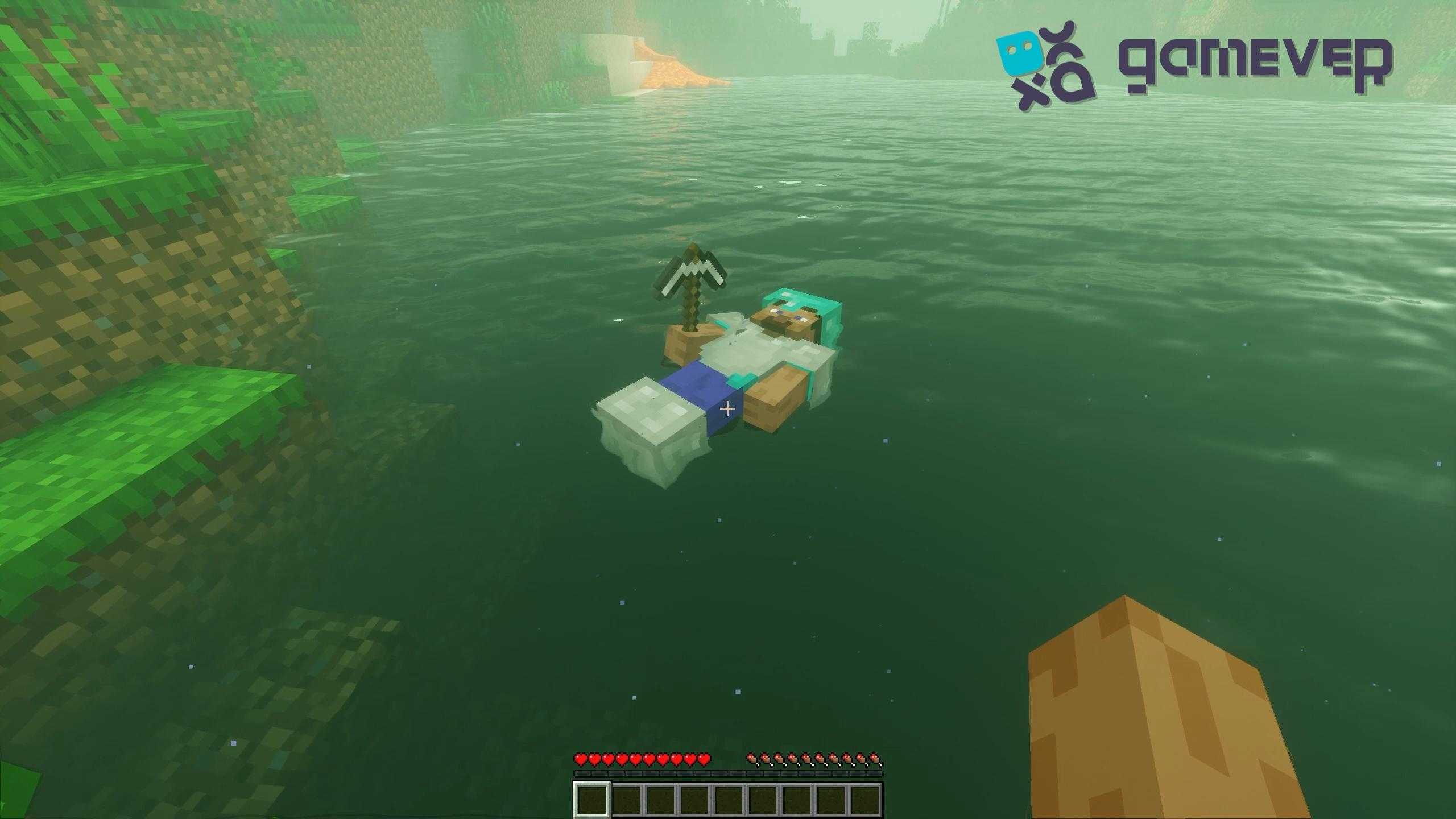
When you die, a corpse with your character’s skin spawns at your death location, safely storing your items. Simply right-click the corpse to retrieve your items, which are returned to their original slots. Once emptied, the corpse disappears.
2. Death History Menu
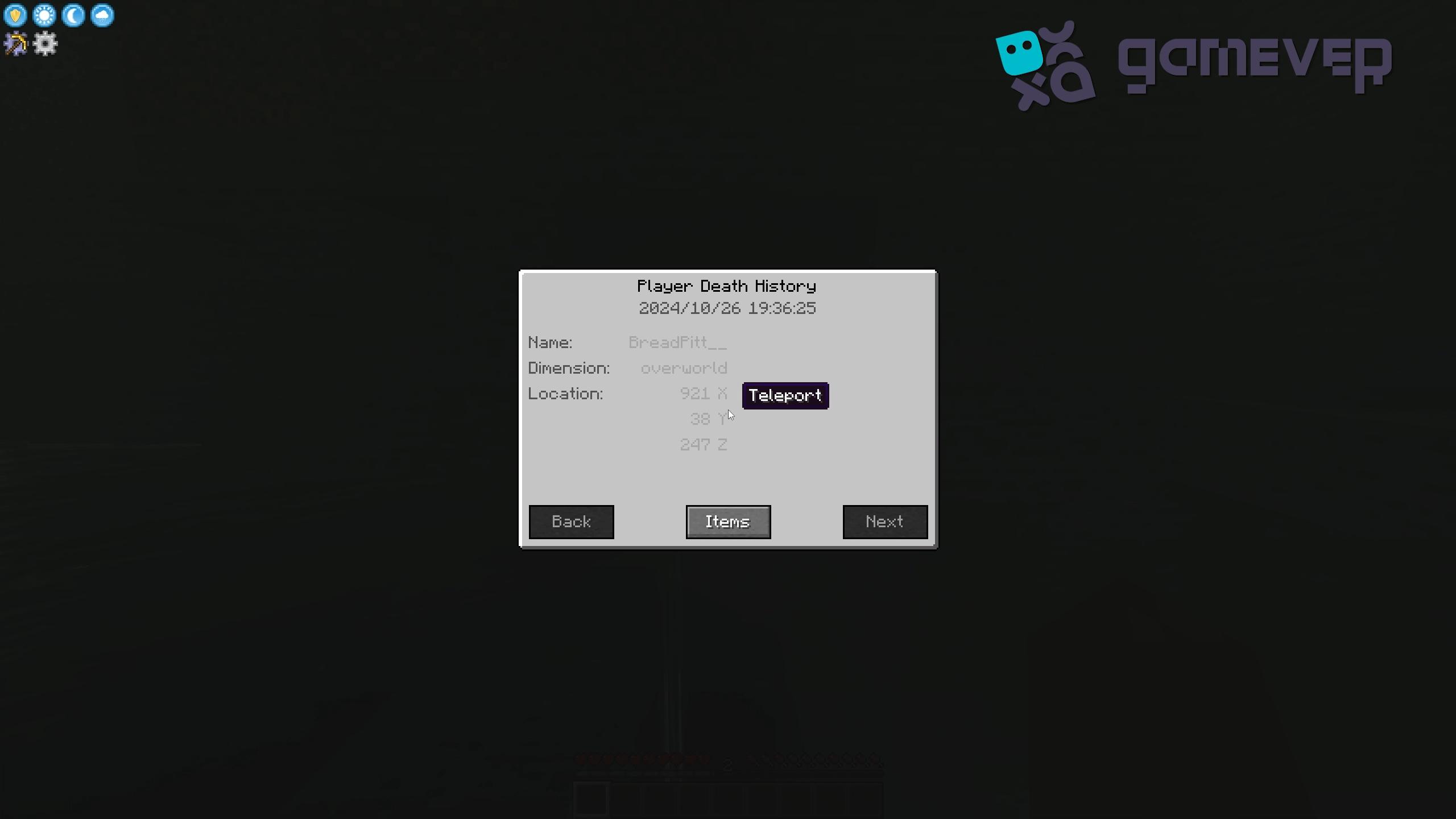
Press ‘U’ to open the Death History menu, which displays past death locations and lets you teleport to the last spot if needed. Admins can use /deathhistory <player> to view another player’s records.
3. Lava and Void Protection
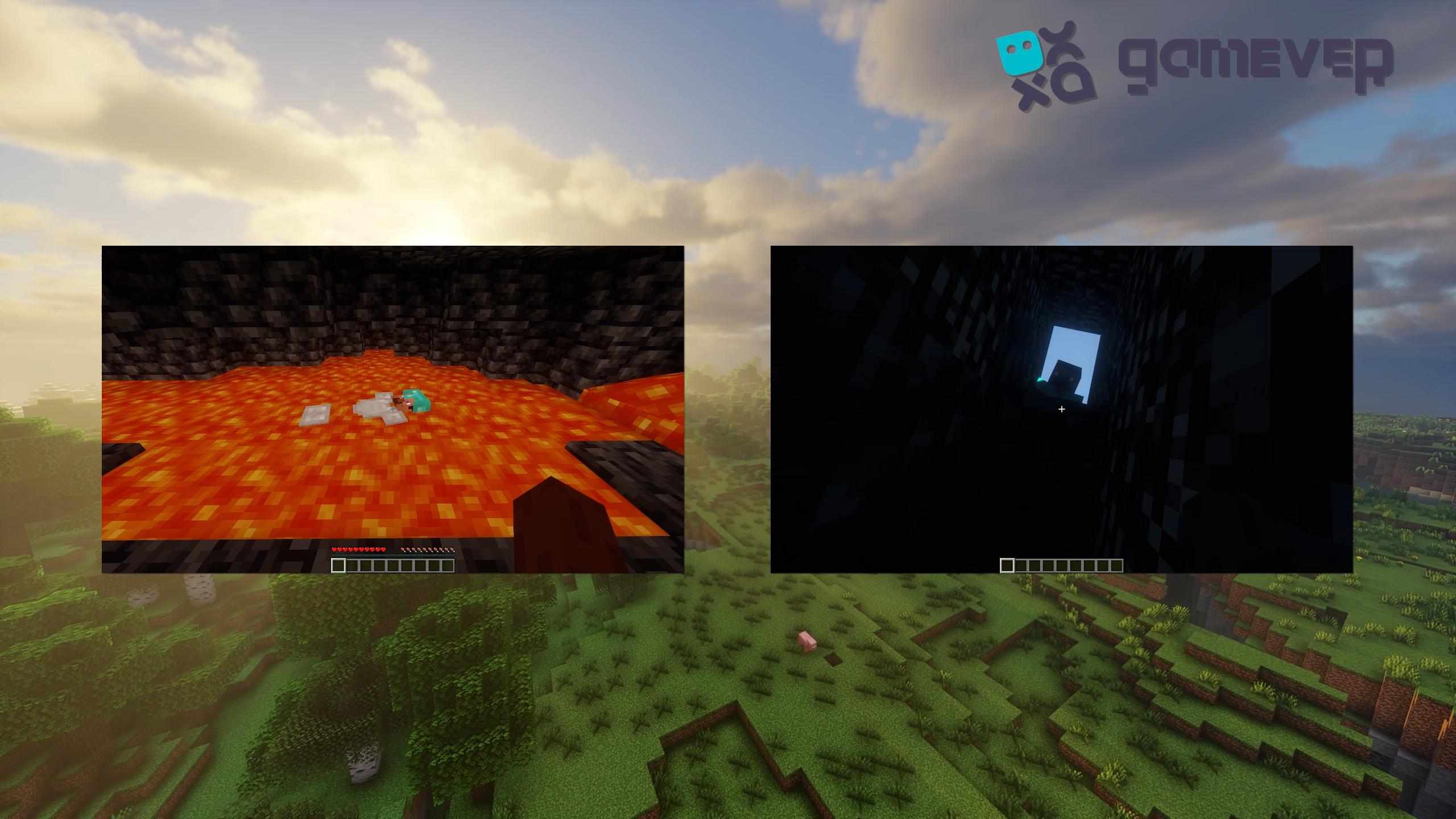
Your corpse will not fall into lava or the void and will float in liquids, keeping your items safe until you can retrieve them.
Benefits of Using the Corpse Mod on Gamever Servers
The Corpse Mod is especially useful on Gamever servers, enhancing multiplayer gameplay by simplifying item retrieval:
- Safe Item Retrieval: When playing with friends, this mod makes sure your items are safe and simple to recover, even if you die far from your base.
- Simplified Group Play: With the corpse system, you and your teammates can respawn without worrying about losing valuable items, making teamwork more efficient.
- Easy Tracking: The Death History feature is excellent for large servers, helping players quickly locate their last death spot or retrieve items after respawning.
Conclusion
The Corpse Mod is an essential mod for Minecraft players who want a secure way to retrieve items after death. By spawning a corpse that holds your items safely, it removes the risk of losing gear, even in dangerous areas. On Gamever servers, this mod provides extra convenience, allowing players to focus on collaborative gameplay without worrying about item loss.