
How to install the AppleSkin Mod for Minecraft
Managing hunger in Minecraft is crucial for survival, especially during extended gameplay sessions. The AppleSkin mod provides detailed information about food and hunger stats, helping you make better decisions about what to eat and when. By showing saturation, exhaustion, and hunger values on your HUD, AppleSkin takes the guesswork out of managing your in-game nutrition. In this guide, we'll explain how to install the AppleSkin mod for Minecraft and how to use it effectively, particularly when playing on multiplayer servers like Gamever.
Step 1: Download the AppleSkin Mod
First, you’ll need to download the AppleSkin mod from a trusted modding platform like CurseForge or Modrinth.
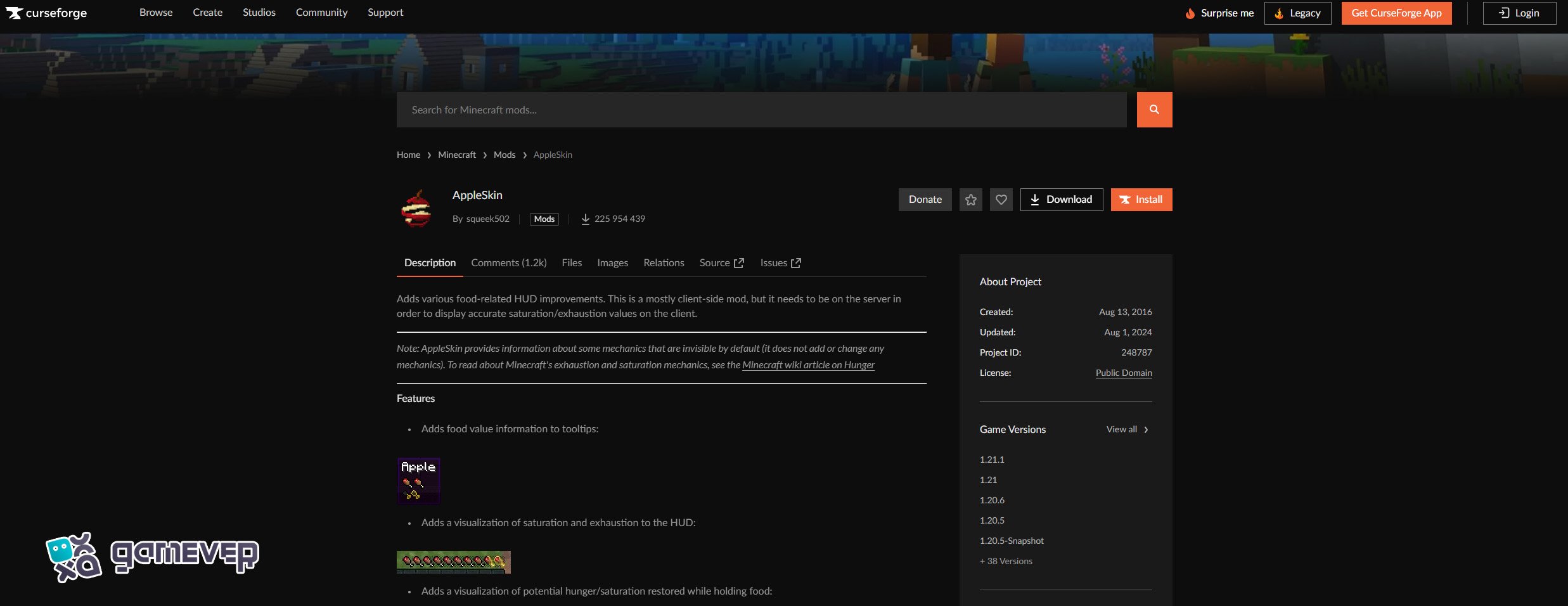
Download the version of AppleSkin that matches your Minecraft version.
Step 2: Install Minecraft Forge or Fabric
To run the AppleSkin mod, you need either Minecraft Forge or Fabric, both of which are mod loaders required to enable the mod.
Download Minecraft Forge from the Forge website, or Fabric from Fabric's official site.
Follow the instructions to install the appropriate version of the mod loader.
Once installed, open the Minecraft launcher and select the Forge or Fabric profile to ensure the mod loader is active.
Step 3: Place AppleSkin in the ‘Mods’ Folder
After downloading the AppleSkin mod, place the .jar file into the mods folder in your Minecraft directory.
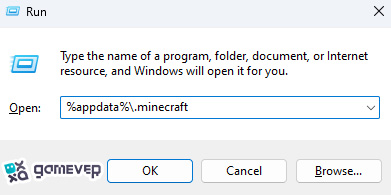
If the mods folder doesn’t exist, you can manually create it. Once the folder is located or created, simply drag and drop the AppleSkin .jar file into it.
Step 4: Launch Minecraft
Once the AppleSkin mod is placed in the mods folder, you’re ready to launch Minecraft using the Forge or Fabric profile.
- Open the Minecraft launcher.
- Select the Forge or Fabric profile.
- Click Play to load the game with AppleSkin active.
How to Use AppleSkin in Minecraft
Once installed, AppleSkin will automatically display detailed hunger information on your HUD. Here’s how to make the most of its features:
1. Hunger Bar Display
AppleSkin enhances your hunger bar by displaying not only the current hunger level, but also the saturation and exhaustion levels.
- Saturation: A hidden value in Minecraft that determines how long you can go without getting hungry again after eating.
- Exhaustion: A measure of how much energy you’ve used, which eventually reduces saturation and increases hunger.
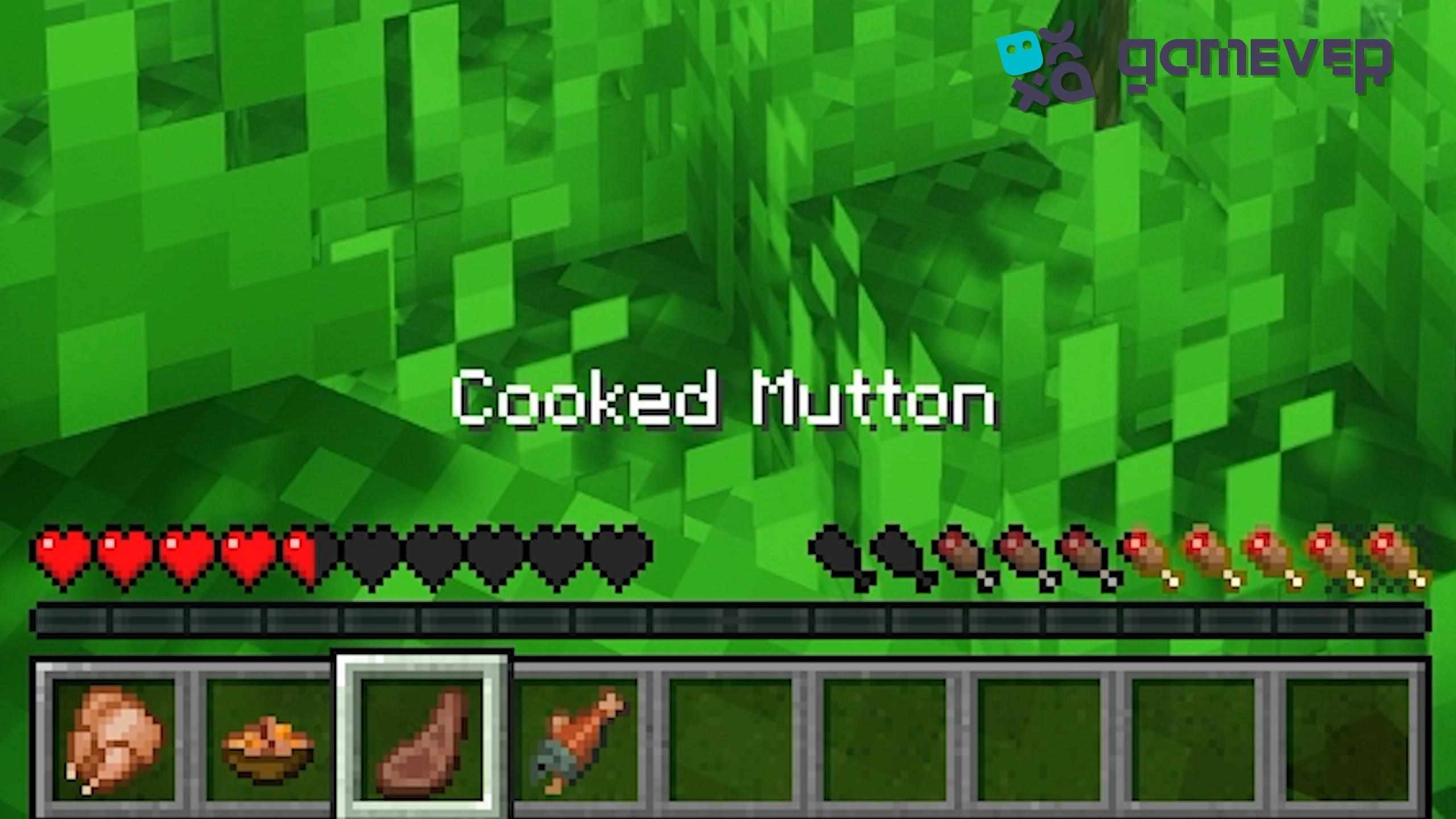
With these displayed stats, you can effectively manage your hunger and time when to eat for maximum benefit.
2. Food Values
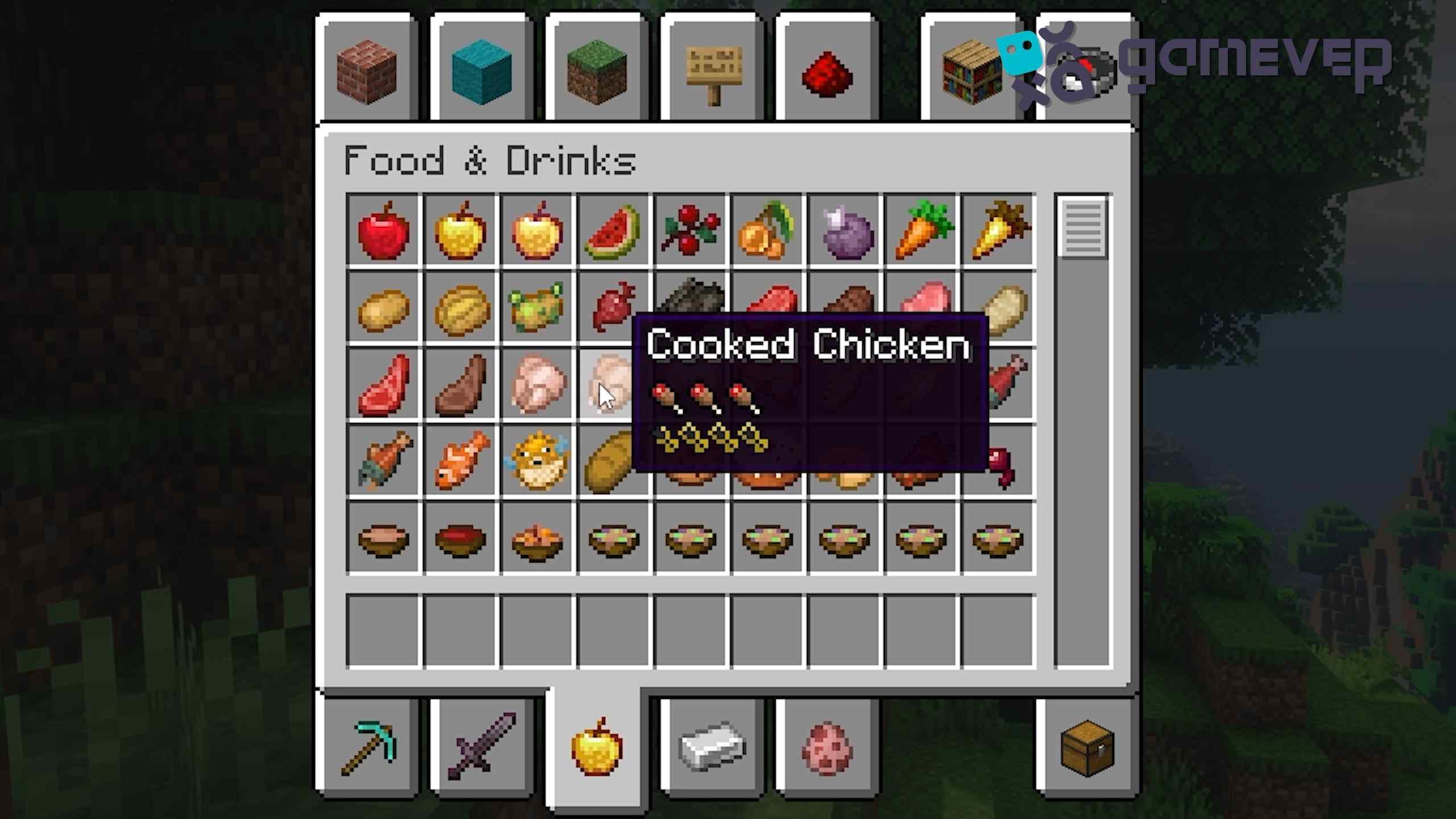
When holding food in your hand, AppleSkin shows how much hunger and saturation the food will restore before you eat it. This is incredibly helpful when you’re choosing between different foods or when you want to eat just enough to keep your hunger bar full.
3. Visual Indicators for Exhaustion
AppleSkin also provides real-time updates on your exhaustion level. You'll be able to see how certain actions, such as sprinting or mining, affect your hunger, allowing you to better manage your in-game stamina.
Benefits of Using AppleSkin on Gamever Servers
When playing on Gamever servers, where multiplayer survival and resource management are key, AppleSkin can be an invaluable tool:
- Efficient Resource Use: In multiplayer survival modes, managing food efficiently is crucial. AppleSkin ensures that you eat the right amount of food at the right time, reducing waste.
- Strategic Gameplay: In competitive multiplayer games, having detailed hunger stats allows you to plan ahead, ensuring you have enough stamina to explore, mine, or fight.
- Collaborative Play: Share strategies with friends on the server to make sure your entire team stays well-fed and ready for action.
Conclusion
The AppleSkin mod is a must-have for Minecraft players who want to manage their hunger and stamina more effectively. By providing detailed food stats, showing saturation and exhaustion levels, and giving you a clearer view of your nutrition needs, AppleSkin improves your overall survival strategy. When playing on Gamever servers, this mod becomes even more valuable, as it ensures you and your friends can optimize food usage and focus on gameplay.