
How to install shaders in Minecraft Forge?
Transforming your Minecraft experience with shaders can elevate the game from simply engaging to visually extraordinary. Shaders introduce incredible graphics enhancements like dynamic shadows, rich sunlight, and lush water effects, breathing life into the game's world. This comprehensive guide will take you through the steps to seamlessly integrate shaders into Minecraft using the Forge modding platform. Moreover, we'll explore the added enjoyment and shared creativity you can experience by playing on Gamever servers, where you can showcase your visually enhanced world to friends and like-minded players.
Understanding Minecraft Forge and Shaders
Minecraft Forge is a popular modding API that allows players to easily install and manage mods in Minecraft, enhancing gameplay with new features and improvements. Shaders, on the other hand, are not mods but graphical enhancements that improve the game's visuals dramatically.
Step-by-Step Guide to Installing Shaders in Minecraft Forge
1. Installing Minecraft Forge
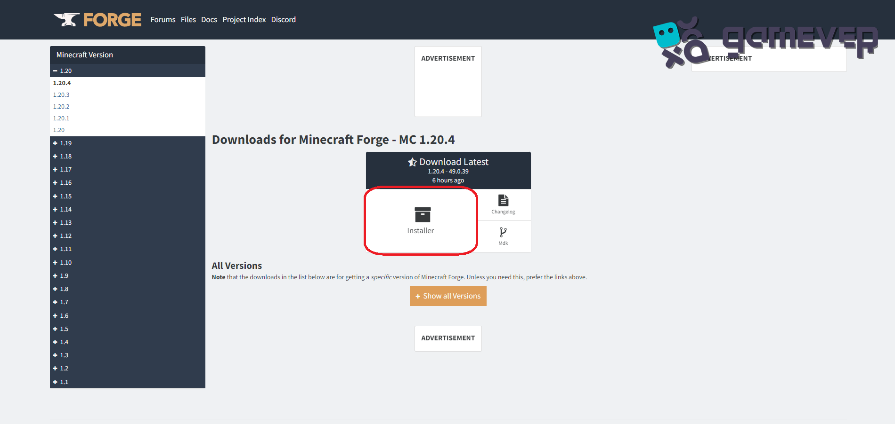
Download Forge : Visit the official Forge website and download the installer for the version of Minecraft you wish to play. Ensure the Forge version is compatible with your Minecraft version.
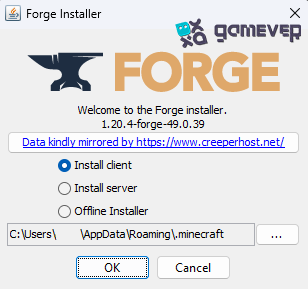
Run the Installer : Open the Forge installer and select "Install client." Choose your Minecraft installation directory if it's not automatically selected. Click "OK" to install.
2. Downloading Shader Packs
Find Shader Packs : There are many shader packs available online. Websites like CurseForge and other Minecraft modding communities are great places to start. Ensure the shader pack is compatible with your version of Minecraft.
Shader Packs: Once you've selected a shader pack, download it. Shader packs are usually downloaded as .zip files. Do not unzip them.
3. Installing Optifine
Optifine Requirement : Most shaders require Optifine to run. Download Optifine from its official website, ensuring it matches your Minecraft version.
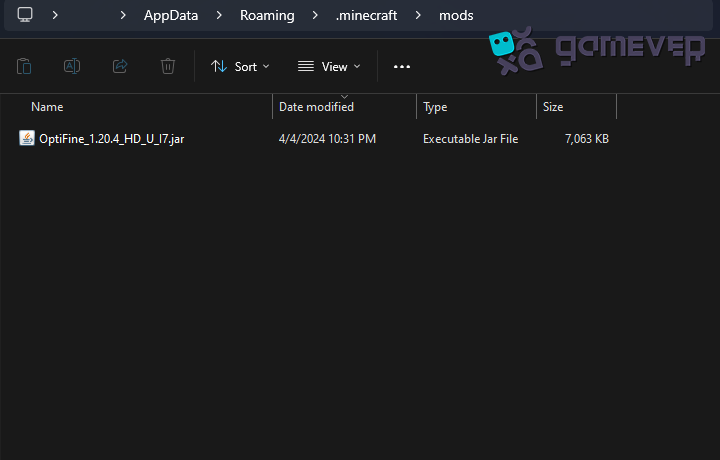
Integrating with Forge : Place the Optifine.jar file in the "mods" folder of your Minecraft directory. Forge will treat Optifine as a mod, allowing it to work alongside other mods.
4. Adding Shaders to Minecraft
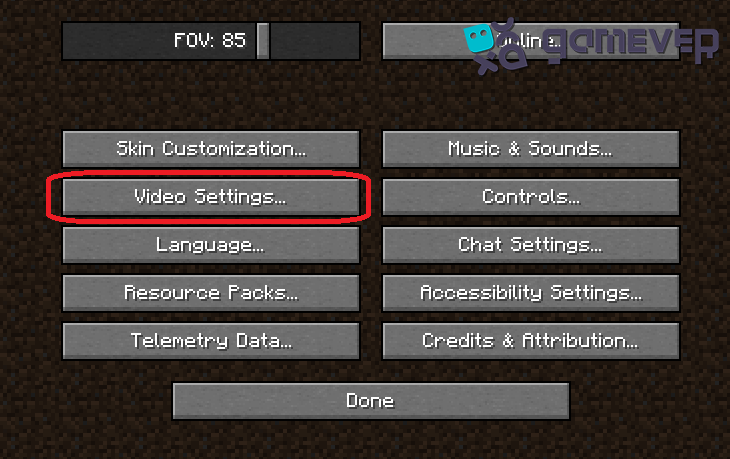
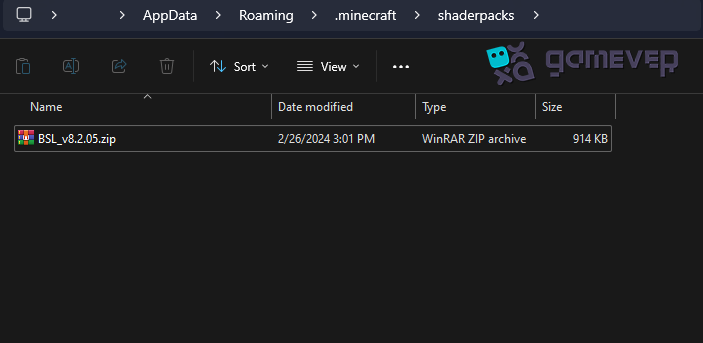
Accessing the Shader Folder : Launch Minecraft with Forge and Optifine installed. Go to "Options," then "Video Settings," and finally "Shaders." To open the directory where Minecraft looks for shader packs, click the "Shaders Folder" button.



Installing Shader Packs : Place your downloaded shader packs (.zip files) into the opened "shaderpacks" folder.
5. Activating Shaders in the Game
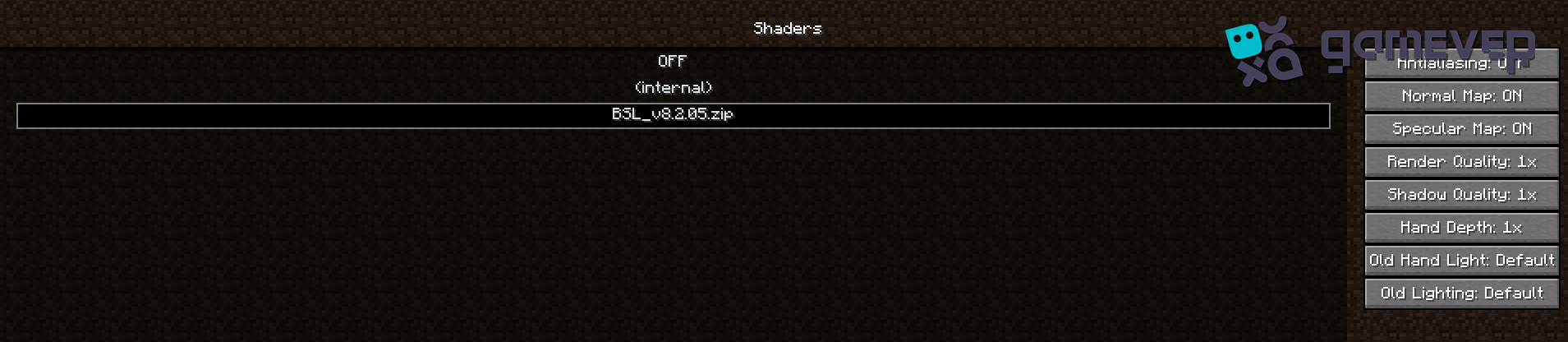
Selecting Your Shader : Open Minecraft and navigate back to "Options," "Video Settings," and "Shaders." Your installed shader packs should be listed here. Select the one you wish to activate and click "Done."
Tips for Enjoying Shaders in Minecraft
Performance Considerations : Shaders can be resource-intensive. Adjust Minecraft's video settings and the shader's own settings to optimize performance without sacrificing too much visual quality.
Shader Compatibility : Some shaders are more demanding than others. Experiment with different shader packs to find the one that best suits your system's capabilities.
Enhancing Your Experience on Gamever Servers
Installing shaders can make Minecraft much more visually stunning, but the experience is even better when shared. Gamever servers provide a platform where you can:
Showcase Stunning Visuals : Share your enhanced Minecraft world with friends, highlighting the beautiful visuals provided by shaders.
Collaborate and Create : Work together on building projects that look even more impressive with shader enhancements.
Stable and Secure Gameplay : Enjoy a stable multiplayer experience with the peace of mind that your creations are safe, thanks to Gamever's secure servers.
Conclusion
By following this guide, you can successfully install shaders in Minecraft Forge, dramatically enhancing your game's visual appeal. Whether you're exploring vast landscapes, building intricate structures, or simply enjoying the sunset, shaders can make every moment in Minecraft feel magical. Furthermore, by joining Gamever servers, you can share this enhanced experience with friends, creating memories and breathtaking worlds together.