
How to install shaders in Minecraft Fabric?
Along with its sandbox world, Minecraft has a lot of options for customization. Players, for example, can use effects to improve their game's visuals. While Forge has been a popular way to add mods for a long time, Fabric is a newer, lighter, and more flexible option that has become more popular among Minecraft players. The steps in this guide will show you how to use Fabric to add shaders in Minecraft, so you can enjoy beautiful graphics without slowing down the game. We will also talk about the advantages of playing on Gamever platforms, where you can share your improved world with friends.
Understanding Minecraft Fabric
For those seeking minimalistic mods or looking to maximize game performance, Fabric, a lightweight modding toolchain for Minecraft, offers a simpler and more efficient alternative to Forge. Fabric's growing popularity stems from its speedy updates and compatibility with the latest Minecraft versions.
Step-by-step guide to installing shaders with Minecraft Fabric
1. Installing Fabric
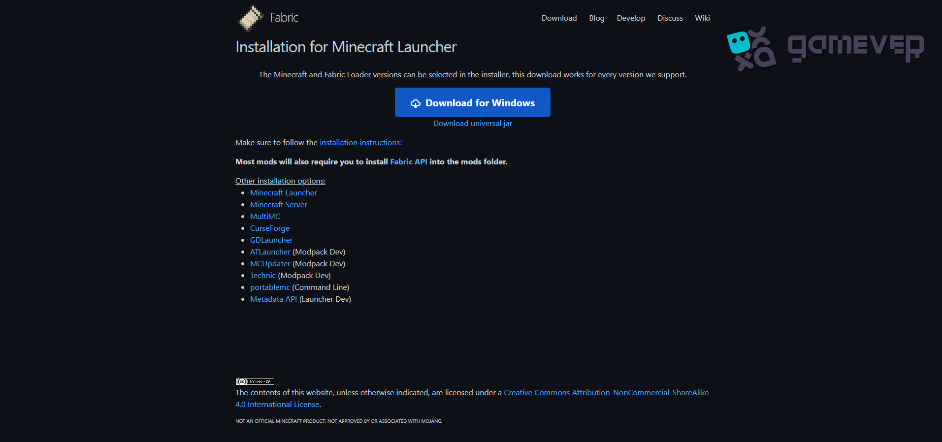
Download the Fabric Installer : Visit the Fabric website and download the installer for your operating system.
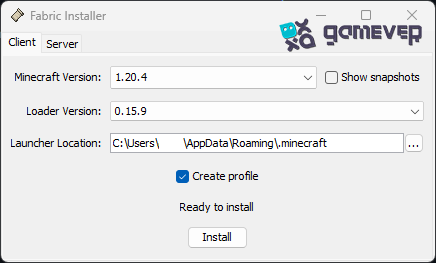
Run the installer. Open the Fabric installer, choose the version of Minecraft you want to modify, and confirm that you have checked the "Create profile" option. Click "Install."
2. Setting up the Fabric API and Mods
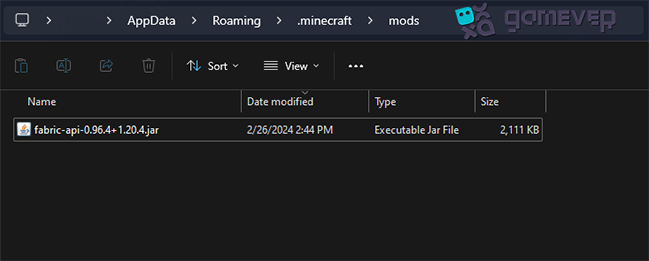
Downloading the Fabric API : It's crucial for running many Fabric mods, including shader mods.
Locating the Mods Folder : Press Win+R , type %appdata%\.minecraft\mods , and press Enter.
3. Installing Shader Mod for Fabric
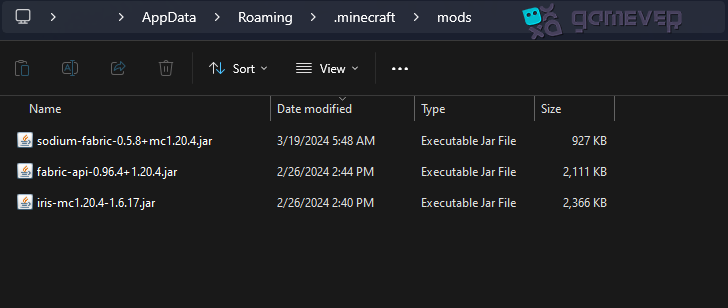
Choosing a Shader Mod: For Fabric, you'll need a specific shader mod, such as Iris Shaders, compatible with the Fabric ecosystem. Also, for Iris to function, you will need the Sodium mod.
Downloading and Placing the Shader Mod: From a trusted source, download the Iris Shaders mod and Sodium, and place the.jar files in the "mods" folder.
4. Downloading and Installing Shaders
Shaders: Choose shaders that are compatible with the Iris Shaders mod. Both Sildur's Vibrant Shaders and BSL Shaders are popular options.
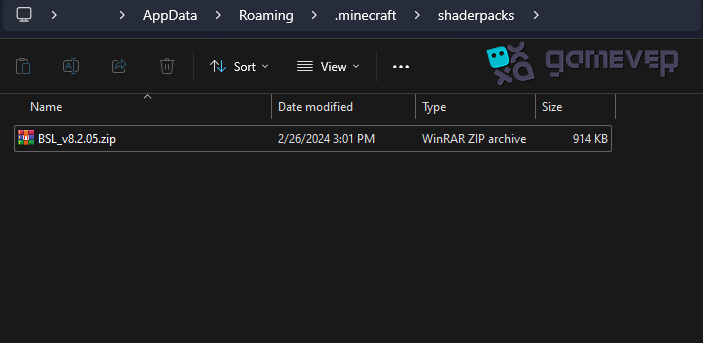
Installing Shaders : After downloading your selected shader packs, navigate to the game's "shaderpacks" folder and place the shader files there.
5. Launching Minecraft with Fabric and Activating Shaders
Selecting the Fabric Profile : Open the Minecraft launcher and select the Fabric profile.
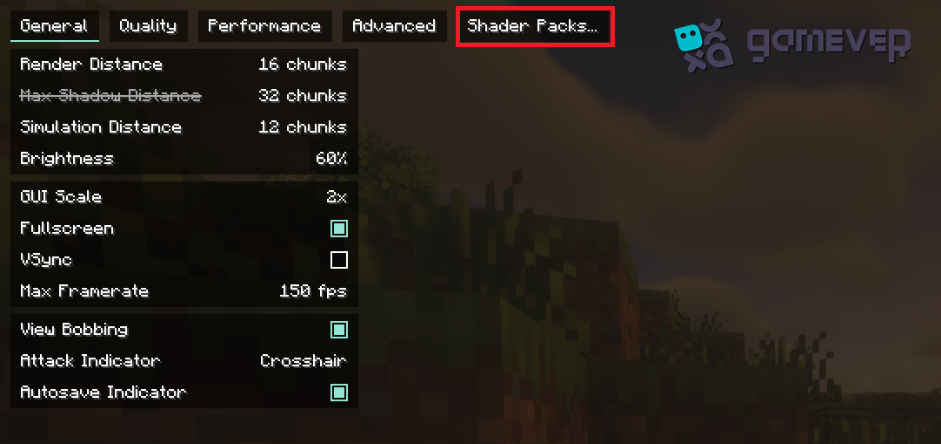
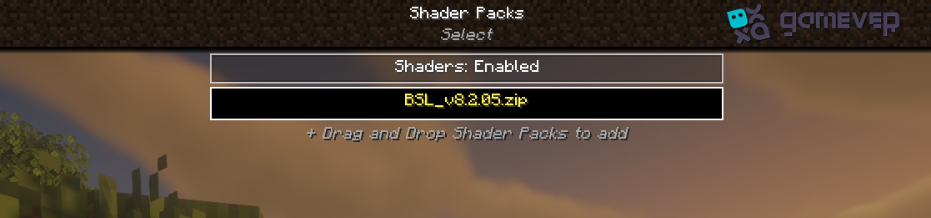
Accessing Shaders : Launch the game, go to "Options" > "Video Settings" > "Shader Packs" and select your desired shader pack.
Enhancing Your Gameplay with Gamever Servers
With shaders installed, Minecraft's world becomes even more breathtaking, offering an excellent opportunity to share this enhanced experience with others. Gamever servers provide the perfect platform to play with friends, showcasing your visually upgraded Minecraft adventures.
Community and collaboration: Join others who also enjoy modded Minecraft, share tips, showcase your builds, and explore together in a stunningly rendered world.
Security and Support : With robust protection against grief and supportive admins, Gamever servers offer a safe and enjoyable environment for all players.
Conclusion
Installing shaders in Minecraft using Fabric is a straightforward process that can significantly enhance your gaming experience, bringing a new level of realism and beauty to the game. Following this guide, you can enjoy a visually stunning Minecraft world and share these enhancements on Gamever servers, creating memorable experiences with friends in a vibrant, modded community.