
How to Install Rust
Rust, the thrilling open-world survival game, has captured the hearts of gamers worldwide. If you're eager to join the action and need to know how to install Rust on your PC, you've come to the right place. In this straightforward guide, we'll walk you through the installation process and provide essential tips to make it a breeze.
Check Your PC's Compatibility
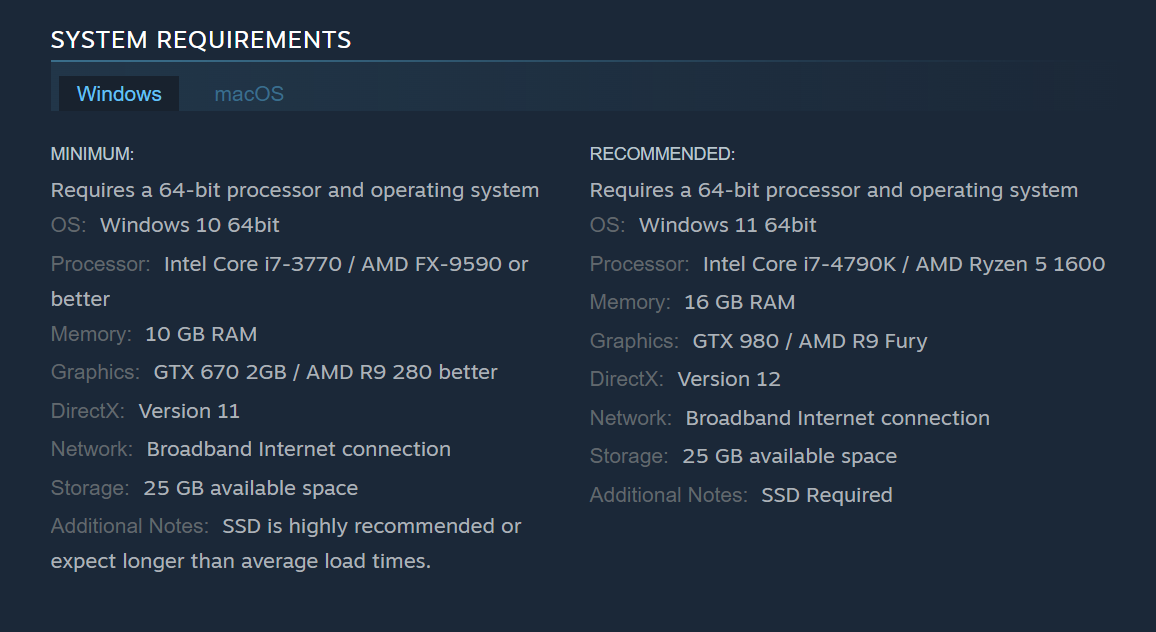
Before diving into the installation, ensure your computer meets Rust's minimum system requirements:
Downloading and Installing Rust
Step 1: Choose an Official Game Client
To start, select an official game client like Steam.
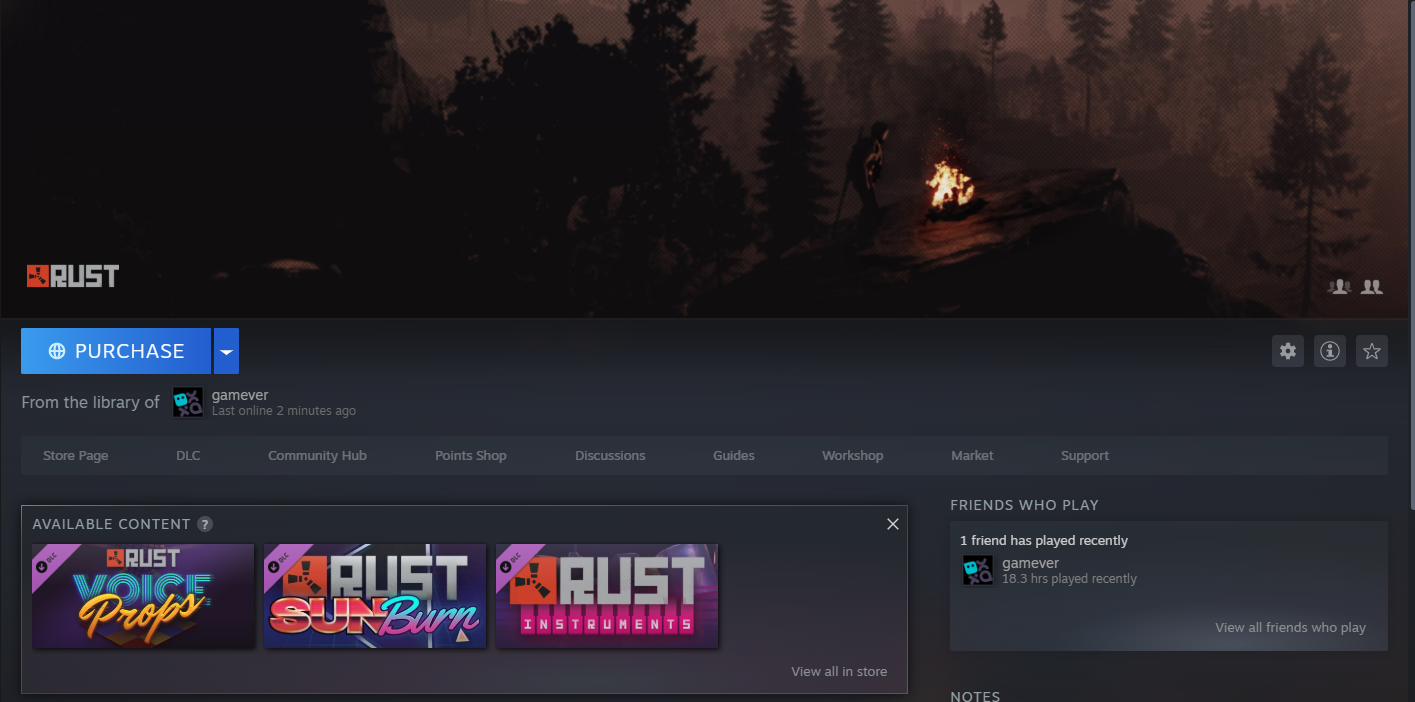
1. Download and install the Steam client on your PC.
2. Sign in or create a new Steam account.
3. Search for "Rust" in the Steam store.
4. Purchase the game, add it to your cart, and complete the checkout.
5. In your Steam Library, locate Rust.
6. Click "Install" and choose your preferred installation folder.
7. Wait for the installation to finish, then click "Play" to run the game.
Additional Tip: Verify Your Game Files
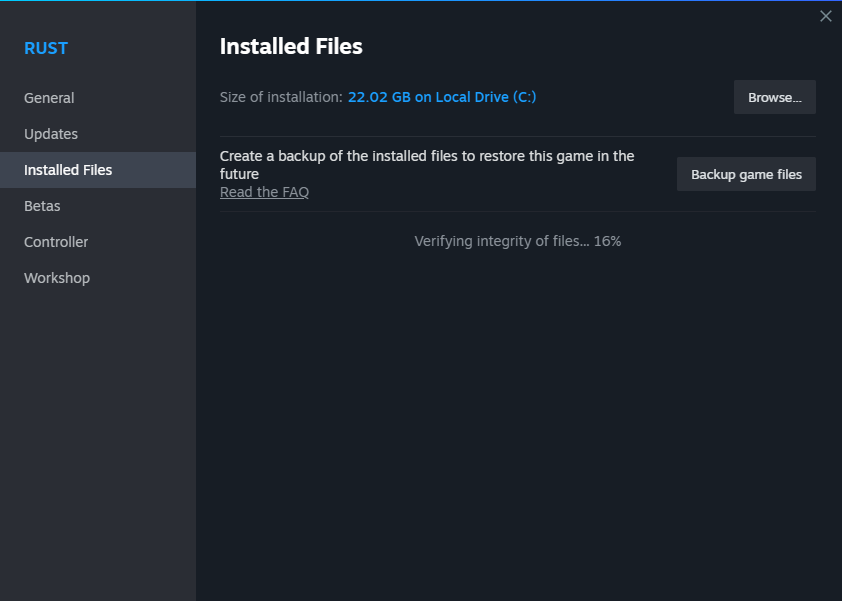
Sometimes, Steam downloads can encounter errors. If you face any issues, you can follow these steps to fix them:
1. Determine where your Steam files are located.
- In the main Steam window, click the Steam menu.
- Click Settings.
- Click the Downloads tab.
- Click the Steam Library Folders button.
- In the window that appears, it will show you where Steam Library Folders are on your hard drive(s).
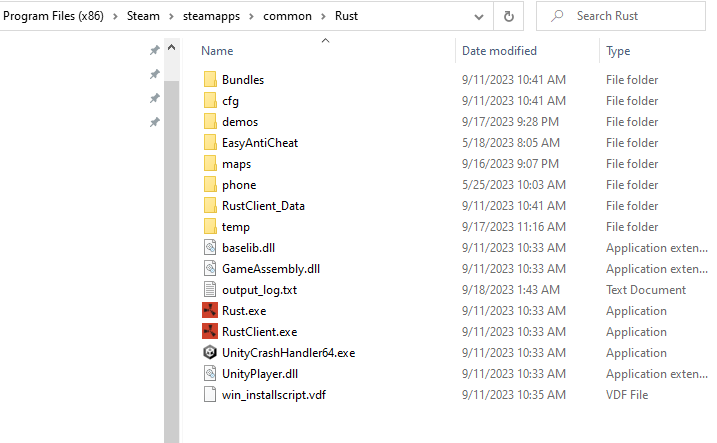
2. In Windows Explorer or Finder, navigate to the folder you found.
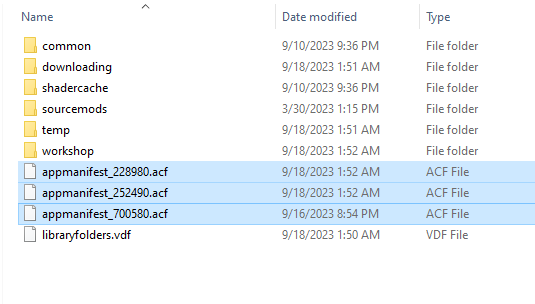
3. In the Steam folder, open the SteamApps folder.
4. Put your file browser into Details view.
- In Windows, right-click anywhere in the folder, select View in the pop-up menu, and choose Details.
5. Click the column header for Date or Date Modified until the most recently written files are at the top.
6. Delete the appmanifest file at the top (it may have caused the issue).
7. Retry downloading or installing your game.
8. Once you're sure the game was installed without error, empty your recycle bin.
To end
In this guide on how to install Rust, you've learned the essentials to embark on your thrilling open-world survival adventure. By checking your PC's compatibility and choosing an official game client like Steam, you can purchase and install Rust hassle-free. Plus, we've shared a useful tip to verify your game files and overcome any download issues.