
How to Install Not Enough Animations for Minecraft
The Not Enough Animations mod enhances Minecraft’s visual experience by adding realistic and smoother animations to character actions. With this mod, movements such as eating, drinking, blocking, and even boat rowing feel more lifelike. Here’s a guide to installing Not Enough Animations and customizing its features to create a more immersive gameplay experience. Plus, we’ll explain how the mod shines in multiplayer, especially on Gamever servers.
Step 1: Download Not Enough Animations
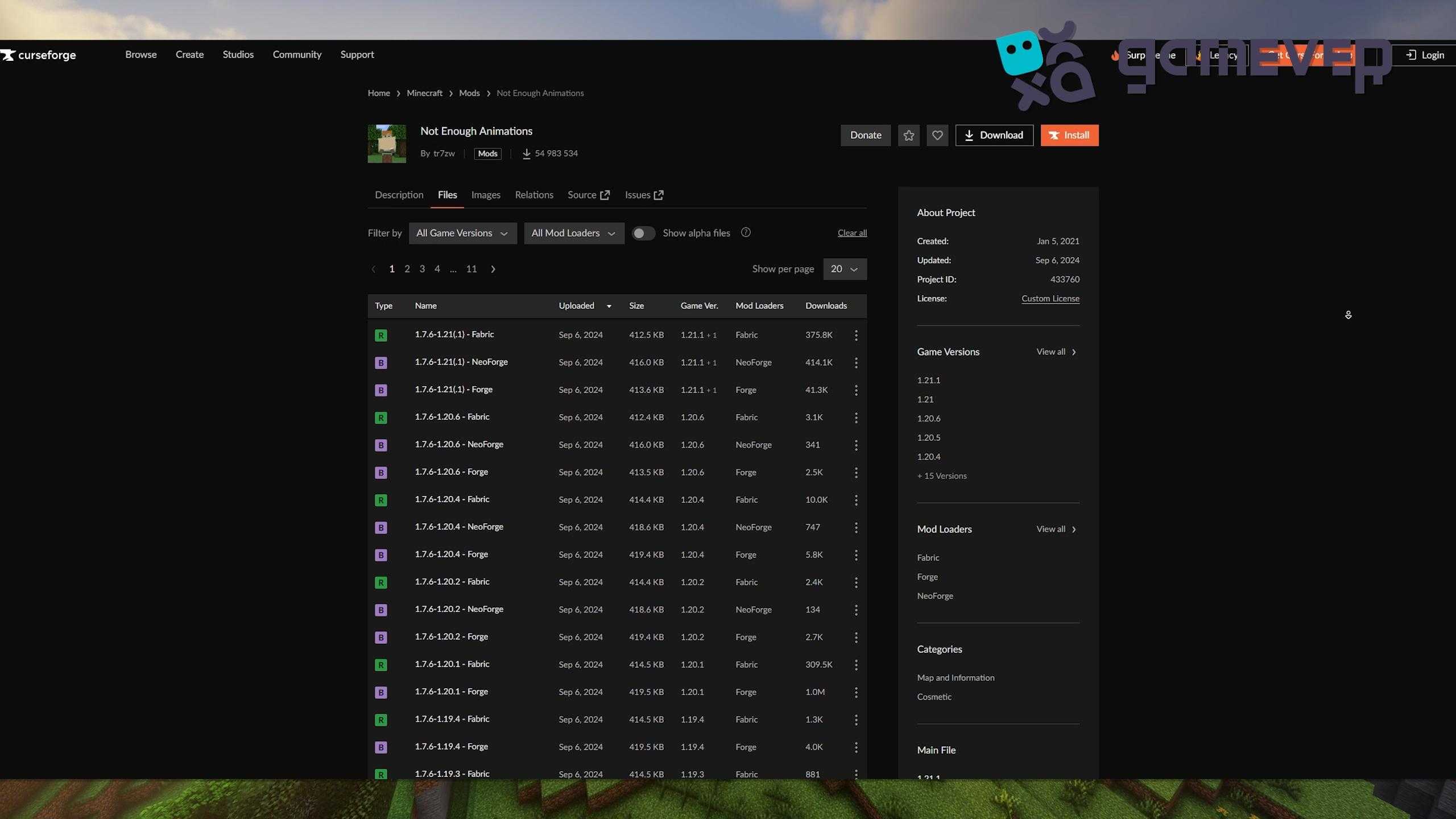
To get started, download the Not Enough Animations mod from CurseForge or Modrinth.
- Visit CurseForge or Modrinth and find Not Enough Animations.
- Download the version that matches your Minecraft installation.
Step 2: Install Minecraft Forge, NeoForge, or Fabric
The Not Enough Animations mod requires Minecraft Forge, NeoForge, or Fabric as its mod loader.
- Download Forge from Forge’s official site, NeoForge, or Fabric from Fabric’s website.
- Install the mod loader and select it in your Minecraft launcher.
Step 3: Place Not Enough Animations in the ‘Mods’ Folder
Once you’ve downloaded the mod, place the .jar file into your Minecraft mods folder.
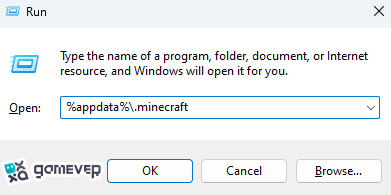
If the mods folder isn’t visible, you can create one manually and place the Not Enough Animations .jar file there.
Step 4: Launch Minecraft
Open Minecraft using the profile you’ve set with Forge, NeoForge, or Fabric. Once the game loads, Not Enough Animations will be active.
Key Features of Not Enough Animations
Not Enough Animations enhances several key movements, making Minecraft feel more immersive:
1. Enhanced Third-Person Animations
This mod focuses on third-person animations, making actions like eating, drinking, and map viewing look smoother and more realistic. For instance:
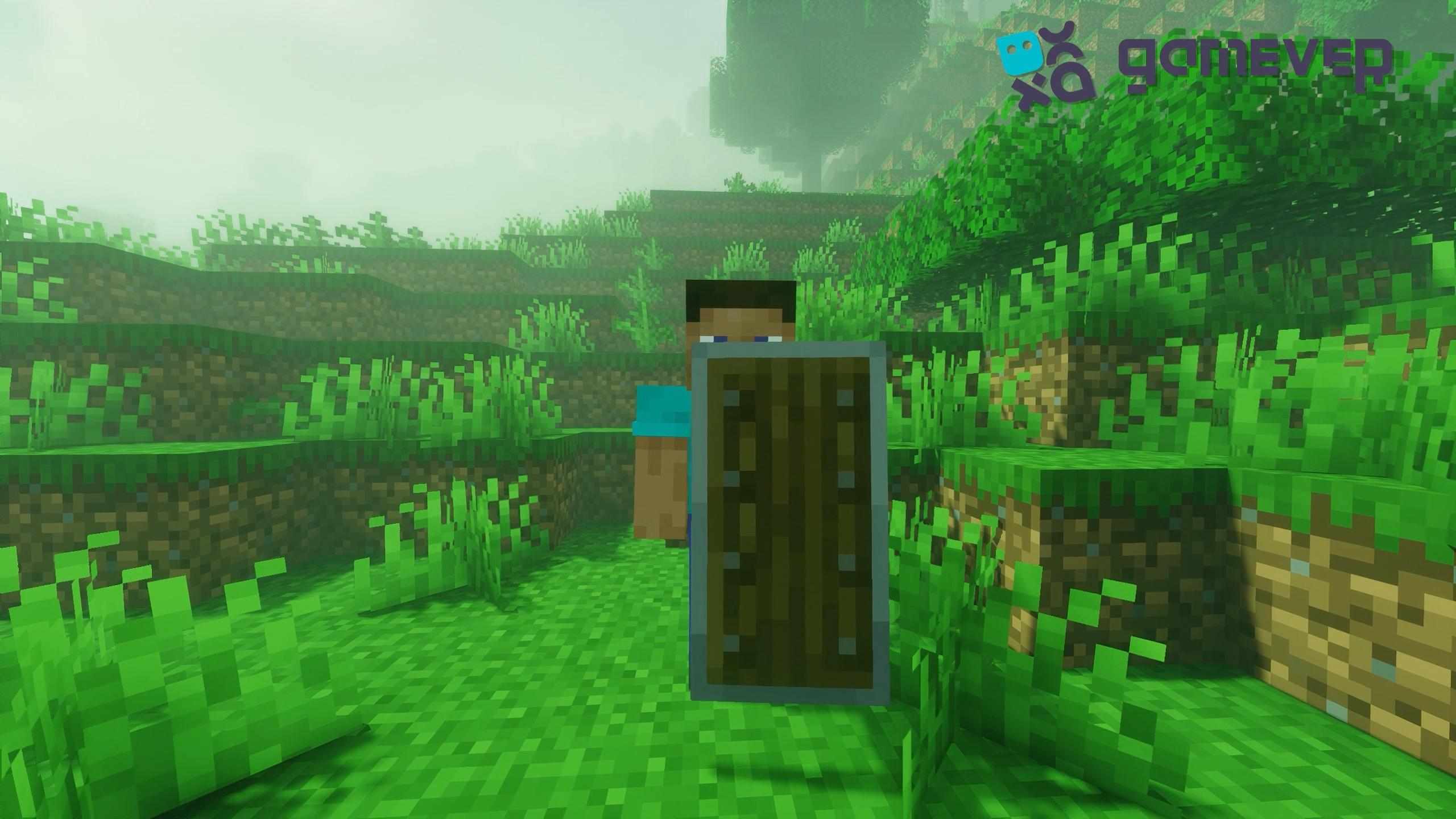
- Blocking with Shields: The character’s head and body now align with the direction of the block, adding a touch of realism.
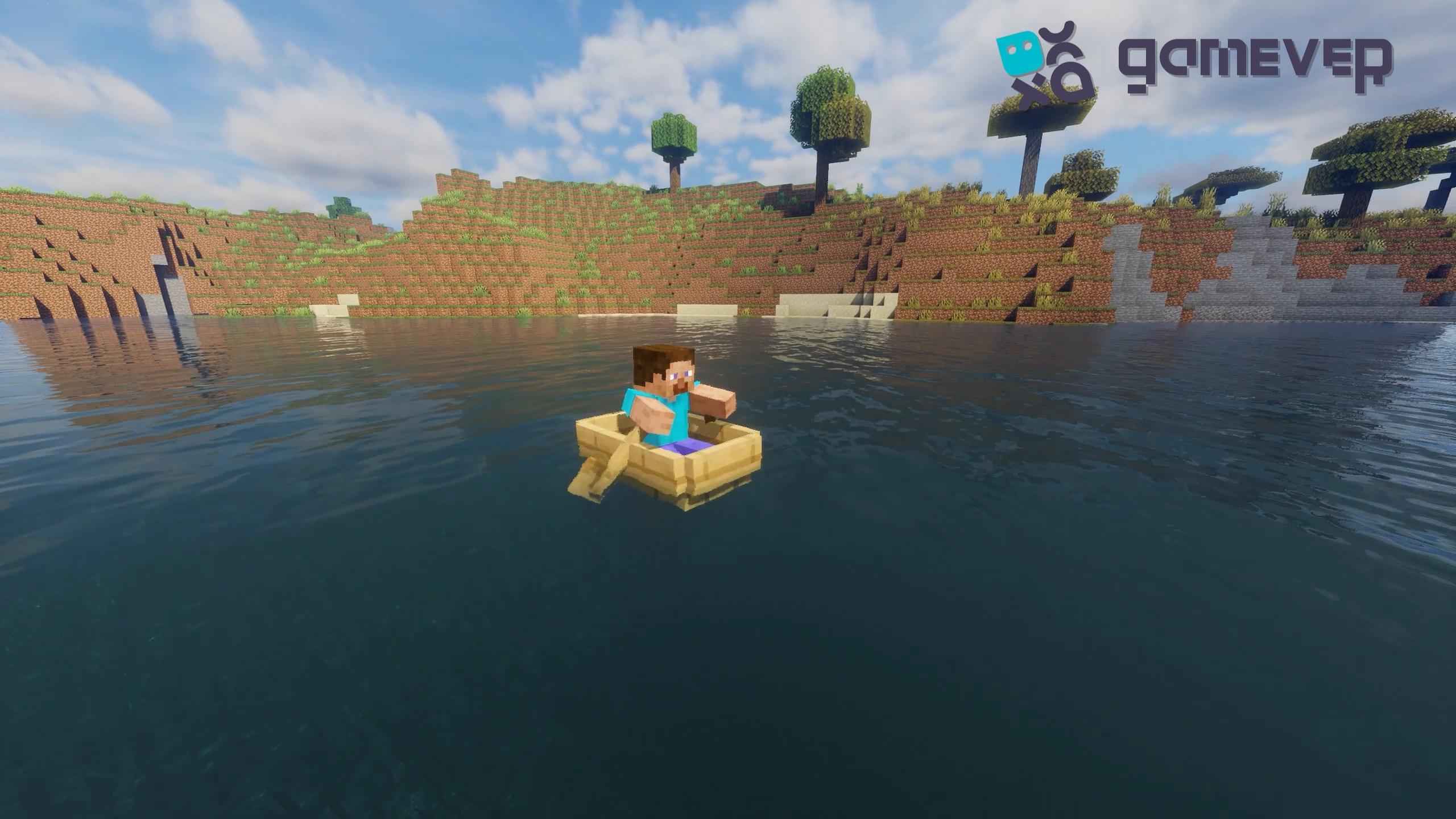
- Boat Rowing and Horse Riding: These movements now feature more lifelike animations, including rowing with arms and holding the reins on horses.
2. New Movements and Actions
The mod also introduces entirely new animations:
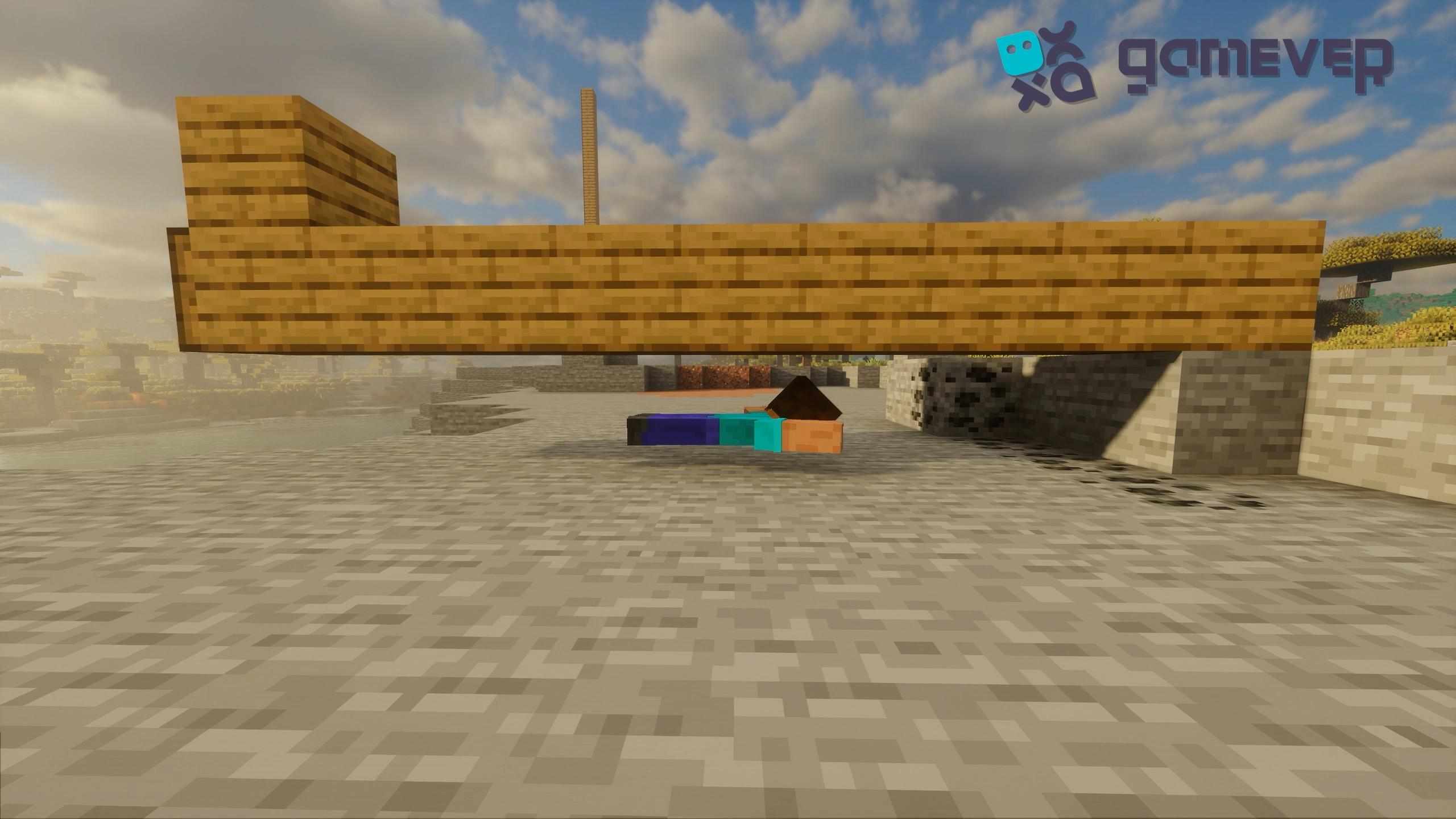
- Crawling Animation: This kicks in when you’re in tight spaces instead of swimming when out of water.
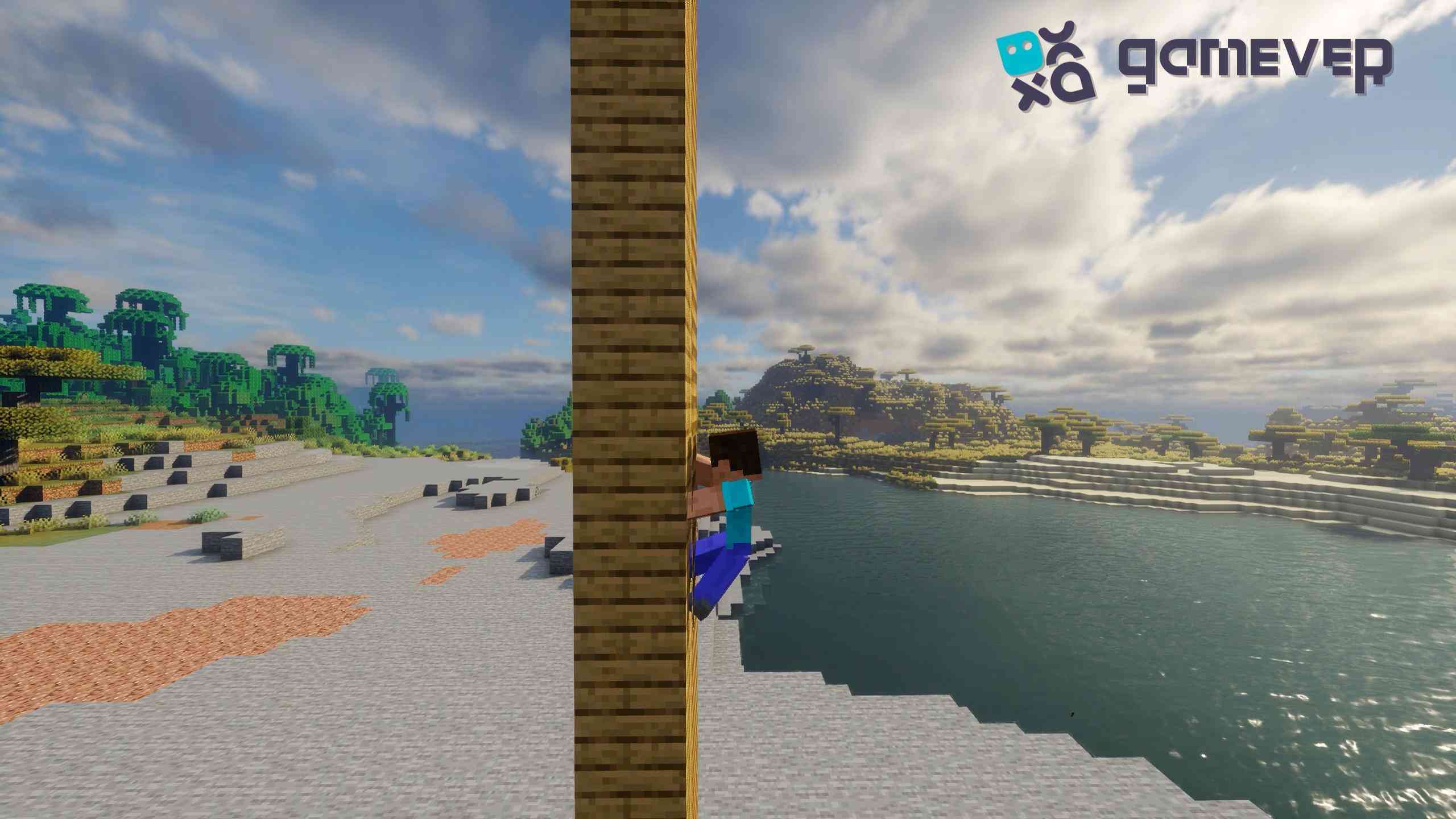
- Climbing Animation: Climbing ladders now has a more fluid motion, making movement feel smoother.
3. Customizable Animation Settings
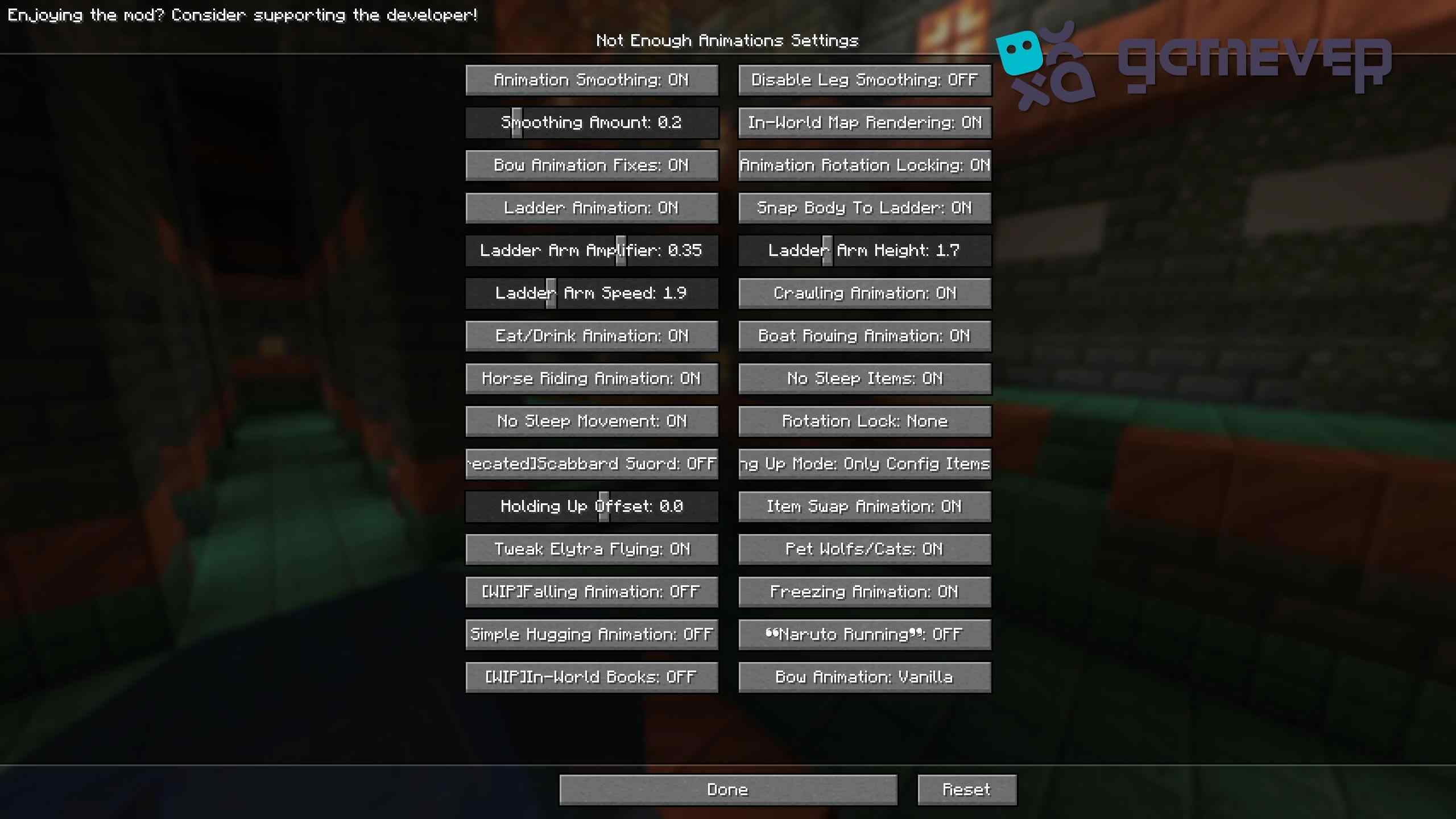
Not Enough Animations is highly customizable. In the in-game Mod Menu, you can turn individual animations on or off based on your preference. This feature lets you control which animations to keep active, so you can tailor your gameplay experience.
Benefits of Using Not Enough Animations on Gamever Servers
In multiplayer environments like Gamever servers, Not Enough Animations makes interactions and gameplay more engaging:
- Enhanced Multiplayer Realism: Actions like rowing or eating now look more natural to others, enhancing cooperative and PvP gameplay.
- Better Roleplay Experiences: For players who enjoy roleplaying, the new animations make character actions feel more believable.
- Improved Combat: With shield-blocking animations, PvP battles are visually more intense and immersive.
Conclusion
Installing Not Enough Animations elevates Minecraft’s visuals by adding smooth and realistic animations to everyday actions. Whether you’re rowing a boat, climbing a ladder, or blocking with a shield, this mod makes each movement feel more immersive. And on Gamever servers, the added animations enhance multiplayer experiences, allowing for a richer and more engaging game.