
How to Install Macaw's Paths and Pavings Mod for Minecraft
Looking to upgrade your Minecraft builds with stylish and functional paths? The Macaw's Paths and Pavings mod is the perfect addition to your game. It introduces a variety of beautiful path and paving options that seamlessly blend with any terrain, elevating your builds. Whether you’re creating a quaint village, a modern driveway, or a rustic garden, this mod has you covered. In this guide, we’ll explain how to install the mod, craft paths, and use them effectively. Plus, we’ll highlight why this mod is ideal for multiplayer on Gamever servers.
Step 1: Download Macaw's Paths and Pavings Mod
To get started, download the Macaw's Paths and Pavings mod from a trusted modding site like CurseForge.

- Download the version compatible with your Minecraft installation.
Step 2: Install Minecraft Forge or NeoForge
This mod requires Minecraft Forge or NeoForge as the mod loader.
- Download Forge from Forge’s website or NeoForge from its site.
- Install Forge or NeoForge, ensuring compatibility with your Minecraft version.
- Select the Forge or NeoForge profile in the Minecraft launcher.
Step 3: Place the Mod in the ‘Mods’ Folder
Once downloaded, place the Macaw's Paths and Pavings .jar file into the mods folder.

If you don’t see a mods folder, create one manually. Then, drag and drop the .jar file into it.
Step 4: Launch Minecraft
Open Minecraft using the Forge or NeoForge profile. Once the game loads, the mod will be active, ready for you to start crafting new paths and pavings.
Crafting and Using Macaw's Paths and Pavings
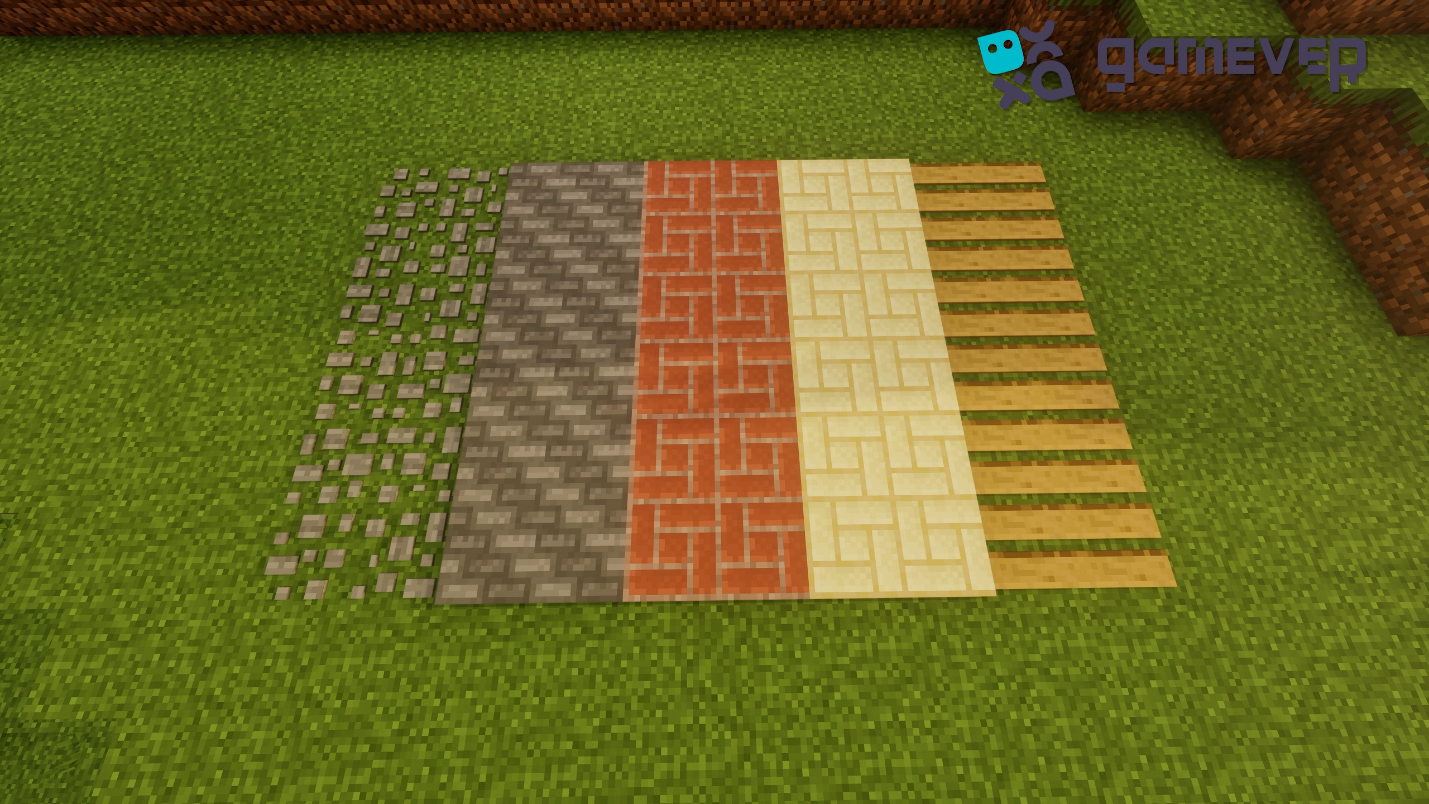
This mod offers a variety of stylish paths and pavings to transform your builds. Here’s how to craft and use them:
1. Crafting Paths and Pavings
Creating paths is simple and requires basic materials:
- Stone Paths: Use cobblestone or smooth stone slabs.
- Brick Pavings: Craft with standard bricks.
- Sandstone Walkways: Use sandstone slabs for a light, natural look.
- Rustic Wooden Paths: Combine wood slabs for a warm, earthy aesthetic.
Place the materials in the crafting table as per the mod’s recipes, which can be found in the game.
2. Design Versatility
Macaw's Paths and Pavings are highly versatile and blend well with any build:
- Gardens: Create elegant walkways to accent your landscaping.
- Villages: Add charm to village paths by replacing gravel with sandstone or brick.
- Modern Builds: Use sleek stone or concrete paths for a polished, urban feel.
Beautiful paths made of wood
3. Seamless Terrain Integration
These paths adapt to the surrounding terrain, ensuring a natural and cohesive look in your world.
Why Use Macaw's Paths and Pavings on Gamever Servers?
On Gamever servers, Macaw's Paths and Pavings add a new dimension to multiplayer builds:
- Collaborative Projects: Perfect for designing shared villages or group bases with stunning walkways.
- Custom Builds: Enhance large server-wide builds like cityscapes or themed areas.
- Easy Crafting: With simple recipes, all players can contribute to creating stylish and functional paths.
Conclusion
The Macaw's Paths and Pavings mod is an excellent addition for Minecraft players looking to enhance their builds with beautiful, customizable paths. From rustic walkways to modern pavings, this mod offers endless design possibilities. On Gamever servers, it makes group projects and shared builds more engaging, allowing you to create visually stunning spaces with ease.