
How to Install and Use the Comforts Mod in Minecraft?
The Comforts mod is a fantastic addition to Minecraft, perfect for players who enjoy adventure and exploration. It introduces helpful items like sleeping bags and hammocks, allowing you to manage sleep more efficiently. Sleeping bags let you rest without resetting your spawn point, while hammocks enable daytime naps to skip time. In this guide, we'll walk you through how to install and use the Comforts mod, as well as how playing on Gamever servers can enhance your multiplayer experience.
Step 1: Download the Comforts Mod
First, download the Comforts mod from a reputable modding site, such as CurseForge.
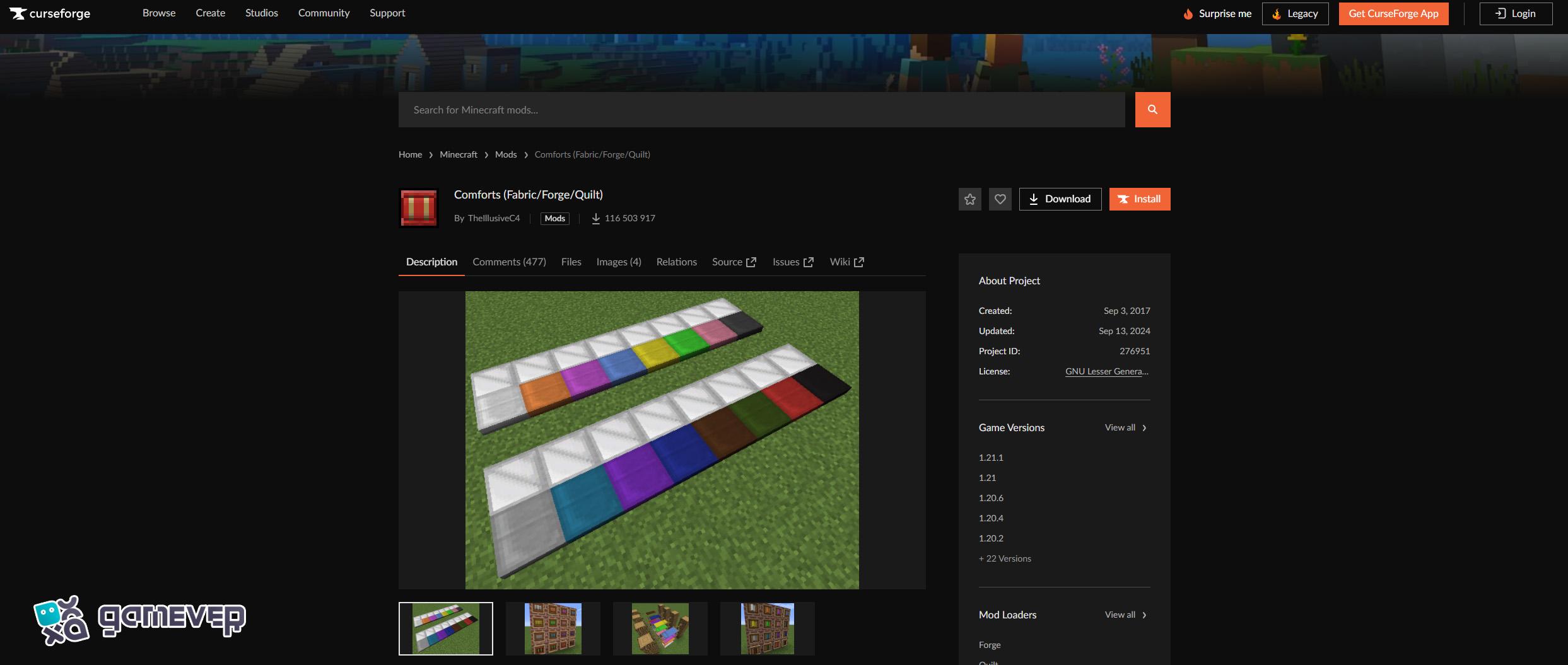
Step 2: Install Minecraft Forge or Fabric
To run the Comforts mod, you will need either Minecraft Forge or Fabric, two popular mod loaders. Here's how to install them:
- Download and install Minecraft Forge from Forge's official website, or Fabric from Fabric's official website.
- After installation, launch Minecraft and select either the Forge or Fabric profile.
Step 3: Add the Comforts Mod to Your ‘Mods’ Folder
Once you’ve downloaded the Comforts mod .jar file, you need to place it in the mods folder in Minecraft.
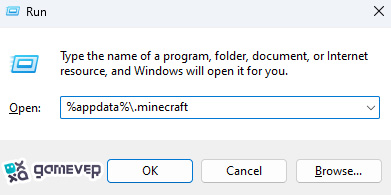
If there isn't a mods folder, create one manually. Drag and drop the Comforts mod file into this folder.
Step 4: Launch Minecraft
After placing the mod file in the mods folder, launch Minecraft using the Forge or Fabric profile. The Comforts mod should now be active, allowing you to craft and use items like sleeping bags and hammocks.
How to Use the Comforts Mod in Minecraft
Once installed, the Comforts mod allows you to create and use sleeping bags and hammocks to manage sleep on the go.
1. Crafting a Sleeping Bag
The sleeping bag is ideal for adventurers. It lets you sleep through the night without resetting your spawn point, making it easier to rest while far from your home base.
To Craft a Sleeping Bag:
- Simply place three blocks of wool vertically on the crafting table.
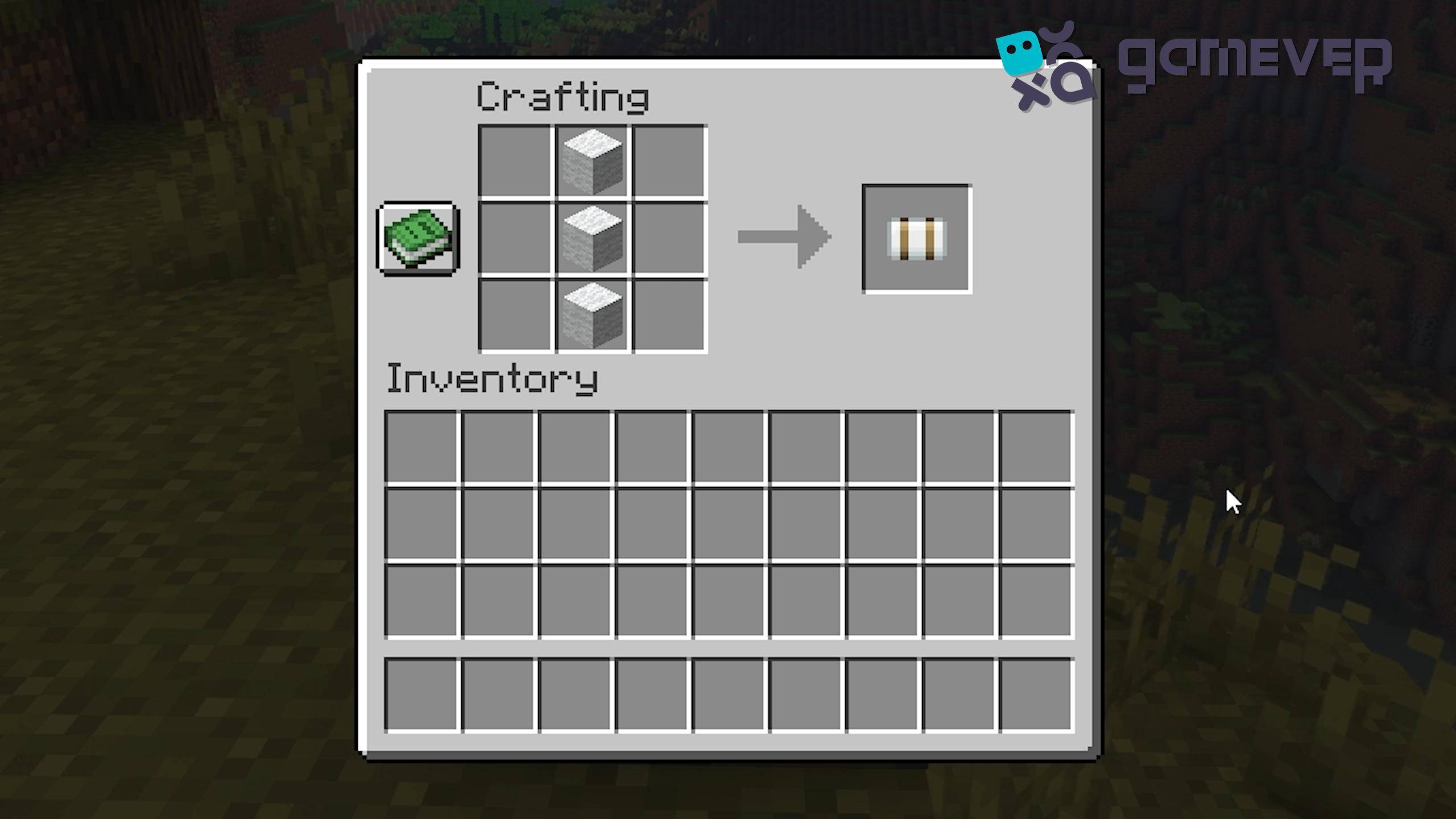
You can now carry a sleeping bag for overnight adventures.
2. Crafting a Hammock
The hammock lets you nap during the day, skipping time to make things more convenient when waiting for nightfall or passing daytime quickly.
To Craft a Hammock:
- You’ll need wool, sticks, and strings.
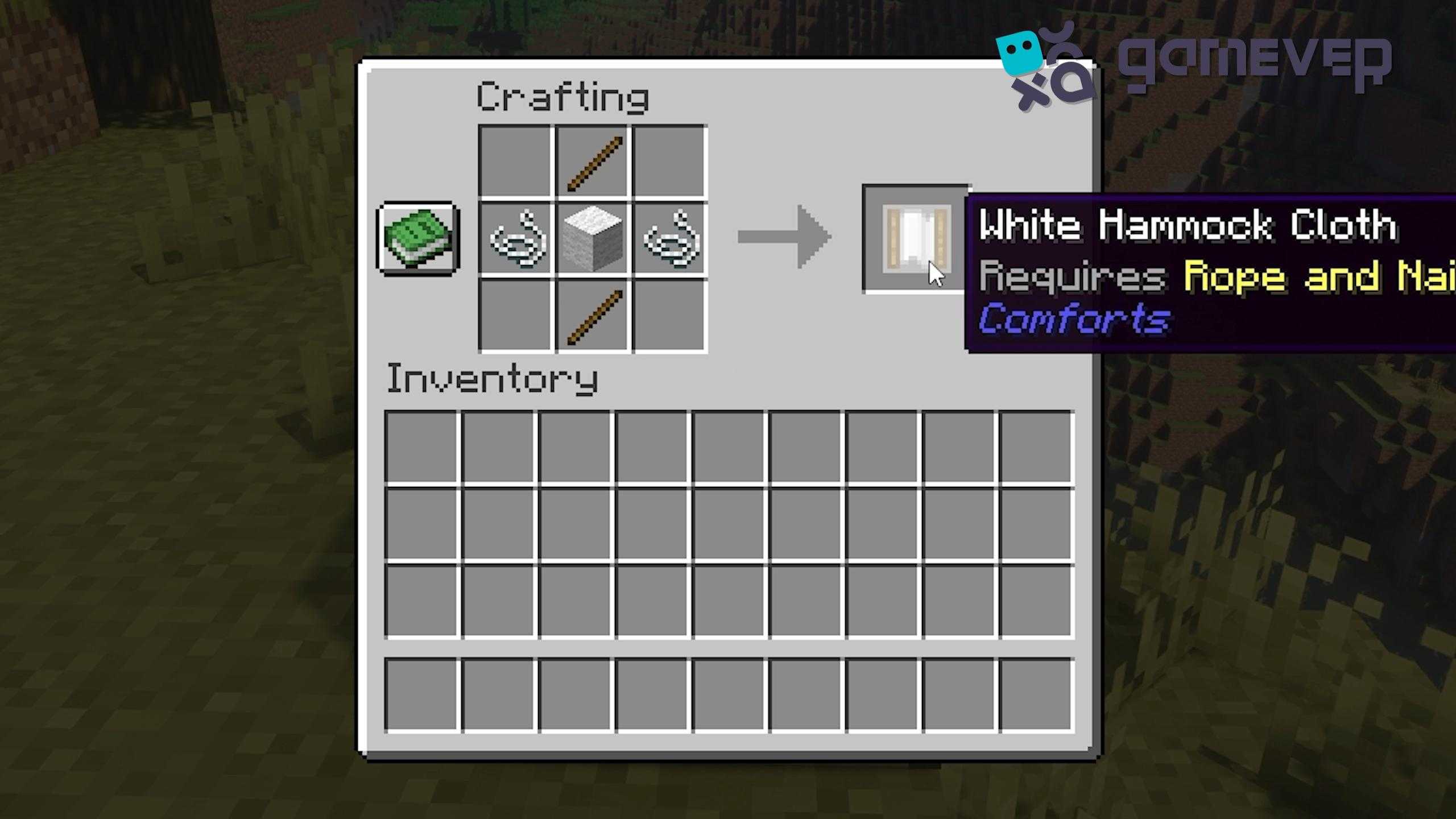
- Additionally, craft Rope and Nails to hang your hammock between trees or structures. Once set up, you can use the hammock to skip time during the day.
Benefits of Using the Comforts Mod on Gamever Servers
The Comforts mod shines in multiplayer settings, such as Gamever servers:
- Efficient Exploration: Sleeping bags allow you to travel far without worrying about resetting your spawn point, making resource gathering and long-distance adventures easier.
- Team Coordination: Hammocks help your team stay in sync by allowing everyone to skip time together, making collaborative gameplay smoother.
Conclusion
The Comforts mod adds a new level of convenience to Minecraft adventures by allowing you to craft and use sleeping bags and hammocks. These tools are perfect for managing sleep and time more efficiently during your travels. Moreover, on Gamever servers, you can experience the full benefits of the mod, allowing for more efficient team play and exploration.