
How to Install and Use Just Enough Items (JEI) in Minecraft?
Minecraft is a game that offers endless possibilities, from building impressive structures to surviving in challenging environments. However, with a multitude of items and crafting recipes, it can be overwhelming to keep track of everything. This is where the Just Enough Items (JEI) mod comes in handy. JEI is a simple yet powerful tool that helps players easily browse through items and recipes in Minecraft. In this guide, we’ll walk you through the steps to install and use JEI, making your Minecraft experience much more organized and efficient. Plus, we'll explore how you can enhance your multiplayer gameplay on Gamever servers, where JEI can be particularly beneficial.
What is Just Enough Items (JEI)?
Just Enough Items, or JEI, is a Minecraft mod that allows players to view and search for all available items in the game, as well as their crafting recipes and uses. Whether you're a beginner learning how to craft simple tools or an advanced player looking for obscure recipe components, JEI simplifies the process. It also provides additional features such as a search bar, cheat mode, and quick access to recipes without needing to leave the game or open external websites.
Why Use JEI in Minecraft?
JEI saves time and frustration by making it simple to access all the crafting recipes directly from your inventory screen. You don’t have to memorize long and complex recipes or refer to online resources. It's especially helpful when you're playing with mods because it displays modded items as well as their recipes.
How to Install Just Enough Items (JEI)
1. Downloading JEI
Step 1: Head to CurseForge or your favorite mod site. To install JEI, the first step is to download the mod from a trusted modding website. CurseForge is a popular and safe Minecraft mod site.
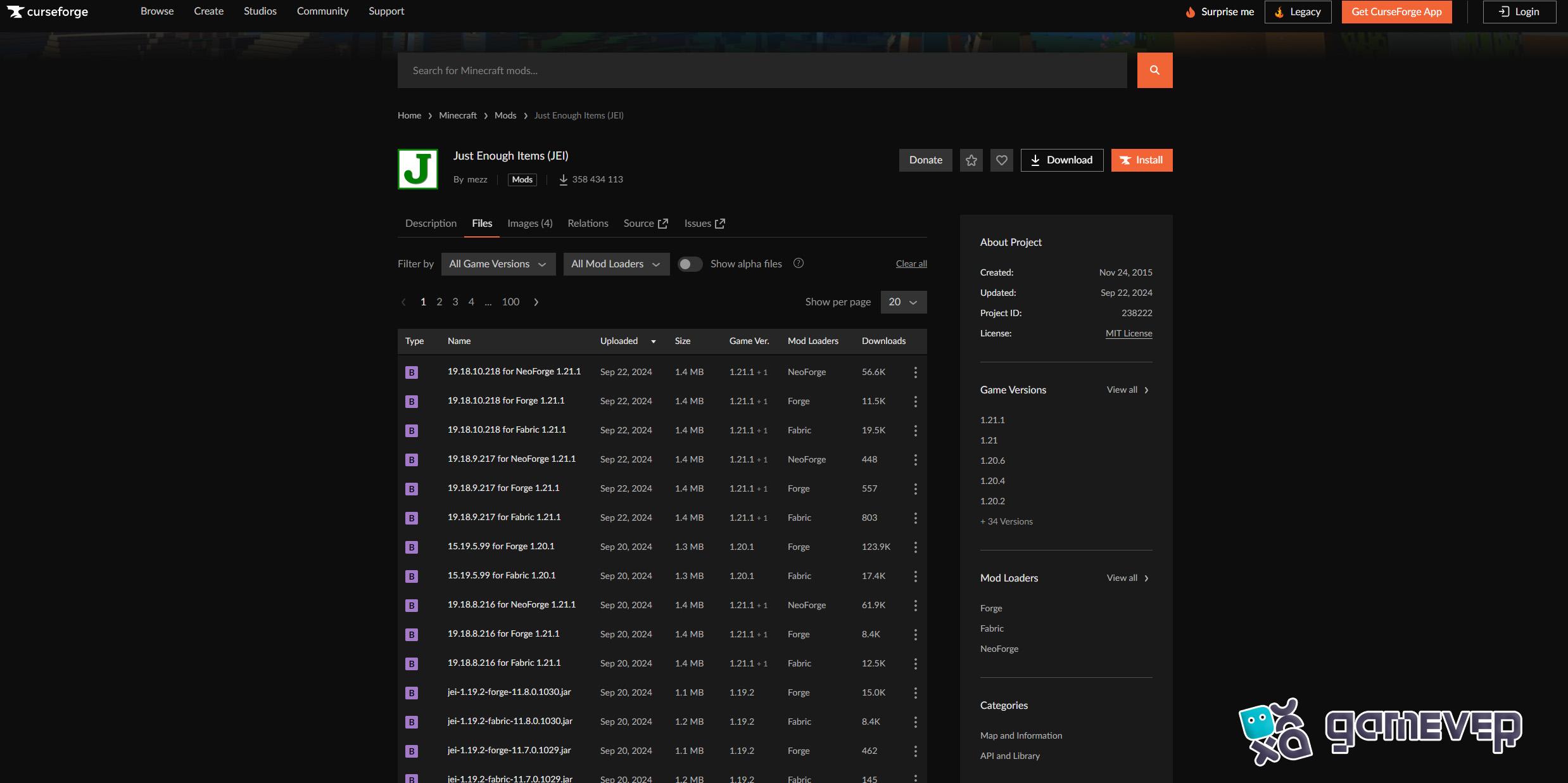
Step 2: Download the .jar File. Click the Download button to get the JEI mod as a .jar file. Make sure to save the file somewhere accessible, like your desktop or a mods folder.
2. Installing the JEI
Step 3: Locate the Minecraft 'mods’ folder. After downloading the JEI .jar file, navigate to your Minecraft installation folder. Inside, you will find a mods folder. If you're using Minecraft Forge, it automatically creates this folder. If not, you may need to install Minecraft Forge first, which is required to run JEI.
To access the mods folder:
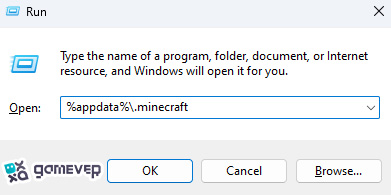
Step 4: Place the JEI .jar File in the Mods Folder. Drag and drop the JEI .jar file into the mods folder. Once it's there, you're ready to go.
3. Launch Minecraft
Step 5: Launch Minecraft with Forge Now, open the Minecraft launcher and make sure you’re using the Forge profile to run the game. Upon loading Minecraft, JEI will become active, and your inventory will display a new interface.
How to Use Just Enough Items (JEI)
After installing and running JEI, you'll notice a slight change in the appearance of your inventory screen. On the right side of the screen, a panel lists every item in the game, along with icons and search options.
1. Viewing Recipes
Step 1: Open Your Inventory. When you open your inventory, you'll see JEI's interface on the right side. This list includes every item available in the game.
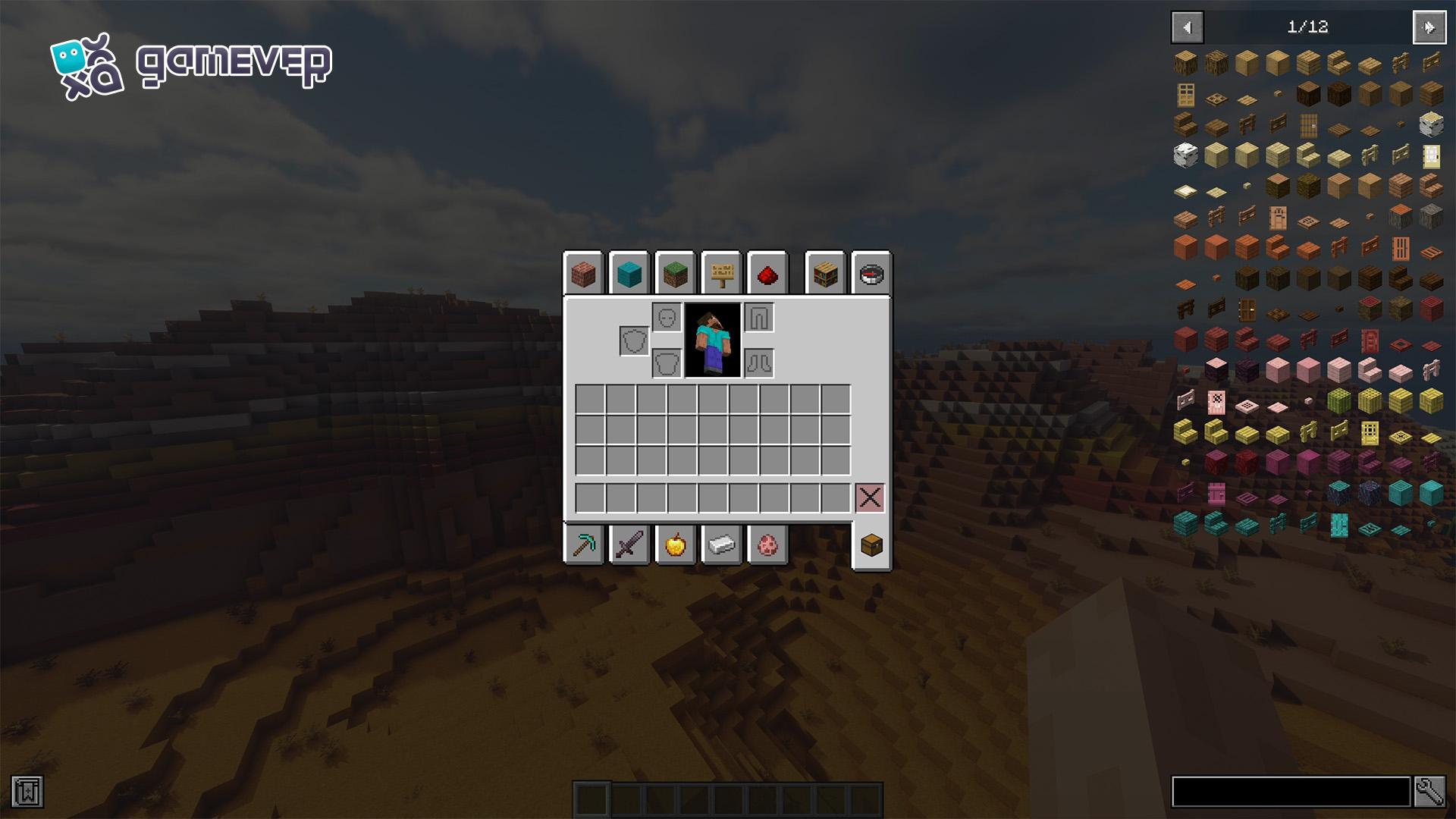
Step 2: Hover Over an Item and Press ‘R’. To see how to craft a specific item, hover over it and press ‘R’. JEI will show you the recipe, whether it's for a crafting table, furnace, or brewing stand. If the item requires additional processing or tools, JEI will display all necessary steps.

2. Checking Item Uses
Step 3: Press 'U' to view an item's usage. JEI also allows you to see an item's potential uses. If you hover over an item and press ‘U’, the mod will display all recipes that use that item as an ingredient.
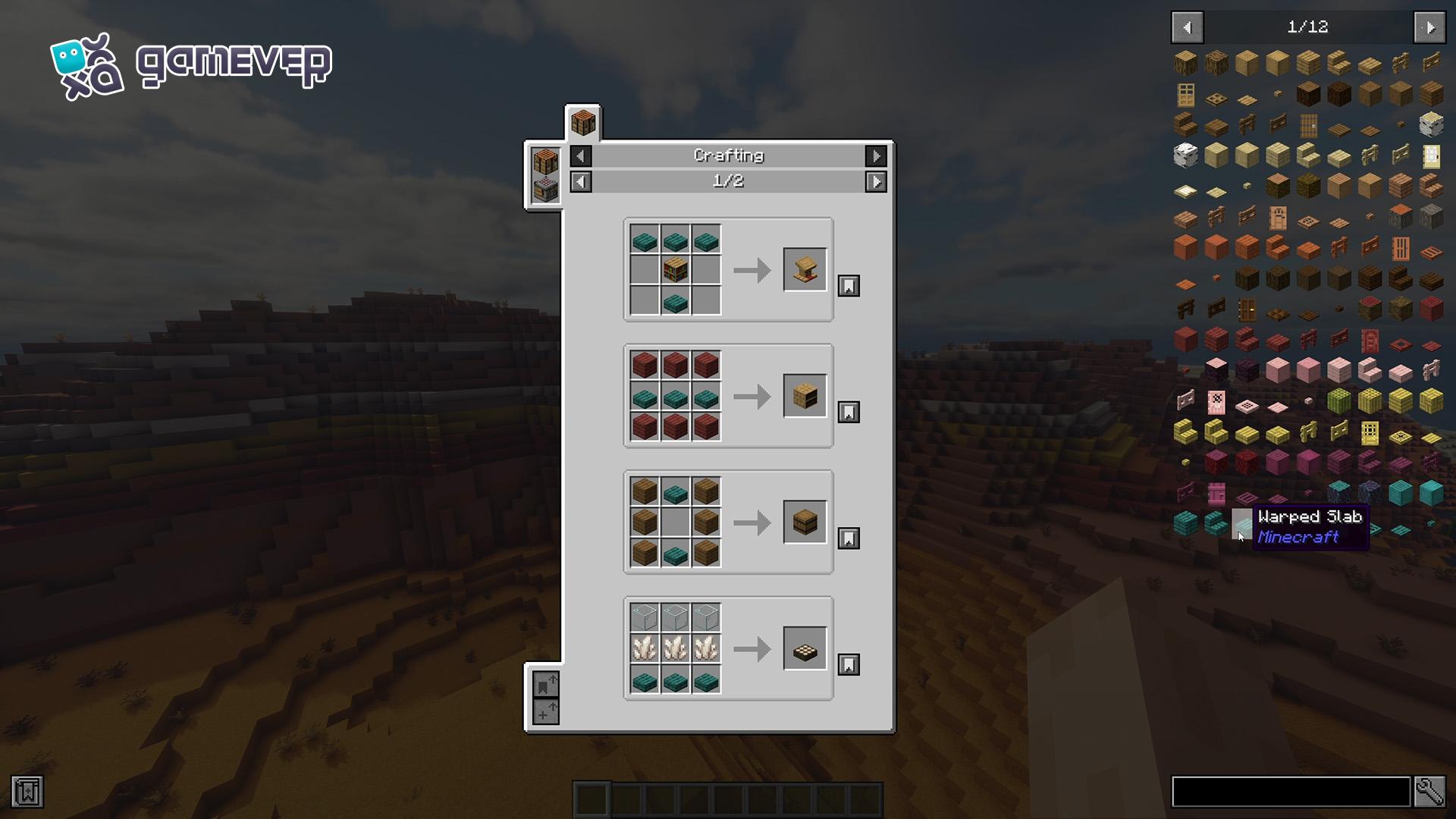
3. Using the Search Bar
Step 4: Search for Specific Items. At the bottom of JEI's interface, you’ll find a search bar. Simply type the name of the item you’re looking for, and JEI will instantly display it along with its recipe and uses. This feature is especially useful when you’re looking for modded items.
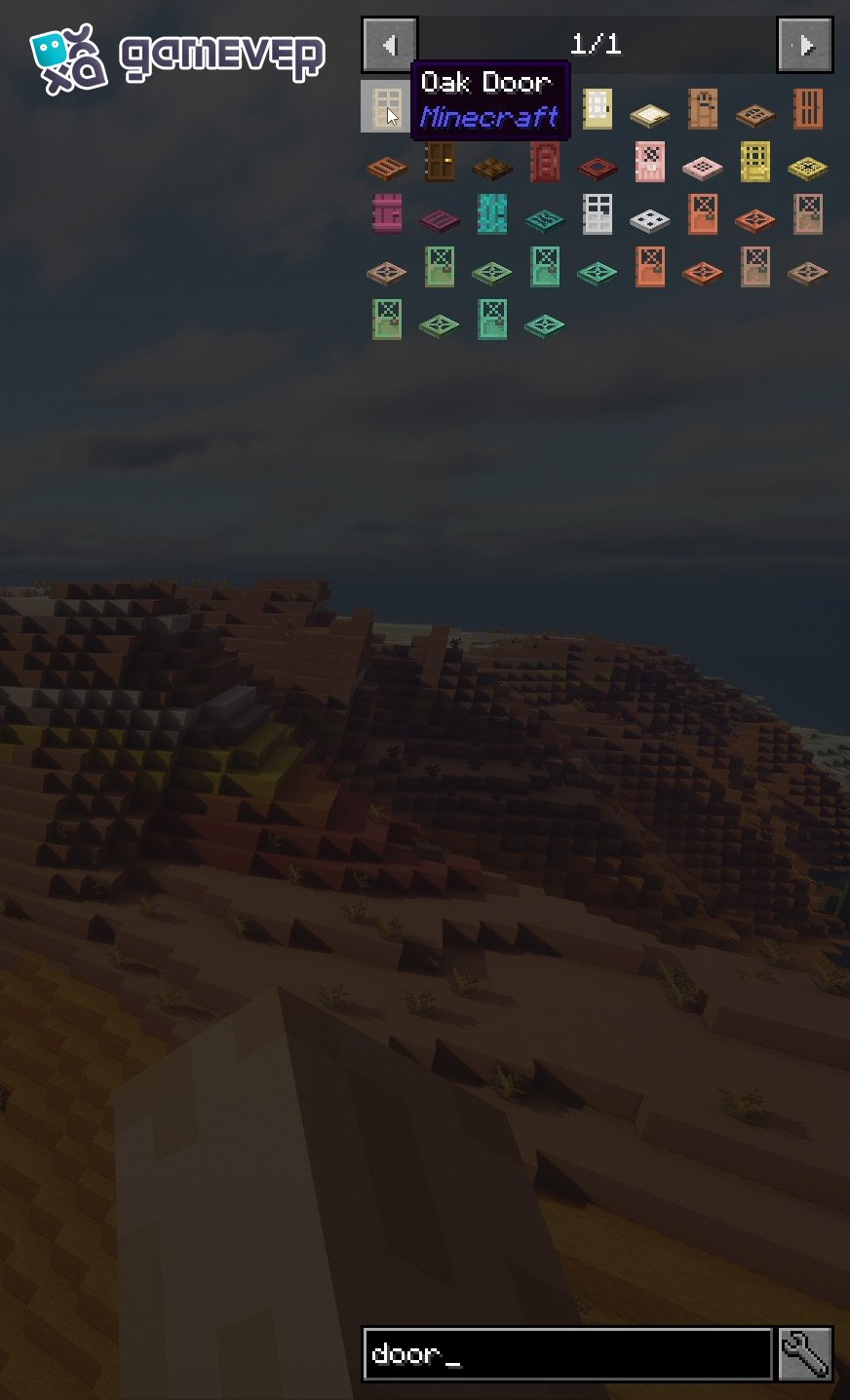
4. Cheat Mode
JEI also features a Cheat Mode, which allows you to spawn items directly into your inventory by clicking on them. This mode is useful for testing or creative worlds. To activate cheat mode:
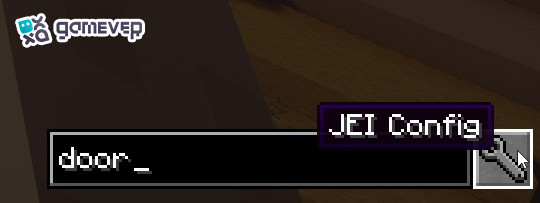
Activating the cheat mode for the Just Enough Items mod in Minecraft
Step 5: Access JEI Settings. Open your inventory, click on the wrench icon, and enable Cheat Mode.
Note: On multiplayer servers, such as Gamever servers, Cheat Mode only works if you have operator (OP) privileges. Before using cheat mode in multiplayer, always check with the server admins to avoid breaking server rules.
Using JEI on Gamever Servers
- Installing and using JEI on multiplayer servers such as Gamever provides a more efficient and streamlined gameplay experience. Here’s why JEI is beneficial on Gamever servers:
- Enhanced Multiplayer Interaction: On Gamever servers, players often engage in large-scale builds and complex crafting. JEI ensures that you can access all crafting recipes on the fly without pausing to look them up, which is critical in collaborative projects.
- Custom Recipes and Mods: On modded Gamever servers, JEI becomes even more valuable as it will display recipes for custom or modded items, saving you from the hassle of memorizing everything.
Conclusion
Installing and using Just Enough Items (JEI) in Minecraft is an excellent way to improve your crafting efficiency and overall gameplay experience. Whether you’re new to the game or a veteran player, JEI simplifies item management, makes it straightforward to find recipes, and helps you keep track of everything. Plus, when playing on Gamever servers, JEI becomes even more beneficial, enabling you to collaborate with other players, craft efficiently, and engage in multiplayer adventures without skipping a beat.