
How to Hack Money in Farming Simulator 25 Using Mod
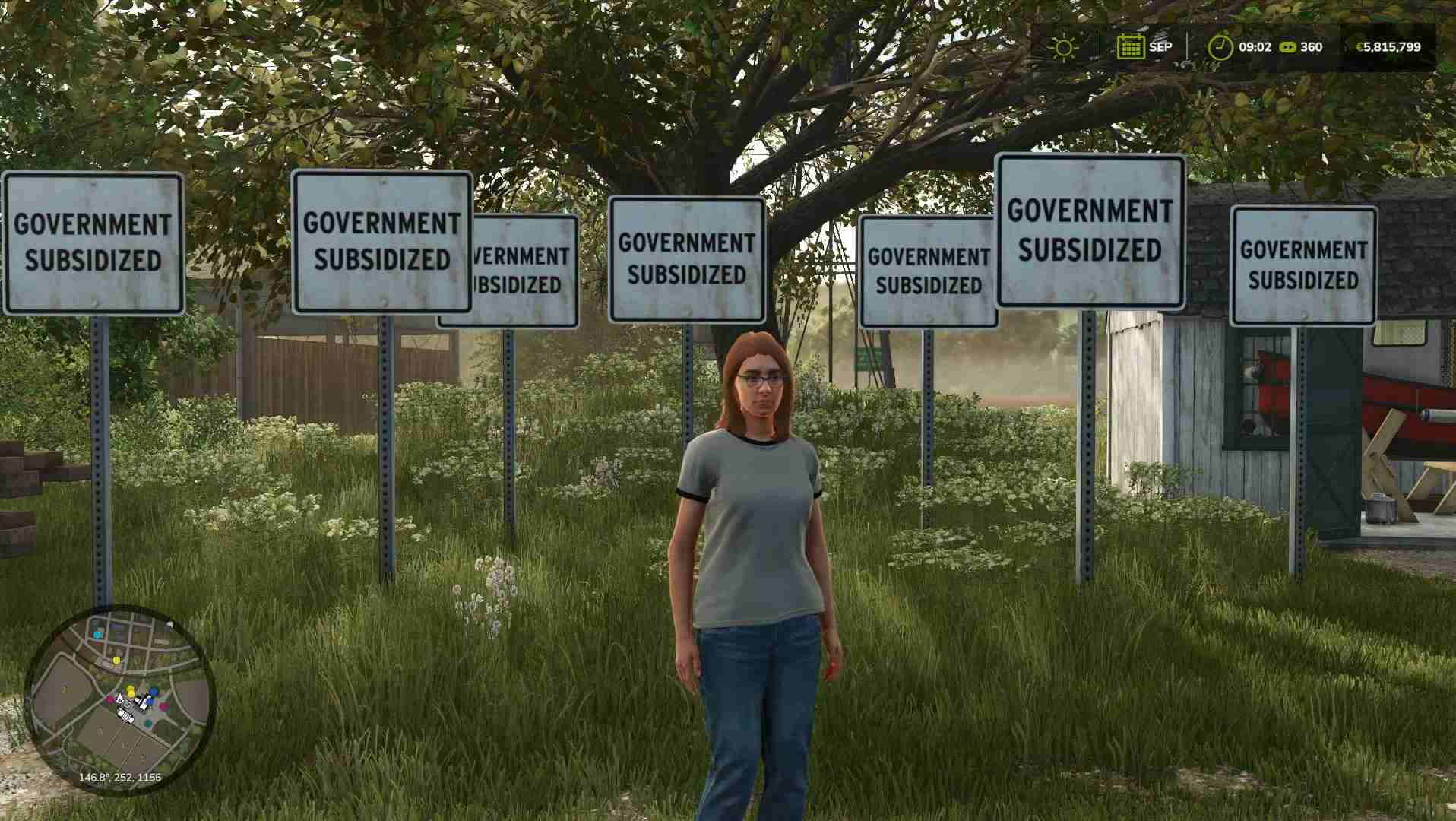
If you’re looking to build up cash quickly in Farming Simulator 25 without grinding, the Government Subsidy Mod is a straightforward solution. This mod is easy to set up, works on every platform, and can add massive amounts of money to your account each month. Here’s exactly how to use it to get rich fast!
Step 1: Install the Government Subsidy Mod
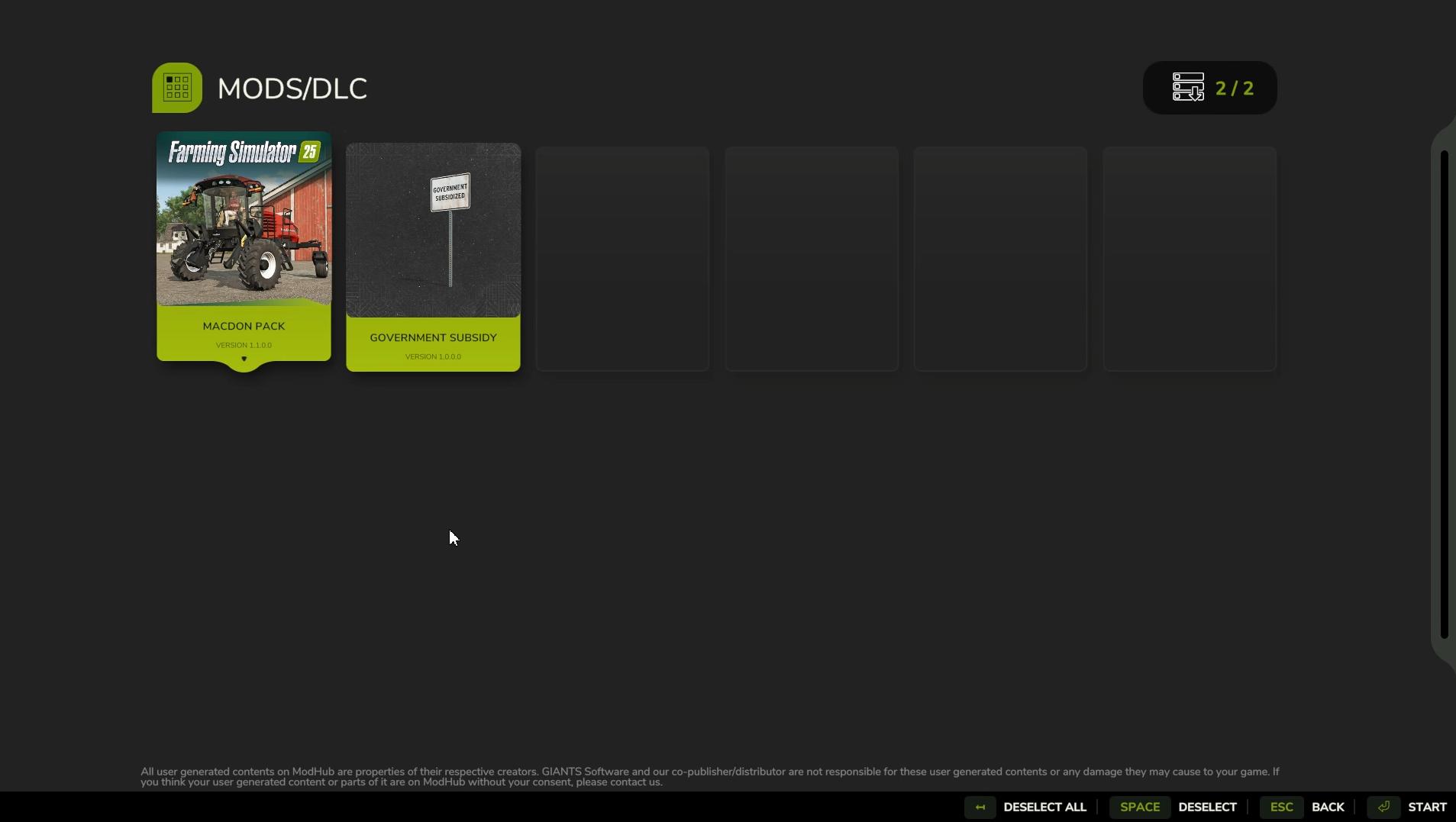
1. Go to the main menu and open Downloadable Content.

2. Search for “Government Subsidy” and download the mod.
Find the Government Subsidy mod in Downloadable Content in Farming Simulator 25
3. Once it’s downloaded, make sure it’s enabled when starting a new game or loading an existing save.
This mod works on all platforms, so whether you’re on PC, PlayStation, or Xbox, you’ll be able to use it.
Step 2: Place the Government Subsidy Signs
Once the mod is enabled, load into your game and place the Government Subsidy signs:
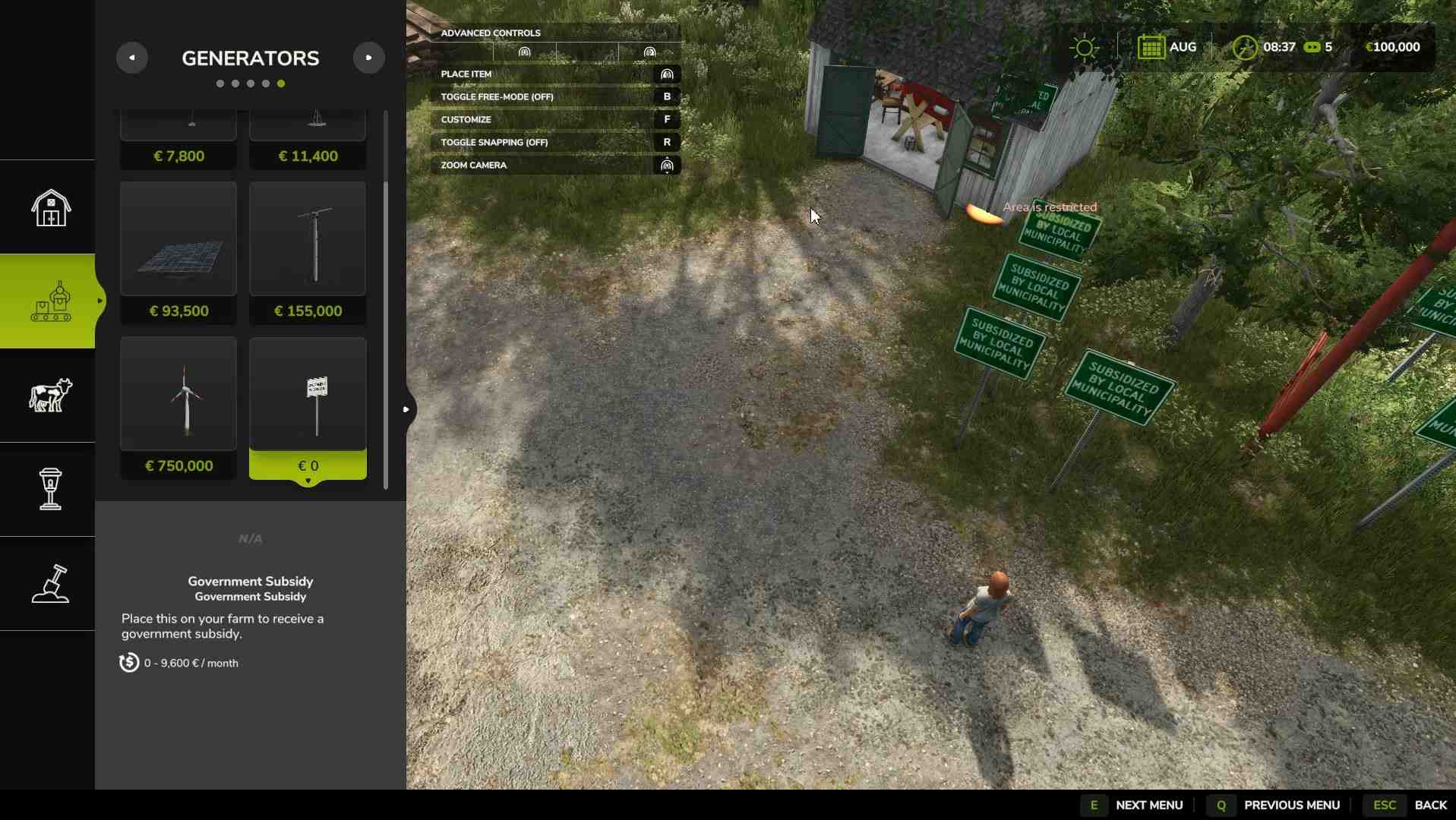
1. Open the Build Menu by pressing P. Switch to ‘Others’ Tab and choose ‘Construction’. Look for Government Subsidy sign under the “Generators” or “Decorators” tab.

2. Select the Government Subsidy sign and place it anywhere on your farm. Each sign lets you choose how much you’ll earn per in-game month.
3. Customize the subsidy amount by pressing “F” (or the designated key/button for your platform). Choose between monthly payouts of $4,000, $40,000, $400,000, or a whopping $4,000,000.
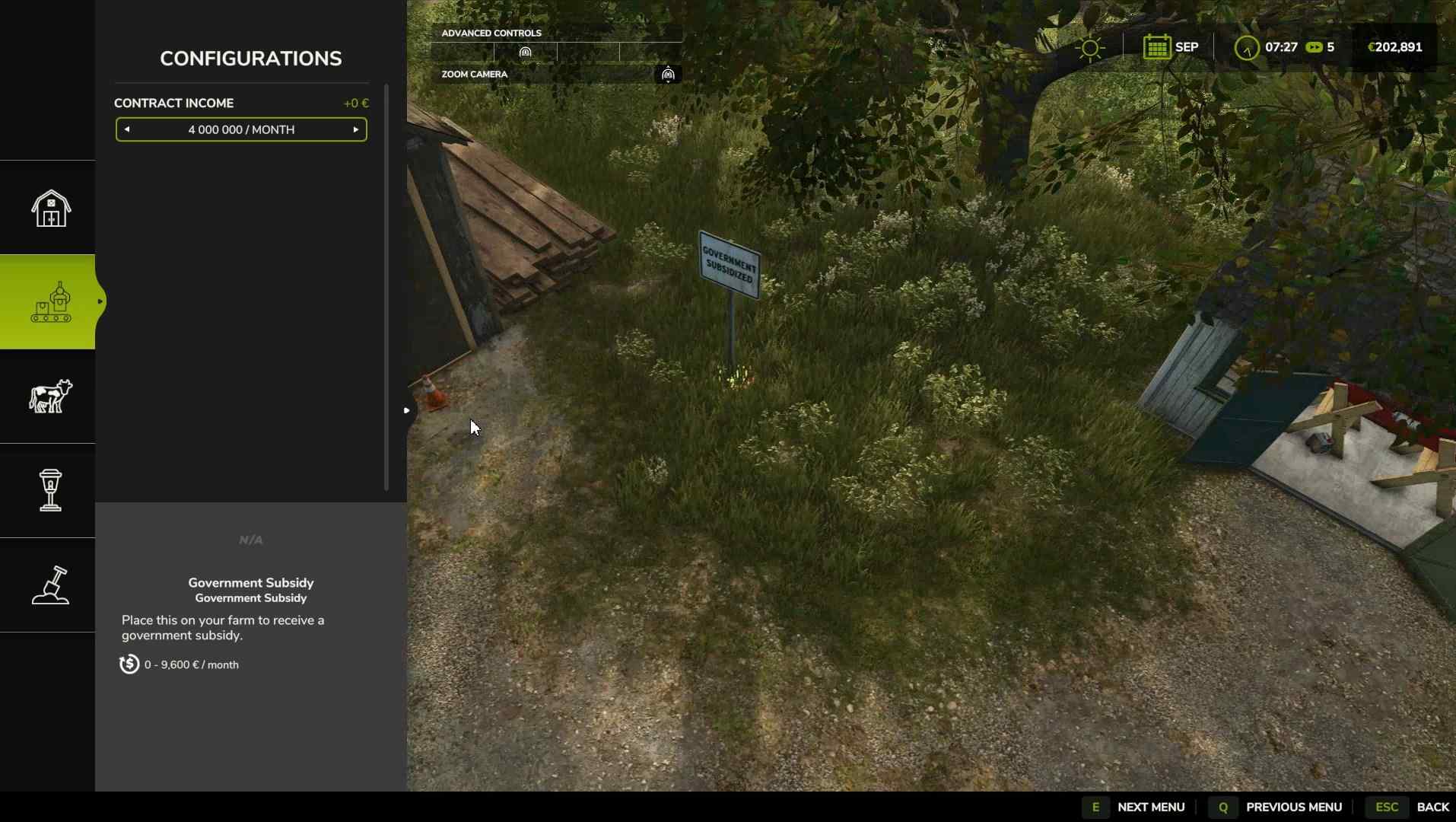
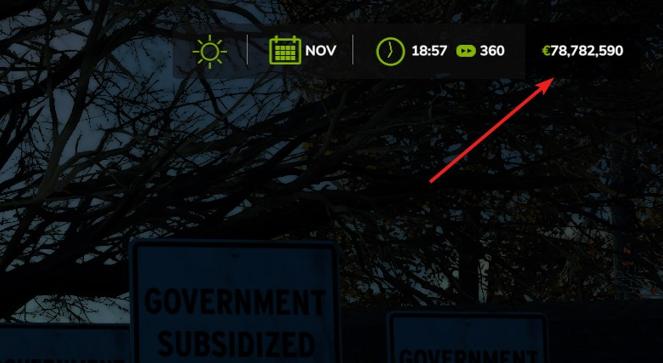
The signs are free to place, so you can put down as many as you want to multiply the effect. For example, if you place five signs set to $4,000,000, you’ll earn $20,000,000 every month!
Step 3: Fast-Forward Time for Instant Cash
Now that your subsidy signs are set up, you can speed up time to start collecting cash:
1. Use the in-game time acceleration feature by pressing ‘8’. The exact controls for time acceleration may vary depending on your platform.
2. Watch your account balance increase. The subsidy income will appear under “Property Income” in your financial summary, showing the amount you’ve received from each sign.
With multiple signs and time acceleration, you can easily add millions to your account in a matter of seconds.
Step 4: Repeat or Adjust as Needed
Want more cash? Just add more subsidy signs or increase the monthly payout on each one. The mod is flexible, so you can adjust it as your farm grows or if you need a cash boost for big equipment or land purchases.
If you decide you don’t need the extra money, you can delete the signs from your farm and return to regular gameplay. But until then, feel free to rake in the funds as much as you like.
The Government Subsidy Mod is an effortless way to boost your funds in Farming Simulator 25 without complex cheats or file edits. Just set up your signs, adjust the monthly payout, and fast-forward time to watch the money roll in. This mod is perfect for testing large equipment setups, expanding your farm, or just enjoying the game with a huge budget. Happy farming!